
Tiny RDM is a modern lightweight cross-platform Redis desktop manager available for Mac, Windows, and Linux. It also provides a web version that can be deployed via Docker.
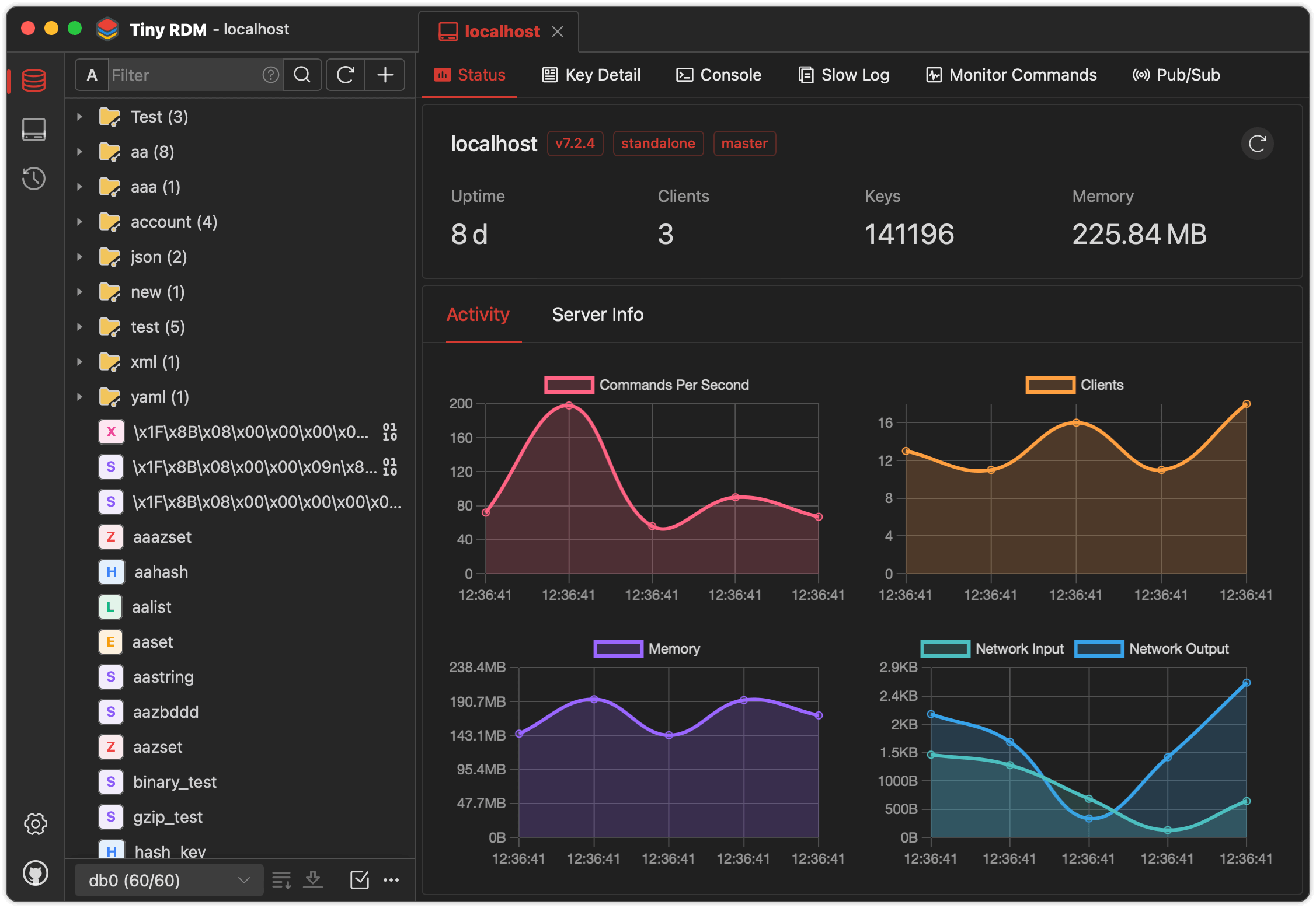
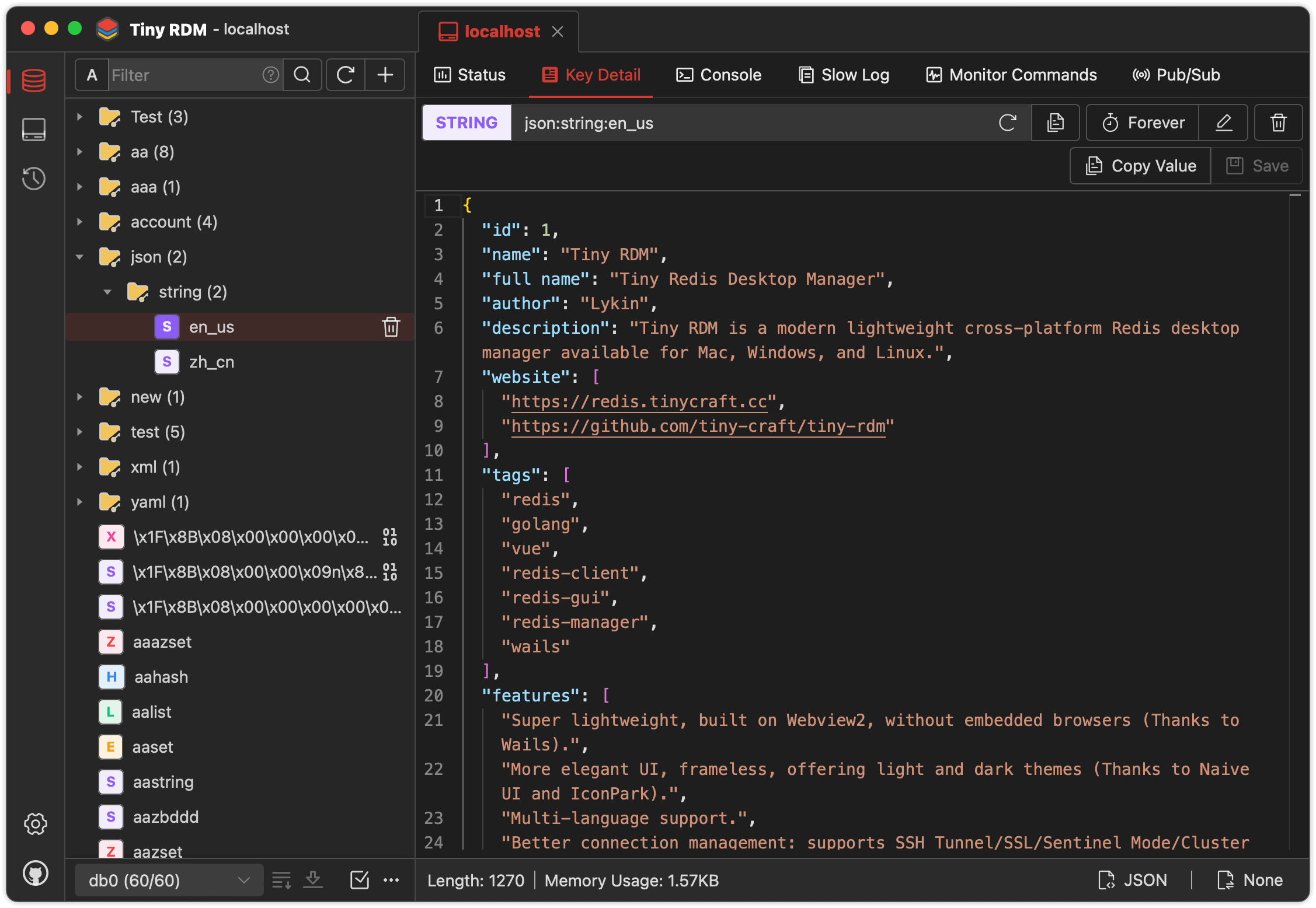
- Super lightweight, built on Webview2, without embedded browsers (Thanks to Wails).
- Provides visually and user-friendly UI, light and dark themes (Thanks to Naive UI and IconPark).
- Multi-language support (Need more languages ? Click here to contribute).
- Better connection management: supports SSH Tunnel/SSL/Sentinel Mode/Cluster Mode/HTTP proxy/SOCKS5 proxy.
- Visualize key value operations, CRUD support for Lists, Hashes, Strings, Sets, Sorted Sets, and Streams.
- Support multiple data viewing format and decode/decompression methods.
- Use SCAN for segmented loading, making it easy to list millions of keys.
- Logs list for command operation history.
- Provides command-line mode.
- Provides slow logs list.
- Segmented loading and querying for List/Hash/Set/Sorted Set.
- Provide value decode/decompression for List/Hash/Set/Sorted Set.
- Integrate with Monaco Editor
- Support real-time commands monitoring.
- Support import/export data.
- Support publish/subscribe.
- Support import/export connection profile.
- Custom data encoder and decoder for value display (Here are the instructions).
Available to download for free from here.
If you can't open it after installation on macOS, exec the following command then reopen:
sudo xattr -d com.apple.quarantine /Applications/Tiny\ RDM.app
- Go (latest version)
- Node.js >= 20
- NPM >= 9
go install github.com/wailsapp/wails/v2/cmd/wails@latest
git clone https://github.com/tiny-craft/tiny-rdm --depth=1
npm install --prefix ./frontend
or
cd frontend
npm installwails dev
In addition to the desktop client, Tiny RDM also provides a web version that can be quickly deployed via Docker.
Create a docker-compose.yml file:
services:
  tinyrdm:
    image: ghcr.io/tiny-craft/tiny-rdm:latest
    container_name: tinyrdm
    restart: unless-stopped
    ports:
      - "8086:8086"
    environment:
      - ADMIN_USERNAME=admin
      - ADMIN_PASSWORD=tinyrdm
    volumes:
      - ./data:/app/tinyrdm
Start the service:
docker compose up -d
Once started, visit http://localhost:8086 and log in with the credentials configured above.
docker run -d --name tinyrdm \
  -p 8086:8086 \
  -e ADMIN_USERNAME=admin \
  -e ADMIN_PASSWORD=tinyrdm \
  -v ./data:/app/tinyrdm \
  ghcr.io/tiny-craft/tiny-rdm:latest
| Variable | Description | Default |
|---|---|---|
ADMIN_USERNAME |
Login username | - |
ADMIN_PASSWORD |
Login password | - |
Thanks to the following service providers for hosting sponsorship
 |
Special thanks to FlyMux for sponsoring this project! FlyMux is committed to providing official, high-stability relay services for Claude Code and Codex, focusing on creating a seamless and efficient integration experience for developers. As an exclusive benefit for TinyRDM users, register via this link to receive a $5 bonus credit automatically added to your account. |
 |
Special thanks to NotIDC for sponsoring this project! NotIDC provides high-performance cloud infrastructure including cloud servers, bare metal, CDN, and security solutions, with global network coverage and reliable DDoS protection, helping developers deploy and scale applications efficiently. |
