GV

GeezerVison

The World Wide Web, restored to 800 pixels of glory.

Home|About|Gaming cabinet|Archives|How it works|Starter sites

On this site

  • Sign in
  • ActionsCI/CD and automation
  • CodespacesCloud development environments
  • All Features
  • Documentation
  • Training
  • Certifications
  • Build with Copilot
  • Customize Copilot
  • Integrations
  • Trending repos
  • GitHub Sponsors
  • Developer articles
  • Enterprises

This view

  • Original page
  • New address

GeezerVison is showing github.com — GitHub - tjt740/JavaScript-tools-and-Lodash-tools: 🍌常用的JavaScript函数和Lodash函数🥝

BranchesTags
Open more actions menu

Latest commit


History

198 Commits
198 Commits

Folders and files

NameName
Last commit message
Last commit date
.vscode
.vscode
 
 
course
course
 
 
javascript-tools
javascript-tools
 
 
utils-html
utils-html
 
 
.gitignore
.gitignore
 
 
LICENSE
LICENSE
 
 
README.md
README.md


Repository files navigation

此项目是一些常用的JS函数 + Lodash方法的汇总

🍑

  • 🥐 现已支持模糊查询
  • 🍊 富文本编辑用的Monaco Editor编辑器
  • 🥑 Angular-cli v13.2.3
  • 🚶 不定时更新...

如何将项目部署到Github Pages上

  1. cd进入仓库里创建的angular项目
 gongdao@gongdaodeMacBook-Pro JavaScript-tool-function % cd javascript-tools
  1. 在angular项目里安装ghpages插件
 ng add angular-cli-ghpages
  1. 构建部署(deploy)
 ng deploy --base-href=https://[用户名].github.io/[仓库名(不是项目名)]/ 

 ng deploy --base-href=https://tjt740.github.io/JavaScript-tools-and-Lodash-tools/ 
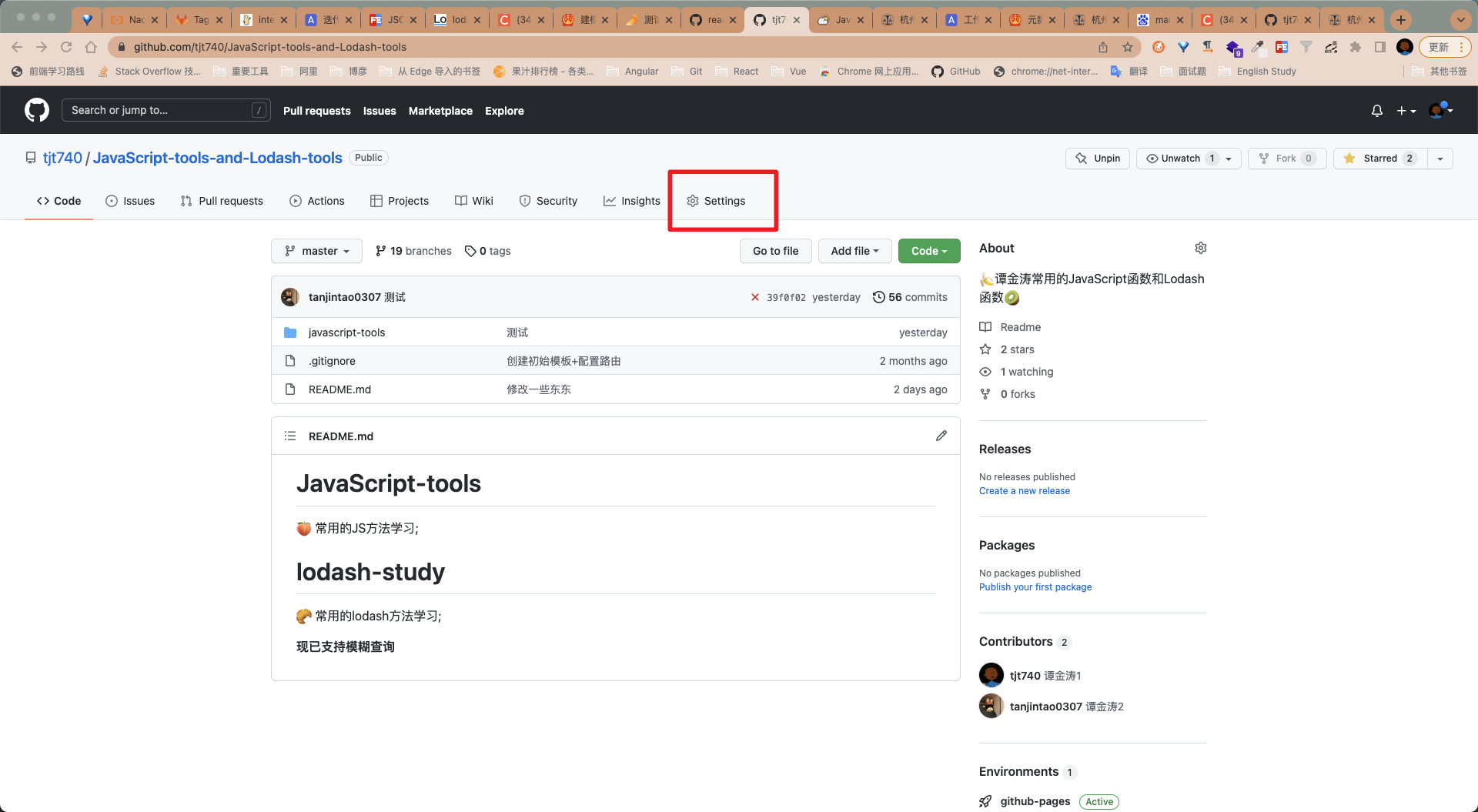
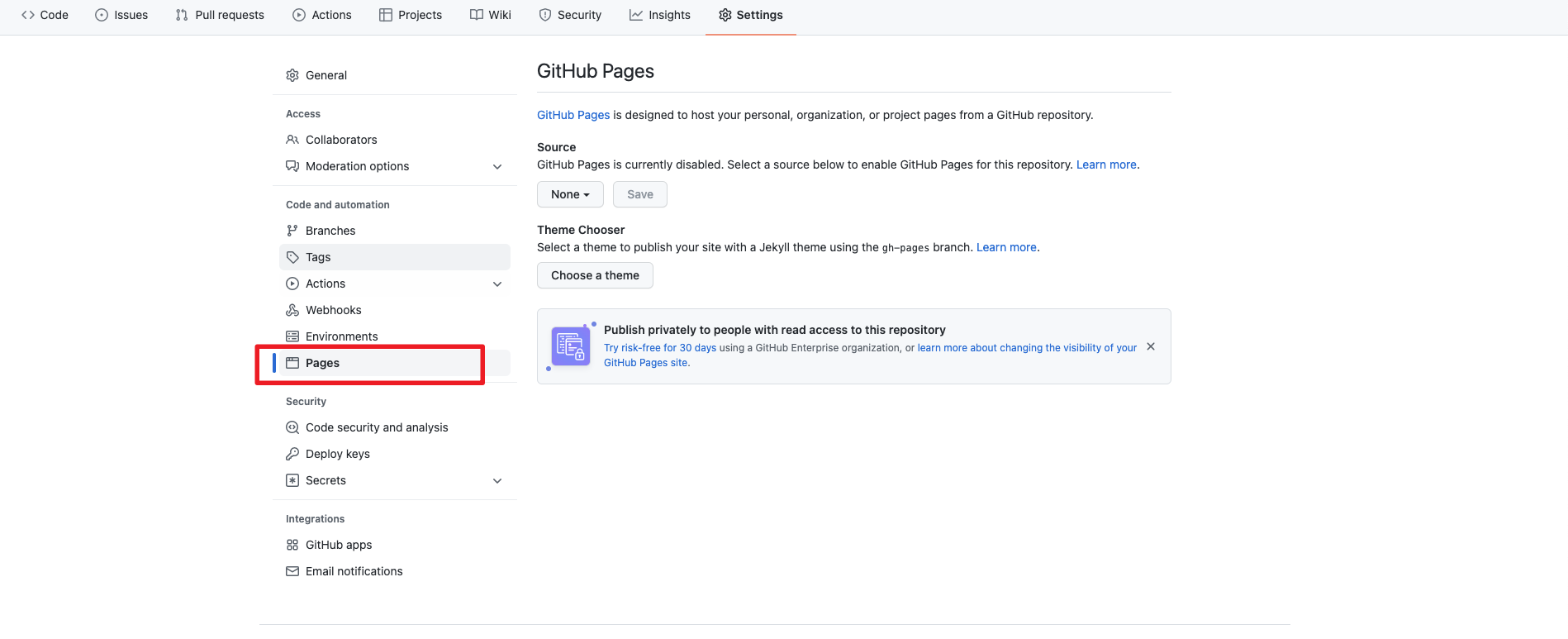
  1. 在Github中的 Settings 中的选择 Pages

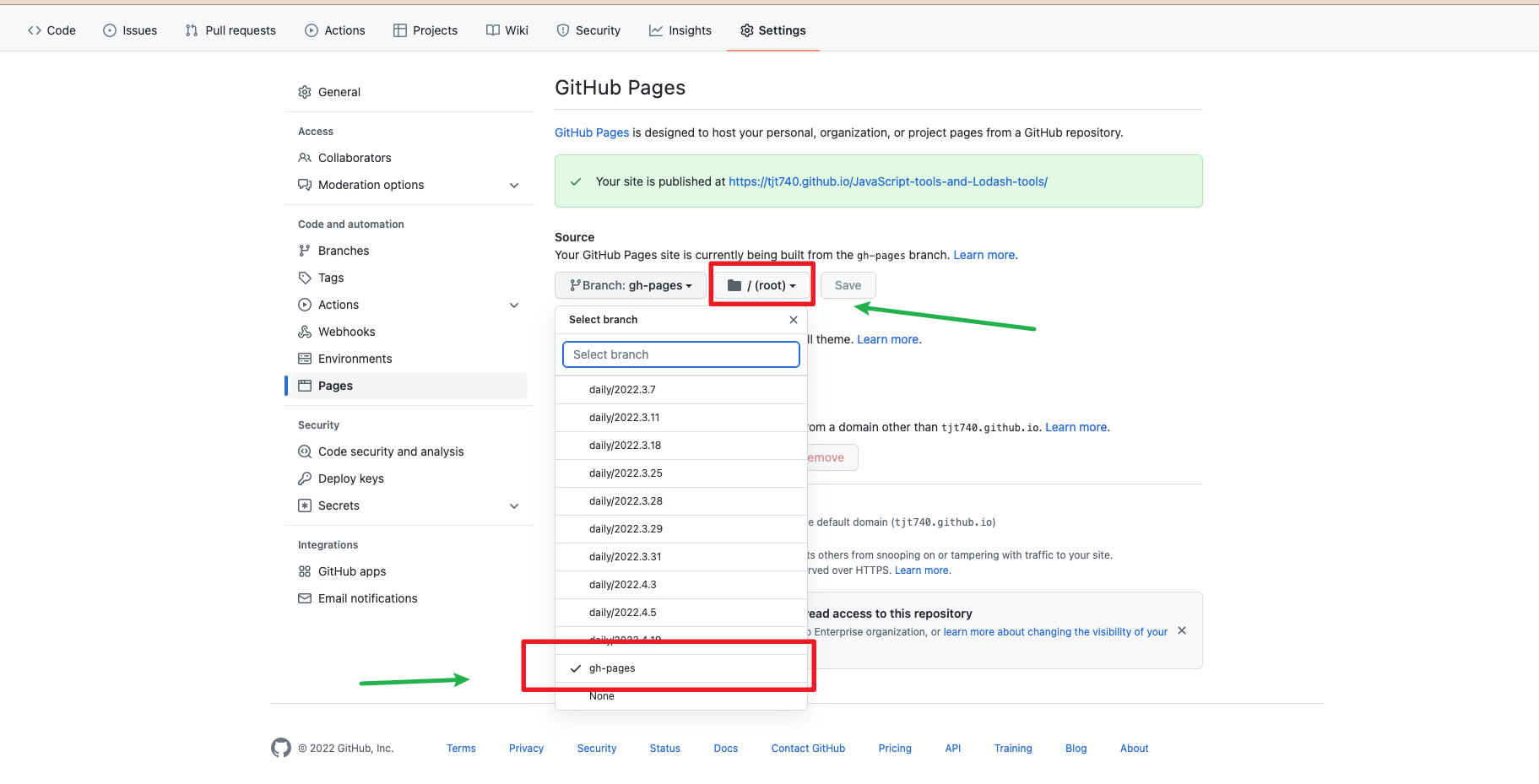
  2. 选择 gh-pages 分支,/root,然后Save

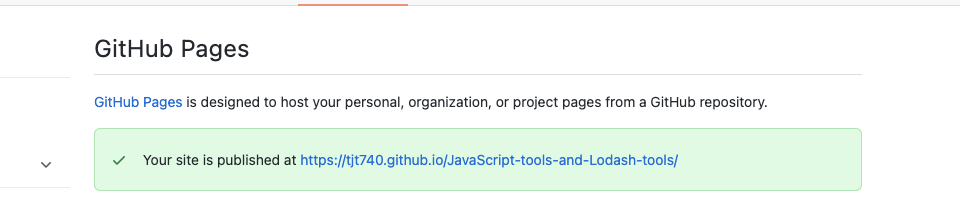
  3. 点击链接【完成】 ​​

PS: 最好每次都把新创建的分支合到master上再部署到Github Pages

简化【打包+发布】命令

在package.json文件中添加:

 "github:ghpages":"ng deploy --base-href=https://tjt740.github.io/JavaScript-tools-and-Lodash-tools/"

在项目中执行简化后的【打包+发布】命令

  npm run github:ghpages

About

🍌常用的JavaScript函数和Lodash函数🥝

Topics

angularghpagesjavascriptlodashmonaco-editortypescript

Resources

Readme
MulanPSL-2.0 license
Activity

Stars

5 stars

Watchers

1 watching

Forks

0 forks
Report repository

Releases

Packages

Used by

Contributors

Languages

You are visitor 01402503 — GeezerVison does not store the pages you look up.
Best viewed with Netscape Navigator 4.7 or Internet Explorer 6 at 800×600. No cookies required.