
This is the repository accompanying the article: From MNIST classification to Intelligent Check Processing
Use the introductory notebook
-
Prepare the dataset config:
There is a basic example in ..blob/master/dataset/generator.py#L12
You can change images dimensions and probabilities of randomly applied image transformations, e.g. setting:
'blur_probability': 0.5
will generate a dataset where 50% of samples have blurring applied.To preview the dataset use the
dataset.generator.make_preview(config)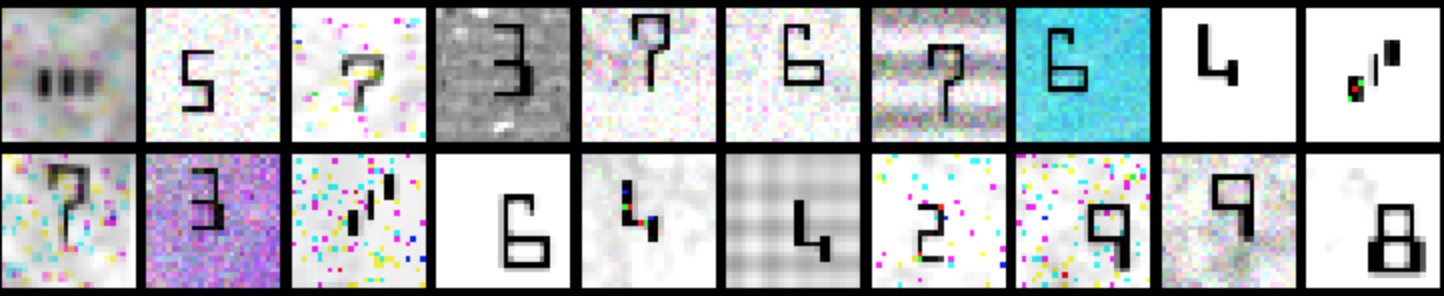
-
Generate the full dataset:
Declare total number of sumples and execute the function:
number_of_samples = 60_000
dataset.generator.make_dataset(
    config=dataset_config,
    number_of_samples=number_of_samples
)
This can take anything from 20 - 90 minutes, depending on the machine you're using and number of samples you choose and will create a new directory in the
./tmpfolder of this repository (can change in the config) containing all all of the images and onelabels.csvfile with information about the ground truth character for each image. -
Load dataset with PyTorch loaders:
Using the same config object you can make training and validation data loaders:
train_loader, test_loader = dataset.dataset.make_dataset_loaders(
    config=dataset_config,
    batch_size=batch_size
)
-
Train models!
We are including a neural network model with 3 convolutional layers, 2 fully connected and batch normalization. Is pseudo-python the training procedure boils down to:
model = models.DeepMicrClassifier()
for batch in train_loader:
    # Load the data
    image_data = batch['image']
    target_labels = batch['label']

    # Feed it to the model
    output = model(image_data)

    # Calculate error
    loss = your_loss_function(output, target_labels)

    # Back propagation
    loss.backward()

    # Gradient descent
    optimizer.step()
Running the notebook as is should give you 90% accuracy on the validation set.
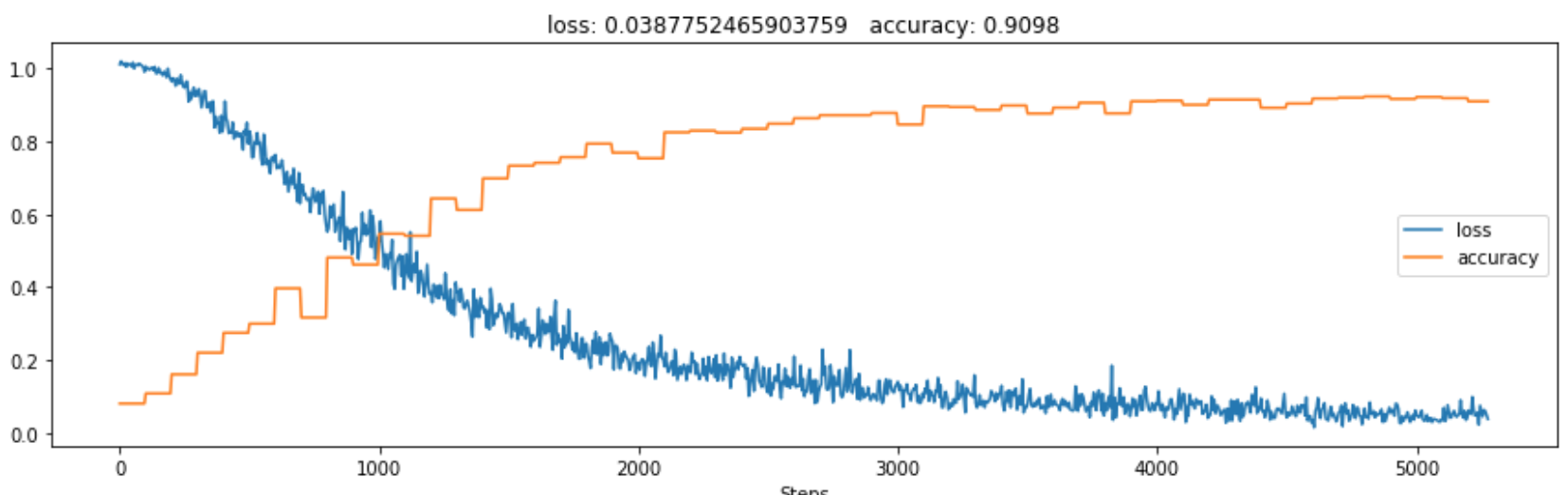
-
Experiment!
This is clearly a toy example - we encourage you try and beat our baseline. Ideas for improvements:
- make the model deeper
- add data augmentation
- remove convolutional layers
- remove fully connected layers
- train multiple models and try the ensemble approach


The tree arrangement of the data directory:
└── MICRST
    ├── image
    │   ├── MICRST_1000000.png
    │   ├── MICRST_1000001.png
    │   ├── .
    │   ├── ..
    │   ├── ...
    └── labels.csv
And the structure of labels.csv:
label,path
7,./tmp/MICRST/image/MICRST_1000000.png
D,./tmp/MICRST/image/MICRST_1000001.png
.
..
...
Where the label column is the MICR character in string format.