GeezerVisonThe World Wide Web, restored to 800 pixels of glory. |
| Home|About|Gaming cabinet|Archives|How it works|Starter sites |
GeezerVison is showing github.com — GitHub - vim-scripts/cscope.vim: create cscope database and connect to existing proper database automatically. Folders and filesRepository files navigationThis is a mirror of http://www.vim.org/scripts/script.php?script_id=4082 # Introduction Cscove(new name for this plugin, since cscope.vim is used too widely.) is a smart cscope helper for vim. It will try to find a proper cscope database for current file, then connect to it. If there is no proper cscope database for current file, you are prompted to specify a folder with a string like -- Can not find proper cscope db, please input a path to create cscope db for. Then the plugin will create cscope database for you, connect to it, and find what you want. The found result will be listed in a location list window. Next time when you open the same file or other file that the cscope database can be used for, the plugin will connect to the cscope database automatically. You need not take care of anything about cscope database. When you have a file edited/added in those folders for which cscope databases have been created, cscove will automatically update the corresponding database. Cscove frees you from creating/connecting/updating cscope database, let you focus on code browsing. # Example settings The default key mappings has been removed from the plugin itself, since users may prefer different choices. So to use the plugin, you must define your own key mappings first. Below is the minimum key mappings. nnoremap <leader>fa :call cscope#findInteractive(expand('<cword>'))<CR> nnoremap <leader>l :call ToggleLocationList()<CR> Some optional key mappings to search directly. " s: Find this C symbol nnoremap <leader>fs :call cscope#find('s', expand('<cword>'))<CR> " g: Find this definition nnoremap <leader>fg :call cscope#find('g', expand('<cword>'))<CR> " d: Find functions called by this function nnoremap <leader>fd :call cscope#find('d', expand('<cword>'))<CR> " c: Find functions calling this function nnoremap <leader>fc :call cscope#find('c', expand('<cword>'))<CR> " t: Find this text string nnoremap <leader>ft :call cscope#find('t', expand('<cword>'))<CR> " e: Find this egrep pattern nnoremap <leader>fe :call cscope#find('e', expand('<cword>'))<CR> " f: Find this file nnoremap <leader>ff :call cscope#find('f', expand('<cword>'))<CR> " i: Find files #including this file nnoremap <leader>fi :call cscope#find('i', expand('<cword>'))<CR> # Screencast Please note that line number changes in location list after file saved. 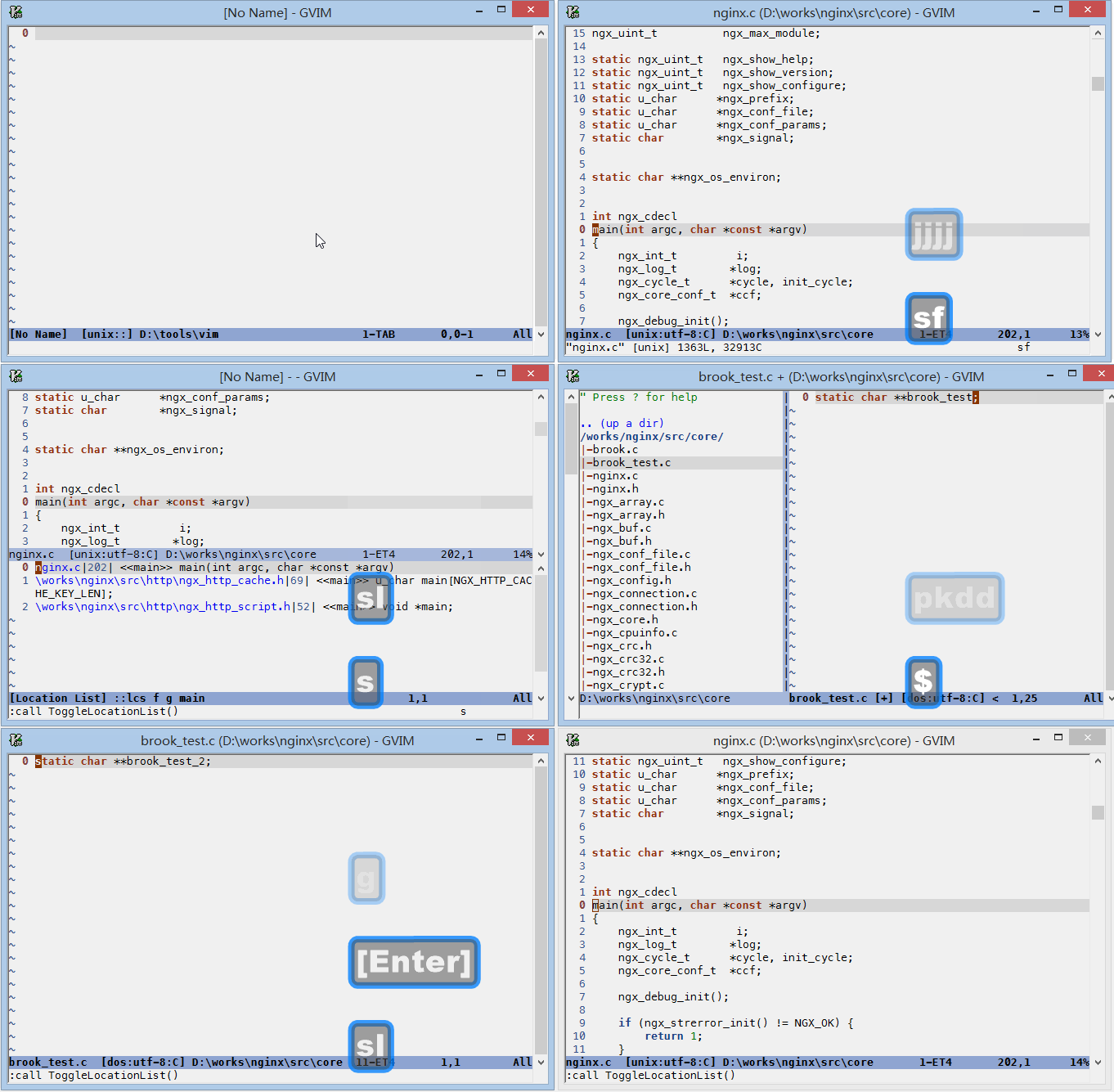 Aboutcreate cscope database and connect to existing proper database automatically. ResourcesReleasesPackagesContributorsLanguages |
| You are visitor 01402775 — GeezerVison does not store the pages you look up. Best viewed with Netscape Navigator 4.7 or Internet Explorer 6 at 800×600. No cookies required. |
