GV

GeezerVison

The World Wide Web, restored to 800 pixels of glory.

Home|About|Gaming cabinet|Archives|How it works|Starter sites

On this site

  • Sign in
  • ActionsCI/CD and automation
  • CodespacesCloud development environments
  • All Features
  • Documentation
  • Training
  • Certifications
  • Build with Copilot
  • Customize Copilot
  • Integrations
  • Trending repos
  • GitHub Sponsors
  • Developer articles
  • Enterprises

This view

  • Original page
  • New address

GeezerVison is showing github.com — GitHub - wyx176/nps-socks5

BranchesTags
Open more actions menu

Latest commit


History

146 Commits
146 Commits

Folders and files

NameName
Last commit message
Last commit date
bridge
bridge
 
 
client
client
 
 
cmd
cmd
 
 
conf
conf
 
 
docs
docs
 
 
gui/npc
gui/npc
 
 
image
image
 
 
lib
lib
 
 
server
server
 
 
web
web
 
 
.gitattributes
.gitattributes
 
 
.gitignore
.gitignore
 
 
.travis.yml
.travis.yml
 
 
Dockerfile.npc
Dockerfile.npc
 
 
Dockerfile.nps
Dockerfile.nps
 
 
LICENSE
LICENSE
 
 
Makefile
Makefile
 
 
README.md
README.md
 
 
README_NPS.md
README_NPS.md
 
 
build.android.sh
build.android.sh
 
 
build.assets.sh
build.assets.sh
 
 
build.sh
build.sh
 
 
go.mod
go.mod
 
 
go.sum
go.sum
 
 
install.sh
install.sh
 
 
port.png
port.png
 
 
server.png
server.png


Repository files navigation

nps-socks5服务一键搭建脚本

  • 稳定版V3.1

介绍

基于nps的Shell脚本,集成socks5搭建,管理,启动,添加账号等基本操作。方便用户操作,并且支持快速构建socks5服务环境。

  • 默认管理页面ip:18080
  • 默认管理员账号密码:admin admin
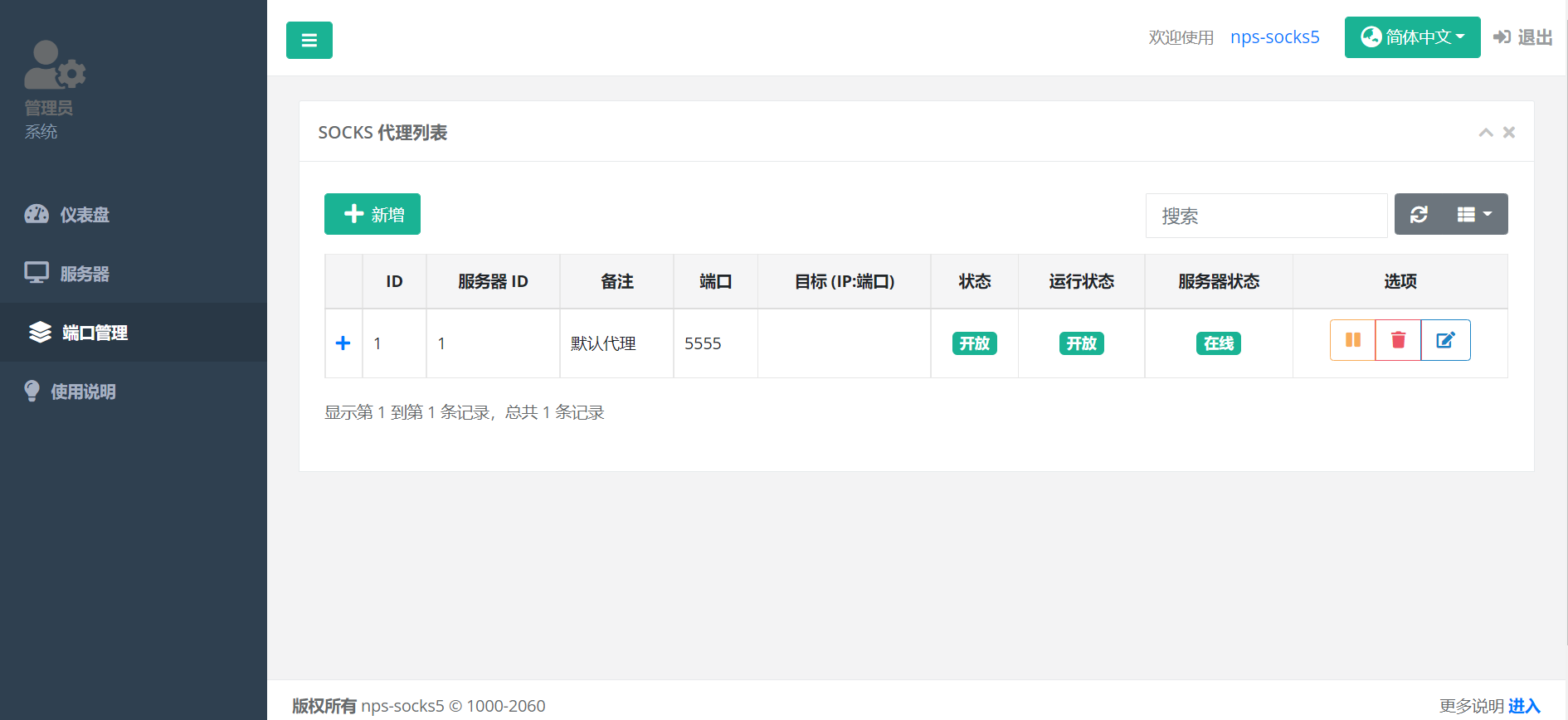
  • 默认socks5账号信息: 端口5555、账号验证无(建议开启)
  • 支持多端口、多账号管理
  • 加密传输、数据压缩
  • 服务端、客户端分离安装、可实现国内中专代理,降低被和谐概率
  • 脚本只提供学习交流!
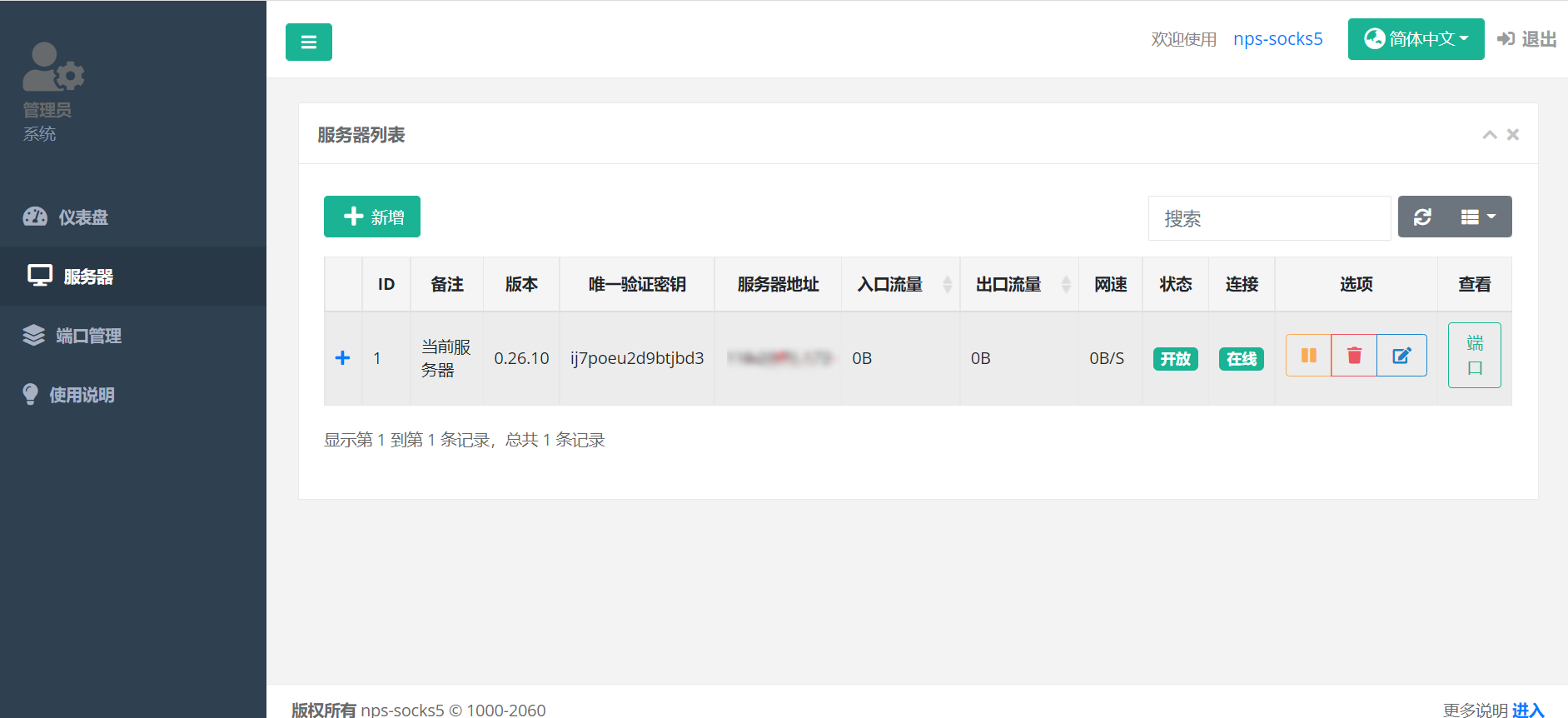
    image image

系统支持

  • contest、ubuntu、debian、windows

功能

  • 全自动无人值守安装,服务端部署只需一条命令
  • 全新的web端管理,支持多端口、多账号、多服务器、以及中转代理
  • 添加账户、删除用户、开启账户验证、关闭账户验证、一键修改端口

方法一:一键安装或更新到最新

curl --progress-bar -O https://raw.githubusercontent.com/wyx176/nps-socks5/master/install.sh && chmod 777 install.sh && ./install.sh

或者

wget --show-progress -q -N --no-check-certificate https://raw.githubusercontent.com/wyx176/nps-socks5/master/install.sh && chmod 777 install.sh && ./install.sh

方法二:linux、windows均支持,需要安装go语言环境进行编译

参考NPS文档
1、安装源码

go get -u github.com/wyx176/nps-socks5

2、编译服务端:进入到nps-socks5文件夹中执行命令

go build cmd/nps/nps.go

3、编译客户端:进入到nps-socks5文件夹中执行命令

go build cmd/npc/npc.go

相关文件路径、命令

  • 1、后台管理的配置文件
    /etc/nps/conf
    登录账号web_username=admin
    登录密码web_password=admin
    web管理端口web_port = 18080
    修改后需要重启服务端
  • 2、基本命令
    启动服务端: nps start
    停止服务端: nps stop

更新日志

-2025.01.11 v3.1
1、取消账号限制
2、增加账号到期时间
3、增加流量限制
4、修复bug
-2022.10.06 v3.0
1、端口增加创建时间、到期时间
2、开启用户注册
安装后修改/etc/nps/conf/nps.conf中
allow_user_login=true
allow_user_register=true

-2022.10.03 v2.0
1、增加多端口、多账号设置
-2022.09.03 v1.0

写在最后

Telegram交流群:https://t.me/Socks55555

About

No description, website, or topics provided.

Resources

Readme
GPL-3.0 license
Activity

Stars

702 stars

Watchers

4 watching

Forks

200 forks
Report repository

Releases

Packages

Used by

Contributors

Languages

You are visitor 01402792 — GeezerVison does not store the pages you look up.
Best viewed with Netscape Navigator 4.7 or Internet Explorer 6 at 800×600. No cookies required.