GeezerVison is showing github.com — GitHub - xiaoai7904/web_designer: 网页设计器图形化工具,通过拖拽组件进行页面排版和生成页面代码
Folders and files| Name | Name | Last commit message | Last commit date |
|---|
| | | | | | | | | | | | | | | | | | | | | | | | | | | | | | | | | | | | | | | | | | | | | | | | | | | | | | | | | | | | | | | | |
Repository files navigation
在线预览
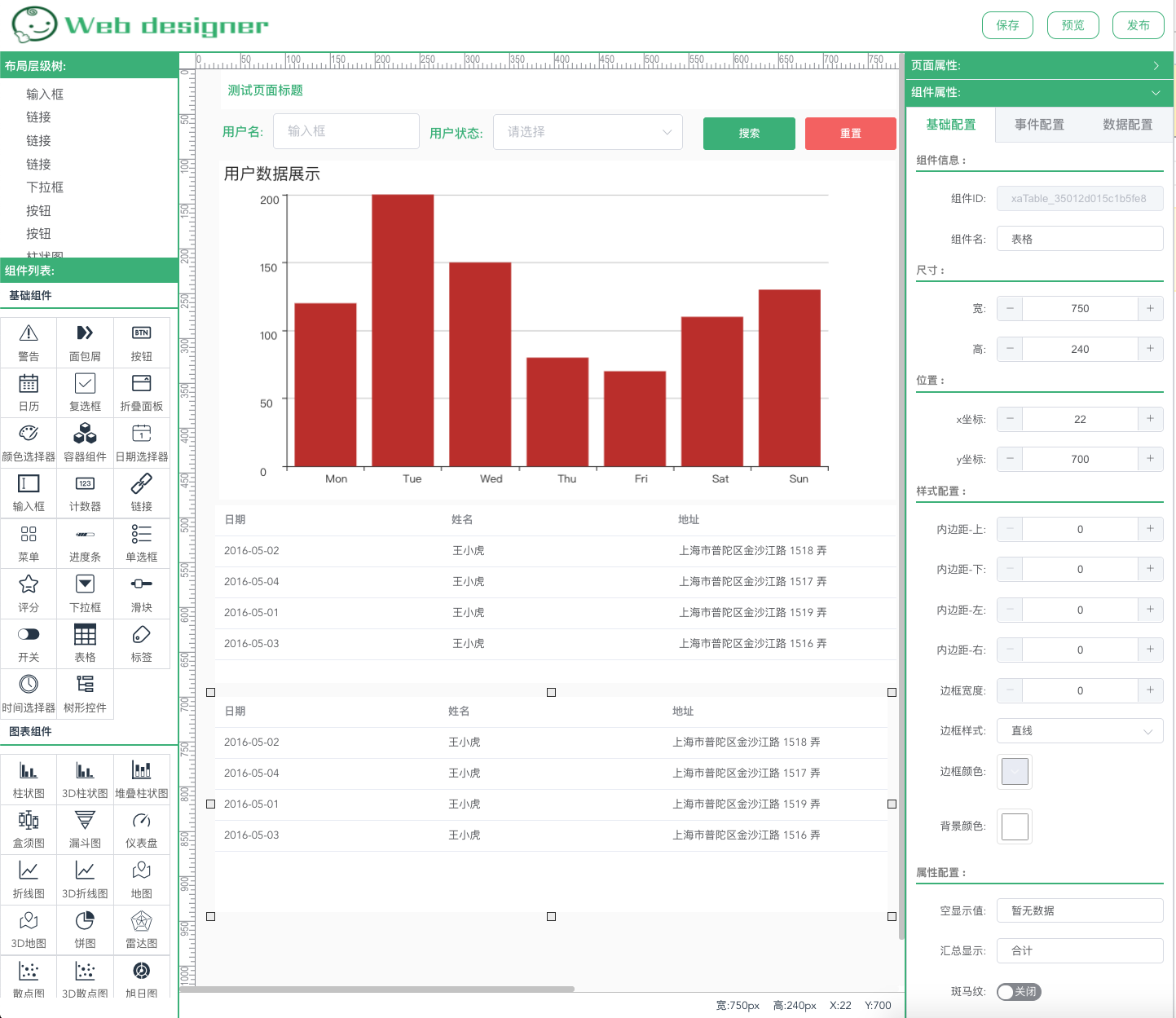
- 页面设计区
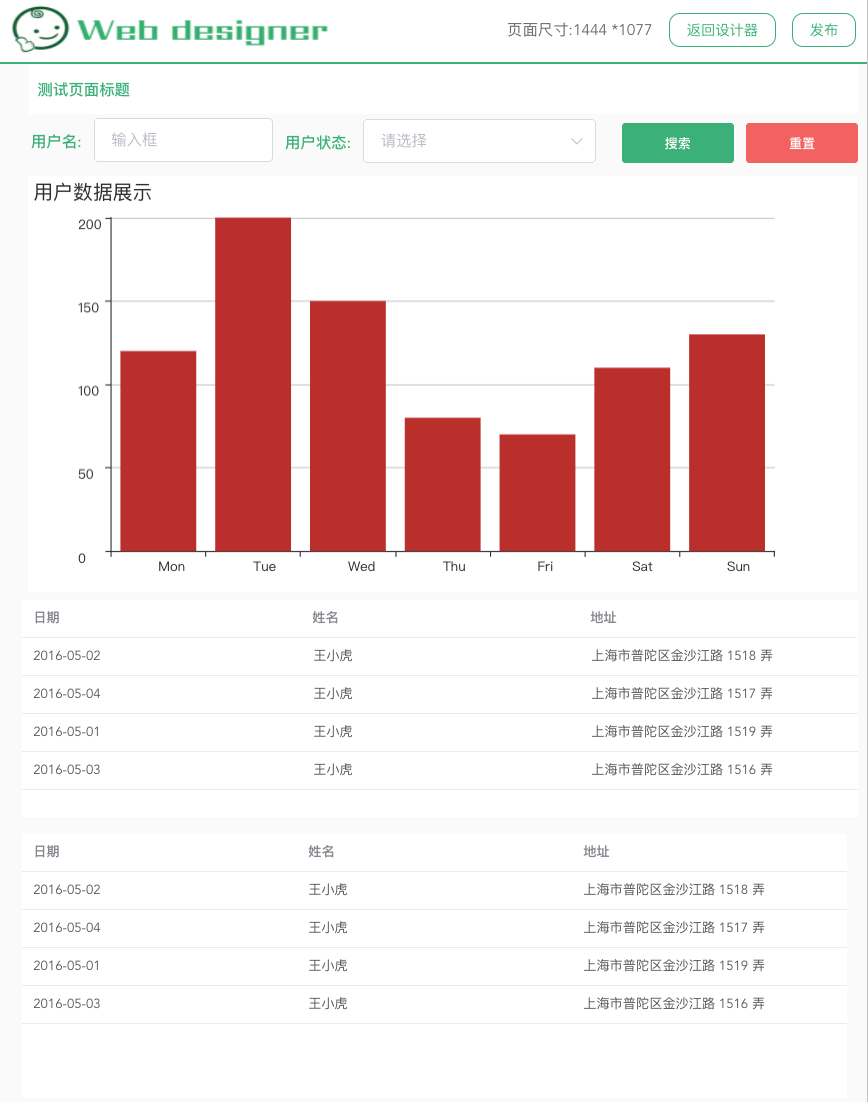
- 页面预览
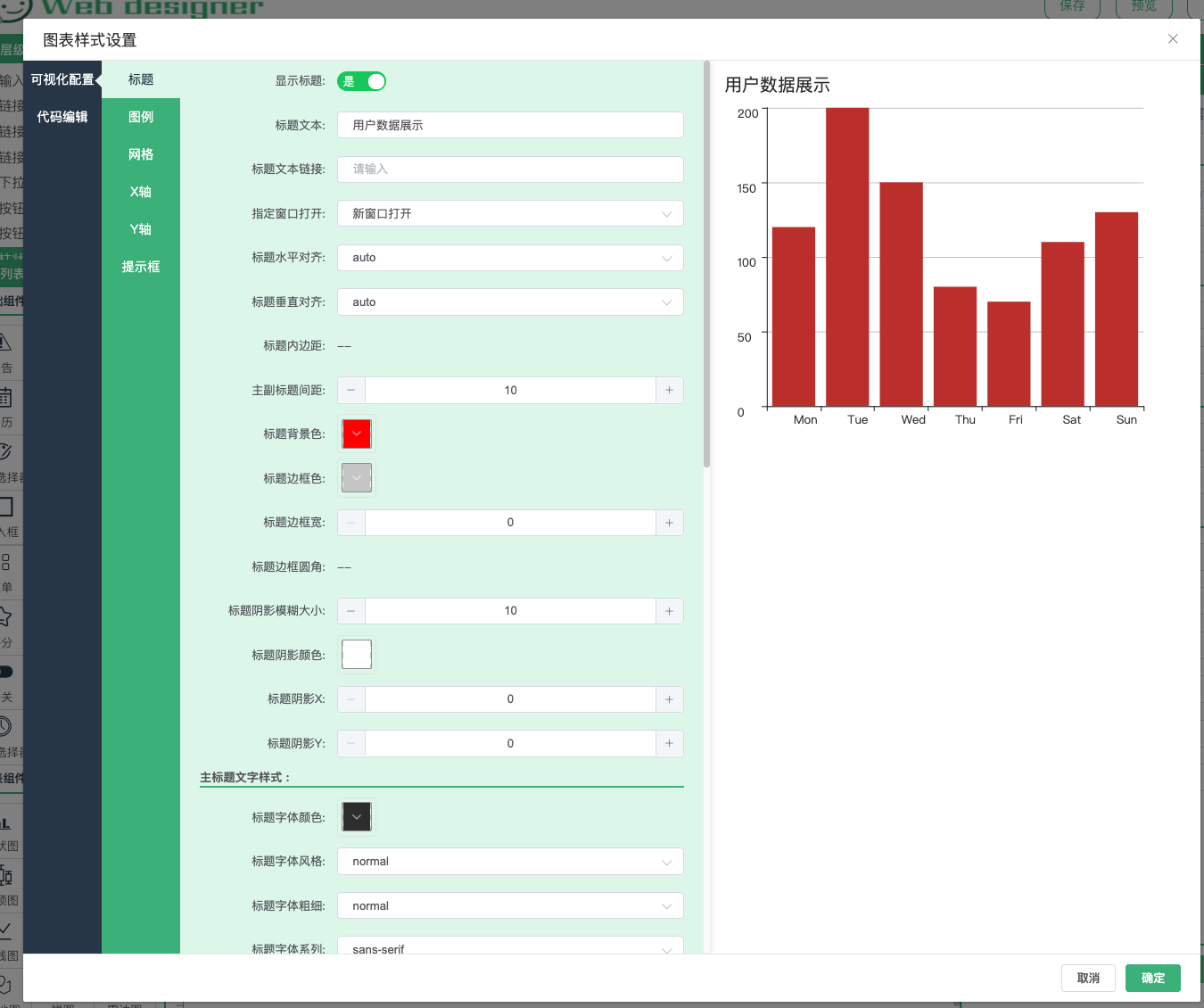
- 图表样式设置可视化配置
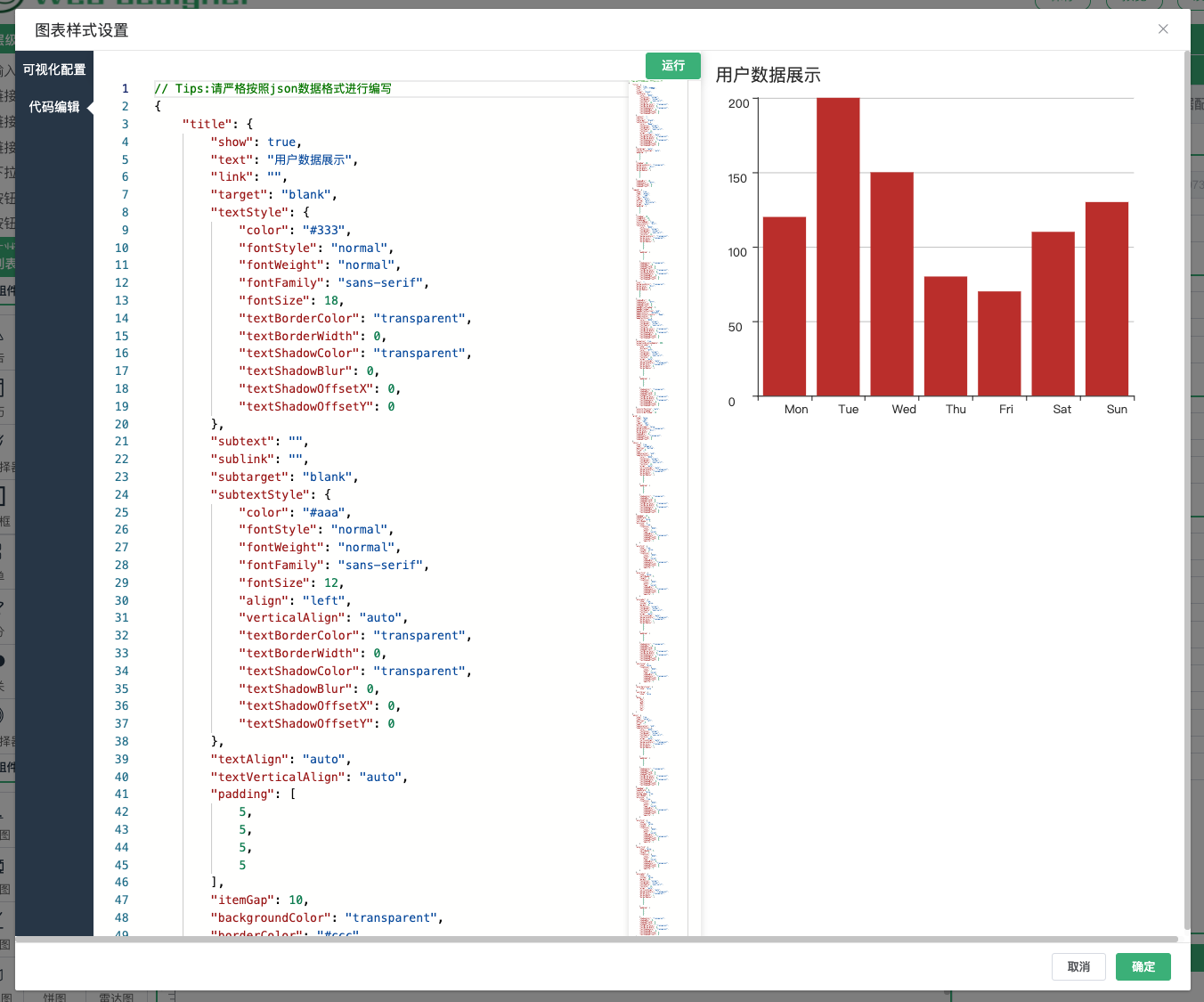
- 图表样式设置代码编辑
- 组件事件配置
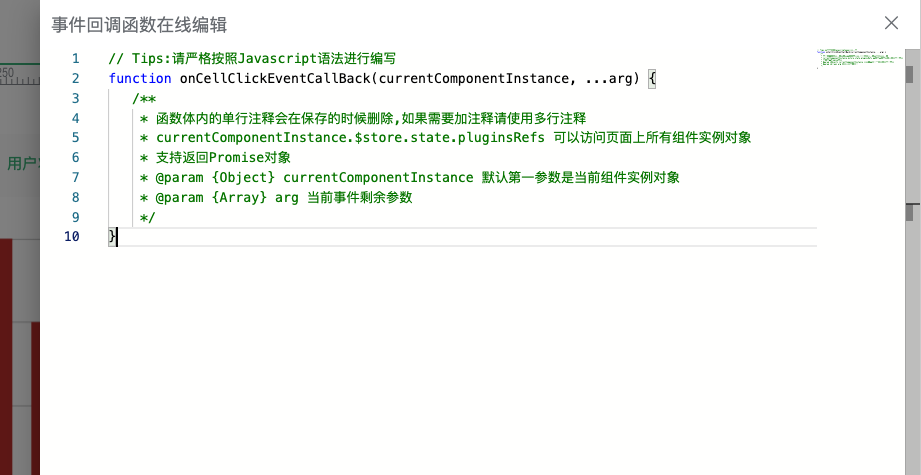
- 组件联动事件配置
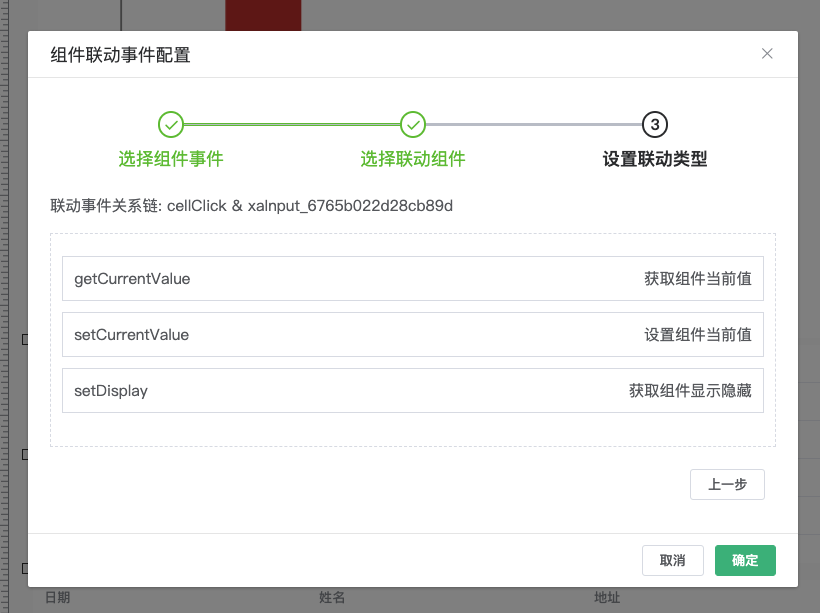
- 项目使用了
Vue进行开发
- 网页设计器图形化工具,目前内置
ElementUi组件库
- 一键生成网页代码,支持进行二次开发
- 通过拖拽左侧组件图标,放置中间画布区,进行页面排版,设计区右侧面板可以对组件属性进行设置
- 点击右侧顶部保存按钮(数据保存在本地浏览器
localStorage)可以进行数据保存
- 点击右侧顶部预览按钮,可以对页面布局进行预览
- 点击右侧顶部发布按钮,会调用设计器后台服务进行页面生成和代码生成,生成完成之后会在项目根目录生成
runtime/vue_cli_3.x-master文件夹,里面的代码可以进行二次开发(基于 vue cli 3.x 版本)
- 默认发布完成之后,会打开命令行工具进行项目初始化(
npm install)和打开项目(npm run serve)
// 启用设计器
npm install
// 启用设计器后台服务(至少node 8.x),用于发布模版和生成模版代码
cd server/
npm install
npm run dev
│
├── README.md                           <=  项目介绍
├── src                                 <=  项目主目录
│   ├── assets                          <=  静态资源
│   ├── components                      <=  公共组件
│   │   ├── codeEditor                  <=  代码编辑组件
│   │   ├── componentsList              <=  左侧组件列表组件
│   │   ├── designerContent             <=  中间设计区
│   │   ├── draggableResizable          <=  组件拖拽组件
│   │   ├── itemList                    <=  组件属性配置组件(参考下拉菜单,单选框,复现框属性配置)
│   │   ├── pageAutoView                <=  页面自适应组件
│   │   ├── pageCanvas                  <=  中间设计区
│   │   ├── pageDialogView              <=  系统弹窗代理组件
│   │   ├── pageFormView                <=  系统表单组合组件
│   │   ├── pageIconsView               <=  系统icon图标组件
│   │   ├── pageSwitch                  <=  系统开关组件
│   │   ├── styleSetting                <=  图表样式设置组件
│   │   ├── index.js                    <=  公共组件入口文件
│   ├── directive                       <=  系统内置指令
│   │   ├── dragDialog                  <=  拖拽弹窗
│   │   ├── index.js                    <=  指令入口文件
│   ├── modules                         <=  系统模块
│   │   ├── configuration               <=  组件配置
│   │   ├── echartBase                  <=  图表基类
│   │   ├── http                        <=  请求模块
│   │   ├── observer                    <=  事件监听模块
│   │   ├── page                        <=  页面基类
│   │   ├── pageEventManage             <=  页面事件处理模块
│   │   ├── plugins                     <=  组件基类
│   │   ├── systemLoader                <=  系统加载器
│   │   ├── utils                       <=  工具类
│   │   ├── vuePropertyDecorator        <=  vue属性装饰器
│   ├── plguins                         <=  系统内置组件
│   ├── rumtimeComponents               <=  运行态组件
│   ├── styles                          <=  系统样式
│   ├── views                           <=  页面
│   │   ├── designerPage                <=  设计器页面
│   │   ├── preview                     <=  预览页面
│   ├── App.vue                         <=  页面组件文件
│   ├── main.js                         <=  系统主入口文件
│   ├── router.js                       <=  路由配置文件
│   ├── store.js                        <=  数据管理
├── server                              <=  服务器主目录(详细参考 https://eggjs.org/zh-cn/)
├── publilc                             <=  项目静态文件目录
│   ├── index.html                      <=  项目主页面入口
│   ├── favicon.ico                     <=  浏览器页签logo
├── vue.config.js                       <=  vue打包,启动等配置(详细参数 https://cli.vuejs.org/zh/config/)
├── package.js                          <=  项目跟踪依赖关系和元数据配置文件
│
- 2019-03-25 项目初始化
- 2019-04-20 新增拖拽组件进行排版,修改页面,组件属性
- 2019-04-23 新增排版辅助线和预览功能
- 2019-04-24 新增 inputNumber,radio 组件
- 2019-05-15 新增 icon 图标选择器,画布区支持复制(Ctrl + c),粘贴(Ctrl + v)
- 2019-11-20 新增按钮,链接,日期,时间,评分,警告,面包屑,日历,复选框,折叠,颜色选择器,进度条,下拉菜单,滑块,Tag
- 2019-11-28 新增表格,树形控件,菜单组件和 json 编辑器(基于 monaco-editor)
- 2019-12-14 新增一键生成页面和代码(基于
Vue cli 3.x)
- 2020-03-11 新增容器组件和图表组件,图表组件样式支持可视化配置
- 2020-07-26 新增组件事件配置和联动事件配置
- 2020-10-13 运行态支持事件配置功能
About网页设计器图形化工具,通过拖拽组件进行页面排版和生成页面代码 TopicsResourcesStars644 stars Watchers32 watching Forks
|


