cross-request是一个赋予html页面跨域请求能力的chrome扩展,结合Yapi使用。
- cross-request不支持文件上传
- Yapi测试集合不支持文件上传,导致测试用例无法运行
chrome 在 73 版本后,限制了 content-script 跨域请求。目前只有一个解决办法,废弃 content-script 跨域请求,使用background.js 执行跨域请求,但这样有个最大的问题是无法支持文件上传。
本插件已经修复了文件上传的问题,你可以直接下载代码,使用Chrome开发者模式加载源码进行安装。
-
点击
Code下载源码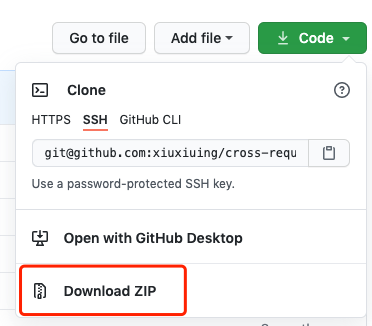
-
解压源码后,把源码放置到可信位置,源码文件夹不可删除
-
Chrome浏览器地址栏中输入
chrome://extensions/,进入扩展程序页面 -
打开【开发者模式】->【加载已解压的扩展程序】->【选择文件夹】安装插件
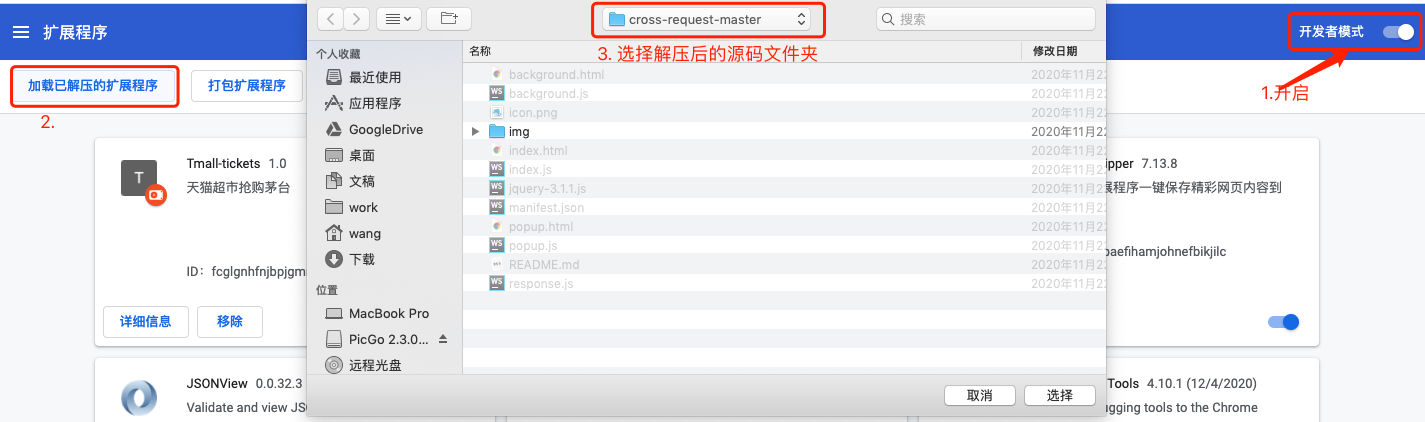
-
插件安装完成,刷新页面即可使用。


欢迎点击Star支持一下,有问题可以提Issues交流
对于测试集合中包含文件上传的接口时,收到的上传文件总是为空。因为Yapi不能正确支持文件上传。
解决思路: 将文件内容转换成Base64的字符串,这样文件内容就可以以字符串的形式保存在数据库了。
需要对Yapi和cross-request插件进行修改,目前此插件已支持本功能。
-
修改Yapi项目源码,
./client/containers/Project/Interface/InterfaceList/InterfaceEditForm中isfile的判断条件,增加对base64文件的判断if (values.req_body_type === 'form') { values.req_body_form.forEach(item => { if (item.type === 'file' || (item.value !== undefined && /data.*base64/.test(item.value))) { isfile = true; } }); -
编辑接口时Body体选择form类型,文件字段类型选择
text,参数值是文件转base64后的值,需要前缀data:text/plain;base64,用来解析文件类型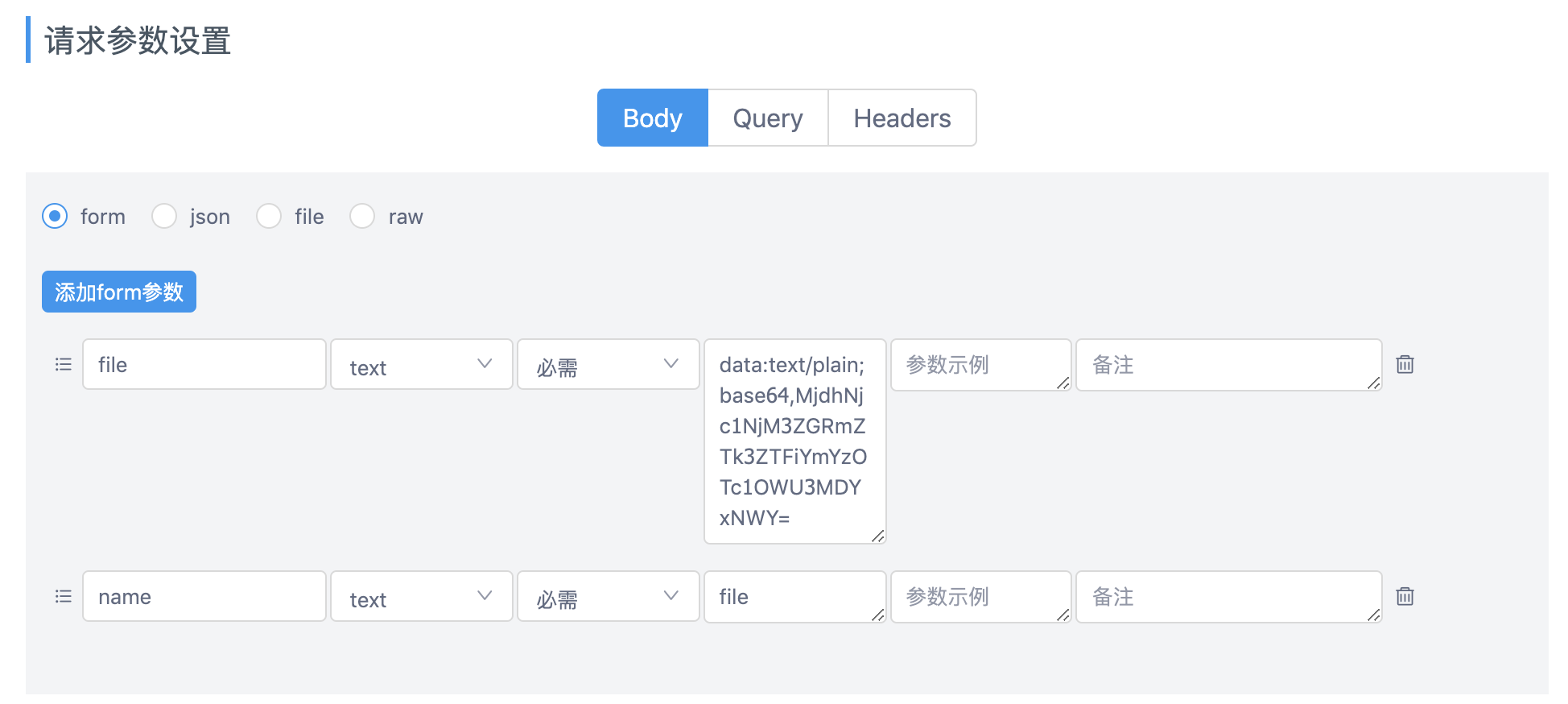
-
安装使用本项目的cross-request插件,插件会先把base64数据转换成文件再请求Server。


这样,接口保存到测试集合中也支持文件上传功能了。
crossRequest( options )
- GET
crossRequest({
    url: 'http://caibaojian.com/ajax-jsonp.html',
    method: 'GET',
    success: function(res, header){

    }
})
- POST
    crossRequest({
        url: 'http://127.0.0.1:3000/api',
        method: 'POST',
        headers: {
            'Content-Type': 'application/json'
        },
        data: {
            a: 1,
            b: 2,
            c: {
                t: 1
            }
        },
        success: function (res) {
            console.log(arguments)
        }
    })
- FILE upload
    crossRequest({
        url: 'http://127.0.0.1:8081/upload',
        method: 'POST',
        data: {
            name: 'hello',
            id: '19'
        },
        files: {
            file: 'fileId' //File Upload-Input dom id
        },
        success: function (res) {
            alert(res)
        }
    })