

Turn a cheap USB numpad into a Stream Deck-style control pad on Linux and Windows. Each key can open apps, control OBS, mute your mic, switch windows, type text or run a macro. You set it up in a settings window, no code needed. Free and open source (GPL-3.0).
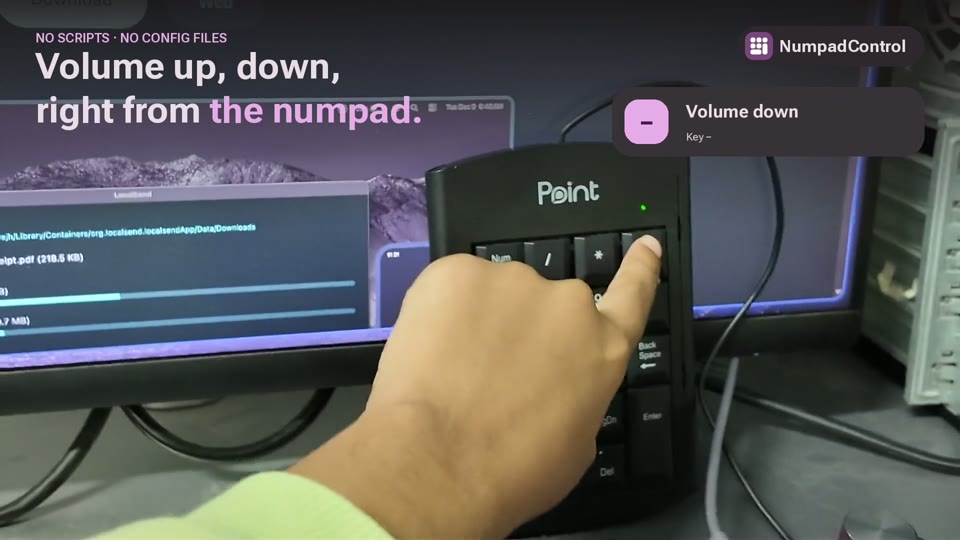

A Stream Deck costs $150 and a numpad costs $10. NumpadControl gives the numpad the same job, and a few things more:
- Every key does three things. Press, hold and double tap are separate actions, so 19 keys give you more than 50. Hold a layer key and you get a second set on top.
- It changes with the app you are in. Per-app profiles swap the whole pad when a window is focused (OBS, your editor, a game), and profile sets switch whole setups ("Coding", "Streaming") from one key.
- Real streaming control. Start and stop OBS recording and streaming, switch scenes, show or hide a source, mute an audio source and toggle filters, all from keys, with no window focus needed.
- Macros and logic. Chain actions with waits, wait for a window to appear, and branch with "if a mode is on…". Write your own templates in Python if you want to.
- A panic button. One press mutes the mic and speakers, pauses the media and hides every window. Another press puts it all back.
- Voice changer and soundboard on a key, per-app volume (Spotify, Firefox), and a switch for your audio output.
- Any keyboard can be a pad too (Linux). Turn a spare keyboard into a second control pad.
- Made to look good. Material 3 theming that follows your wallpaper or pywal, a see-through key map overlay, and stickers and icon packs.
- Safe by default. Sleep, shut down and restart need confirming, imported profiles show what they will do before they are added, and nothing needs an account.
New to it? Try the recipes: a stream deck, a mic panic button and a coding pad in a few minutes each.
Linux
curl -fsSL https://raw.githubusercontent.com/youssefahmed2017/numpad-control/main/setup.sh | bash
Arch Linux (AUR)
yay -S numpad-control
Windows (PowerShell)
irm https://raw.githubusercontent.com/youssefahmed2017/numpad-control/main/setup.ps1 | iex
On Windows you can also use the installer from Releases
(winget install YoussefAhmed.NumpadControl once it is in winget). It is not code-signed yet,
so SmartScreen may warn: choose More info, then Run anyway.
Then open NumpadControl from your app menu, click a key, pick an action, Save.
Tested on Arch Linux with Hyprland, KDE Plasma 6 and XFCE, on GNOME (Wayland, with limits) and on Windows (newer, still being tested). Website: numpad.ahmedabdou.net.
- Features and every action: keys, macros, profiles, layers, modes, OBS, appearance
- Recipes: ready-to-follow setups (streaming, mic panic button, coding pad, game pad)
- Installing in detail: what the installers do, options, numpads that need replugging
- Linux desktops: what works on Hyprland, KDE, X11 and GNOME
- Troubleshooting, updates and release notes
- Development: code layout and tests. Security: SECURITY.md
- Roadmap and changelog: what is planned, and what changed in each release
NumpadControl is free and stays free: every key, every action, no ads, no account. If it saved you time and you'd like to say thanks, you can leave a tip on Ko-fi. It is optional and unlocks nothing.
GPL-3.0. Parts it uses keep their own licenses (PySide6 under the LGPL, evdev, obsws-python, pystray, pycaw, and on Windows).