GV

GeezerVison

The World Wide Web, restored to 800 pixels of glory.

Home|About|Gaming cabinet|Archives|How it works|Starter sites

On this site

  • Home
  • Library
  • Apps
  • Patreon↗
  • YouTube↗

This view

  • Original page
  • New address

GeezerVison is showing kavsoft.dev — Kavsoft | SwiftUI Animations, UI & Tutorials

Animations & UI, crafted in SwiftUI.

Beautiful SwiftUI animations and interfaces, all in one place. Unlock the complete source code on Patreon, for just $3.

Explore the library

Latest post

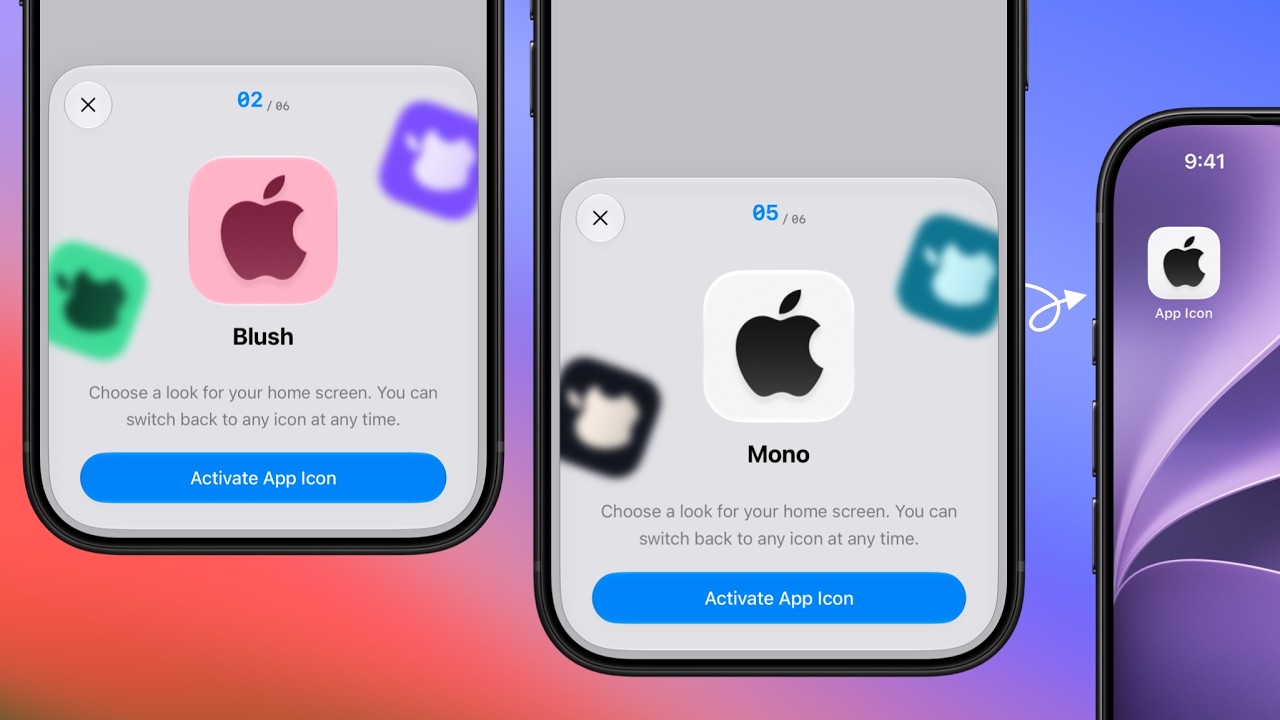
Animated App Icons Picker

In this video, I’ll show you how to set up multiple app icons for a SwiftUI project in Xcode 27, as well as how to create a sleek UI to select and apply them using SwiftUI.

Published October 30, 2026

View post

Recent posts

See all
  • Apple's Birthday Card Fireworks Animation Using SwiftUI | iOS 27 | Xcode 27

  • Morphing Photo Picker using SwiftUI | iOS 27 | Xcode 27

  • Instagram's Swipeable Feed-to-Camera Interaction Using SwiftUI | Xcode 27

  • Animated Launch Screen With OnBoarding View Using SwiftUI | Xcode 27

  • SwiftUI Animated App Theme Switcher - Xcode 27

  • Interactive Menu Using SwiftUI - iOS 27 - Pinterest-Style

  • Compact Notification OnBoarding Animation Using SwiftUI

  • Book Fold Transition Using SwiftUI | Inspired from iPhone Duo

  • Interactive Sheet Header Scroll Effect Using SwiftUI | Xcode 27 | iOS 27

What you get on Patreon

  • Get the complete source code for every animation and UI, for only $3
  • Instant access to the full archive of 400+ projects, with new ones added every week
  • Your support helps create more complex UI tutorials and push SwiftUI's limits
Join on Patreon

My Apps

  • Mockview

    Photo & Video

    Device mockups in seconds.

    Turn any screenshot or screen recording into a polished device mockup, ready to share.

    • Image and video mockups
    • iPhone, iPad, Mac and Apple Watch frames
    • Device colours and layouts to match your style
    • 3D mockups with custom angles
    • Animated video mockups using keyframes
    App Store
    Mockview on iPhone
  • Expenzio

    Finance

    Every expense, beautifully tracked.

    A minimal, beautiful expense tracker that keeps your money clear at a glance.

    • Total balance, income and expenses at a glance
    • Multiple accounts in one place
    • Categories for every transaction
    • Search your full history
    • Your data stays on your device
    App Store
    Expenzio on iPhone
You are visitor 01402775 — GeezerVison does not store the pages you look up.
Best viewed with Netscape Navigator 4.7 or Internet Explorer 6 at 800×600. No cookies required.