GeezerVisonThe World Wide Web, restored to 800 pixels of glory. |
| Home|About|Gaming cabinet|Archives|How it works|Starter sites |
GeezerVison is showing kitware.github.io — Loading Data | VolView Loading Data The most straightfoward way to load files into VolView is to drag-and-drop them onto the central window when viewing the "Data" tab. You can also click within the central window to open a file browser and select the files or folders the "Open" button on the top-right toolbar. To complement different use-cases, there are a few other ways to open files. File formats VolView can load multiple DICOM files, folders containing multiple DICOM files, or zipped files containing multiple DICOM files. It also supports loading Nifti, NRRD, MHA, and 20+ other file formats thanks to the extensive I/O capabilities of ITK and itk.wasm, but care must be taken when loading non-DICOM data as the orientation of the data in those files cannot be assured. Sample Data VolView includes links to a variety of sample data. Clicking on those thumbnails in the Data tab will download that data from Kitware data.kitware.com website into your local machine. DICOMWeb VolView lists and downloads DICOM files served by a DICOMWeb service. The host address of the DICOMWeb service is configurable by:
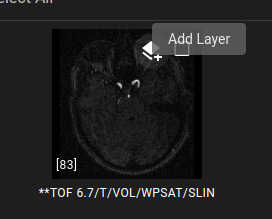
The DICOMWeb address can point to a specific series in a study, and VolView will automatically load the whole series. Example URL: Loading Remote Data via URLs VolView supports loading remote datasets at application start through URL parameters. An example of this integration in action can be viewed here: VolView with sample data The URL is constructed with two parts, as shown below. The required parameter is the Google Cloud Storage Bucket and AWS S3 Support VolView supports both Google Cloud Storage links of the form As a note of caution, there are no checks on the size of the total download. As such, be careful when specifying bucket-level prefixes! This feature currently only supports public buckets that are anonymously accessible. Authenticated support may be added at a future date. If you have a strong use-case for it, please request it via our issue page! CORS In order for VolView to download and display your remote datasets, your server must be configured with the correct CORS configuration. CORS is a browser security mechanism that restricts how web applications can access remote resources. Without proper CORS configuration, VolView will be unable to download and display your datasets. Configuring your web server with CORS is beyond the scope of this documentation; please refer to your server's documentation. Layer Images To overlay images in the 2D views, there is a layer button on image thumbnails. A PET image could be layered on top of a CT image. The layered image is resampled to the base image using the image's spatial metadata. If the spatial metadata does not place the images in the same coordinate system, the layer alignment will be incorrect. To layer images:
State Files Load preconfigured scenes with annotations, segmentations, and view settings via state files. State files can embed data ( |
| You are visitor 01402503 — GeezerVison does not store the pages you look up. Best viewed with Netscape Navigator 4.7 or Internet Explorer 6 at 800×600. No cookies required. |