GeezerVisonThe World Wide Web, restored to 800 pixels of glory. | ||
| Home|About|Gaming cabinet|Archives|How it works|Starter sites | ||
GeezerVison is showing learning-python.com — Python OOP Tutorial
Spring 2009 A More Realistic OOP ExampleWe'll dig into more class syntax details in the next chapter. Before we do, though, I'd like to show you a more realistic example of classes in action that's more practical than what we've seen so far. In this chapter, we're going to build a set of classes that do something more concrete—recording and processing information about people. As you'll see, what we call instances and classes in Python can often serve the same roles as records and programs in more traditional terms. Specifically, in this chapter we're going to code two classes:
Along the way we'll make instances of both classes and test out
their functionality. When we're done, I'll show you a nice
example use-case for classes—we'll store our instances in a
Besides actual utility, though, our aim here is also educational: this chapter provides a tutorial on object-oriented programming in Python. Often, people grasp the last chapter's class syntax on paper, but have trouble seeing how to get started when confronted with having to code a new class from scratch. Towards this end, we'll take it one step at a time here, to help you learn the basics—building up the classes gradually, so you can see how their features come together in complete programs. In the end, our classes will still be relatively small in terms of code, but will demonstrate all of the main ideas in Python's OOP model. Despite its syntax details, Python's class system really is largely just a matter of searching for an attribute in a tree of objects, along with a special first argument for functions. Step 1: Making Instances
Okay, so much for the design phase—let's move on to implementation.
Our first task is to start coding the main class, # file person.py (start) class Person:
We can code any number of functions and classes in a single module file
in Python, and this one's Coding Constructors
Now, the first thing we want to do with our # add record field initialization
class Person:
def __init__(self, name, job, pay): # constructor takes 3 arguments
self.name = name # fill out fields when created
self.job = job # self is the new instance object
self.pay = pay
This is a very common coding pattern—we pass in the data to be attached
to an instance as arguments to the constructor method, and assign them
to
Notice how the argument names appear twice here. This code might seem a
bit redundant at first, but it's not. The
Speaking of arguments, there's really nothing magical about
To demonstrate, let's make the # add defaults for constructor arguments
class Person:
def __init__(self, name, job=None, pay=0): # normal function args
self.name = name
self.job = job
self.pay = pay
What this code means is that we'll need to pass in a Testing as You GoOkay so far; this class doesn't do much yet—it essentially just fills out the fields of a new record—but it's a real working class. At this point, we could add more code to it for more features, but we won't. As you've probably begun to appreciate already, programming in Python is really a matter of incremental prototyping—you write some code, test it, write more code, test again, and so on. Because Python provides both an interactive session and nearly immediate turnaround after code changes, it's more natural to test as you go, than to write a huge amount of code to test all at once. Before adding more features, then, let's test what we've got so far, by making a few instances of our class and displaying their attributes as created by the constructor. We could do this interactively, but as you've also probably surmised by now, interactive testing has its limits—it gets tedious to have to reimport modules and retype test cases each time you start a new testing session. More commonly, Python programmers use the interactive prompt for simple one-off tests, but do more substantial testing by writing code at the bottom of the file which contains the objects to be tested, like this: # add incremental self-test code
class Person:
def __init__(self, name, job=None, pay=0):
self.name = name
self.job = job
self.pay = pay
bob = Person('Bob Smith') # test the class
sue = Person('Sue Jones', job='dev', pay=100000) # runs __init__ automatically
print(bob.name, bob.pay) # fetch attached attributes
print(sue.name, sue.pay) # sue's and bob's attrs differ
Notice how we make two instances here:
Also note how we use keyword arguments when making C:\misc> person.py Bob Smith 0 Sue Jones 100000
You can also type this file's test code at Python's interactive prompt
(assuming you import the Using Code Two Ways
As is, the test code at the bottom of the file works, but there's a big catch—its
top-level
Although we could split the test code off to a separate file, it's often more convenient
to code tests in the same file as the items to be tested. It would be better to arrange
to run the test statements at the bottom only when the file is run for testing,
not when the file is imported. That's exactly what the # allow this file to be imported as well as run/tested
class Person:
def __init__(self, name, job=None, pay=0):
self.name = name
self.job = job
self.pay = pay
if __name__ == '__main__': # when run for testing only
# self-test code
bob = Person('Bob Smith')
sue = Person('Sue Jones', job='dev', pay=100000)
print(bob.name, bob.pay)
print(sue.name, sue.pay)
Now, running the file as a top-level script tests it, but importing it as a library of classes later does not—exactly what we're after: C:\misc> person.py Bob Smith 0 Sue Jones 100000 c:\misc> python Python 3.0.1 (r301:69561, Feb 13 2009, 20:04:18) ... >>> import person >>>
When imported, the file now defines the class, but does not use it.
When run, this file creates two instances of our class as before, and
prints two attributes of each. Because each instance is an independent
namespace object, the values of their attributes differ— Version Portability Note
Fine point: I'm running all the code in this chapter under Python 3.0,
and using the 3.0 c:\misc>c:\python26\python person.py
('Bob Smith', 0)
('Sue Jones', 100000)
If this difference is the sort of detail that might keep you awake at nights,
simply remove the parenthesis to use 2.6 print('{0} {1}'.format(bob.name, bob.pay)) # new format method
print('%s %s' % (bob.name, bob.pay)) # format expression
Step 2: Adding Behavior MethodsAll looks good so far—at this point, our class is essentially a record factory; it creates and fills out fields of records (attributes of instances, in more Pythonic terms). Even as limited as it is, though, we can still run some operations on its objects. Although classes add an extra layer of structure, they ultimately do most of their work by embedding and processing basic core data types like lists and strings. In other words, if you already know how to use Python's simple core types, you already know much of the Python class story; classes are really just a minor structural extension.
For example, the >>> name = 'Bob Smith' # simple string, outside class >>> name.split() # extract last name ['Bob', 'Smith'] >>> name.split()[-1] # or [1], if always just two parts 'Smith'
Similarly, we can give an object a pay raise by updating its >>> pay = 100000 # simple variable, outside class >>> pay *= 1.10 # give a 10% raise >>> print(pay) # or pay = pay * 1.10, if you like to type 110000.0 # or pay = pay + (pay * .10), if you _really_ do
To apply these operations to the Person objects created by our script, simply
do to # process embedded built-in types: strings, mutability
class Person:
def __init__(self, name, job=None, pay=0):
self.name = name
self.job = job
self.pay = pay
if __name__ == '__main__':
bob = Person('Bob Smith')
sue = Person('Sue Jones', job='dev', pay=100000)
print(bob.name, bob.pay)
print(sue.name, sue.pay)
print(bob.name.split()[-1]) # extract object's last name
sue.pay *= 1.10 # give this object a raise
print(sue.pay)
We've added the last two lines here; when run, we extract Bob Smith 0 Sue Jones 100000 Smith 110000.0 The preceding works as planned, but if you show its code to a veteran software developer, they should probably be able to tell you that its general approach is not a great idea in practice. Hard-coding operations like these outside of the class can lead to maintenance problems in the future. For example, what if you've hard-coded the last-name extraction formula at many different places in your program? If you even need to change the way it works (to support a new name structure, for instance), you'll need to hunt down and update every occurrence. Similarly, if the pay-raise code ever changes (e.g., to require approval or database updates), you may have multiple copies to modify. Just finding all the appearances of such code may be problematic in larger programs—they may be scattered across many files, split into individual steps, and so on. Coding MethodsWhat we really want to do here is employ a software design concept known as encapsulation. Encapsulation means that we wrap up operation logic behind interfaces, such that each operation is coded only once in our program. That way, there is just one copy to update in the future as our needs change. Moreover, we're free to change the single copy's internals almost arbitrarily, without breaking the code that uses it. In Python terms, we want to code operations on objects in class methods, instead of littering them throughout our program. In fact, this is one of the things that classes are very good at—factoring code to remove redundancy, and thus optimize maintainability. As an added bonus, by turning operations into methods, they can be applied to any instance of the class, not just those that they've been hard-coded to process. This is all simpler in code than it may sound in theory. The following achieves encapsulation, by moving the two operations from code outside the class, into class methods. While we're at it, let's change our self-test code to use the new methods we're creating, instead of hard-coding operations: # add methods to encapsulate operations for maintainability
class Person:
def __init__(self, name, job=None, pay=0):
self.name = name
self.job = job
self.pay = pay
def lastName(self): # behavior methods
return self.name.split()[-1] # self is implied subject
def giveRaise(self, percent):
self.pay = int(self.pay * (1 + percent)) # must change here only
if __name__ == '__main__':
bob = Person('Bob Smith')
sue = Person('Sue Jones', job='dev', pay=100000)
print(bob.name, bob.pay)
print(sue.name, sue.pay)
print(bob.lastName(), sue.lastName()) # use the new methods
sue.giveRaise(.10) # instead of hard-coding
print(sue.pay)
As we've learned, methods are simply normal functions attached to classes,
and designed to process an instance of the class. The instance is the subject of
the method call, and is passed to the method's
The transformation to methods in this version is straightforward. The new When run now, our file's output is similar to before—we've mostly just refactored the code for easier changes in the future, not altered its behavior: Bob Smith 0 Sue Jones 100000 Smith Jones 110000
A few coding details are worth pointing out here. First, notice how
Second, notice how we're also printing
Trace though these calls to see how the instance winds up in
Finally, notice how the Step 3: Operator OverloadingLet's review where we are at: we now have a fairly full-featured class, which generates and initializes instances, along with two new bits of behavior for processing instances, in the form of methods. So far so good.
As is, though, testing is still a bit less convenient than it need be—to
trace our objects, we have to manually fetch and print individual attributes
(e.g.,
To see this, change the last line in our script to Bob Smith 0 Sue Jones 100000 Smith Jones <__main__.Person object at 0x02614430> Providing Print Displays
Fortunately, it's easy to do better by employing operator overloading—coding
methods in a class which intercept and process built-in operations when run on the
class's instances. Specifically, we can make use of what is probably the second most
commonly used operator overloading method in Python behind
Technically speaking, the Let's put this into code: The following extends our class to give a custom display that lists attributes when our class's instances are displayed as a whole, instead of relying on the less useful default display: # add __str__ overload method for printing objects
class Person:
def __init__(self, name, job=None, pay=0):
self.name = name
self.job = job
self.pay = pay
def lastName(self):
return self.name.split()[-1]
def giveRaise(self, percent):
self.pay = int(self.pay * (1 + percent))
def __str__(self): # added method
return '[Person: %s, %s]' % (self.name, self.pay) # string to print
if __name__ == '__main__':
bob = Person('Bob Smith')
sue = Person('Sue Jones', job='dev', pay=100000)
print(bob)
print(sue)
print(bob.lastName(), sue.lastName())
sue.giveRaise(.10)
print(sue)
Notice that we're doing string
We've also changed our self-test code to print objects directly, instead
of printing individual attributes. When run, the output is more coherent
and meaningful now; the "[...]" lines are returned by our new [Person: Bob Smith, 0] [Person: Sue Jones, 100000] Smith Jones [Person: Sue Jones, 110000]
Subtle point: as we learned in the prior chapter, a related overloading method,
Step 4: Customizing Behavior by Subclassing
At this point, our class captures much of the OOP machinery in Python:
it makes instances, provides behavior in methods, and even does a bit of
operator overloading now to intercept print operations in The only major OOP concept it does not yet capture is customization by inheritance. In some sense, we're already doing inheritance, because instances inherited methods from their class. To demonstrate the real power of OOP, though, we need to define a superclass/subclass relationship that allows us to extend our software and replace bits of inherited behavior. That's the main idea behind OOP, after all; by fostering a coding model based upon customization of work already done, it can dramatically cut development time. Coding Subclasses
As a next step, then, let's put OOP's methodology to use, and customize our
class Manager(Person): # define a subclass of Person
This code means that we're defining a new class named
For the sake of argument, let's assume that when a manager gets a raise,
they receive the passed in percentage as usual, but also get an extra bonus
which defaults to 10%. For instance, if a class Manager(Person): # inherit Person attrs
def giveRaise(self, percent, bonus=.10): # redefine to customize
Augmenting Methods: the Bad Way
Now, there are two ways we might code this class Manager(Person):
def giveRaise(self, percent, bonus=.10):
self.pay = int(self.pay * (1 + percent + bonus)) # bad: cut-and-paste
This works as advertised—when we later call the The problem here is a very general one: any time you copy code with cut and paste, you essentially double your maintenance effort in the future. Think about it: Because we copied the original version, if we ever have to change the way raises are given (and we probably will), we now have to change it in two different places, not one. Although this is a small and artificial example, it's also representative of a universal issue—any time you're tempted to program by copying code this way, you probably want to look for a better approach. Augmenting Methods: the Good Way
What we really want to do here is somehow augment the
original class Manager(Person):
def giveRaise(self, percent, bonus=.10):
Person.giveRaise(self, percent + bonus) # good: augment original
This code leverages the fact that a class method can always be called either
through an instance—the usual way, where Python sends the instance
to the instance.method(args...) is automatically translated by Python into the equivalent form: class.method(instance, args...)
where the class containing the method to be run is determined by the
inheritance search rule applied to the method's name. You can code
either form in your script, but there is a slight asymmetry between the
two—you must remember to pass along the instance manually if you call
through the class directly. The method always needs a subject instance one
way or another, and Python provides it automatically only for calls made through
an instance. For calls through the class name, you need to send an
instance to
Calling through the class directly effectively subverts inheritance, and
kicks the call higher up the class tree to run a specific version. In our
case, we can use this technique to invoke the default
This "good" version may seem like a small difference in code, but it can
make a huge difference for future code maintenance—because the # add customization of one behavior in a subclass
class Person:
def __init__(self, name, job=None, pay=0):
self.name = name
self.job = job
self.pay = pay
def lastName(self):
return self.name.split()[-1]
def giveRaise(self, percent):
self.pay = int(self.pay * (1 + percent))
def __str__(self):
return '[Person: %s, %s]' % (self.name, self.pay)
class Manager(Person):
def giveRaise(self, percent, bonus=.10): # redefine at this level
Person.giveRaise(self, percent + bonus) # call Person's version
if __name__ == '__main__':
bob = Person('Bob Smith')
sue = Person('Sue Jones', job='dev', pay=100000)
print(bob)
print(sue)
print(bob.lastName(), sue.lastName())
sue.giveRaise(.10)
print(sue)
tom = Manager('Tom Jones', 'mgr', 50000) # make a Manager
tom.giveRaise(.10) # runs custom version
print(tom.lastName()) # runs inherited method
print(tom) # runs inherited __str__
To test our [Person: Bob Smith, 0] [Person: Sue Jones, 100000] Smith Jones [Person: Sue Jones, 110000] Jones [Person: Tom Jones, 60000]
All looks good here: Polymorphism In ActionIf you want to make this acquisition of inherited behavior even more striking, add the following sort of code at the end of our file: if __name__ == '__main__':
...
print('--All three--')
for object in (bob, sue, tom): # process objects generically
object.giveRaise(.10) # run this object's giveRaise
print(object) # run the common __str__
When added, here's the new output: [Person: Bob Smith, 0] [Person: Sue Jones, 100000] Smith Jones [Person: Sue Jones, 110000] Jones [Person: Tom Jones, 60000] --All three-- [Person: Bob Smith, 0] [Person: Sue Jones, 121000] [Person: Tom Jones, 72000]
In the added code,
This is just Python's notion of polymorphism we met earlier in the book at
work again—what
On the other hand, printing runs the same Inherit, Customize, and Extend
In fact, classes can be even more flexible than our example implies. In general,
classes can inherit, customize, or extend existing code in superclasses.
For example, although we're focused on customization here, we can also add unique methods to
class Person:
    def lastName(self): ...
    def giveRaise(self): ...
    def __str__(self): ...

class Manager(Person):                        # inherit
    def giveRaise(self, ...): ...             # customize
    def someThingElse(self, ...): ...         # extend

tom = Manager()
tom.lastName()          # <= inherited verbatim
tom.giveRaise()         # <= customized version
tom.someThingElse()     # <= extension here
print(tom)              # <= inherited overload method
Extra methods like this code's OOP: The Big IdeaAs is, our code may be small, but it's fairly functional. And really, it already illustrates the main point behind OOP in general. In OOP, we program by customizing what has already been done, rather than copying or changing existing code. This isn't always an obvious win to newcomers on first glance, especially given the extra coding requirements of classes. But as a net, the programming style implied by classes can cut development time radically, compared to other approaches.
For instance, in our example we could theoretically have implemented a
custom
Instead, the customizable hierarchies we can build with classes provide a much better solution for software that will evolve over time. No other tools in Python support this development mode. Because we can tailor and extend our prior work by coding new subclasses, we can leverage what we've already done, rather than starting from scratch each time, breaking what already works, or introducing multiple copies of code that may all have to be updated in the future. When done right, OOP is a powerful programmer's ally. Step 5: Customizing Constructors Too
Our code works as is, but if you study the current version closely, you may be struck
by something a bit odd—it seems a bit pointless to have to provide a
The trick we need to improve on this turns out to be the same as the one we
employed in the prior section: we want to customize the constructor logic for
The following extension will do the job—we've coded the new # add customization of constructor in a subclass
class Person:
def __init__(self, name, job=None, pay=0):
self.name = name
self.job = job
self.pay = pay
def lastName(self):
return self.name.split()[-1]
def giveRaise(self, percent):
self.pay = int(self.pay * (1 + percent))
def __str__(self):
return '[Person: %s, %s]' % (self.name, self.pay)
class Manager(Person):
def __init__(self, name, pay): # redefine constructor
Person.__init__(self, name, 'mgr', pay) # run original with 'mgr'
def giveRaise(self, percent, bonus=.10):
Person.giveRaise(self, percent + bonus)
if __name__ == '__main__':
bob = Person('Bob Smith')
sue = Person('Sue Jones', job='dev', pay=100000)
print(bob)
print(sue)
print(bob.lastName(), sue.lastName())
sue.giveRaise(.10)
print(sue)
tom = Manager('Tom Jones', 50000) # job name not needed:
tom.giveRaise(.10) # implied/set by class
print(tom.lastName())
print(tom)
Again, we're using the same technique to augment the
Calling superclass constructors from redefinitions this way turns out to be a
very common coding pattern in Python. By itself, Python uses inheritance to
look for and call only one The output of this file's self-test code is the same as before—we haven't changed what it does again, we've simply restructured to get rid of some logical redundancy: [Person: Bob Smith, 0] [Person: Sue Jones, 100000] Smith Jones [Person: Sue Jones, 110000] Jones [Person: Tom Jones, 60000] OOP is Simpler Than You May ThinkIn this complete form, despite their sizes, our classes capture nearly all the important concepts in Python's OOP machinery:
In the end, most of these concepts are based upon three simple ideas: the inheritance search for attributes in object trees, the special self argument in methods, and operator overloading's automatic dispatch to methods. Along the way, we've also made our code easy to change in the future, by harnessing the class's propensity for factoring code to reduce redundancy. For example, we wrapped up logic in methods, and called back to superclass methods from extensions, to avoid having multiple copies of the same code. Most of these steps were a natural outgrowth of the structuring power of classes. And by and large, that's all there is to OOP in Python. Classes certainly can become larger than this, and there are some more advanced class concepts such as decorators and metaclasses which we will meet in later chapters. In terms of the basics, though, our classes already do it all. In fact, if you grasp the workings of the classes we've written, most OOP Python code should now be within your reach. Other Ways to Combine ClassesHaving said that, I should also tell you that although the basic mechanics of OOP is simple in Python, some of the art in larger programs lies in the way that classes are put together. We're focusing on inheritance in this tutorial because that's the mechanism which the Python language provides, but programmers sometimes combine classes in other ways too. For example, objects are also commonly nested inside each other to build up composites—a technique we'll explore in more detail in the next chapter, and which is really more about design than about Python.
As a quick example, though, we could use this composition idea to code our class Person:
...same...
class Manager:
def __init__(self, name, pay):
self.person = Person(name, 'mgr', pay) # embed a person object
def giveRaise(self, percent, bonus=.10):
self.person.giveRaise(percent + bonus) # intercept and delegate
def __getattr__(self, attr):
return getattr(self.person, attr) # delegate all other attrs
def __str__(self):
return str(self.person) # must overload again here
if __name__ == '__main__':
...same...
This works, but requires about twice as much code, and is less well suited than
inheritance to the kinds of direct customizations we meant to express (in fact,
no reasonable Python programmer would code this example this way in practice).
Still, object embedding, and design patterns based upon it, can be a very good
fit when embedded objects require more limited interaction with the container
than direct customization implies. A controller layer like this alternative
...
bob = Person(...)
sue = Person(...)
tom = Manager(...)

class Department:
    def __init__(self, *args):
        self.members = list(args)
    def addMember(self, person):
        self.members.append(person)
    def giveRaises(self, percent):
        for person in self.members:
            person.giveRaise(percent)
    def showAll(self):
        for person in self.members:
            print(person)

development = Department(bob, sue)          # embed objects in a composite
development.addMember(tom)
development.giveRaises(.10)                 # runs embedded objects' giveRaise
development.showAll()                       # runs embedded objects' __str__s
Interestingly, this code uses both inheritance and
composition—
Design issues like composition are explored in the next chapter, so we'll postpone
further investigations for now. But again, in terms of the basic mechanics of OOP
in Python, our Step 6: Using Introspection ToolsOne final tweak before we throw our objects on a database. Our classes are complete as is, and demonstrate most of the basics of OOP in Python. They still have two remaining issues we probably should iron out, though, before we go live with them:
__str__ will be reflected in the program's output, this redundancy may be more
obvious than the other forms we addressed earlier; still, avoiding extra work in
the future is a generally good thing.
Special Class AttributesWe can address both issues with Python's introspection tools—special attributes and functions that give us access to some of the internals of objects' implementations. These tools are a bit advanced and generally used more by people writing tools for other programmers to use, than by the programmers developing applications. Even so, a basic knowledge of some is useful because they allow us to write code that processes classes in generic ways. In our code, for example, there are two hooks that can help us out, both of which were introduced in the preceding chapter:
Here's what these tools look like in action at Python's interactive prompt. Notice how
we load >>> from person import Person
>>> bob = Person('Bob Smith')
>>> print(bob) # show bob's __str__
[Person: Bob Smith, 0]
>>> bob.__class__ # show bob's class and its name
<class 'person.Person'>
>>> bob.__class__.__name__
'Person'
>>> list(bob.__dict__.keys()) # attributes are really dict keys
['pay', 'job', 'name'] # use list() to force list in 3.0
>>> for key in bob.__dict__:
print(key, '=>', bob.__dict__[key]) # index manually
pay => 0
job => None
name => Bob Smith
>>> for key in bob.__dict__:
print(key, '=>', getattr(bob, key)) # obj.attr, but attr is a var
pay => 0
job => None
name => Bob Smith
A Generic Display Tool
We can put these interfaces to work in a superclass that displays accurate class names
and formats all attributes of an instance of any class. Open a new file in your text editor
to code the following—it's a new, independent module that implements just such a class.
Because its # file classtools.py
"Assorted class utilities and tools"
class AttrDisplay:
"""
provides an inheritable print overload method that displays
instances with their class name, and a name=value pair for
each attribute stored on the instance itself (but not attrs
inherited from its classes); can be mixed into any class,
and will work on any instance
"""
def gatherAttrs(self):
attrs = []
for key in sorted(self.__dict__):
attrs.append('%s=%s' % (key, getattr(self, key)))
return ', '.join(attrs)
def __str__(self):
return '[%s: %s]' % (self.__class__.__name__, self.gatherAttrs())
if __name__ == '__main__':
class TopTest(AttrDisplay):
count = 0
def __init__(self):
self.attr1 = TopTest.count
self.attr2 = TopTest.count+1
TopTest.count += 2
class SubTest(TopTest):
pass
X, Y = TopTest(), SubTest()
print(X) # show all instance attrs
print(Y) # show lowest class name
Notice the docstrings here—as a general purpose tool, we want to add some
functional documentation for potential users to read. Docstrings work at the
start of classes and their methods, exactly like we've learned they do at the
top of simple functions and modules; the
When run, this module's self-test makes two instances and prints them; the [TopTest: attr1=0, attr2=1] [SubTest: attr1=2, attr2=3] Instance Versus Class Attributes
If you study the classtools module's self-test code long enough, you'll notice that its
class displays only instance attributes, attached to the
If you ever do wish to include inherited attributes too, you can climb the >>> from person import Person
>>> bob = Person('Bob Smith')
# in Python 2.6:
>>> bob.__dict__.keys() # instance attrs only
['pay', 'job', 'name']
>>> dir(bob) # + inherited attrs in classes
['__doc__', '__init__', '__module__', '__str__', 'giveRaise', 'job',
'lastName', 'name', 'pay']
# in Python 3.0:
>>> list(bob.__dict__.keys()) # in 3.0, keys() is a view, not list
['pay', 'job', 'name']
>>> dir(bob) # in 3.0, includes class type methods
['__class__', '__delattr__', '__dict__', '__doc__', '__eq__', '__format__',
...more lines omitted...
'__setattr__', '__sizeof__', '__str__', '__subclasshook__', '__weakref__',
'giveRaise', 'job', 'lastName', 'name', 'pay']
The output here varies between Python 2.6 and 3.0, because 3.0's Name Considerations in Tool Classes
One last subtlety here: Because our
To see this for yourself, add a class TopTest(AttrDisplay):
....
def gatherAttrs(self): # replaces method in AttrDisplay!
return 'Spam'
This isn't necessarily bad—sometimes we want other methods to be available
to subclasses, either for direct calls, or for customization. If we really
meant to provide a
To minimize the chances of name collisions like this, Python programmers often
prefix methods not meant for external use with a single underscore:
A better and less commonly used solution would be to use two underscores at the
front of the method name: Our Classes' Final Form
Now, to use this generic tool in our classes, all we need to do
is import it from its module, mix it in by inheritance in our top-level
class, and get rid of the more specific # file person.py (final)
from classtools import AttrDisplay # use generic display tool
class Person(AttrDisplay):
"""
create and process person records
"""
def __init__(self, name, job=None, pay=0):
self.name = name
self.job = job
self.pay = pay
def lastName(self): # assumes last is last
return self.name.split()[-1]
def giveRaise(self, percent): # percent must be 0..1
self.pay = int(self.pay * (1 + percent))
class Manager(Person):
"""
a customized person with special requirements
"""
def __init__(self, name, pay):
Person.__init__(self, name, 'mgr', pay)
def giveRaise(self, percent, bonus=.10):
Person.giveRaise(self, percent + bonus)
if __name__ == '__main__':
bob = Person('Bob Smith')
sue = Person('Sue Jones', job='dev', pay=100000)
print(bob)
print(sue)
print(bob.lastName(), sue.lastName())
sue.giveRaise(.10)
print(sue)
tom = Manager('Tom Jones', 50000)
tom.giveRaise(.10)
print(tom.lastName())
print(tom)
As this is the final revision, we've added a few comments here to document
our work—docstrings for functional descriptions, and [Person: job=None, name=Bob Smith, pay=0] [Person: job=dev, name=Sue Jones, pay=100000] Smith Jones [Person: job=dev, name=Sue Jones, pay=110000] Jones [Manager: job=mgr, name=Tom Jones, pay=60000] This is the more useful display we were after. From a larger perspective, though, our attribute display class has become a general tool, which we can mix in to any class by inheritance to leverage the display format it defines. Further, future changes in our tool will be automatically picked up by all its clients. Later in the book, we'll meet even more powerful class tool concepts such as decorators and metaclasses; along with Python's introspection tools, they allow us to write code that augments and manages classes in structured and maintainable ways. Step 7 (Final): Storing Objects in a DatabaseAt this point, our work is almost complete. We now have a two-module system that not only implements our original design goals for representing people, but also provides a general attribute display tool we can use in other programs in the future. By coding functions and classes in module files, they naturally support reuse. And by coding software as classes, they naturally support extension. Although our classes work as planned, though, the objects they create are not real database records. That is, if we kill Python our instances will disappear—they're transient objects in memory, and not stored on a more permanent medium like a file, so they won't be available in future program runs. It turns out that it's easy to make instance objects more permanent, with a Python feature called object persistence—making objects live on after the program the creates them exits. As a final step in this tutorial, let's make our objects permanent. Pickles and ShelvesObject persistence is implemented by three standard library modules, available on every Python:
These modules provide powerful data storage options. The
Although it's easy to use In fact, to your script the only coding difference between a shelve and a normal dictionary is that you must open shelves initially, and close them after making changes. The net effect is that a shelve provides a simple database for storing and fetching native Python objects by keys, and thus makes them persistent across program runs. It does not support query tools such as SQL, and lacks some advanced features found in enterprise-level databases such as true transaction processing, but native Python objects stored on a shelve may be processed with the full power of the Python language once they are fetched back by key. Storing Objects on a Shelve DatabasePickling and shelves are somewhat advanced topics, and we won't go into all their details here; you can read more about them in the standard library manuals, as well as application-focused books such as Programming Python. This is all simpler in Python than in English, though, so let's jump into some code.
Let's write a new script that throws objects of our classes onto
a shelve. In your text editor, open a new file we'll call import person # load class with import bob = person.Person(...) # go through module name from person import Person # load class with from bob = Person(...) # use name directly
We'll use # makedb.py: store Person objects on a shelve database
from person import Person, Manager # load our classes
bob = Person('Bob Smith') # recreate objects to be stored
sue = Person('Sue Jones', job='dev', pay=100000)
tom = Manager('Tom Jones', 50000)
import shelve
db = shelve.open('persondb') # filename where objects stored
for object in (bob, sue, tom): # use object's name attr as key
db[object.name] = object # store object on shelve by key
db.close() # close after making changes
Notice how we assign objects to the shelve using their own names as keys.
This is just for convenience; in a shelve, the key can be any string, including
one we might create to be unique using tools such as process IDs and time stamps
available in the That's all there is to it—if this script has no output when run, it means it worked: we're not printing anything, just creating and storing objects. C:\misc> makedb.py Exploring Shelves Interactively
At this point, there are one or more real files in the current directory whose names
all start with
You can look at the shelve's files if you want to, either from Windows explorer or the
Python shell, but they are binary hash files, and most of their content makes little
sense outside the context of the shelve module. With Python 3.0 and no extra software
installed, our database is stored in three files (in 2.6, it's just one file, # directory listing module: verify files are present
>>> import glob
>>> glob.glob('person*')
['person.py', 'person.pyc', 'persondb.bak', 'persondb.dat', 'persondb.dir']
# type the file: text mode for string, binary mode for bytes
>>> print(open('persondb.dir').read())
'Tom Jones', (1024, 91)
...more omitted...
>>> print(open('persondb.dat', 'rb').read())
b'\x80\x03cperson\nPerson\nq\x00)\x81q\x01}q\x02(X\x03\x00\x00\x00payq\x03K...
...more omitted...
This content isn't impossible to decipher, but can vary on different platforms, and does not exactly qualify as a user-friendly database interface! To verify our work better, we can write another script, or poke around our shelve at the interactive prompt. Because shelves are Python objects containing Python objects, we can process them with normal Python syntax and development modes; the interactive prompt effectively becomes a database client: >>> import shelve
>>> db = shelve.open('persondb') # reopen the shelve
>>> len(db) # three 'records' stored
3
>>> list(db.keys()) # keys() is the index
['Tom Jones', 'Sue Jones', 'Bob Smith'] # list() to make a list in 3.0
>>> bob = db['Bob Smith'] # fetch bob by key
>>> print(bob) # runs __str__ from AttrDisplay
[Person: job=None, name=Bob Smith, pay=0]
>>> bob.lastName() # runs lastName from Person
'Smith'
>>> for key in db: # iterate, fetch, print
print(key, '=>', db[key])
Tom Jones => [Manager: job=mgr, name=Tom Jones, pay=50000]
Sue Jones => [Person: job=dev, name=Sue Jones, pay=100000]
Bob Smith => [Person: job=None, name=Bob Smith, pay=0]
>>> for key in sorted(db):
print(key, '=>', db[key]) # iterate by sorted keys
Bob Smith => [Person: job=None, name=Bob Smith, pay=0]
Sue Jones => [Person: job=dev, name=Sue Jones, pay=100000]
Tom Jones => [Manager: job=mgr, name=Tom Jones, pay=50000]
Notice that we don't have to import our The upshot of this scheme is that class instances automatically acquire all their class behavior when they are loaded in the future. We have to import our classes only to make new instance, not to process existing ones. Although a deliberate feature, this scheme has somewhat mixed consequences:
Shelves also have well-known limitations (the database suggestions at the end of this chapter mention a few of these). For simple object storage, though, shelves and pickles are remarkably easy-to-use tools. Updating Objects on a Shelve
One last script: Let's write a program that updates an instance (record)
each time it runs, to prove the point that our objects really are
persistent—their current values are available every time a Python
program runs. The following prints the database so we can trace,
and gives a raise to one of our stored objects each time. If you trace
through what's going on here, you'll notice that we're getting a lot of
utility "for free"—printing our objects automatically employs
the general # updatedb.py: update Person object on database
import shelve
db = shelve.open('persondb') # reopen shelve with same filename
for key in sorted(db): # iterate to display database objects
print(key, '\t=>', db[key]) # prints with custom format
sue = db['Sue Jones'] # index by key to fetch
sue.giveRaise(.10) # update in memory using class method
db['Sue Jones'] = sue # assign to key to update in shelve
db.close() # close after making changes
Because this script prints the database when it starts up, we have
to run it a few times to see our object change. Here it is in action,
displaying all records and increasing c:\misc> updatedb.py Bob Smith => [Person: job=None, name=Bob Smith, pay=0] Sue Jones => [Person: job=dev, name=Sue Jones, pay=100000] Tom Jones => [Manager: job=mgr, name=Tom Jones, pay=50000] c:\misc> updatedb.py Bob Smith => [Person: job=None, name=Bob Smith, pay=0] Sue Jones => [Person: job=dev, name=Sue Jones, pay=110000] Tom Jones => [Manager: job=mgr, name=Tom Jones, pay=50000] c:\misc> updatedb.py Bob Smith => [Person: job=None, name=Bob Smith, pay=0] Sue Jones => [Person: job=dev, name=Sue Jones, pay=121000] Tom Jones => [Manager: job=mgr, name=Tom Jones, pay=50000] c:\misc> updatedb.py Bob Smith => [Person: job=None, name=Bob Smith, pay=0] Sue Jones => [Person: job=dev, name=Sue Jones, pay=133100] Tom Jones => [Manager: job=mgr, name=Tom Jones, pay=50000]
Again, what we see here is a product of both the c:\misc> python
>>> import shelve
>>> db = shelve.open('persondb') # reopen database
>>> rec = db['Sue Jones'] # fetch object by key
>>> print(rec)
[Person: job=dev, name=Sue Jones, pay=146410]
>>> rec.lastName()
'Jones'
>>> rec.pay
146410
Future DirectionsAnd that's a wrap for this tutorial. At this point, you've seen all the basics of Python's OOP machinery in action, and learned ways to avoid redundancy and its associated maintenance issues in your code. You've built full-featured classes that do real work. As an added bonus, you've made them real database records, by storing them in a Python shelve, so their information lives on persistently. There is much more we could explore here, of course. For example, we could extend our classes to become more realistic, add new kinds of behavior to them, and so on. Giving a raise, for instance, should in practice verify that pay increase rates are between zero and one—an extension we'll add when we meet decorators later in this book. You might also mutate this example into a personal contacts database, by changing the state information stored on objects, as well as the class methods used to process it. We'll leave this a suggested exercise open to your imagination. We could also expand our scope to use tools that either come with Python or are feely available in the open source world:
While I hope this whets your appetite for future exploration, all of these topics are of course far beyond the scope of this tutorial and this book at large. If you want to explore any of them on your own, see the web, Python's standard library manuals, and application-focused books such as Programming Python. In the latter of these, for example, we'll pick up with our example where we're stopping here, to add both a GUI and a website on top of our database for browsing and updating instance records. I hope to see you there eventually, but first, let's return to class fundamentals, and finish up the rest of the core Python language story. Chapter QuizSince I did most of the work in this chapter, we'll close with just a few questions designed to make you trace through some of the code, and ponder some of the bigger ideas behind it. Questions
Answers
For More Reading
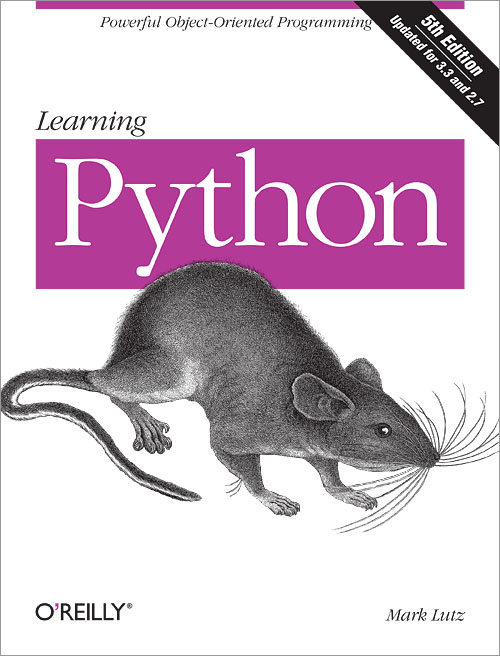
This article's material originally appeared in this book,
and was later expanded and republished in this book.
Along the way, its examples were updated to work in Python 3.X too, by using For additional reading, try these other articles popular at learning-python.com:
These and more are available on the blog page. | ||
| You are visitor 01402503 — GeezerVison does not store the pages you look up. Best viewed with Netscape Navigator 4.7 or Internet Explorer 6 at 800×600. No cookies required. |