GeezerVisonThe World Wide Web, restored to 800 pixels of glory. |
| Home|About|Gaming cabinet|Archives|How it works|Starter sites |
GeezerVison is showing nodemcu.readthedocs.io — Flashing the firmware - NodeMCU Documentation Below you'll find all necessary information to flash a NodeMCU firmware binary to ESP8266 or ESP8285. Note that this is a reference documentation and not a tutorial with fancy screen shots. Turn to the respective tool documentation for those. Attention Keep in mind that the ESP8266 needs to be put into flash mode before you can flash a new firmware! Important When switching between NodeMCU versions, see the notes about Upgrading Firmware. Tool overview¶esptool.py
Source: https://github.com/espressif/esptool Supported platforms: OS X, Linux, Windows, anything that runs Python Running esptool.py Run the following command to flash an aggregated binary as is produced for example by the cloud build service or the Docker image.
Gotchas
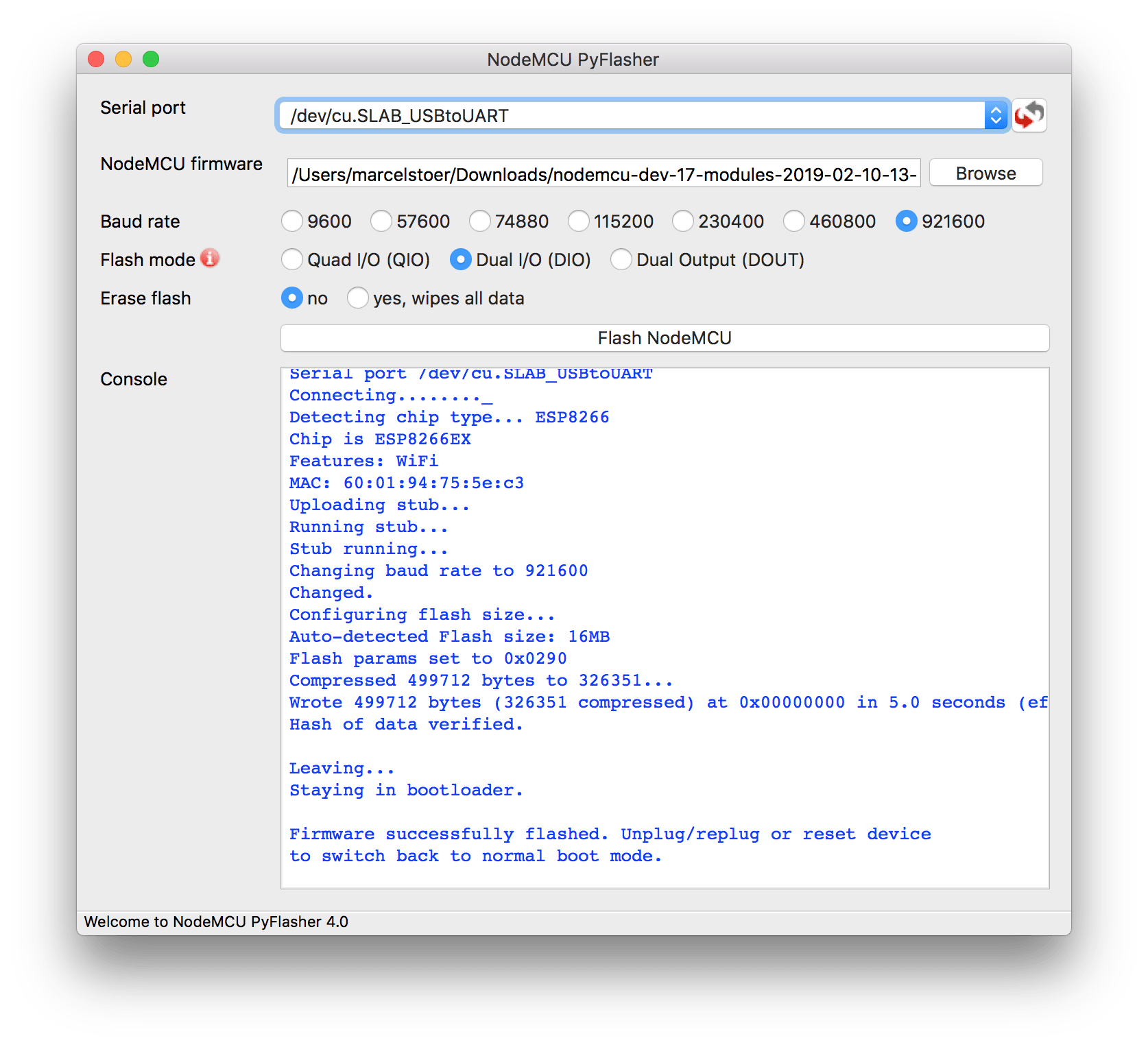
NodeMCU PyFlasher
Source: https://github.com/marcelstoer/nodemcu-pyflasher Supported platforms: anything that runs Python, runnable Disclaimer: the availability of NodeMCU PyFlasher was announced on the NodeMCU Facebook page but it is not an official offering of the current NodeMCU firmware team. Putting Device Into Flash Mode¶To enable ESP8266 firmware flashing GPIO0 pin must be pulled low before the device is reset. Conversely, for a normal boot, GPIO0 must be pulled high or floating. If you have a NodeMCU dev kit then you don't need to do anything, as the USB connection can pull GPIO0 low by asserting DTR and reset your board by asserting RTS. If you have an ESP-01 or other device without built-in USB, you will need to enable flashing yourself by pulling GPIO0 low or pressing a "flash" switch, while powering up or resetting the module. Which Files To Flash¶If you build your firmware with the cloud builder or the Docker image, or any other method that produces a combined binary, then you can flash that file directly to address 0x00000. Otherwise, if you built your own firmware from source code:
Upgrading Firmware¶There are three potential issues that arise from upgrading (or downgrading!) firmware from one NodeMCU version to another:
SDK Init Data¶NodeMCU versions are compiled against specific versions of the Espressif SDK. The SDK reserves space in flash that is used to store calibration and other data. Espressif refers to this area as "System Param" and it occupies four 4 Kb sectors of flash. A fifth 4 Kb sector is also reserved for RF calibration.
- With SDK version 2.x builds, these 5 sectors are located in the last pages at in the Flash memory.
- With SDK version 3.x builds, these 5 sectors are located in the otherwise unused pages at Flash offset 0x0B000-0x0FFFF, between the If this data gets corrupted or you are upgrading major SDK versions, then the firmware may not boot correctly. Symptoms include messages like Determine flash size¶The easiest way to determine the flash capacity is to load the firmware and then
|
| You are visitor 01402775 — GeezerVison does not store the pages you look up. Best viewed with Netscape Navigator 4.7 or Internet Explorer 6 at 800×600. No cookies required. |