GeezerVisonThe World Wide Web, restored to 800 pixels of glory. |
| Home|About|Gaming cabinet|Archives|How it works|Starter sites |
GeezerVison is showing noscript.net — Usage - NoScript - consensual browsing! UsageGetting started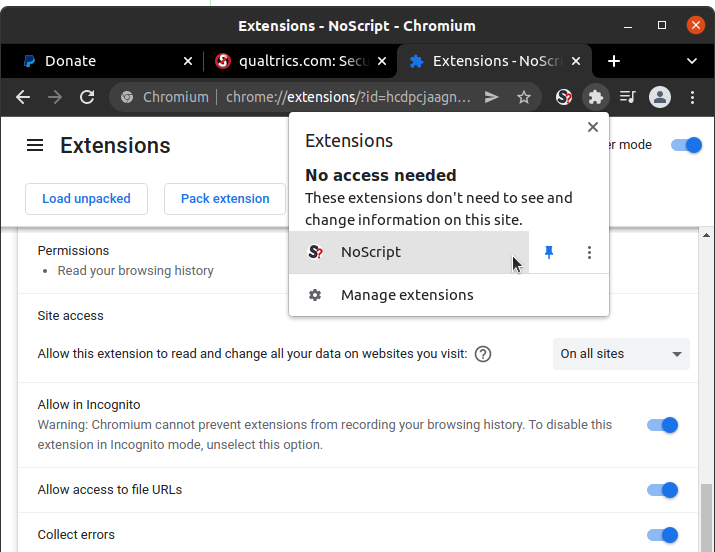 First of all, install NoScript in your browser! Don't forget to allow NoScript to run in Private / Incognito windows, either when prompted on installation or later in the extensions manager option. Otherwise you won't find NoScript where you need it the most. For the same reason, you'll probably want to Pin NoScript's icon to the toolbar, in order to have a visual indicator of what is going on with current page's permissions and a fast way to configure them. 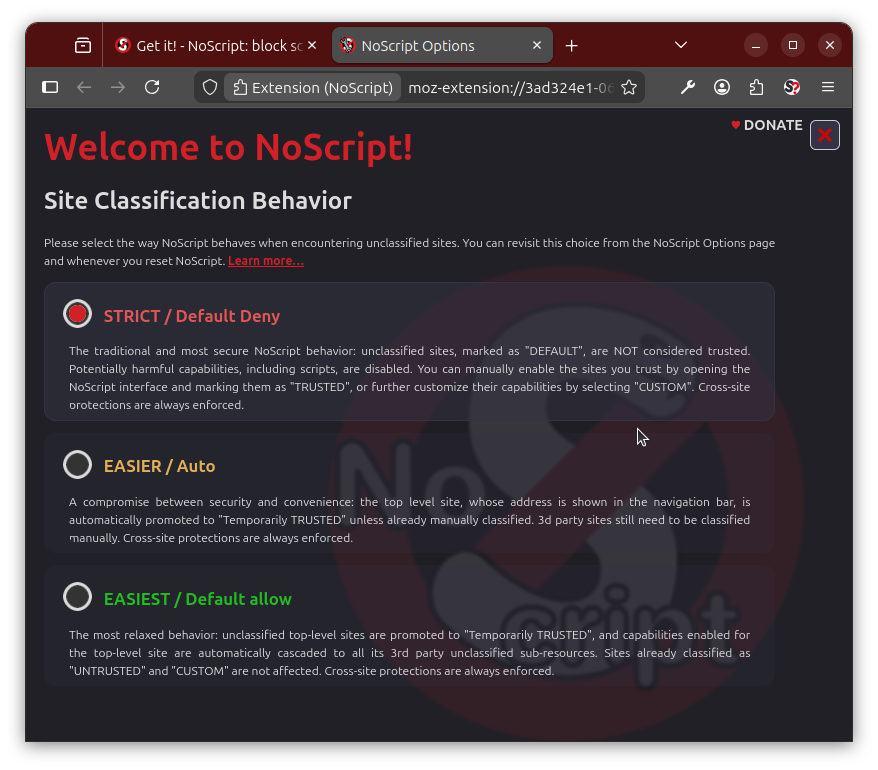 Upon installation, a welcome page lets you decide the way NoScript must assign the initial trust level to unclassified sites, choosing between three "Site Classification Behaviors" (or usability levels), from most involving (but safest and recommended) to most convenient:
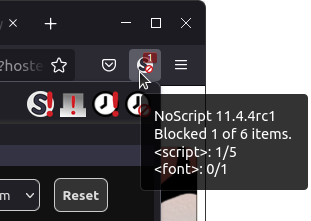 After installation, you can quickly access NoScript:
Trust levelsBy using NoScript's popup UI you can assign any website or sub-resource origin (e.g. "cnn.com" or "ads-twitter.com") either one of 4 preset trust levels or a per-site customized level. 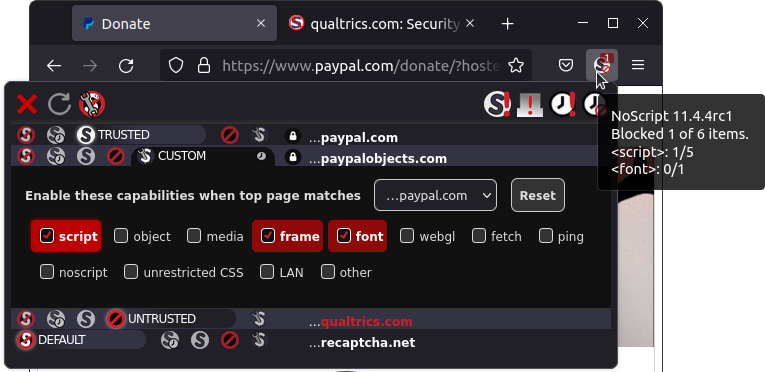
Contextual Policies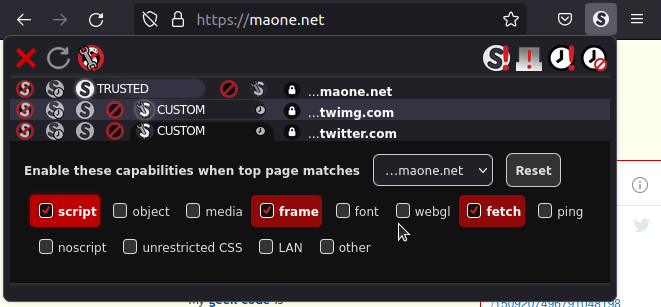 Contextual policies let you assign different permissions (or "enable different capabilities", in NoScript's parlance) to a certain site depending on its context, i.e. which is the top level site (the address currently shown in the navigation bar). For instance, you might want to enable scripts from twitter.com only if you're visiting maone.net (in order to read the embedded tweet feed) but not elsewhere, because you don't like Twitter to track you everywhere you go:
You're done: scripts from twitter.com are allowed to run only when the main site displayed is maone.net. You can repeat this on any website (including twitter.com itself) where you want Twitter scripts and subdocuments to work normally. If you change your mind, you can reset some or all the contextual policies you previously set in the CUSTOM permissions deck, either on from the popup (only for the current context) or from the NoScript Options>Per-site permissions panel, where all the context sites you had configured plus the ANY SITE default are listed in the Enable these capabilities when top page matches... dropdown. Preset customization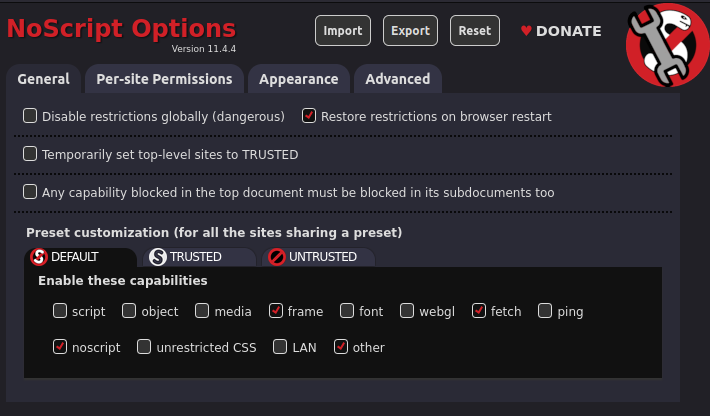 Even though this is not recommended, power users may customize also the built-in presets, from NoScript Options>General>Preset customization. The modified capability permissions will be automatically applied to all the sites which the trust level preset has been or will be assigned to. LAN ProtectionSimply put, the LAN capability lets documents coming from the public Internet (AKA World Area Network / WAN) to link / send requests to hosts inside your Local Area Network (LAN), which is pretty much what they can do now, allowing so called cross-zone CSRF/XSS attacks, often popularized as "Router Hacks". By keeping it disabled (factory setting in the DEFAULT and UNTRUSTED presets), you're replicating the Application Boundaries Enforcer feature from "Classic" NoScript, without the hassle of going through ABE's firewall-like rules when you need to set an exception, which now is just a matter of checking the LAN capability box. Note that this capability is disabled by default in Tor Browser and Mullvad Browser on every Security Level, including the lowest ("Standard"). Per-site preferences editor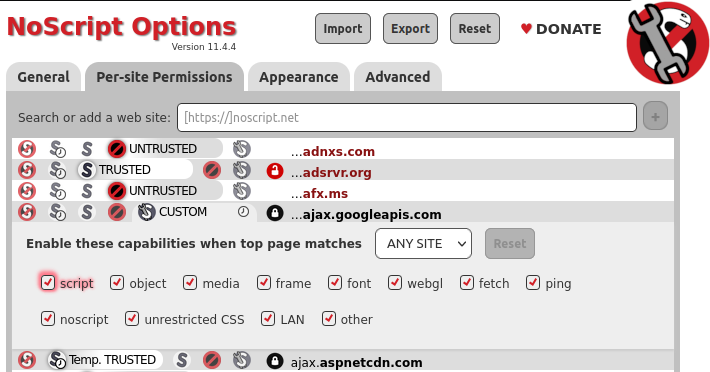 You usually assign trust levels on the fly to the current site and its sub-resources from the popup UI. But you may also want to assign a different trust level to a site you've previously configured, or to configure new sites without actually visiting them. In order to do that, just use the NoScript Options>Per-site permissions panel. To make NoScript "forget" the configuration for a certain site configuration, just assign it the DEFAULT preset. Bulk-disabling restrictions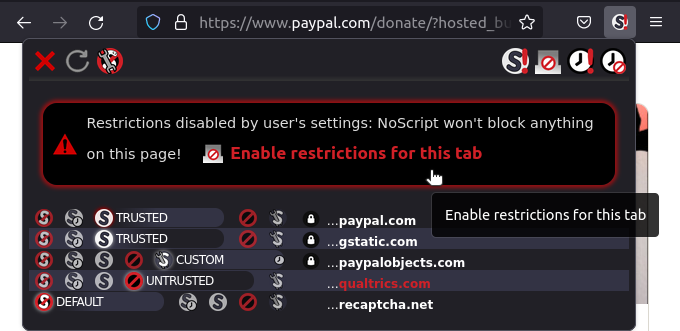 Sometimes you are in a hurry on a complex workflow, spanning multiple redirections through different websites, which must succeed no matter what. One example may be a credit card payment, bouncing from an e-commerce site to one or more payment processor web services. In this case you may want to temporarily relax all the restrictions normally enforced by NoScript for all the sites loaded in the current tab until said tab is closed, by using the Disable restrictions for this tab More radical (and not recommended) is the Disable restrictions globally (dangerous) Cross-site protectionsNoScript provides also protection mechanisms independent from core script blocking: most notably, its XSS Filter and Cross-tab Identity Leak Protection XSS Filter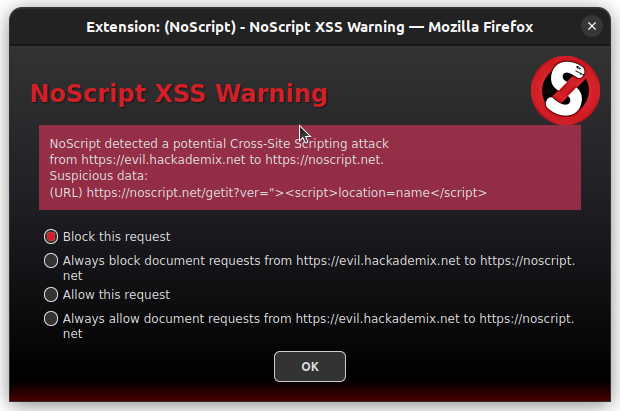 NoScript's XSS filter (also known as "Injection Checker") has been the first one and always the most effective available in a web browser. It prevents requests originating from a certain (possibly malicious) web site from injecting and executing code in a different web site, an attack known as Cross-Site Scripting (XSS). When a suspicious request is detected, a warning dialog is shown for the user to block or allow it, either temporarily or permanently. Exception can be managed from NoScript Options>Advanced>XSS Cross-tab Identity Leak ProtectionNoScript's Cross-tab Identity Leak Protection (or "TabGuard") is an experimental countermeasure against the Targeted Deanonymization via the Cache Side Channel attack by Mojtaba Zaheri, Yossi Oren and Reza Curtmola, presented at Usenix Security in August 2022. 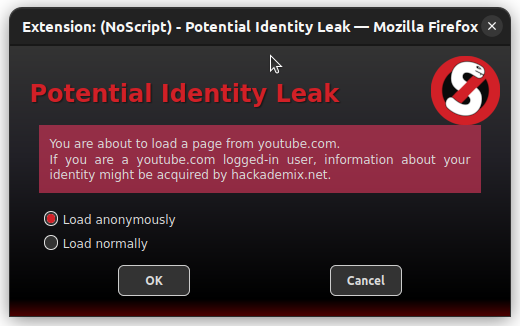 It is loosely inspired by the Leakuidator+ browser extension proposed by the authors as a defense, but it's designed to better integrate with Firefox and the Tor Browser and provide protection against variants of the attack not covered yet. When triggered, i.e. on cross-site requests across related tabs, TabGuard removes the authentication headers from the request and shows a red Keyboard ShortcutsYou can open and navigate all the NoScript UI by using the following keyboard shortcuts: User-contributed guidesLimitations on ChromiumThe API exposed by Chromium to browser extensions is not as powerful and flexible as its Firefox counterpart. When Mozilla switched for "all powerful" add-ons to the WebExtensions tech (their "clone" of the Chrome Extensions tech), they contracted me to help design and implement improved versions of
|
| You are visitor 01402503 — GeezerVison does not store the pages you look up. Best viewed with Netscape Navigator 4.7 or Internet Explorer 6 at 800×600. No cookies required. |
 DEFAULT, as the name implies, is the fallback low trust level which NoScript automatically enforces on any not yet configured website. This way unknown sites you visit for the first time are unable to perform any harmful action against you.
 Temp. TRUSTED is the high trust level you can assign to sites requiring JavaScript or other active (and potentially harmful) capabilities to be enabled in order to work. Temp. stands for "Temporarily", meaning that the trust level for this site gets reset to DEFAULT as soon as the browser is closed or if you use the Revoke Temporary Permissions
 button. This is the preferred way to tentatively enable sites which you need to work just now but you're unlikely to visit every day.
You can also assign this level to all the sites you currently listed in the popup UI by using
the Set all on this page to Temporarily TRUSTED
 button.
 TRUSTED is the permanent high trust level, enabling JavaScript and other active capabilities and persisting across browser restarts: use it only for sites which you really trust and use frequently.
 UNTRUSTED is the zero-trust level, which blocks every capability (including rendering of plain HTML frames and alternate <noscript> content). It may be useful to flag sites which are definitely not welcome in your browser.
 CUSTOM is a special level which can be tailored specifically for each site by turning on and off individual capabilities, such as script, object, media, frame, font, webgl, fetch, ping, noscript, unrestricted CSS, other. Capabilities which the site has tried to use, being blocked by NoScript, are highlighted in red. The temporary/permanent behavior of this level is controlled by a tiny clock-shaped toggle.
 button.
 button: using it amounts to disabling NoScripts permanently on any site/tab, keeping enabled the XSS filter only. Don't do it!