GeezerVisonThe World Wide Web, restored to 800 pixels of glory. |
| Home|About|Gaming cabinet|Archives|How it works|Starter sites |
GeezerVison is showing orbitwrite.com — Schedule posts across every channel | Orbitwrite Write it once. Schedule it everywhere.Draft a post, pick your channels, and set a time. Orbitwrite publishes each one in the format that network needs. Start 10-day free trial Cancel anytime before the trial ends.
One post, every account you’ve connected How it worksThree steps from a blank composer to a post scheduled on every channel you picked.
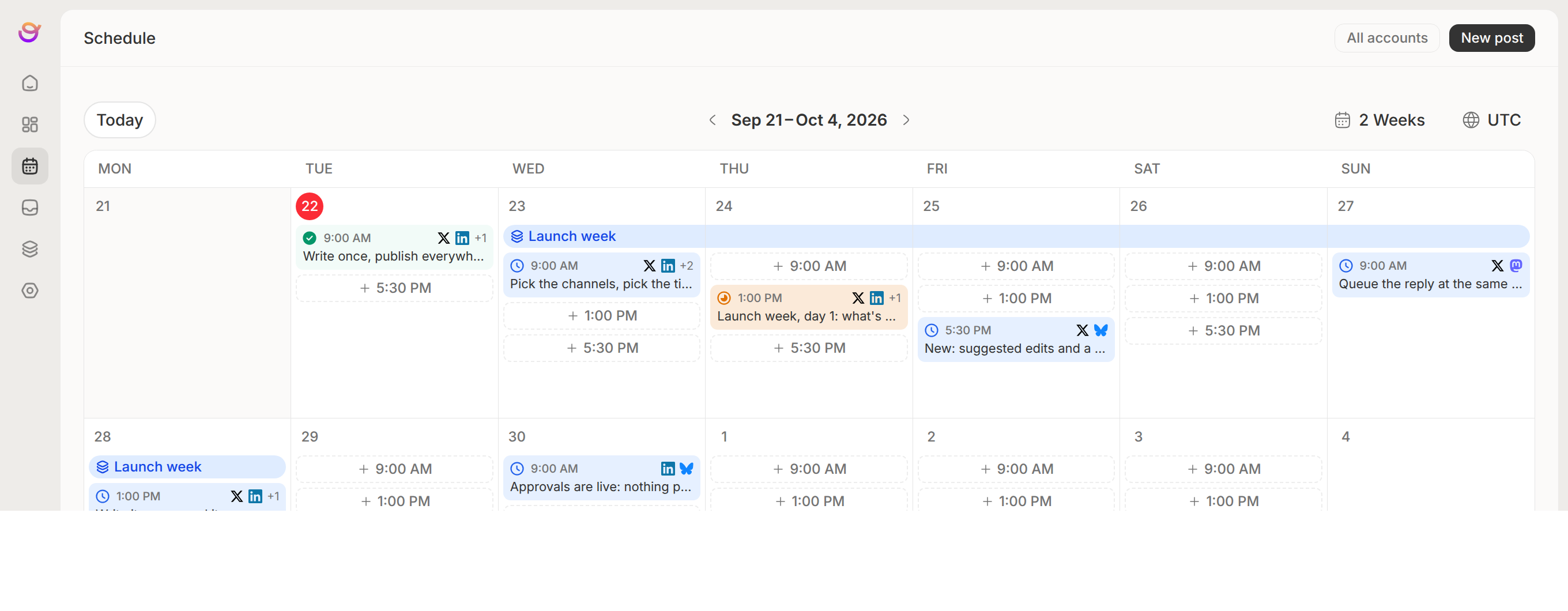 What else comes with itThe parts that usually end up in a second tool or a spreadsheet. One calendar for the teamEvery scheduled post, across every account, on one planner. Drag a post to another day to move it. M T W T F S S Posting slots and a queueTell it how often you want to post and smart schedule lays the week out for you. Change any slot you don't like, then scheduling a draft is dropping it in the queue. Set smart schedule3× a week
Campaigns, not one-off postsGive Orbitwrite a link or a brief and it drafts a run of posts across the dates you set. None of them publish until the campaign is approved. 🚀 Spring launch 9 posts · 3 Mar – 21 Mar Tags across the workspaceColour-coded tags on any post. Filter the calendar down to one client, one product or one launch. ProductAcmeLaunch Calendar filtered toLaunch Comments and suggested editsHighlight a line and leave a comment, or propose the edit itself. Teammates accept or reject it. We rebuilt the editor and it’s a lot faster now. JB Jamie suggested an edit a lot faster 3× faster AcceptReject Approvals before it goes liveSend a post for review. Sign-off can block publishing or not, and every change is logged. Launch week, day 1In review ApproveRequest changes Publish status per channelEvery scheduled post shows how far it got on each network, so a failure on one is easy to spot.
Slack and Discord alertsGet a message in your channel when a post publishes, or when a draft is waiting on review. OrbitwriteApp Published to X and Bluesky in #marketing Network limits built inCharacter counts, media rules and per-network options follow the account, so nothing gets rejected at publish time.
Keep readingAI AssistantDraft, rewrite and translate in the composer, without the tells that make copy read like a bot.Read more→Auto-engagementQueue the follow-up reply, the like and the repost to fire on their own timers after publishing.Read more→CollaborationComments on the exact line, suggested edits, and sign-off that can hold publishing.Read more→Link in bioOne public page listing every channel you post to, filled in from the accounts you've connected.Read more→WordPressWrite the social post for an article inside WordPress, or share every new article the moment it's published.Read more→ClaudeAdd Orbitwrite as a connector, sign in, and ask Claude to draft, schedule and publish to your channels.Read more→ChatGPTConnect ChatGPT, sign in, and have it write the post, make the image and put both on your calendar.Read more→Claude CodeInstall one plugin and Claude Code drafts, schedules and publishes to your channels, with your approvals still in place.Read more→MCP serverConnect Cursor, VS Code, Gemini CLI or any other agent to your workspace.Read more→CLISchedule, publish and answer replies from an agent with a shell, a release script or a CI job.Read more→SDKPublish to nine networks from your own product and answer the replies, with no integration to write for any of them.Read more→ |
| You are visitor 01402520 — GeezerVison does not store the pages you look up. Best viewed with Netscape Navigator 4.7 or Internet Explorer 6 at 800×600. No cookies required. |