GeezerVisonThe World Wide Web, restored to 800 pixels of glory. |
| Home|About|Gaming cabinet|Archives|How it works|Starter sites |
GeezerVison is showing orgmode.org — Org Mode Elegant Markup
DescriptionOrg mode is routinely used to build and manage complex workflows. It does this using an elegantly simple syntax that scales from basic markup to full LaTeX typesetting and from plain text notes to literate programs. Everything you need to get started is demonstrated in the example. MoreMore on markup (manual) Structured Editing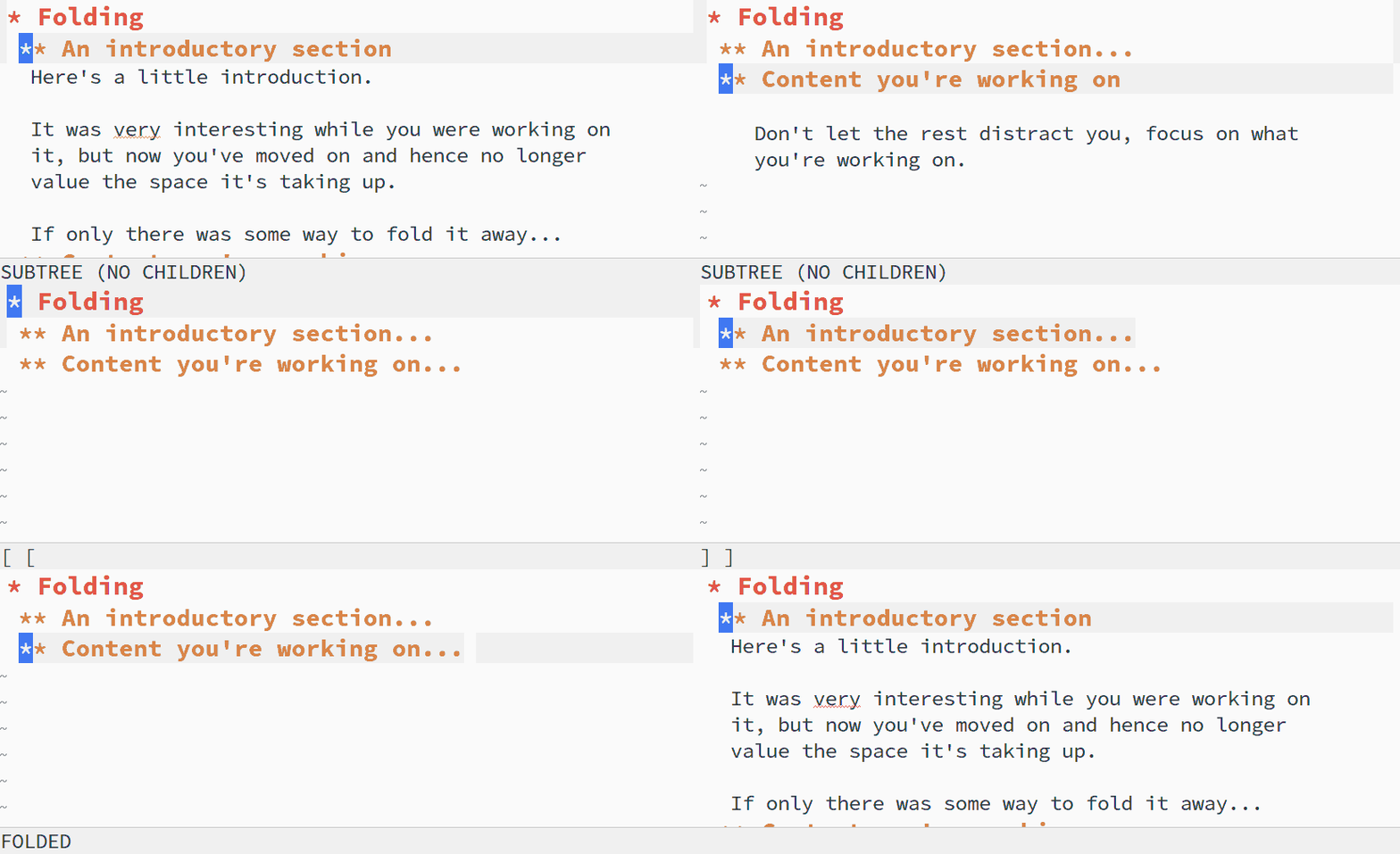
Description
The fundamental structure of an Org document is a tree, with nested,
collapsible sections forming its backbone. You can fold and unfold
whole trees with single keystroke — Org's trees make for quick, graceful navigation and powerful information hiding that lets you focus on the task at hand without compromising the ability to get the information you need complete it. Controlling section visibility is only a tiny part of Org's set of tools and commands for structured editing of plain text. Org mode leverages Org's regular syntax to transform otherwise tedious tasks into single key commands, freeing you to focus on content rather than form. MoreMore on document structure (manual) Transparent Tables
DescriptionOrg includes a powerful table editor.
Layout updates automatically as cell contents change.
Import tables from Org tables aren't just static views of data. They can be used as a full spreadsheet system, with formulas, references and more — all with the simplicity and transparency of plain text. MoreThe built-in table editor (manual) Org as a spreadsheet system (manual) Introduction to editing tables (Worg) Using Org as a spreadsheet (Worg) Superior Source Code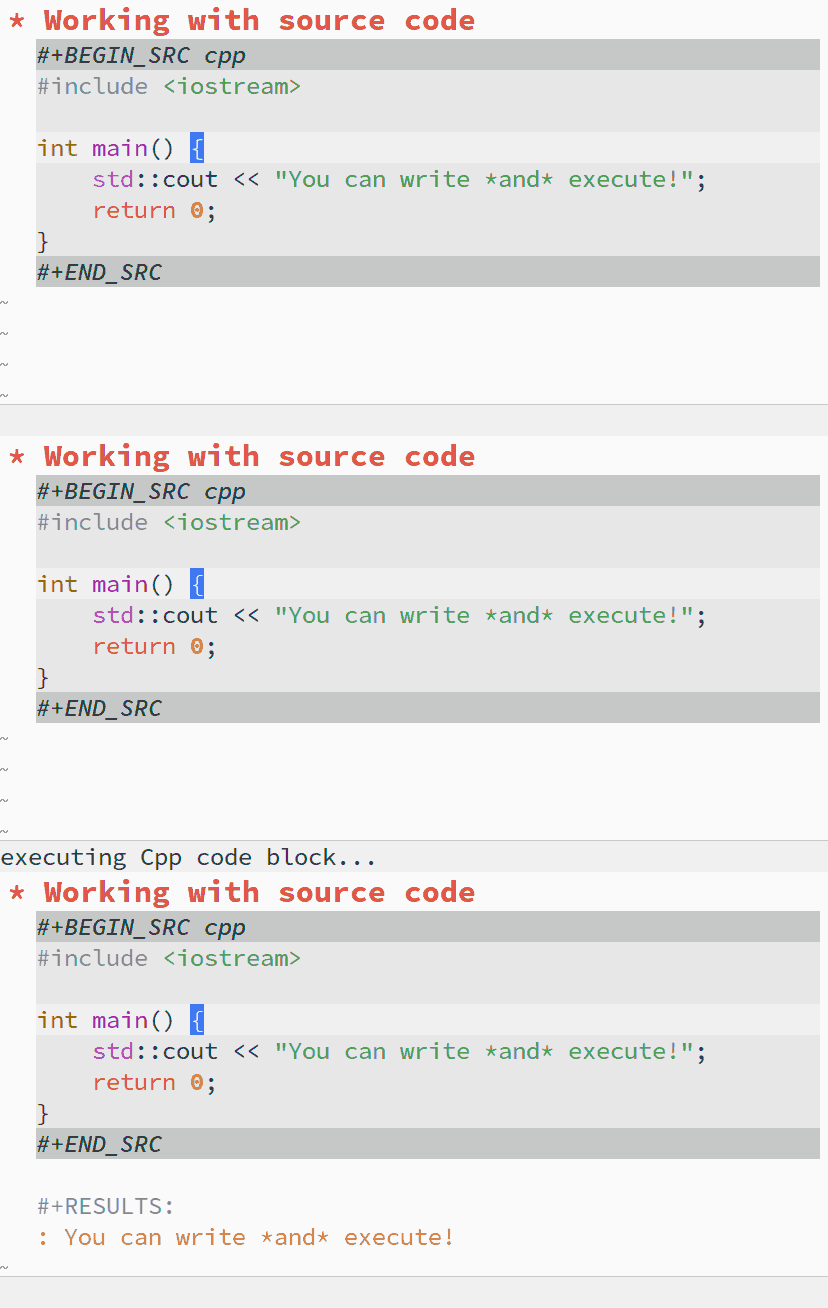
DescriptionOrg provides functionality far beyond that of computational notebooks such as Jupyter or R Markdown. Org babel transforms the lowly executable source block into a complete literate programming environment, allowing you to weave the inputs and outputs of multiple languages and runtime environments across multiple machines into a single unified system, empowering you to achieve new levels of DRYness regardless of whether the languages you are working in want you to or not. Org makes it trivial to extract source code and generate documentation from the same file. While many languages have support for generating developer documentation from code comments, with Org your developer guide and user manual can also be the source code for implementation and testing — a single source of truth that won't drift out of sync. Org currently has support for over 80 languages, and projects like emacs-jupyter make it possible to leverage the Jupyter kernel ecosystem for even more languages. MoreWorking with source code (manual) List of supported languages (Worg) Export and Publish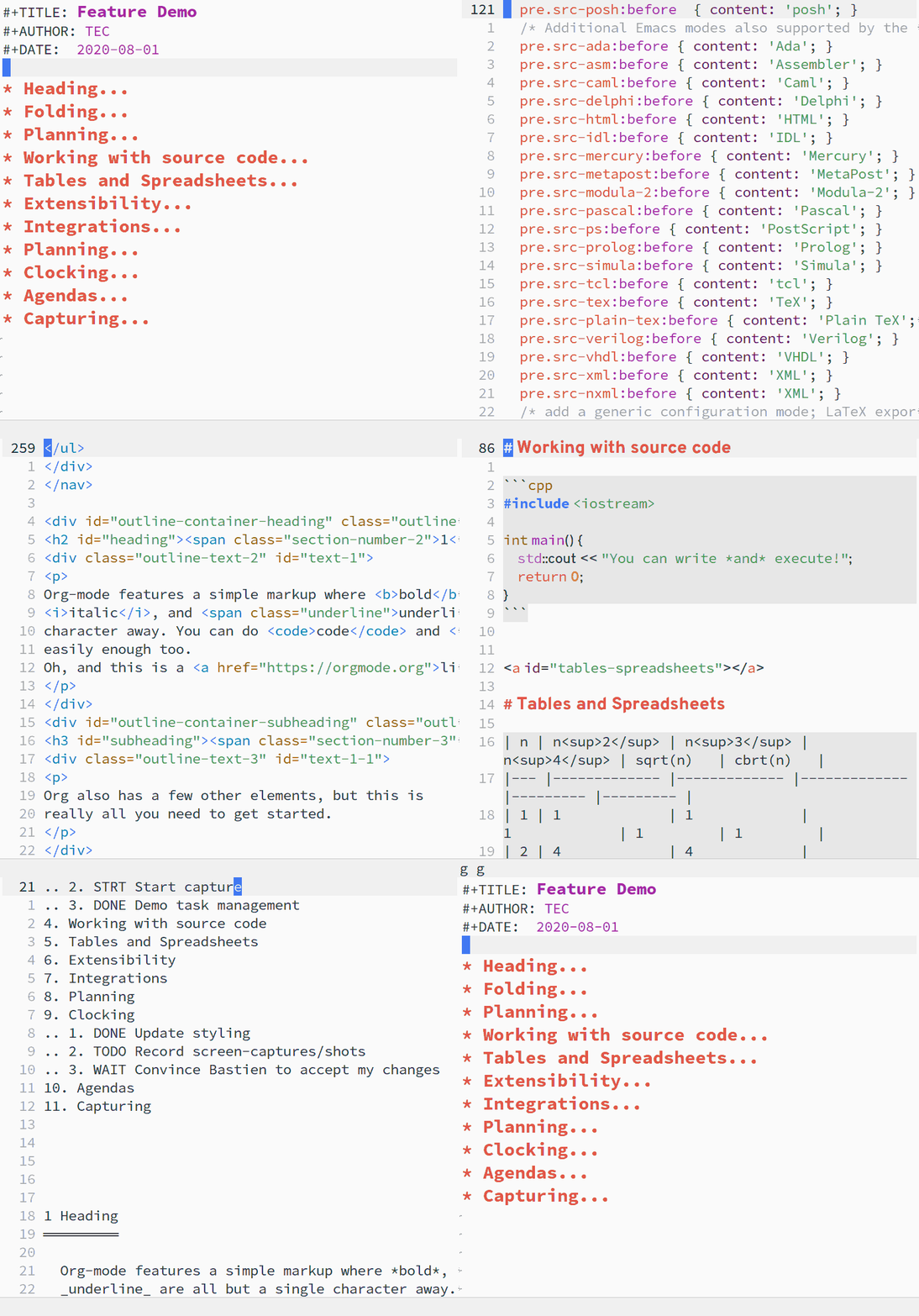
DescriptionOrg is an authoring and publishing tool — it can function as everything from a static site generator, to a suite of tools for self-publishing. Draft documents using Org's intuitive markup, then export to your format of choice. Org supports many formats including:
Developers can easily create new backends for their favorite format (see the ox reference documentation) and Org is also supported by Pandoc.
In addition to exporting single files, you can define publishing
projects for one or more MoreOne poorly kept secret is that the Org website is written in Org! More on markup (manual) More on exporting (manual) More on publishing (manual) Tutorial on publishing to HTML (Worg) Tutorial on publishing to \(\LaTeX\) (Worg) Take Control of Tasks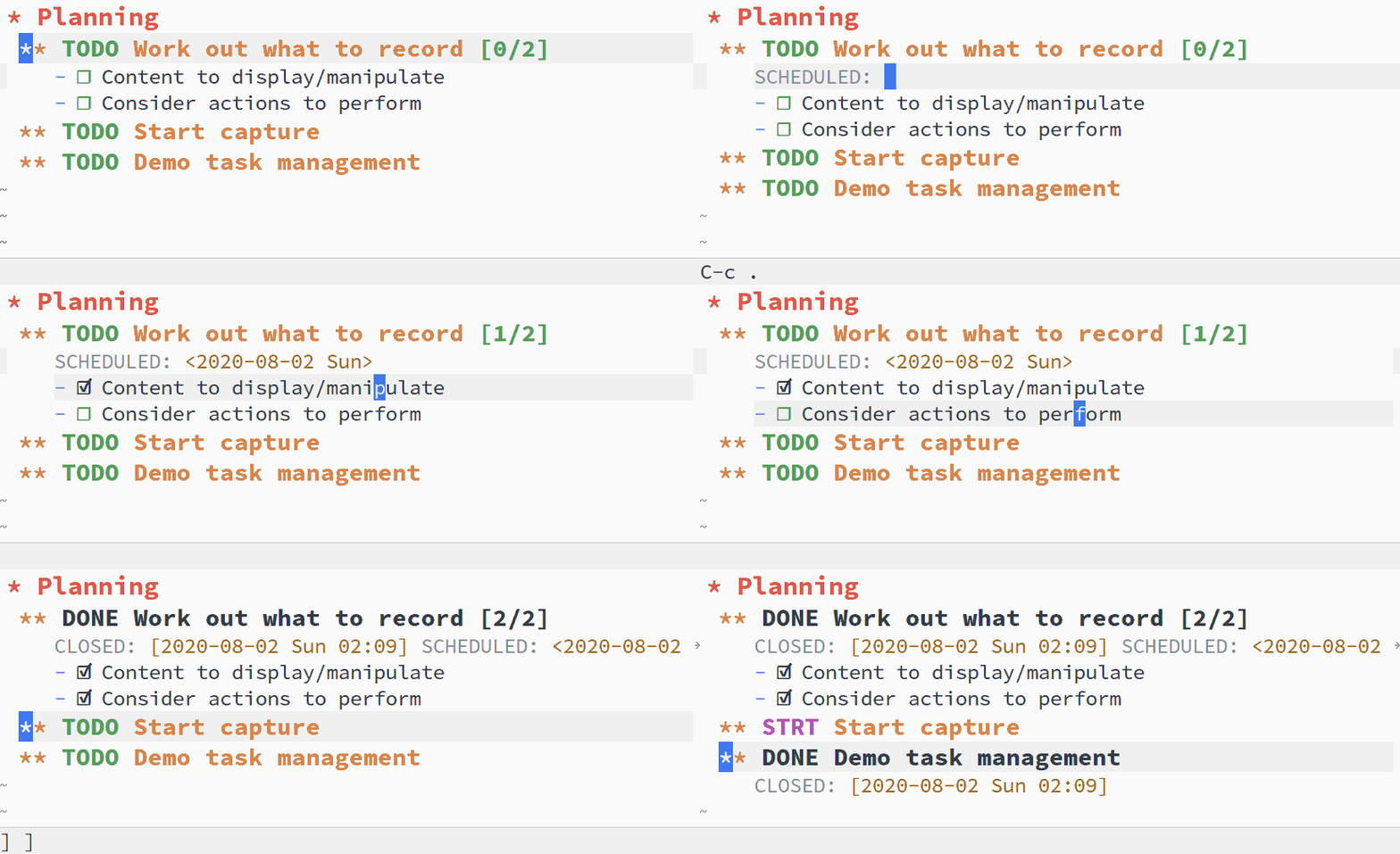
DescriptionOrg is an extremely capable task planner, time tracker and TODO list.
Any section can become a TODO item by adding a keyword such as Need add your own set of states? No problem. Org lets you customize them to support your workflow. Org Agenda makes it easy to view tasks from multiple files in one place. All you have to do is add one of the TODO keywords. Org has built-in support for task priority, deadlines, scheduled tasks, tags, clocking and more. Agenda can use of all of it to organize and prioritize tasks — seamlessly scaling from a simple TODO list into a complete project management suite, all with plain text markup. MoreMore on TODO items (manual) Handling dates and times (manual) Actionable Agendas
DescriptionPlan your day, your way, with ease. With agenda views — reports generated from your TODO items — you can see your tasks on a daily, weekly and monthly basis.
Even with hundreds of The default agenda shows scheduled and deadlined tasks for the week, stalled projects and all your outstanding TODO items. Not satisfied with the defaults? Org agenda is highly configurable. You can customize the contents of default views or create your own custom views. In a sense Org is an expressive language that captures the key points of interaction in workflows, simplifying and refining the process of developing new workflows as they emerge during the course of work, play, or life in general. MoreMore on agenda views (manual) Tutorial on agenda commands (Worg) Clocking
DescriptionKeep track of the time you spend on your tasks with Org Clocking, and at end of the day you can generate customized reports about how you spent your time.
Org provides shortcuts to clock in and clock out of tasks. When
working in an
You can also use MoreMore on clocking tasks (manual) Capture Data From Anywhere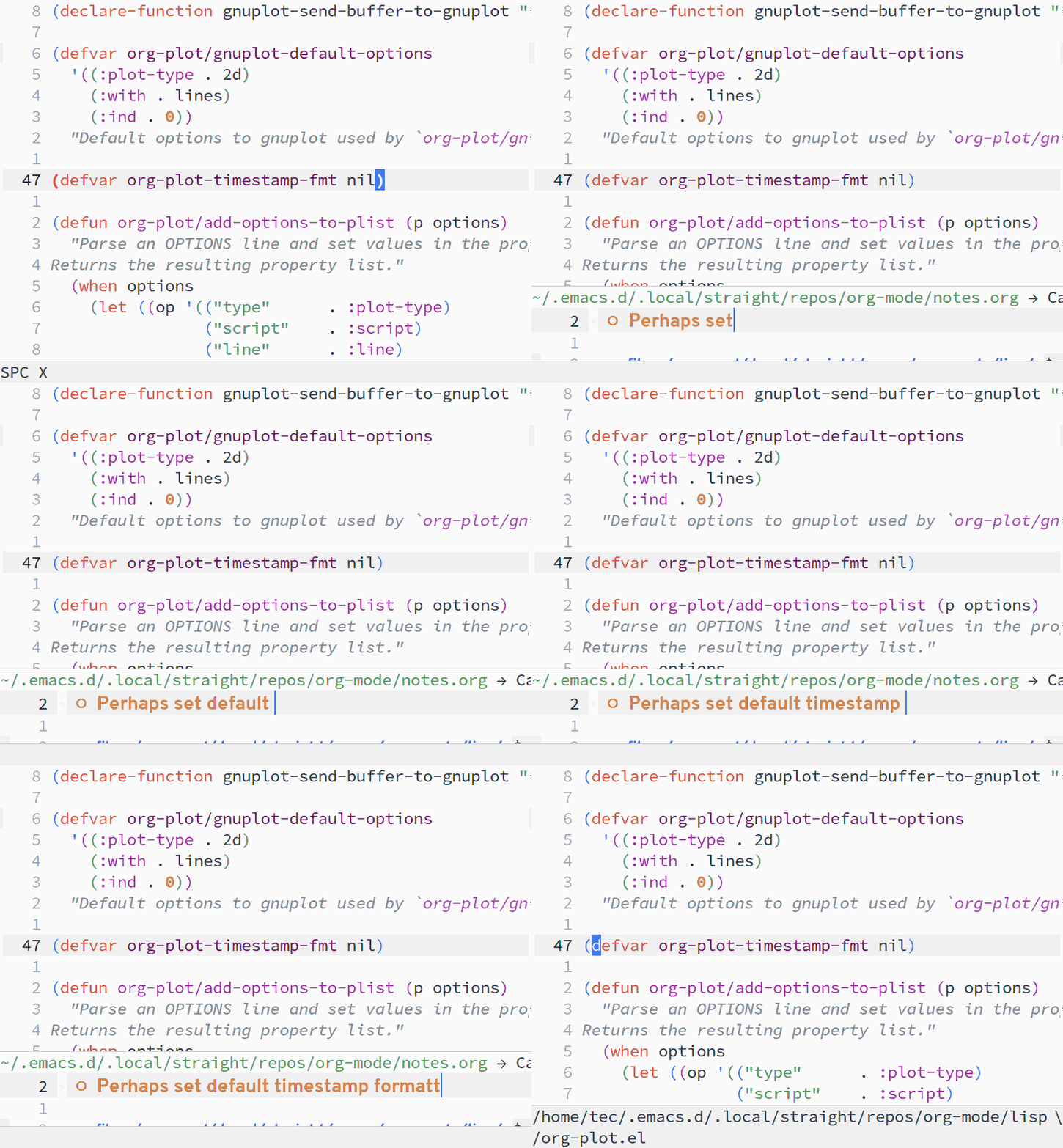
Description
You can add content to an You can capture from anywhere — from an Emacs buffer or from other applications like your web browser, PDF viewer and more. Capture templates provide a quick and effective way to ingest structured data for a variety of workflows, from adding TODO items to quoting the relevant section of a manual or saving a receipt. MoreMore on capturing (manual) Extremely Extensible
DescriptionOrg mode isn't just extensible, it is Emacs extensible. Org started out as an extension. As a result, extensibility is present in nearly every aspect of Org.
To give only a single example, consider hyperlinks. While updating
documentation you find yourself repeatedly linking to GitHub
issues. In Org you can add a new Beyond expanding links, you can define custom resolving functions, link to files on remote machines with Tramp, and more. Created by
TEC
with
licensed under the GNU FDL 1.3 — see the source code for this website. |
| You are visitor 01402503 — GeezerVison does not store the pages you look up. Best viewed with Netscape Navigator 4.7 or Internet Explorer 6 at 800×600. No cookies required. |
