
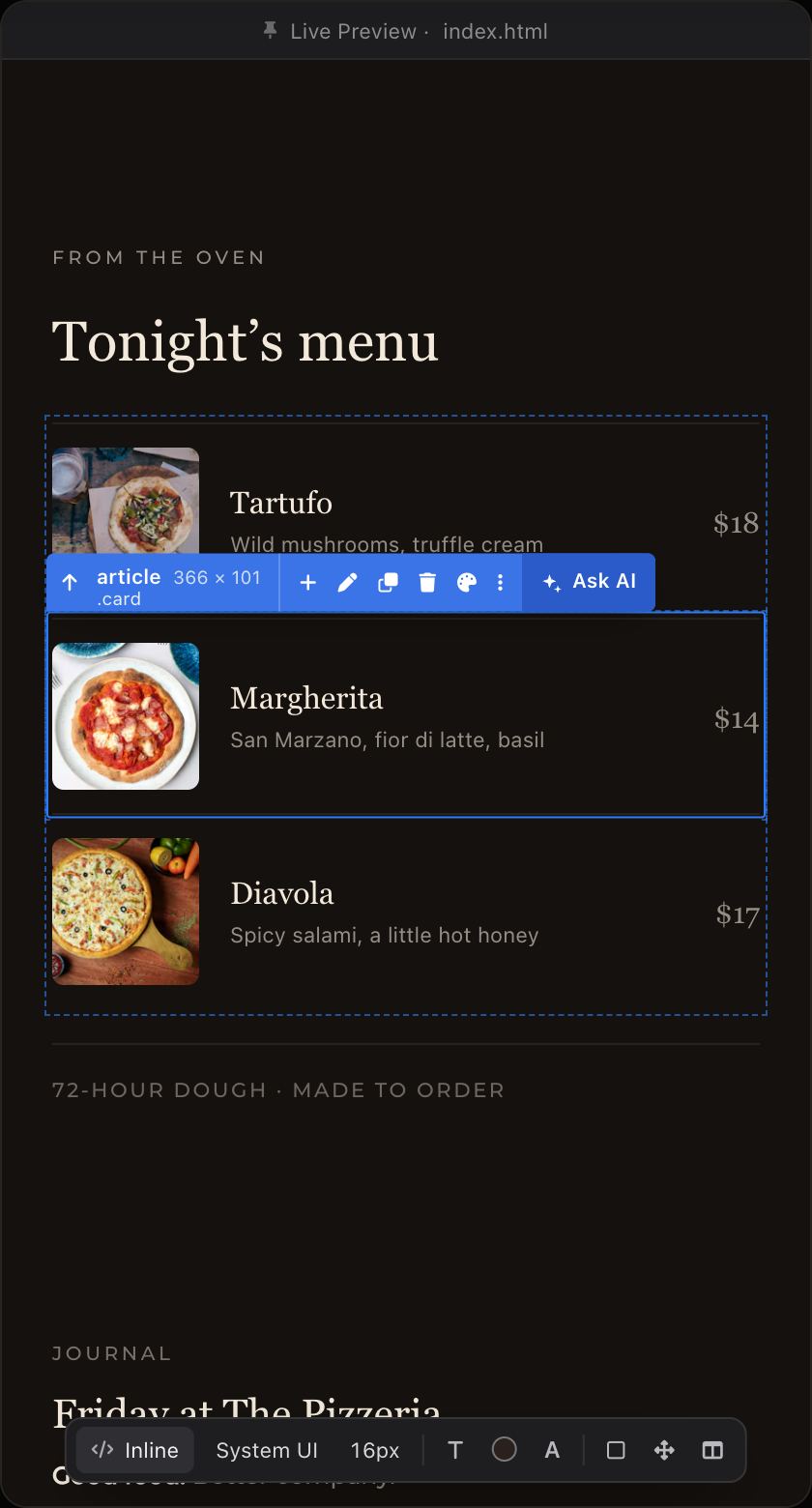
 MargheritaSan Marzano, fior di latte, basil
$14
GeezerVisonThe World Wide Web, restored to 800 pixels of glory. | ||||||||
| Home|About|Gaming cabinet|Archives|How it works|Starter sites | ||||||||
GeezerVison is showing phcode.dev — Pricing - Phoenix Code PricingCode for free - or design visually with Pro Core editor — in every plan
Live preview while you code
Markdown live preview
Advanced code intelligence
Integrated Git for Desktop
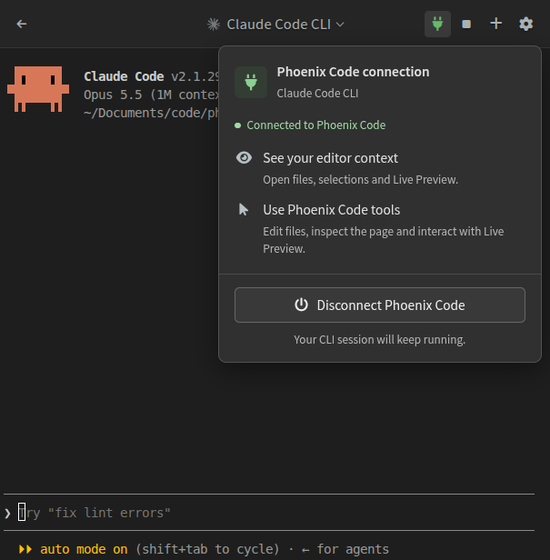
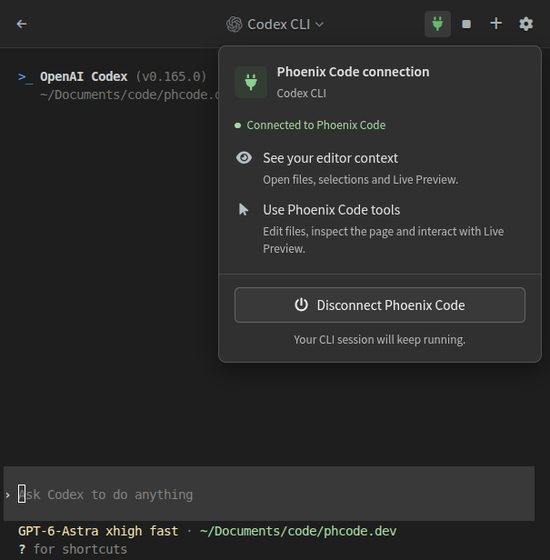
Bring your own AI agent
Ask AI in Live Preview —
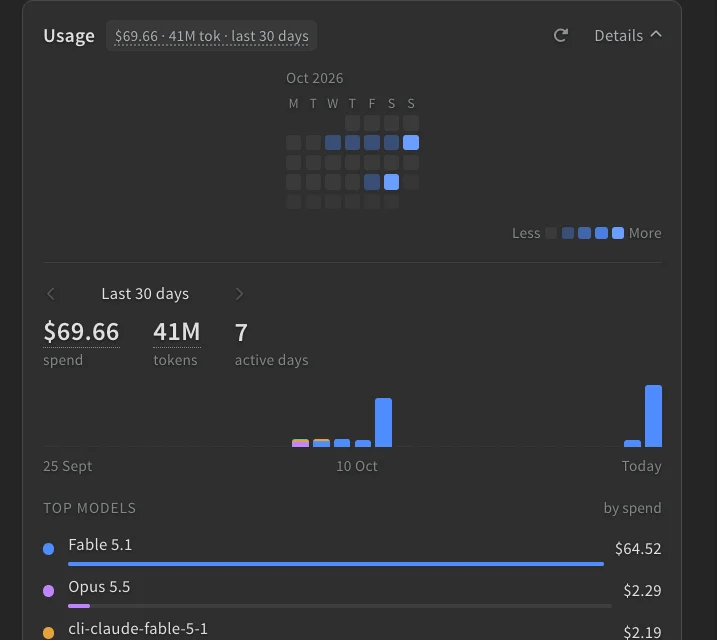
AI usage meter —
Visual editing
Edit in Live Preview —
Layers panel —
Inspect element layout —
Stock image library —
Writing
Rich Markdown Editor —
Publish
Lifetime only
3 years of updates included ——
Lifetime activation ——
Use the last version forever after updates end ——
Students, teachers, and educational institutions get most Phoenix Pro features for free.*2 Plan details, limits, and terms are defined in the Phoenix Pro Plan Terms. Just point
|


| Pizza | Price |
|---|---|
| Margherita | $14 |
| Tartufo | $18 |
| Diavola | $17 |
Before we open
- Heat the oven
- Set the tables

Inline
A
Pick a designhover to preview
Ask AIsees what you point at
Ask AI
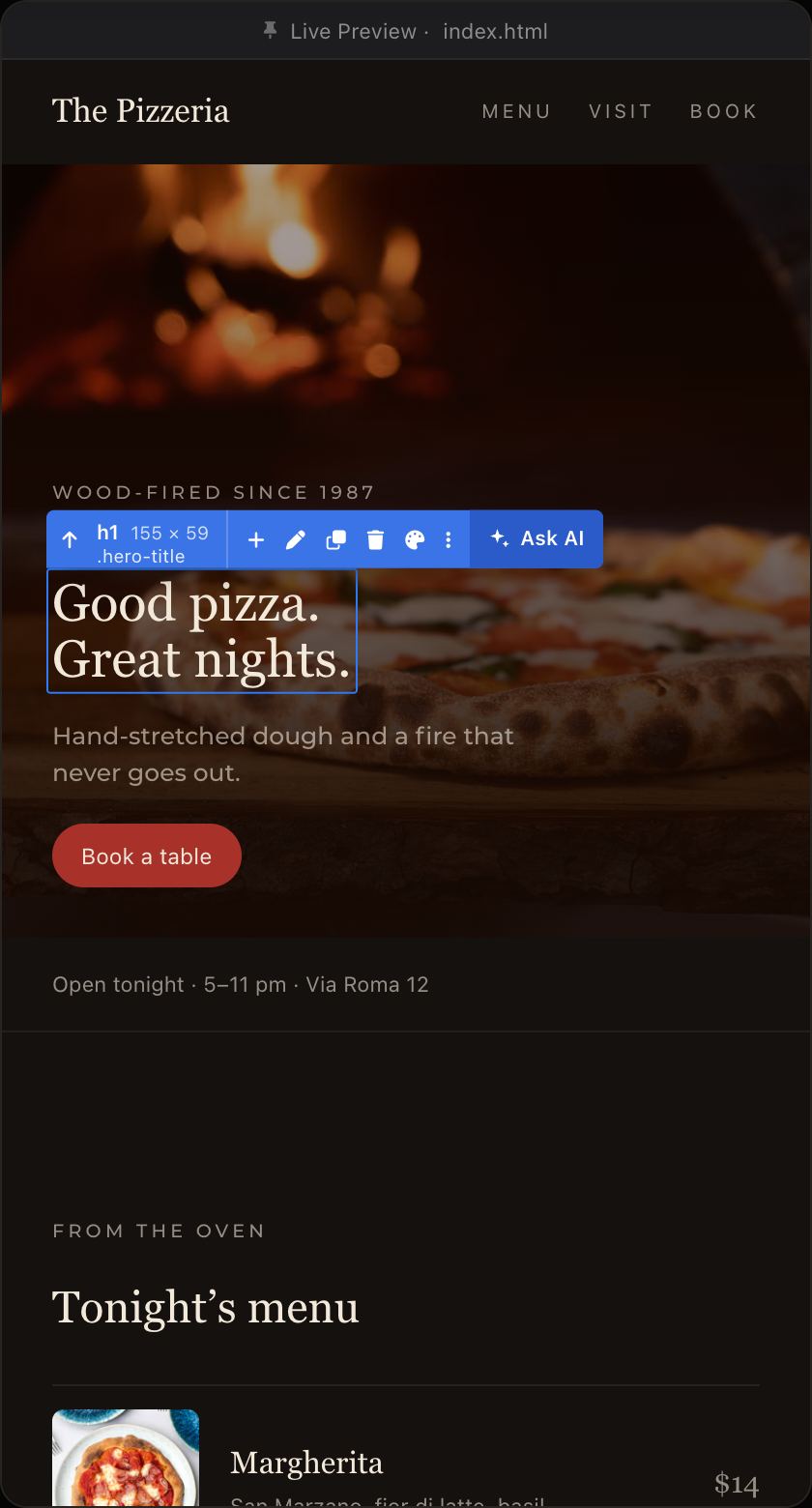
Good pizza.
Great nights.Book a table
Great nights.Book a table
h1.hero-title
Select element
ScreenshotAdd selected
Ask AI…Send to Visual AI
FableEnter to send · Shift + Enter for a new line
Visual AIstyle.css+3−1
Try it
Layersyour page as a tree
FilesAILayers
Elements
Search elements
Properties
- Tag
- —
- ID
- Add an ID…
- Class
- —
Styles
Markdownthe same file, raw
friday.md
Markdown (GitHub)
# Friday at The Pizzeria **Good food.** Better company. | Pizza | Price || ---------- | ----- || Margherita | $14 || Tartufo | $18 || Diavola | $17 | ## Before we open- [x] Heat the oven- [ ] Set the tables
Just point
and ask AI.
Select anything on the page and ask. AI gets a screenshot of what you picked, so there’s nothing to explain.
Requires Phoenix Pro. Your provider’s plan and usage limits apply.
Edit your site
like a canvas.
Click anything in the preview to select it. Edit text in place, restyle it from the Styles Bar, or drag it in Layers. Your code updates as you go.
Markdown that
edits like a
document.
Create rich Markdown documents with images, tables, code blocks, and diagrams. Edit visually, or switch to raw Markdown anytime.
Explore the Markdown editor→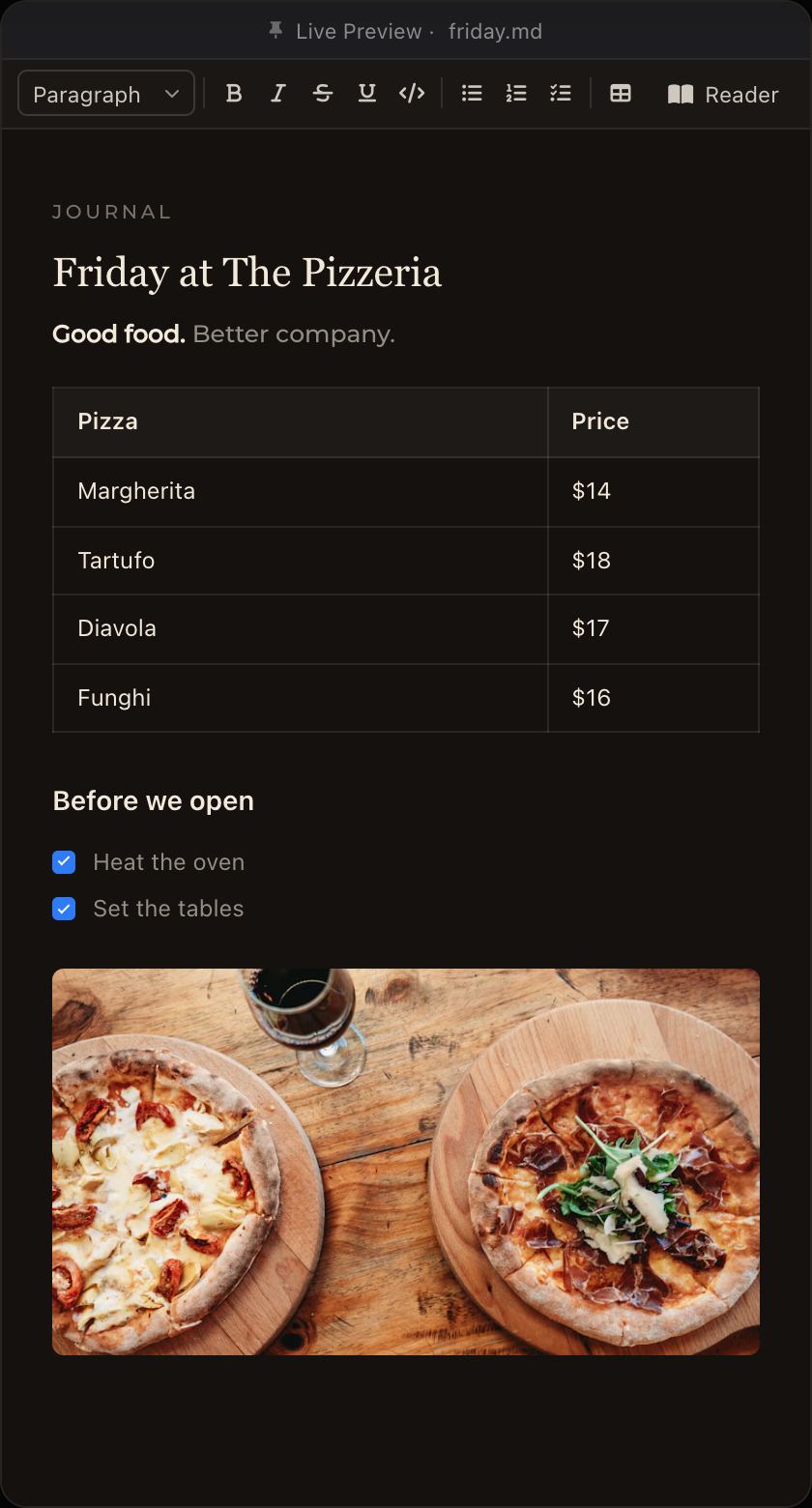
Stock Image LibraryHover, then click.
Browse royalty-free images. Hover to preview, click to apply.
- Curated high-quality image library
- Try more options before you choose
Get Phoenix Pro
Free 7-day trial. No credit card.

What’s new in Phoenix Code.Fresh out of the fire.
All release notes↗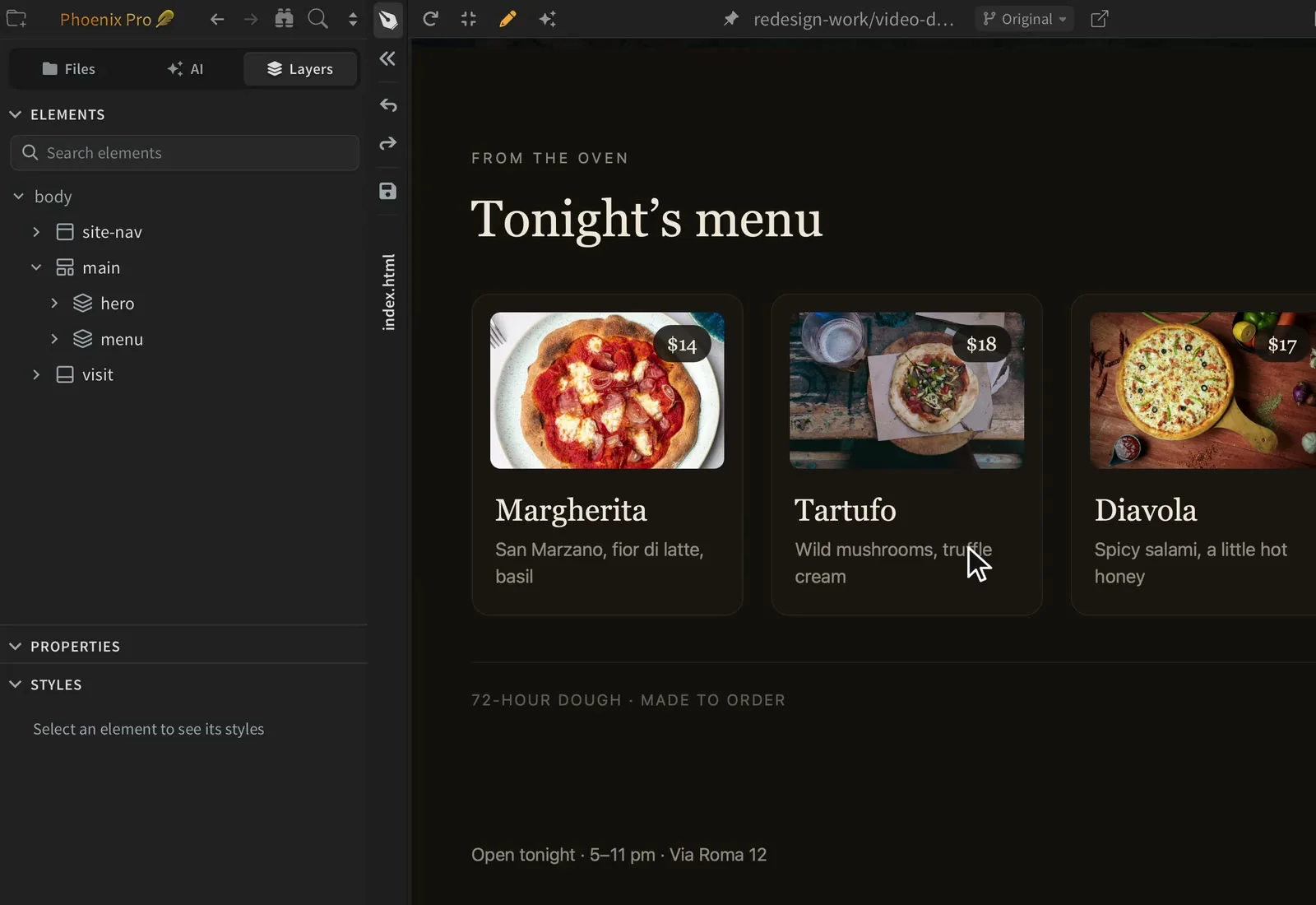
Developers, students and educators use Phoenix Code around the world.
180+countries
1,600+schools and businesses
1.6M+downloads
Schools & universities Studios & businesses
- Stanford University
- University of Michigan
- Politecnico di Milano
- Red Hat
- SAP
- Volvo Cars
Names shown are not endorsements.
Keep your AI agent.
Skip another
AI subscription.
Bring your Claude or ChatGPT subscription and put it to work in Phoenix Code.
Requires Phoenix Pro. Your provider’s plan and usage limits apply.
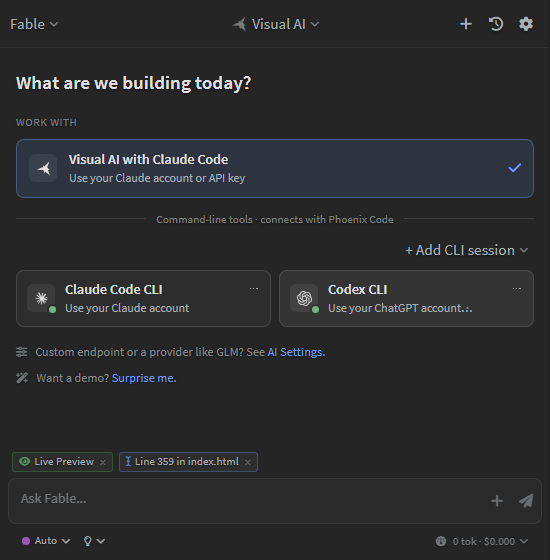
Choose your agent. Keep using your account.
Your Claude subscription, via Claude Code CLI.
Your ChatGPT subscription, via Codex CLI.
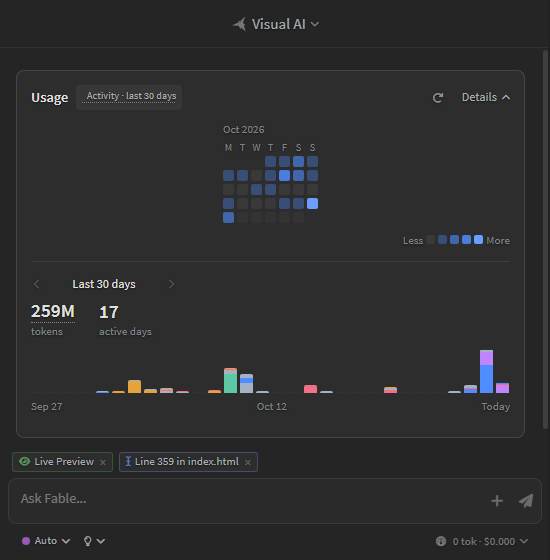
See your AI activity without leaving your editor.
Try every Pro feature,free for 7 days.
When you open Phoenix Code for the first time, a Pro trial starts automatically on that device. No sign-in and no credit card required.
When the trial ends, Pro features turn off, and you can keep using Community Edition for free, or upgrade to continue using Pro features.
Phoenix ProDay 1 / 77-day free trial
Then Community, free forever
Download
No sign-in · No credit card
Free for studentsand educators.
Students and educators with a verified academic email address (for example, one ending in ".edu", ".ac.*", or another recognized school/university domain) get Phoenix Pro for free. Just sign in with your institutional email and Pro will activate automatically.
If we don't recognize your school's domain yet, please follow the support docs to enable Phoenix Pro for your institution.
Rather pay once?Keep it for good.
A Lifetime License is a one-time purchase that lets you keep using Phoenix Pro on-device features indefinitely in the last version you're entitled to.
Lifetime License$199
Billed Once
3 years of updates included
Use the last version forever after updates end
Frequently Asked Questions
Yes. Phoenix Code Community Edition is free to use for personal and commercial work.
We don't use your code or files to train AI models unless you explicitly grant permission.
Phoenix Pro does not include any API keys or AI credits. You need to bring your own Claude account or API key. See Claude Code integration docs for setup details.
When you open Phoenix Code for the first time, a Pro trial starts automatically on that device. No sign-in and no credit card required.
When the trial ends, Pro features turn off, and you can keep using Community Edition for free, or upgrade to continue using Pro features.
Yes. Trial access is for evaluation and includes usage limits. For the Image Library, trial users can use up to 10 image searches/downloads per month (combined).
For Phoenix Pro subscription users, the Image Library is limited to up to 1,000 searches and downloads per calendar month (combined).
See Phoenix Pro Plan Terms: https://phcode.dev/phoenix-pro-plan-terms.html
Students and educators with a verified academic email address (for example, one ending in ".edu", ".ac.*", or another recognized school/university domain) get Phoenix Pro for free. Just sign in with your institutional email and Pro will activate automatically.
If we don't recognize your school's domain yet, please follow the support docs to enable Phoenix Pro for your institution.
Note: Phoenix Pro Education typically does not include Image Library access unless it's explicitly stated for your institution or plan.
Yes — you can use the images commercially. For limits and acceptable use, see the Image Library Terms.
A Lifetime License is a one-time purchase that lets you keep using Phoenix Pro on-device features indefinitely in the last version you're entitled to.
Lifetime includes updates and service-backed access through the Lifetime Update Period shown at purchase (for example, "3 years of updates").
After that, you can keep using the last eligible version forever, but online/service-backed features may be limited or unavailable.
For full details, see the Phoenix Pro Plan Terms: https://phcode.dev/phoenix-pro-plan-terms.html
You can start the trial without an account. For paid plans, you'll typically use an account to manage billing and entitlements in your Phoenix Code account portal.
Yes. You can switch anytime from your account settings. When switching, you'll receive a prorated credit where applicable.
Yes - you can cancel anytime from your billing page. Cancellation stops future renewals. You can keep using Phoenix Pro until the end of your current billing term.
For details, see our Cancellation and Refund Policy: https://phcode.dev/cancellation.html

Start free.Go Pro when you’re ready.
Free Community Edition · 7-day Pro trial · No credit card
Best viewed with Netscape Navigator 4.7 or Internet Explorer 6 at 800×600. No cookies required.