GV

GeezerVison

The World Wide Web, restored to 800 pixels of glory.

Home|About|Gaming cabinet|Archives|How it works|Starter sites

On this site

  • R CODER
  • Learn R
  • R installation
  • Operators
  • Data types
  • Workspace
  • Working directory
  • Getting help
  • Install packages
  • Vector
  • Factor
  • List
  • Matrix
  • Data Frame

This view

  • Original page
  • New address

GeezerVison is showing r-coder.com — R TUTORIALS

HOME R TUTORIALS

R TUTORIALS

Introduction Data Wrangling Graphics Statistics
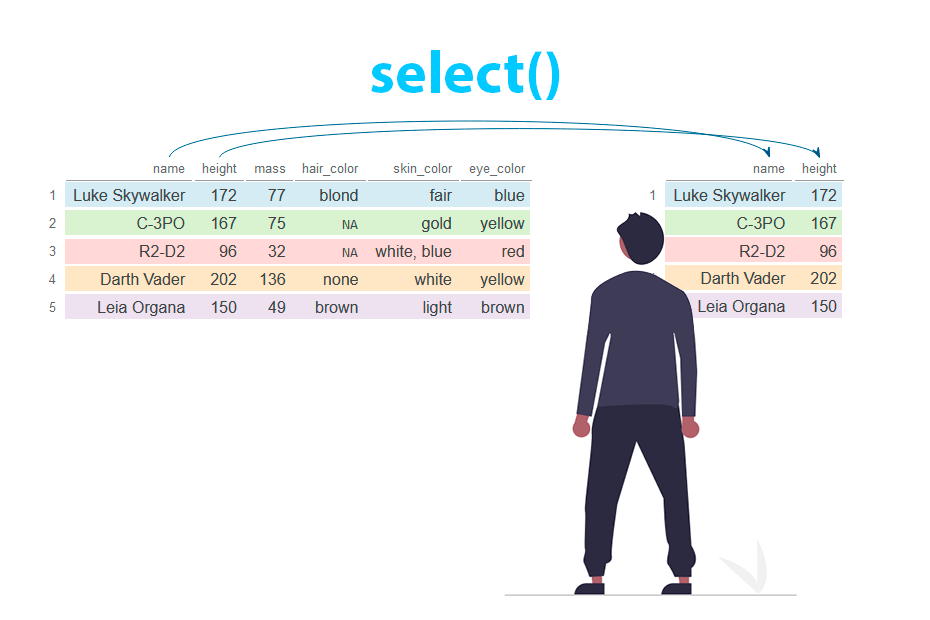
Select columns in R with dplyr

Select columns with dplyr

Data Manipulation in R dplyr

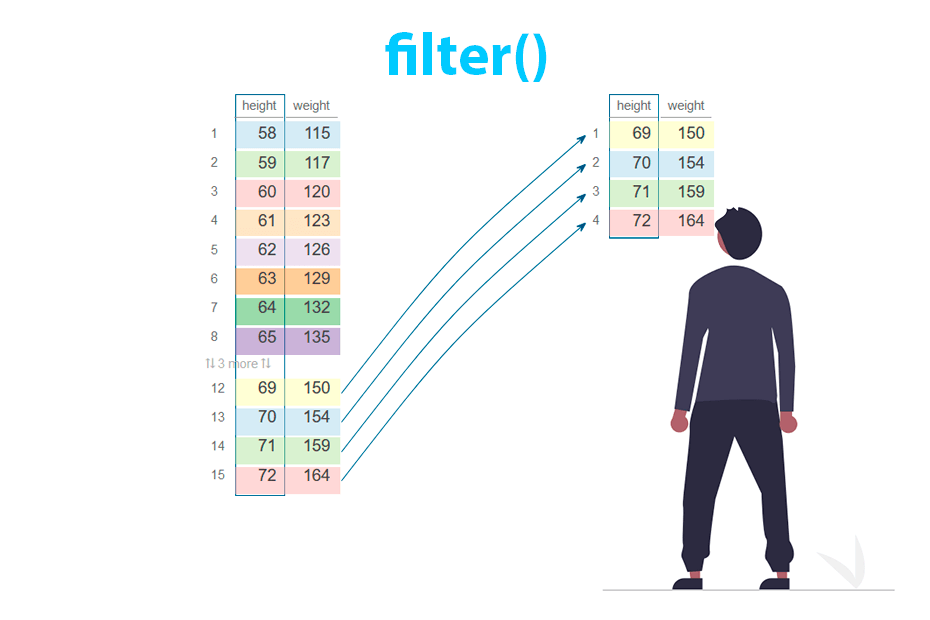
Filter rows in R with dplyr

Filter rows with dplyr

Data Manipulation in R dplyr

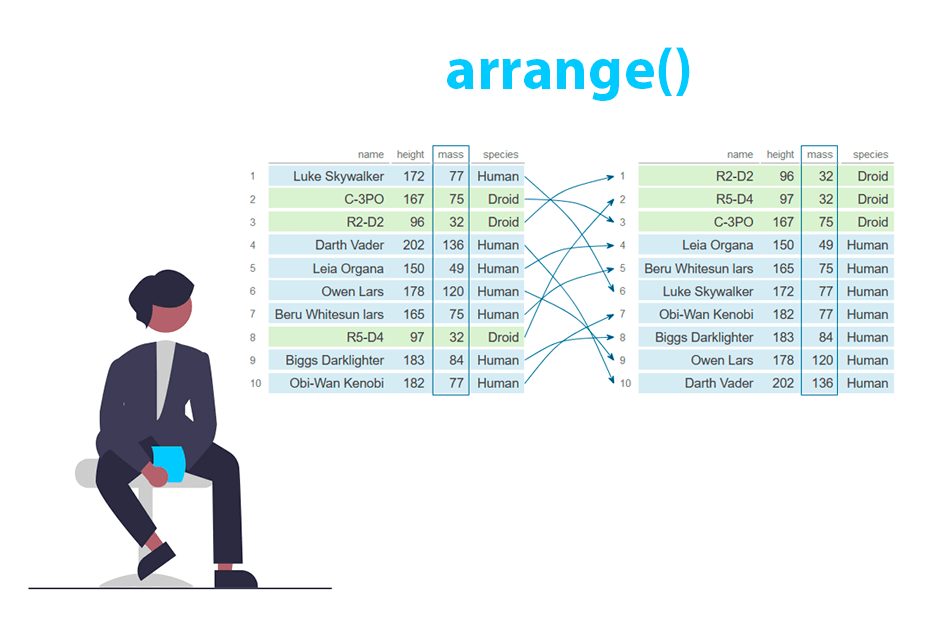
Order rows in R with dplyr

Order rows with the arrange() function from dplyr

Data Manipulation in R dplyr

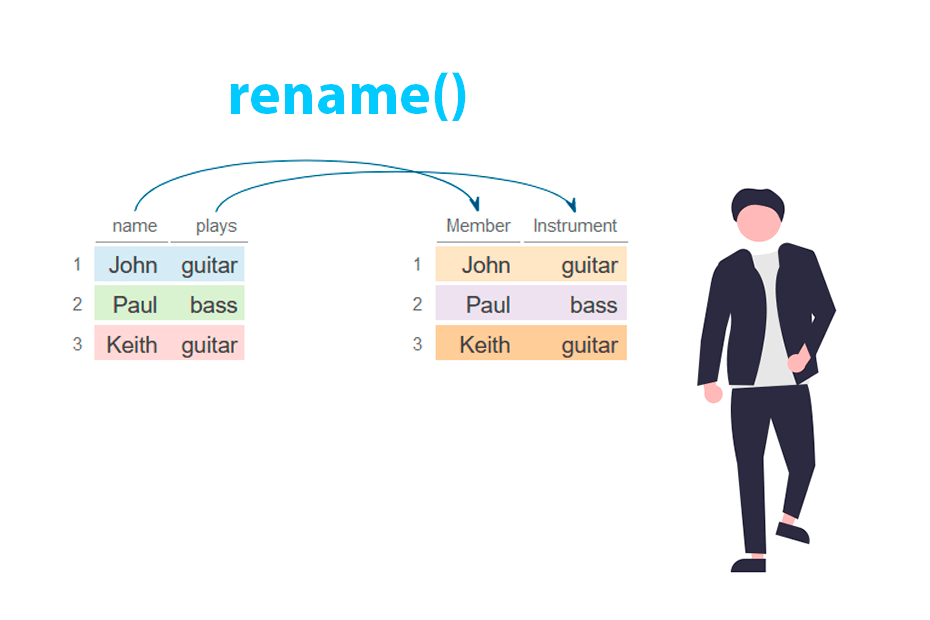
Rename columns in R with dplyr

Rename columns with the rename() function from dplyr

Data Manipulation in R dplyr

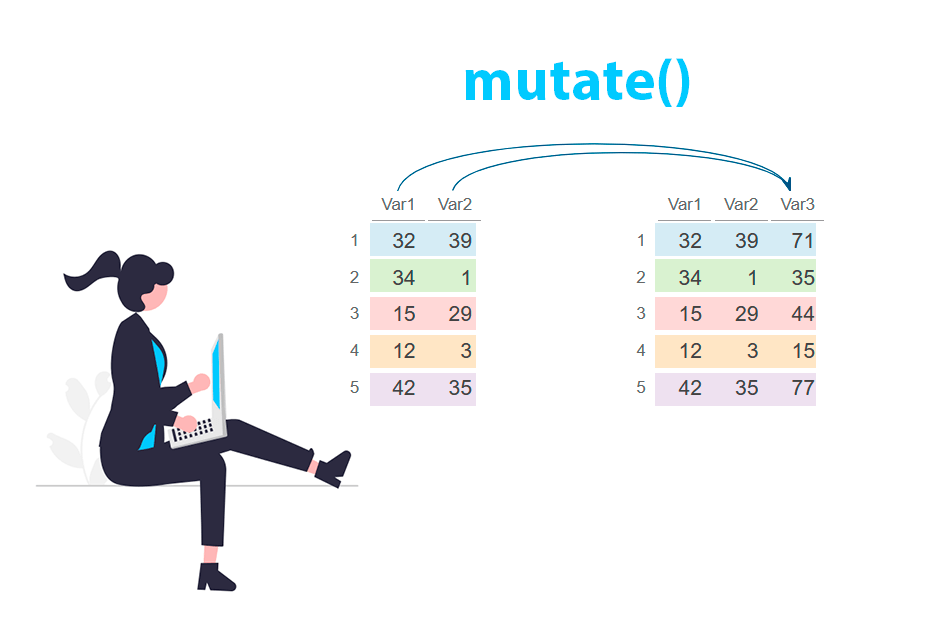
Create and modify columns in R with dplyr

Create and modify columns with the mutate() function from dplyr

Data Manipulation in R dplyr

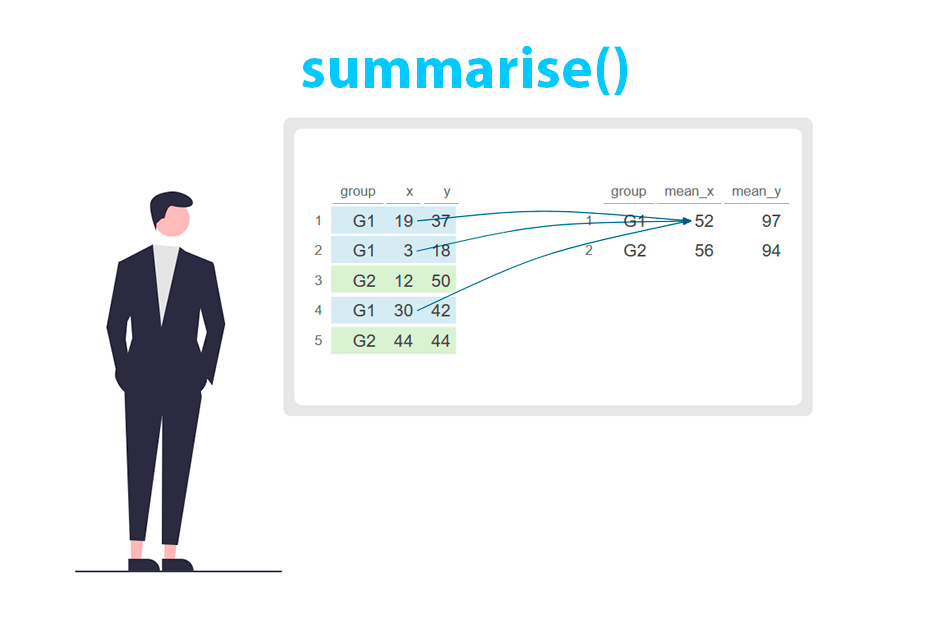
The summarise() function from dplyr

Create statistical summaries with the summarise() function from dplyr

Data Manipulation in R dplyr

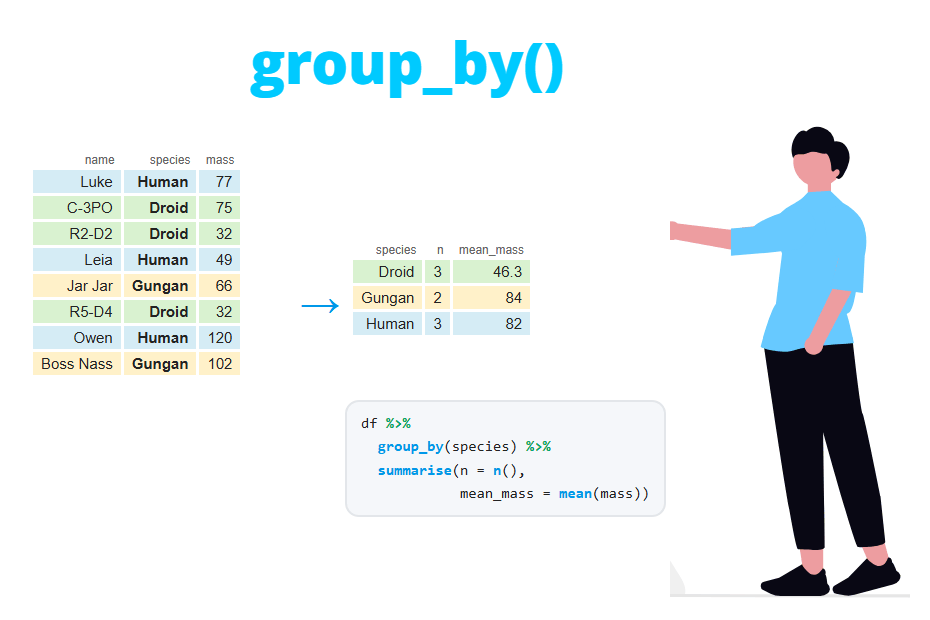
Group data by one or more columns with group_by from dplyr

Group data with the group_by() function from dplyr

Data Manipulation in R dplyr

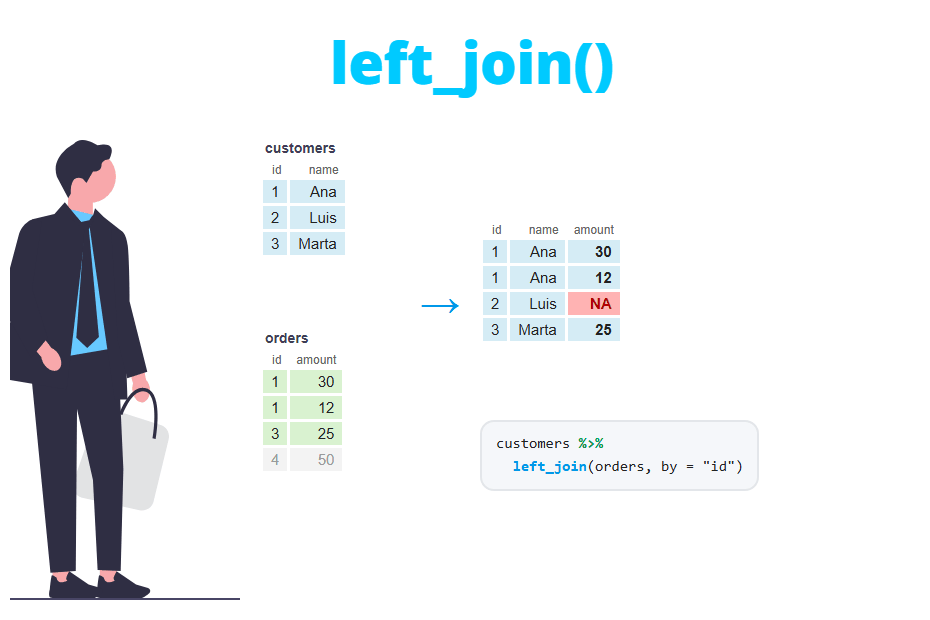
Join data frames in R with left_join and other dplyr joins

Join data frames with dplyr: left_join, inner_join, anti_join and more

Data Manipulation in R dplyr

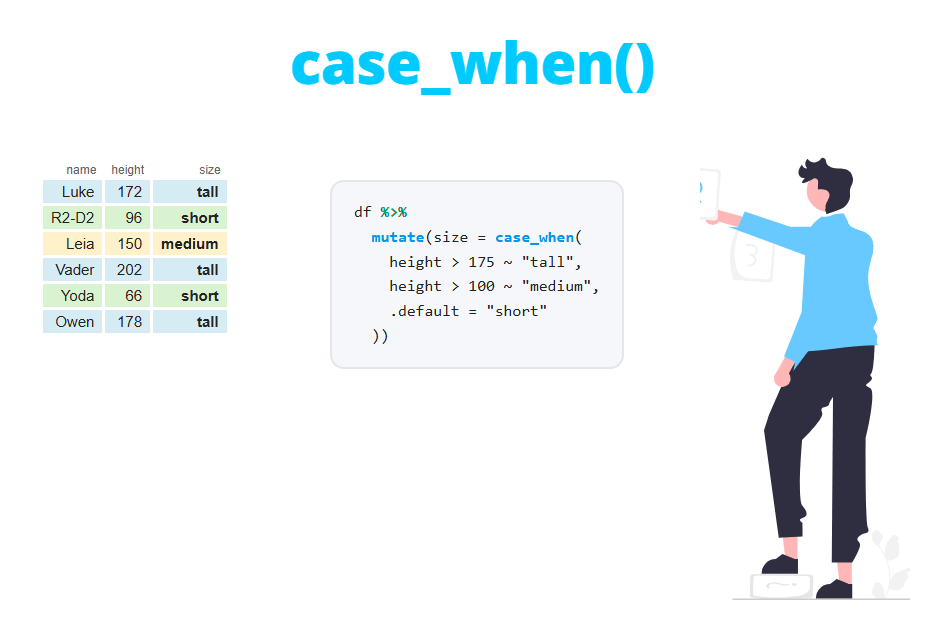
Create categories with multiple conditions using case_when from dplyr

case_when() and if_else() in dplyr: conditional values

Data Manipulation in R dplyr

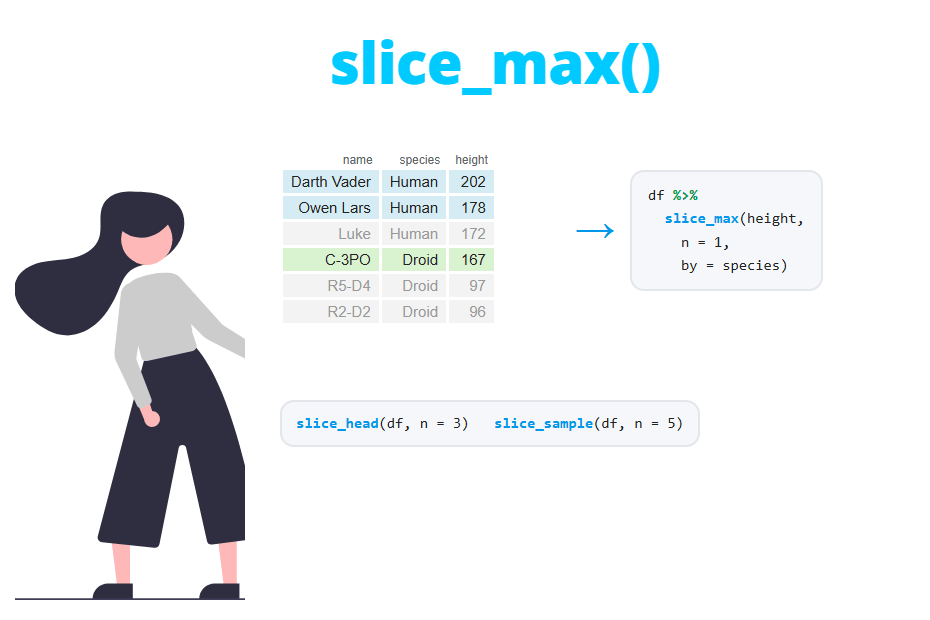
Select rows by position or top values with slice from dplyr

Select rows by position with slice() in dplyr

Data Manipulation in R dplyr

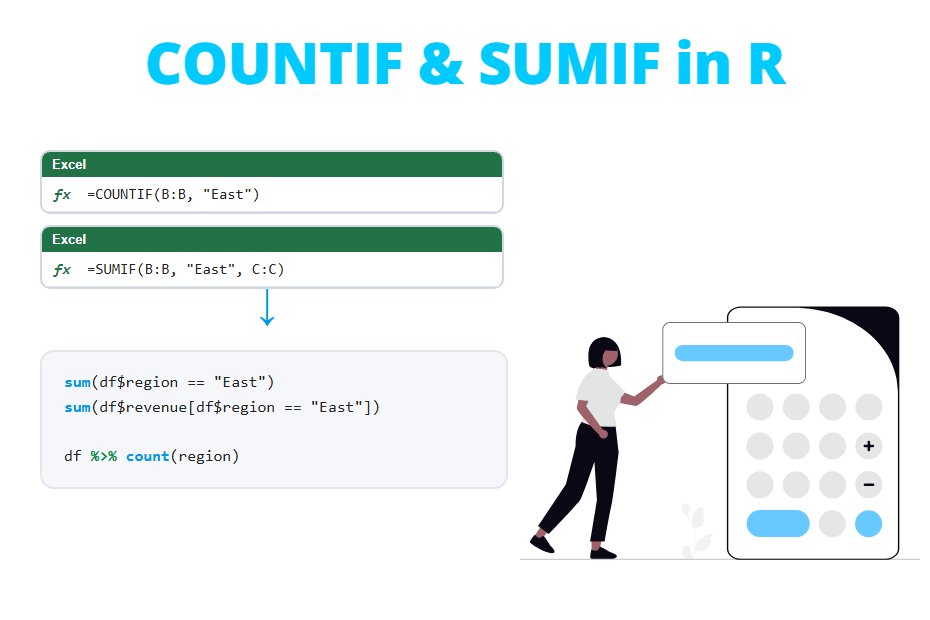
COUNTIF and SUMIF in R

COUNTIF, SUMIF and AVERAGEIF

Data Manipulation in R Data transformation
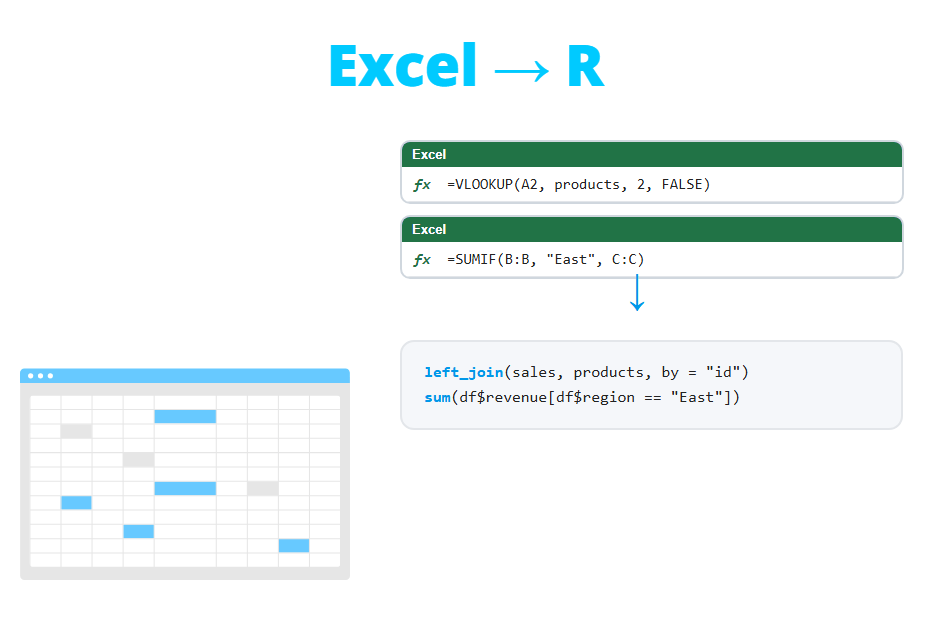
Excel formulas and their equivalents in R

Excel formulas : a guide for Excel users

Data Manipulation in R Data transformation

  • ««
  • «
  • 1
  • 2
  • 3
  • 4
  • 5
  • »
  • »»

R LANGUAGE TUTORIALS

On this page you will find all the tutorials available on this website. The R programming tutorials are divided into categories you can find above the articles, and some categories are also divided into tags. Currently, the categories within this R blog are:

  1. Introduction to R

    The introductory tutorials are composed by R programming language tutorials for beginners. This include tutorials about getting help with help functions, package manuals or online resources, setting the working directory and managing the workspace, the different R operators and their characteristics, tutorials of each R data structure to store objects or control structures to control the flow of the code and even installing new R packages in base R or RStudio, among other related concepts.
  2. Data manipulation

    On the one hand, the data manipulation tutorials include reading data from files like CSV or TXT, or even from the web and saving data to data files in order to store the results of your analyses. On the other, these tutorials include data wrangling tutorials, that is the process of transforming raw data into a format you can use for your analysis, like subsetting, slicing, categorizing or transforming the data in any possible way.
  3. Graphics

    R is a powerful tool for creating graphs. There are several ways for creating these plots: using basic R functions or with specific R graphics packages, like ggplot2 or lattice libraries. In this set of tutorials you will find how to use the plot function of base R, how to create boxplots, barplots, histograms, density plots, dot plots, violin plots and all types of statistical representations.
  4. Statistics

    R offers a robust statistical environment with multitude of specialized packages providing a comprehensive suite of tools for performing intricate analyses, data visualization, hypothesis testing, regression modeling, and exploratory data analysis, facilitating in-depth statistical exploration and interpretation of data.
You are visitor 01402775 — GeezerVison does not store the pages you look up.
Best viewed with Netscape Navigator 4.7 or Internet Explorer 6 at 800×600. No cookies required.