GeezerVisonThe World Wide Web, restored to 800 pixels of glory. |
| Home|About|Gaming cabinet|Archives|How it works|Starter sites |
GeezerVison is showing robincpc.github.io — Robin Chen's Blog  Interactive Robot Kinematics: Hands-On with ImGui and ImGuizmo 發表於|Demo This is a remake of my previous demonstration of robot arm kinematics. The whole demo is written in C++. It contain a kinematic library of aritculated robot arm and a simple trajectory planning. The user interface is build with ImGui, ImGuizmo, and Implot. I complie this app with WebAssembly, so you can test it directly on your browser.Here is the link. The whole source code is here.
Here are some detail:
Initialize Robot armThe widgets on the upper right side are for setting/initialize ro ... Set up My Hexo Blog 發表於 Install Hexo and settingHere are command for creating my hexo blog:
1234567npm install -g hexo-clihexo -v # just check hexo's versionhexo init robincpc.github.io # initialize hexo blog's foldercd robincpc.github.ionpm installhexo servervim _config.yml
Update config fileSome parts I changed in “_config.yml”
1234567891011121314151617181920# Sitetitle: robincpc's notesubtitle: ''description: 'robincpc"s personal blog'keywords:author: Robin Chenlanguage: e ...  Install Wine with Mono & Gecko in Ubuntu 20.04 發表於 Warning: Do not try those command in your main PC, I test in a virtual Machine
Note: Most of commands are from the Dockerfile in Reference section. If you want to test wine, just run their docker container
Setup PPA1234sudo dpkg --add-architecture i386wget -qO - https://dl.winehq.org/wine-builds/winehq.key | sudo apt-key add -# for Ubuntu 20.04sudo apt-add-repository 'deb https://dl.winehq.org/wine-builds/ubuntu/ focal main'
Install Wine on Ubuntu123sudo apt-get updatesudo apt-get ... Remote login localhost jupyter notebook through AWS EC2 instance by ssh reverse tunnel 發表於 Note: This is before I know ngrok, and It is a work note for me to remember all steps I did to make this work.Referenc below has more detail explanation.
WhyI would like to let my colleague to test my jupyter notebook, but we are not in the same office
Setup ssh reverse tunnel
Create a AWS EC2 instance, t2.micro should be good enough
Open Inbound port (such as 19999) for jupyter notebook
open ssh reverse tunnel from local (8888 for jupyter port) to ec2 (19999)12# For example, in the terminal o ... 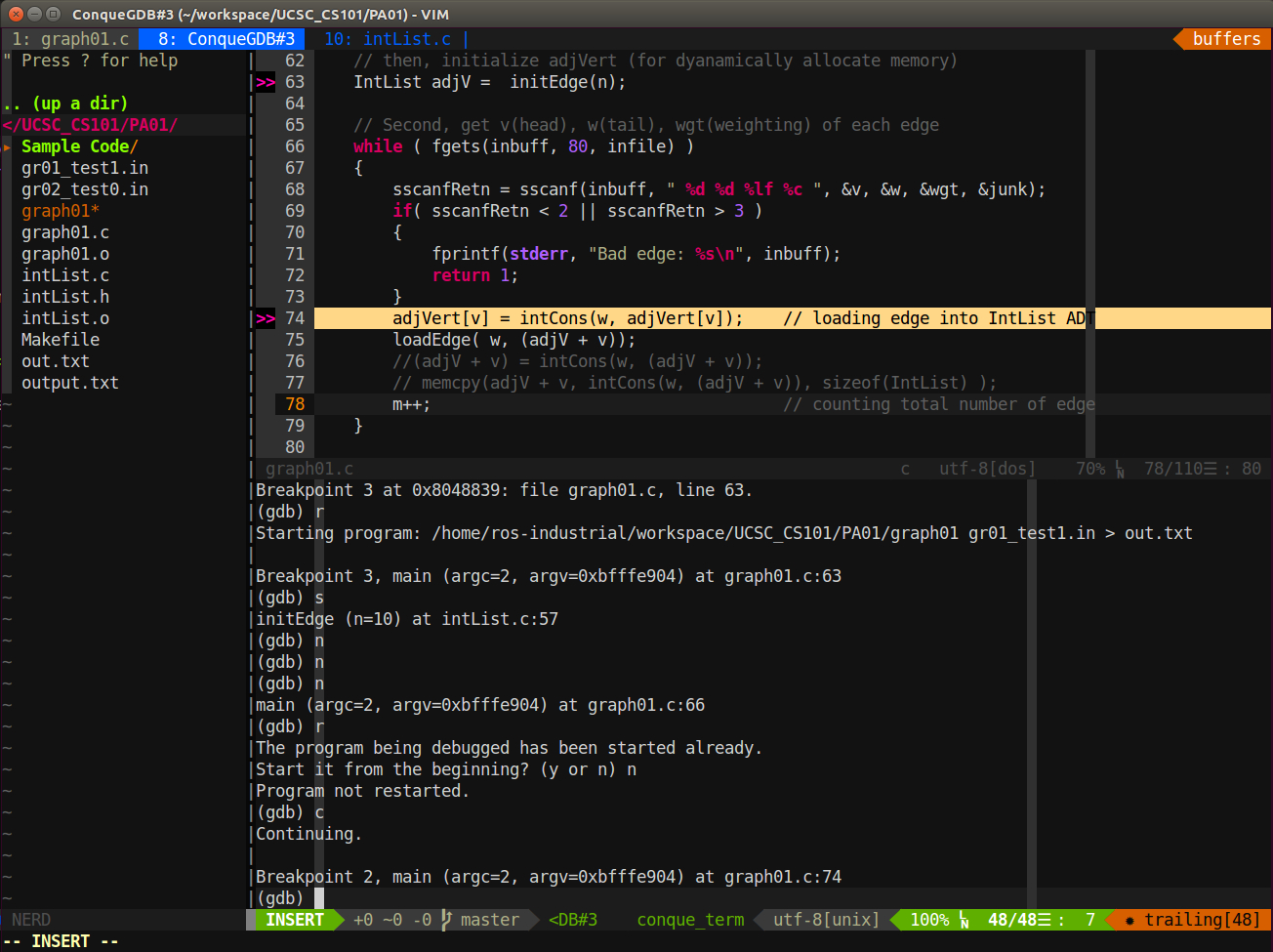 Use ConqueGDB in Vim 發表於 How to use ConqueGDB in VimInstall ConqueGDB in Vim
Install Vim plugin manager Vundle
Install ConqueGDBor
Clone my vimrc
Debug C/C++:
Compiler your c/c++ code with -g flag. if not, gdb may not find symbol
Open your source file which one with main()
Insert following :ConqueGdbSplit executeFileName
In ConqueGdb, type run argument which follow executeFileName
Type b 34 to add breakpoint at line 34 in your source code
Type r to run program again, will stop if you set breakpoint
Type s to ... 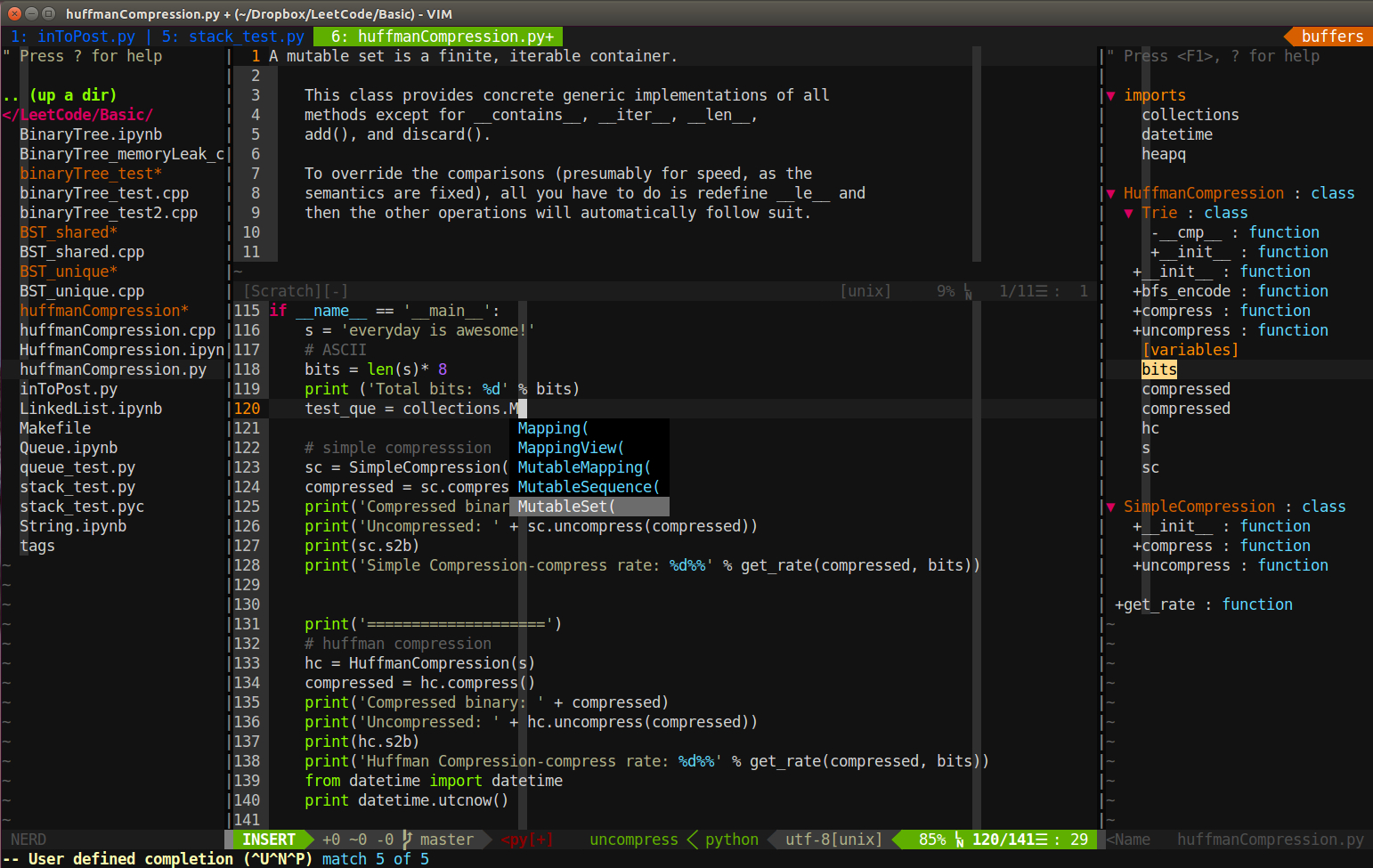 Use Vim with ctags in Windows system 發表於 Here is my note about how to use vim with ctags in Windows system.Screenshot:
This note also published in my gist:
Frist, need to have vim and install tagbar plugin in windows system.
Simplely, I install git and use git bash with vim.
Construct vim setting in HOME directory (~/.vimrc).1Could use `$ echo $HOME` to find out HOME directory set by git.
Second, add ctags in PATH which could find by git bash.
Download ctags.zip (pre-complied binary file inside) from ctags website.
Put ctags ...  ROS - Create Catkin Workspace and add URDF package 發表於 This is my note for learning ROS (Robot Operating System).
It is just some step I used to create Catkin Workspace and, then, I followed the tutorial in ros.org to create the URDF package of PMC 6-axis robot arm.In the following video, I use RViz to demonstrate the virtual robot arm of the URDF package I created.
Here is the note also published in gist:
Assume you already install ROS
Frist create package and add urdf
123456789101112131415161718$ mkdir catkin_ws_PMCurdf$ cd catkin_ws_PMCurd ...  Hand Gesture Recognition for Human Computer Interaction 發表於 Hand Gesture Recognition for Human Computer InteractionThis was a final project I participated at Computer Vision class at the University of California, Santa Cruz. The goal of this project is to use OpenCV in Python to implement hand tracking and gesture recognition to control mouse events.
In the following video, I use hand gestures to manipulate (such as rotate, zoom, and pan) WebGL 3D objects.
The following is draft flow chart of project program:
The source code of this project:https:/ ...  Demo of PMC Robot Teach Pendant 發表於 Demo of PMC Robot Teach PendantThis is a beta version of teach pendant of PMC Robot Controller.
The hardware (6.5” touch screen with physical buttons) is bought from IEI, and we use it to implement the user interface of teach pendant.
I, as a project leader, mentor junior engineer to develop user interface of teach pendant and use Git to control software version & record our progress. Meanwhile, I focus on improving the real-time system of controller (manual mode and message alarm).
Bas ...  PMC 14-axis Industrial Dual-Arm Robot 發表於 PMC 14-axis Industrial Dual-Arm RobotThis is a 14-axis Industrial Dual-Arm Robot created by Precision Machinery Research & Development Center (PMC). It is also the first industrial robot built from Taiwan. It has humanoid arms to accomplish complicated tasks with high flexibility targeted for industrial use.
This newly designed robot, PMC 14-axis dual-arm robot, has exhibited in 2014 “Taiwan Automation Intelligence and Robot Show” (TAIROS, the biggest exhibition in Taiwan).
In this proje ... 公告 This is my Blog 最新文章
分類
標籤 AWS C++ Computer Vision Create Debug GUI HCI ImGui ImGuizmo ImPlot Industrial Kinematics Linux Mechanism Design Mechatronics Microcontroller OpenCV PyAutoGUI Python ROS RViz Robotics Scintilla Solidworks Teach Panel Teach Pendant Trajectory Planning Ubuntu Vim Visualization Windows Wine control ctags dual-arm eight-bar elliptical trainer eye four-bar hand gesture 網站資訊 文章數目 : 19 本站總字數 : 5.2k 本站訪客數 : 本站總訪問量 : 最後更新時間 : |
| You are visitor 01402775 — GeezerVison does not store the pages you look up. Best viewed with Netscape Navigator 4.7 or Internet Explorer 6 at 800×600. No cookies required. |
