GV

GeezerVison

The World Wide Web, restored to 800 pixels of glory.

Home|About|Gaming cabinet|Archives|How it works|Starter sites

On this site

  • GitHub Copilot for Slack
  • Add to Slack

This view

  • Original page
  • New address

GeezerVison is showing slack.github.com — GitHub Copilot for Slack

From conversation to pull request

GitHub Copilot for Slack

Your AI teammate, right in Slack. Bring @GitHub into any conversation to answer questions, investigate bugs, create issues, make code changes, and open pull requests. Turn team discussions into action without leaving Slack.
Add to Slack
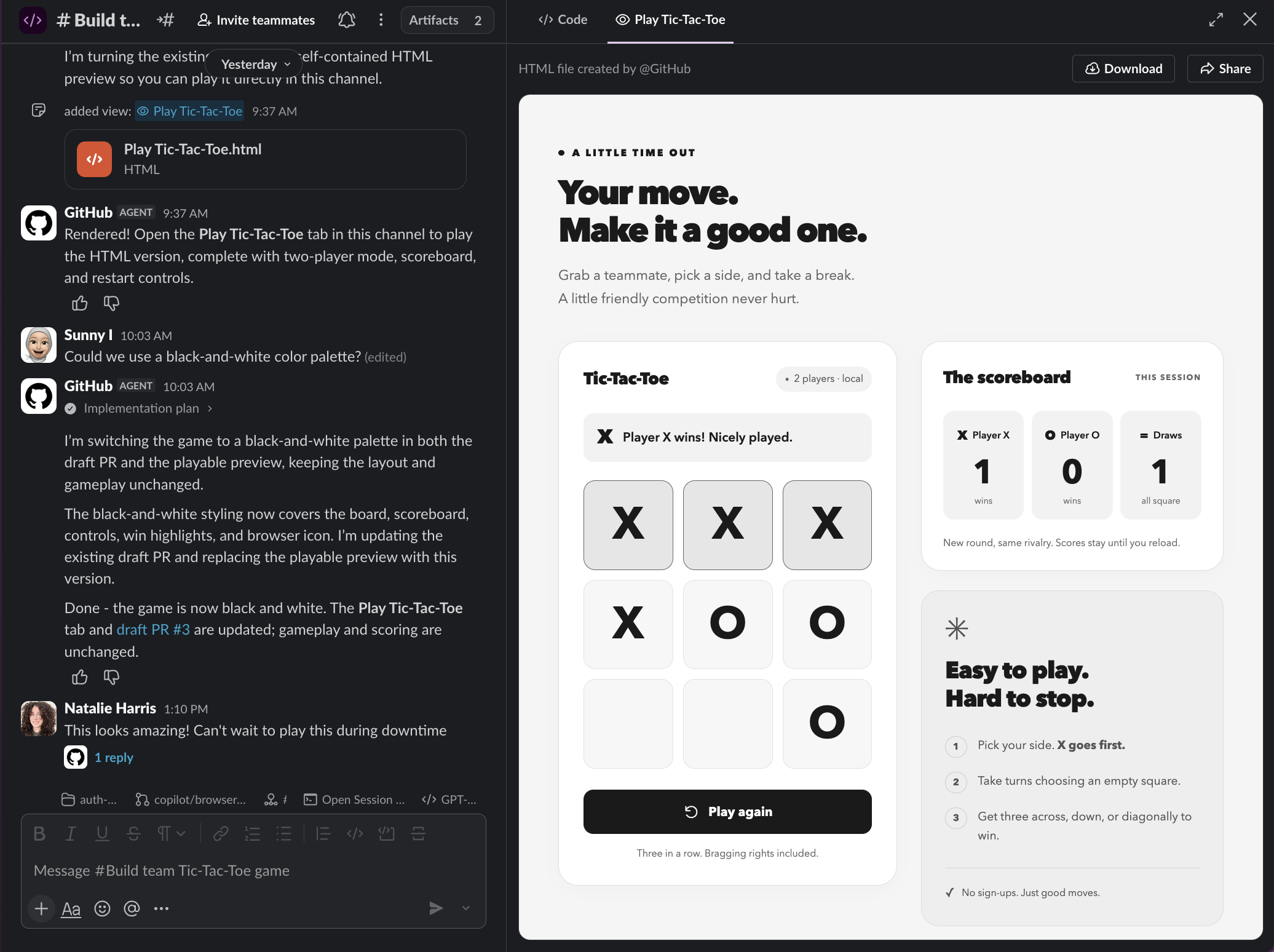
GitHub Copilot collaborating in a Slack Code Channel with a playable black-and-white Tic-Tac-Toe game open in the preview tab.
Branch and pull request tracking

Keep your team moving without losing context

Turn complex coding tasks into dedicated Code Channels where your team can collaborate, follow progress, and track code changes in real time. Keep everything connected to the original discussion without cluttering the conversation.
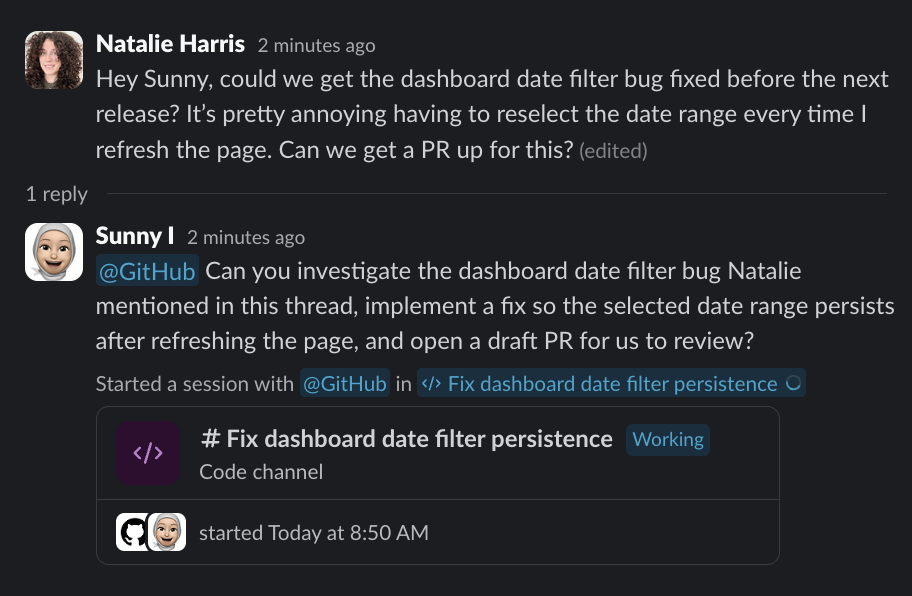
A Slack thread reports that a dashboard date filter resets after page refresh. GitHub Copilot creates issue #2 with reproduction steps, expected behavior, and acceptance criteria.
Help in Slack

Get help with your work, right where it happens

Ask @GitHub questions about your code, investigate and debug issues, or turn discussions into GitHub issues. From quick answers to complex coding tasks, your AI teammate is ready to help directly in Slack.
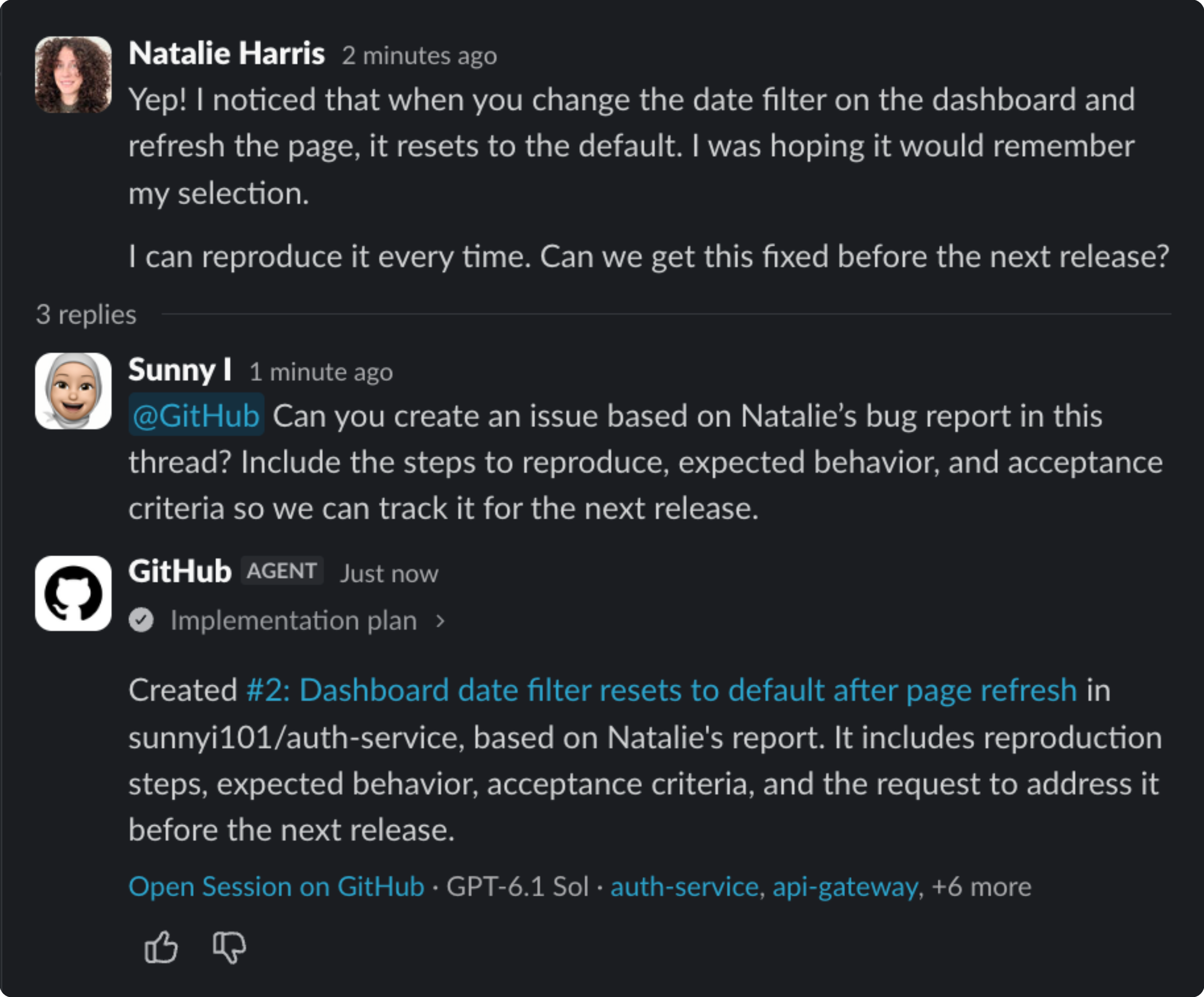
GitHub creates an issue from a dashboard bug report in a Slack thread, including reproduction steps, expected behavior, and acceptance criteria.

Add to Slack to rate Copilot responses

Choose Good response or Bad response without leaving the Slack thread.

Add to Slack

Add to Slack to link Slack threads to GitHub issues

Create an issue linked to its originating Slack thread. Limited rollout.

Add to Slack

Add to Slack to manage connected apps

Give @GitHub access to more context and capabilities by connecting tools like Slack, Datadog, and more. Investigate issues, access relevant information, and take action across your tools without leaving Slack.

Add to Slack

Frequently asked questions

How does multi-step work move from Slack to GitHub?

Mention @GitHub in a Slack conversation and select a repository. Copilot opens a dedicated Code Channel, streams its task plan, performs the work in a cloud environment, and can open a pull request for human review.

What stays visible in a Code Channel?

The Code Channel keeps the shared session, live task plan, branch, and pull request together so the work stays separate from a busy source channel.

Can everyone in the Slack conversation authorize code changes?

No. Participants can follow the session, add context, and steer the plan, but repository permissions and existing approval rules determine who can authorize and merge changes.

What does a Slack administrator need to approve?

Depending on your workspace settings, a Slack administrator may need to approve the @GitHub app before your team can use it. The administrator reviews the app's requested permissions and approves its installation in the workspace. Once approved, users can connect their GitHub accounts and start using @GitHub in Slack. If your workspace allows users to install apps without administrator approval, you can get started right away.

Add GitHub to the Slack conversations where your team already works

Add to Slack
You are visitor 01402503 — GeezerVison does not store the pages you look up.
Best viewed with Netscape Navigator 4.7 or Internet Explorer 6 at 800×600. No cookies required.