GV

GeezerVison

The World Wide Web, restored to 800 pixels of glory.

Home|About|Gaming cabinet|Archives|How it works|Starter sites

On this site

  • sourcey
  • Account
  • Submit
  • Docs engine
  • Companies
  • Startup credits
  • Agent readiness
  • Email lookup
  • Policies
  • Open source
  • SKILL.md
  • mcp.json
  • openapi.yml
  • Theme configuration

This view

  • Original page
  • New address

GeezerVison is showing sourcey.com — Free, self-hosted documentation generator · Sourcey

Docs from the source.

Sourcey turns OpenAPI, MCP, Doxygen, godoc, rustdoc and Markdown into docs you’re proud to put your name on. Built for people and agents, with the source, design and hosting under your control.

Get startedLive demo

Built from your sources

API definitions and native language tooling generate the reference.

Looks like your project

Four themes, your fonts and colours, and custom CSS.

Readable by agents

Markdown, llms.txt, OpenAPI, ARD and API catalogs from the same build.

Open source and free

AGPL-3.0. Static HTML you can host anywhere.

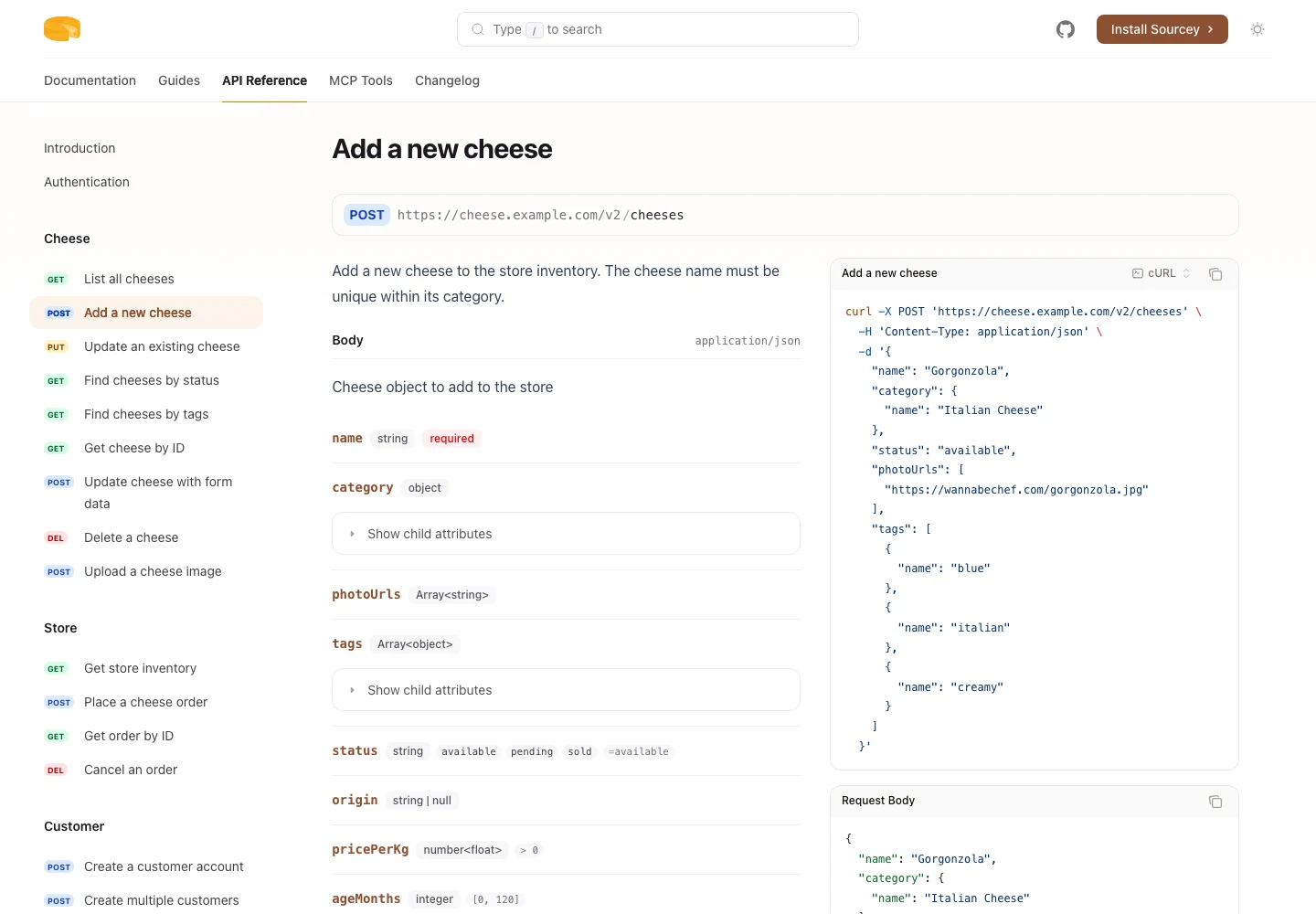
Cheesestore API operation with typed request fields and generated code examples
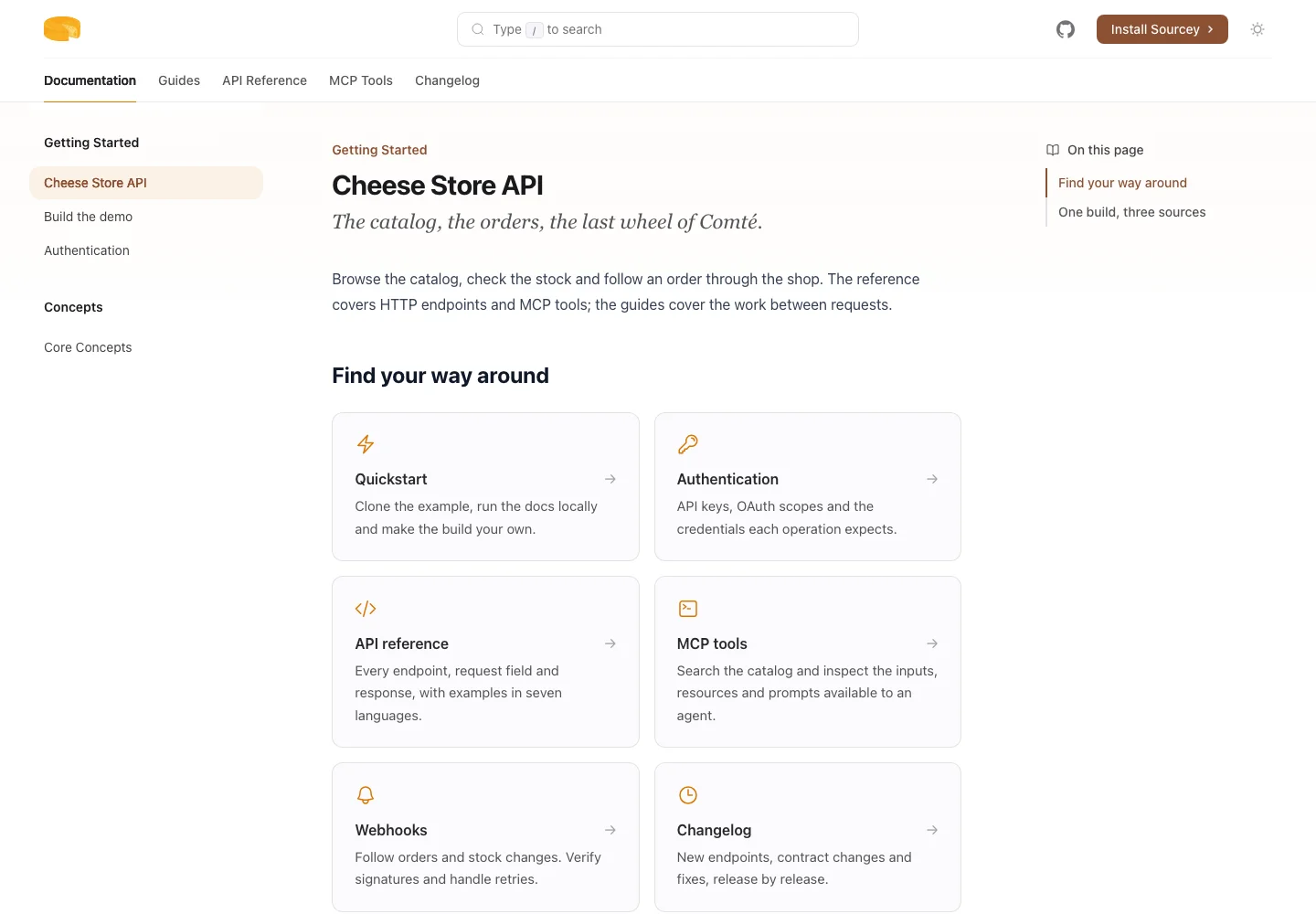
Cheesestore's documentation home, with the complete navigation and links to guides, reference and releases
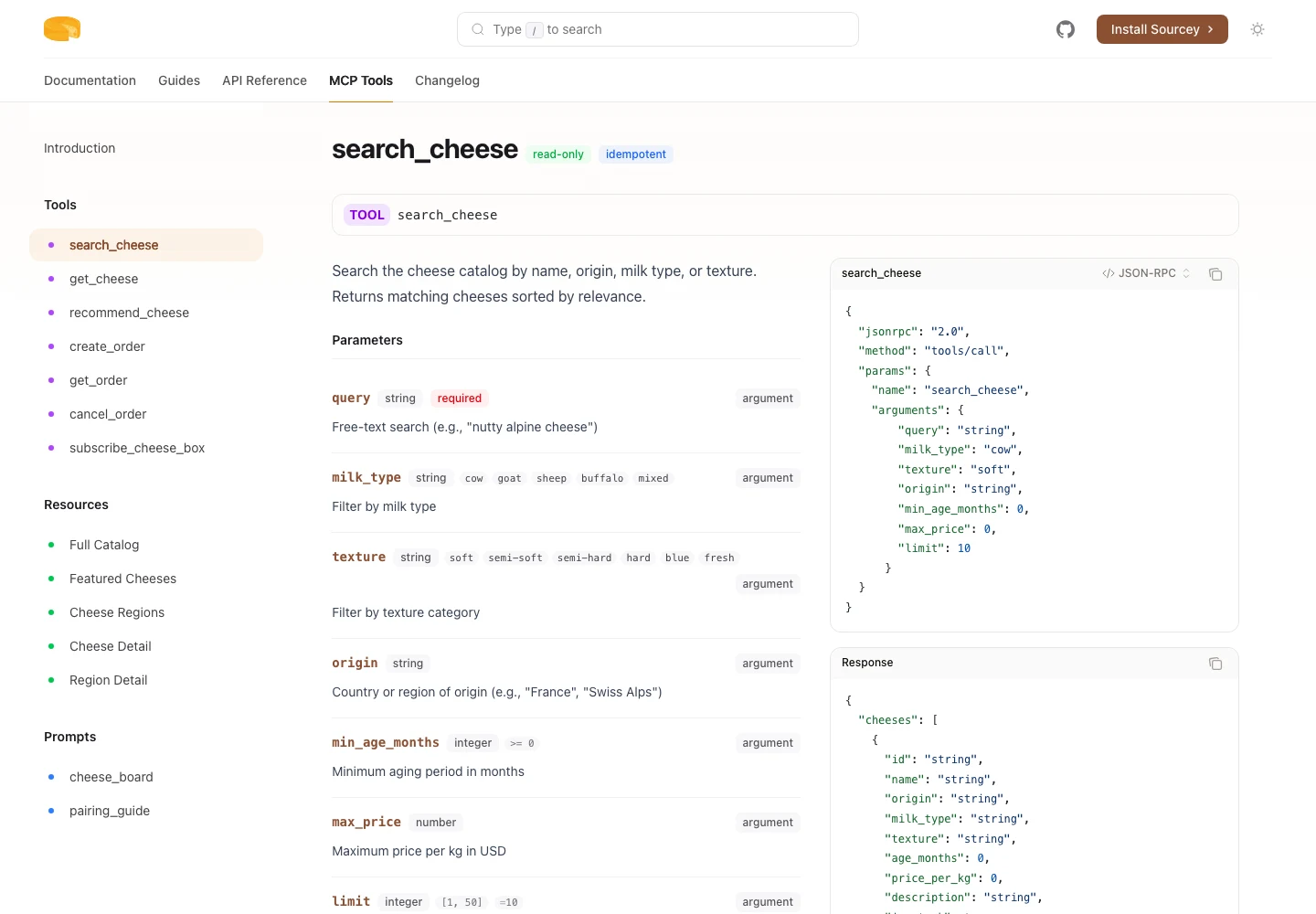
Cheesestore MCP search tool with typed inputs and a JSON-RPC invocation example
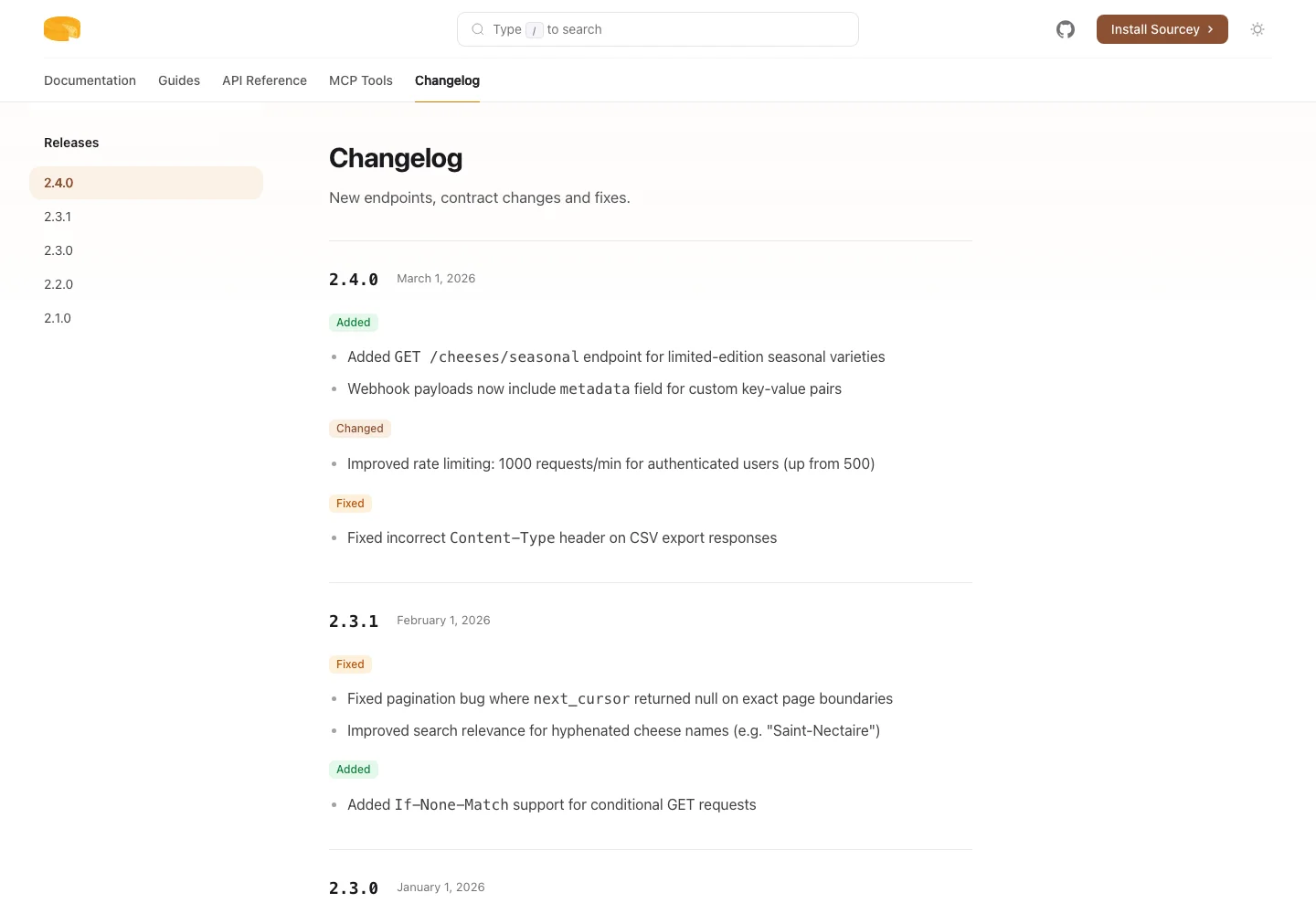
Cheesestore's changelog with release dates, additions and fixes
Take it home with you
Setup commands
npx sourcey init
npm install
npm run dev
# Stop the preview with Ctrl+C, then build:
npm run build

Project dependencies use npm. Requires Node.js 22.22.2 or later, 24.15 or later, or 26.

All installation options

Terminal
$ npx sourcey init
Created sourcey.config.ts
Created introduction.md
Created quickstart.md
Created package.json
Created .gitignore
✓ Created sourcey project in ./
$ npm install
$ npm run dev
Sourcey dev server running at
http://localhost:4400/
Press Ctrl+C to stop
$ npm run build
Sourcey: building documentation site
✓ Output: ./dist
  1. 01

    Configure

    Configuration Reference

    Point it at your OpenAPI spec, MCP server, or markdown. One TypeScript file, type-checked with full autocomplete.

    npx sourcey init
    sourcey.config.ts
    import { defineConfig, markdown, openapi, mcp } from "sourcey";
    
    export default defineConfig({
      name: "Cheese Store",
      navigation: {
        tabs: [
          {
            tab: "Guides", slug: "",
            source: markdown({
              groups: [{ group: "Start", pages: ["introduction"] }],
            }),
          },
          { tab: "API", slug: "api", source: openapi("./cheese.yml") },
          { tab: "MCP", slug: "mcp", source: mcp("./cheesestore.mcp.json") },
        ],
      },
    });
  2. 02

    Write

    Writing Pages

    Markdown with rich components: steps, cards, accordions, code blocks. Guides alongside your API reference.

    npm run dev
  3. 03

    Ship

    Deploying

    Static HTML with no runtime. Deploy to GitHub Pages, Vercel, S3, or anywhere you serve files.

    npm run build
LightDark
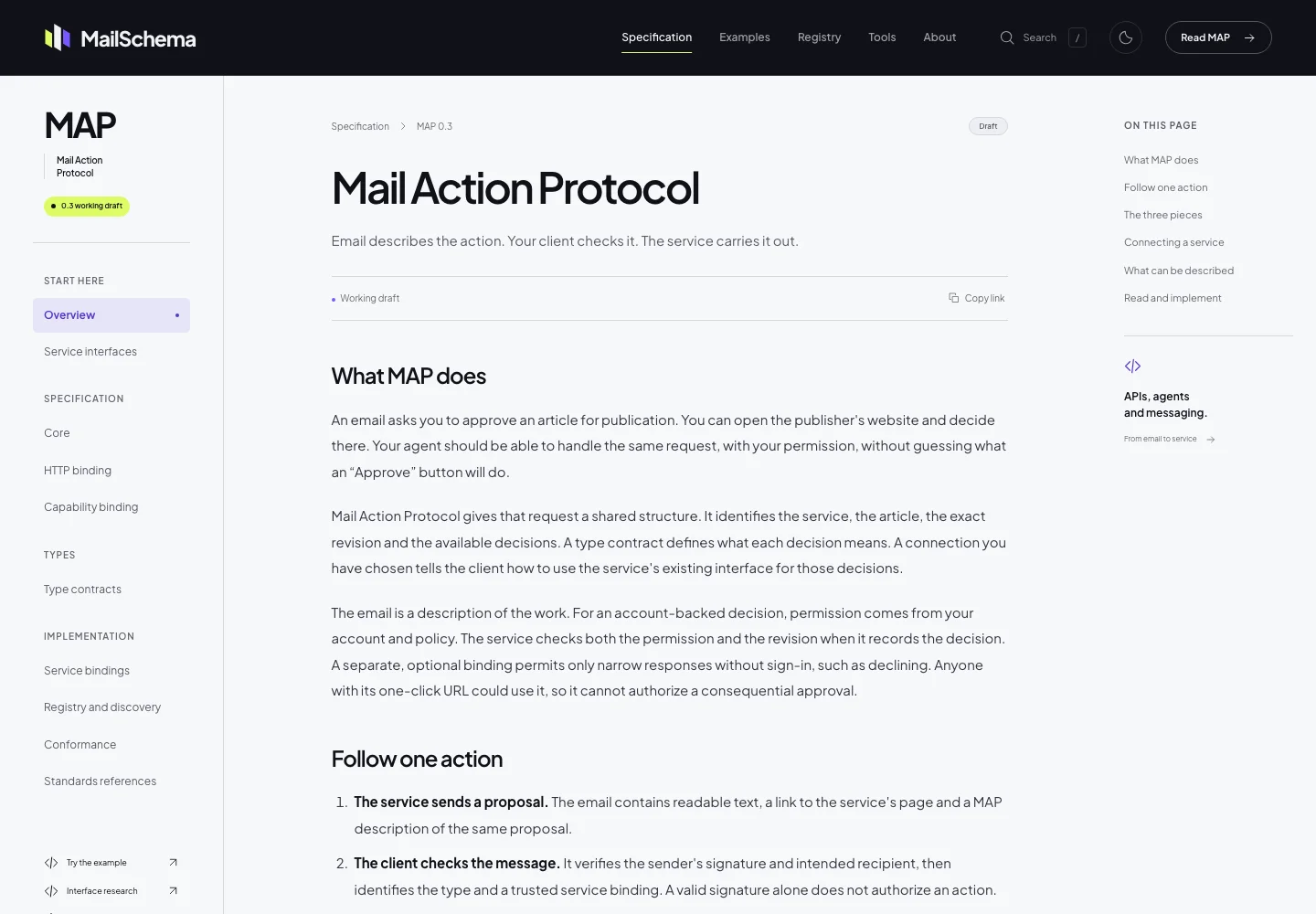
MailSchema's specification in Sourcey's Reader theme, with its dark masthead and chapter navigation

Reader · MailSchema’s specification, with chapter navigation and editorial typography.

Read the specification
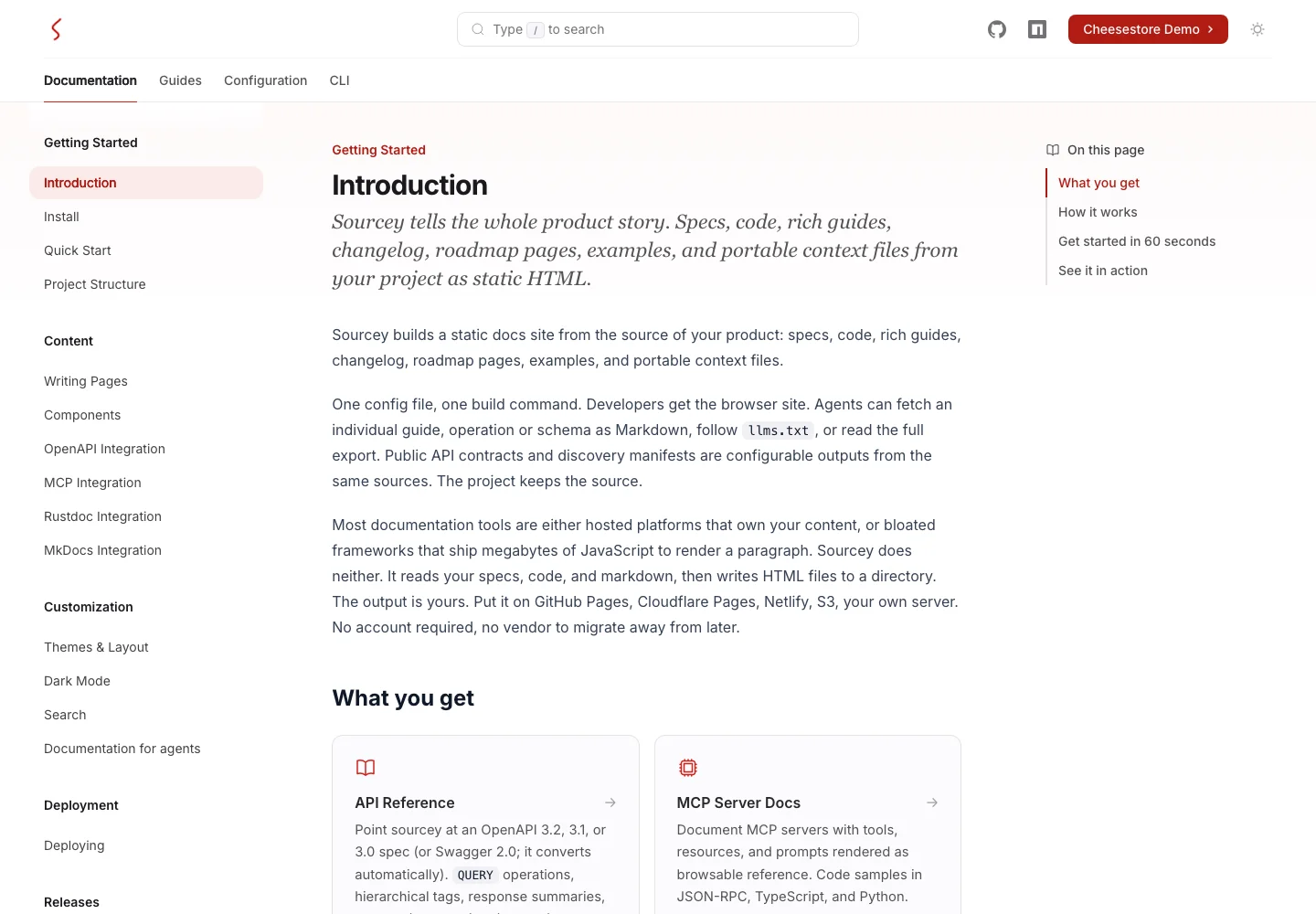
Sourcey's documentation with its full navigation, reference cards and page outline

Default · Sourcey’s own docs, with sidebar navigation and a page outline.

Explore the docs
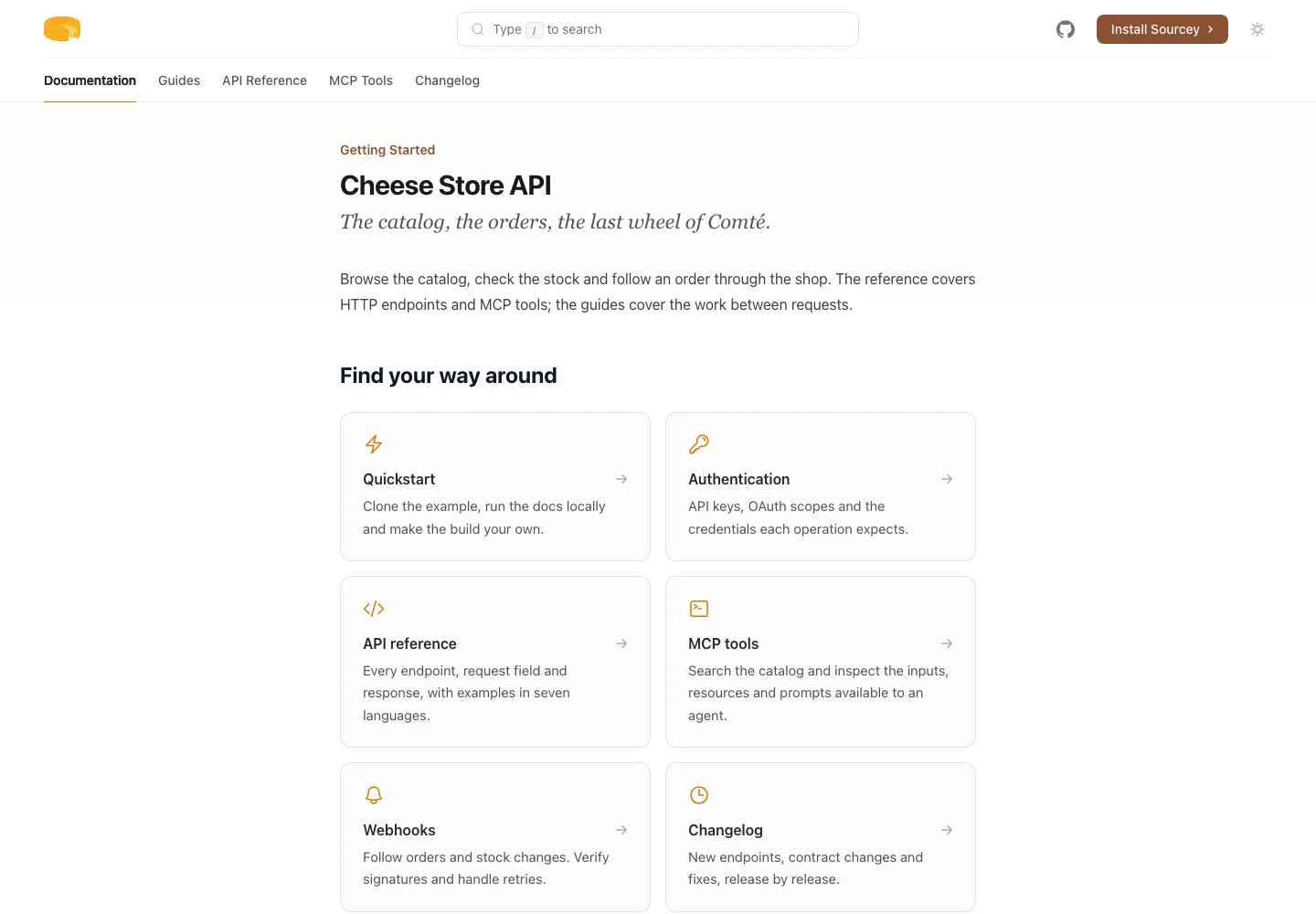
Cheesestore's documentation home in the Minimal theme, with reference cards in a single reading column

Minimal · A single reading column, with the same rich components.

Theme configuration
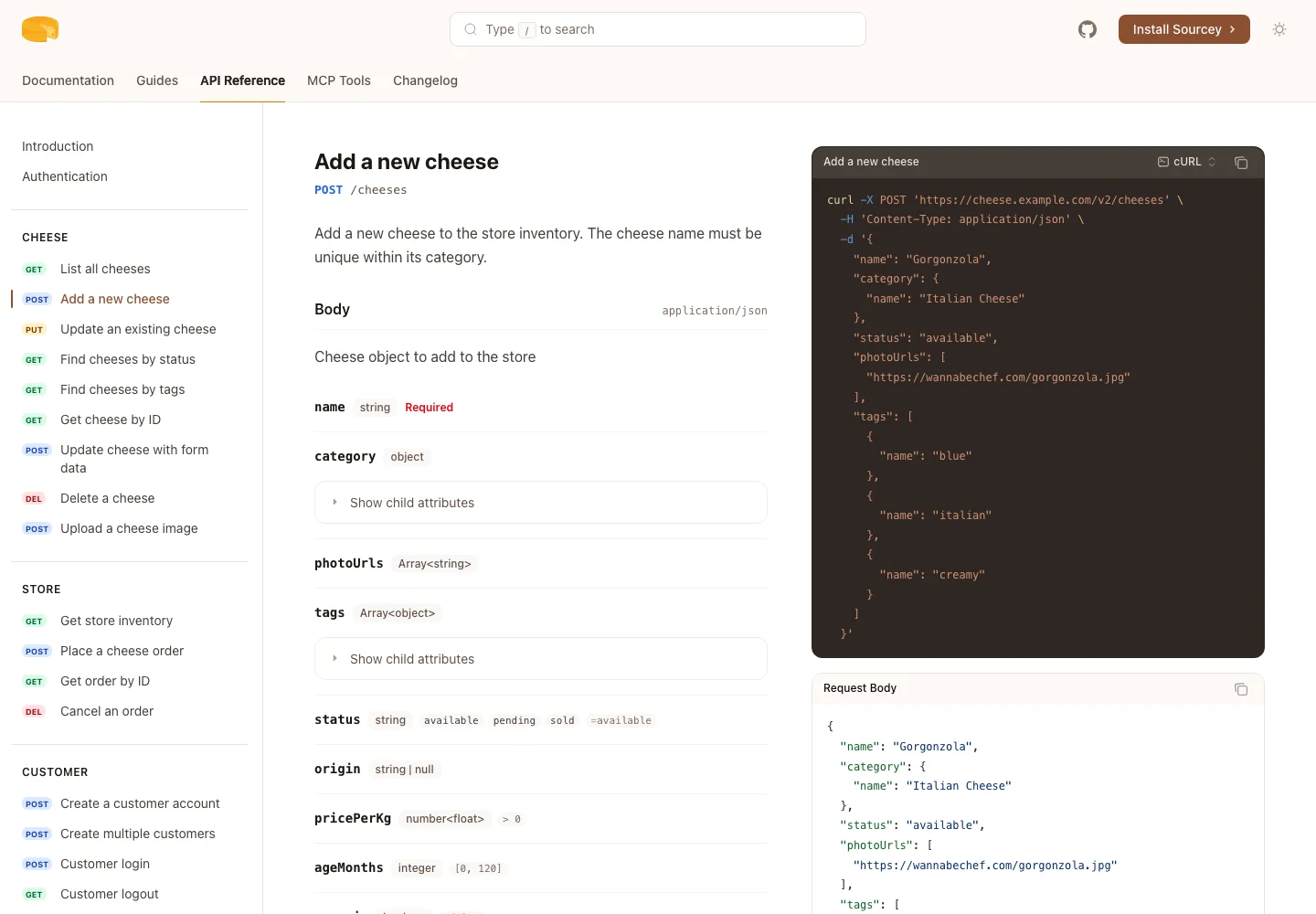
Cheesestore's generated API reference with its operation schema and request examples side by side

API-first · Inspired by Stripe’s docs, with reference and request examples side by side.

Explore the API

Built with Sourcey

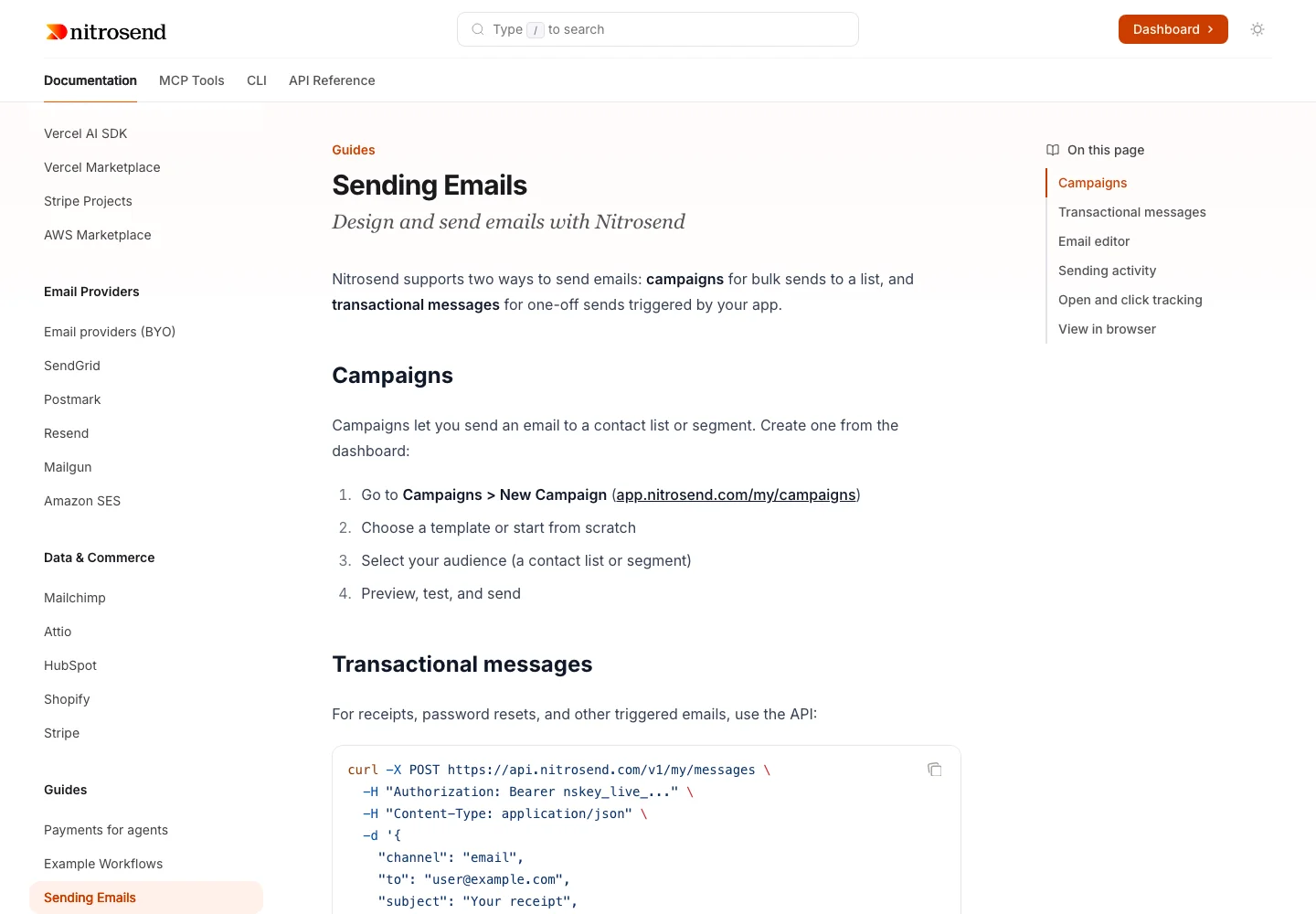
  • Nitrosend’s sending guide, with campaign instructions and a transactional API exampleNitrosendEmail guides, API reference and MCP tools.
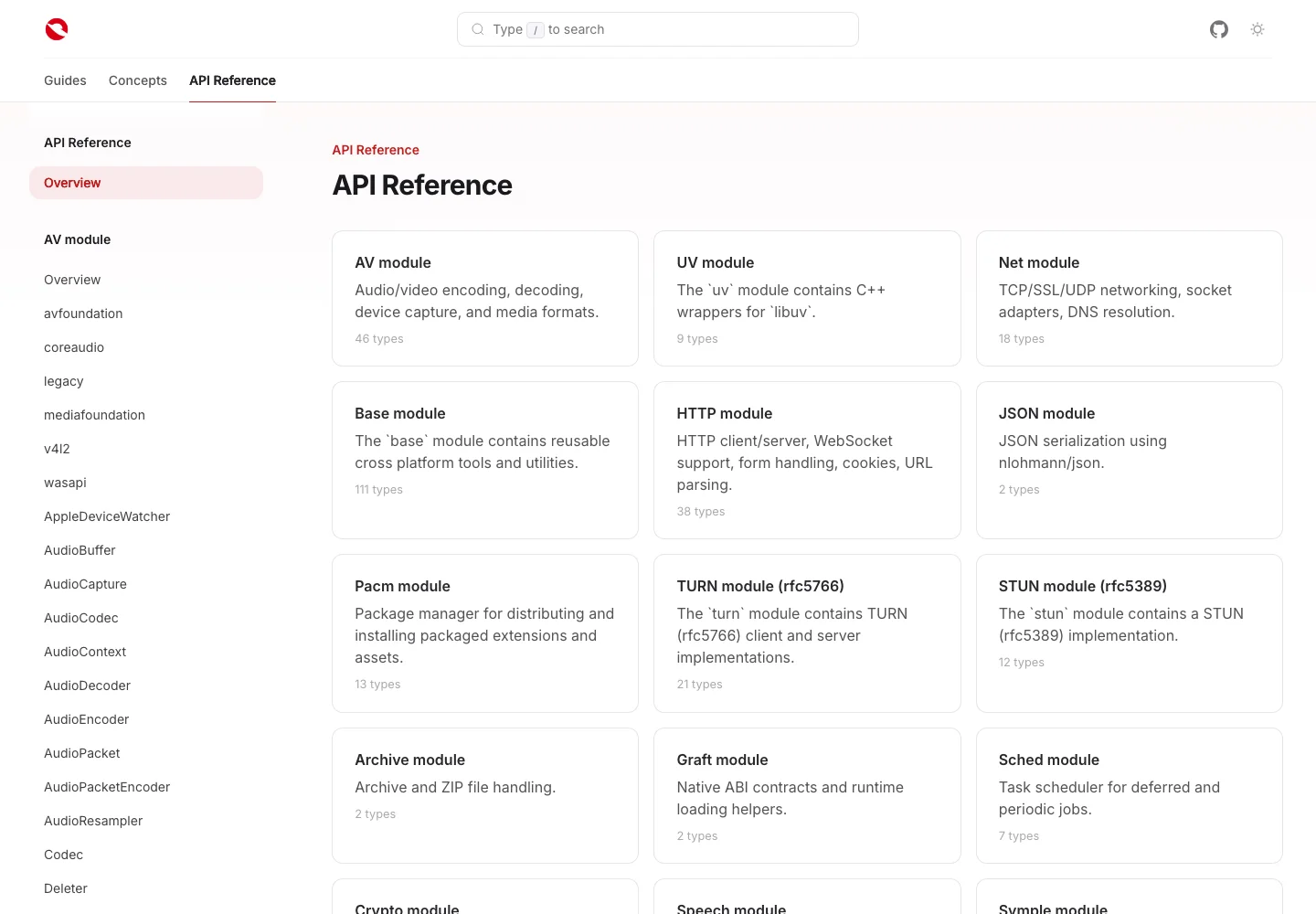
  • Icey’s C++ reference, with a module index and navigation generated from Doxygen XMLIceyC++ reference from Doxygen XML.
  • MailSchema’s email specification, with chapter navigation and the Reader theme’s editorial typographyMailSchemaEmail specification in the Reader theme.

Reference from your specs and code.

Parameters, nested types, responses and request examples come from your API definition. Doxygen, godoc and rustdoc bring your library reference into the same site.

POST /cheeses5 languages
Source fileFull API reference
CheeseInputOpenAPI
Source fileFull API reference
WebSocketFramer::readFrameDoxygen
Source fileFull C++ reference
URL.JoinPathgodoc · net/url
Source fileFull Go reference
Url::set_queryrustdoc · url 2.5.8
Source fileFull Rust reference

Search down to the endpoint.

Find a guide, an API operation or a parameter. Results take you straight to the page or endpoint. The search index ships with your site and works offline.

⌘K
↑↓ navigate↵ open

Give your agent the reference.

Give it the operation it needs, with parameters, authentication and examples intact. Schemas, guides and library reference have their own readable documents too. Publish the OpenAPI contract, ARD, API catalog and llms.txt alongside them.

Export and discovery configuration

api/operations/operation-cheeses-cheeseid-get.md
# Get cheese by ID

`GET /cheeses/{cheeseId}`

Returns detailed information about a specific cheese, including its category, tags, and current availability status.


Parameters:

- `cheeseId` (path, integer, int64, required) - Unique identifier for the cheese
  Type: integer, int64
  
  minimum: 1

Responses:

- 200: Cheese details

Content type: application/json

Type: Cheese

Schema: [Cheese](https://sourcey.com/examples/docs-showcase/api/schemas/cheese-6e5a59d4fd.md)

- `id` (required)
  Type: integer, int64
Readable Markdown · CheesestoreDownload file
api/schemas/cheese-6e5a59d4fd.md
# Cheese

Type: Cheese

Schema: [Cheese](https://sourcey.com/examples/docs-showcase/api/schemas/cheese-6e5a59d4fd.md)

- `id` (required)
  Type: integer, int64
  
  Unique identifier
  
  Example:
  
  ```json
  42
  ```

- `name` (required)
  Type: string
  
  Name of the cheese
  
  minLength: 1
  
  maxLength: 100
  
Readable Markdown · CheesestoreDownload file
api/openapi.json
{
  "openapi": "3.1.0",
  "info": {
    "title": "Cheese Store",
    "version": "2.0.0"
  },
  "paths": {
    "/cheeses/{cheeseId}": {
      "get": {
        "tags": [
          "Cheese"
        ],
        "summary": "Get cheese by ID",
        "description": "Returns detailed information about a specific cheese, including its category, tags, and current availability status.",
        "operationId": "getCheeseById",
        "responses": {
          "200": {
            "description": "Cheese details",
            "content": {
              "application/json": {
                "schema": {
                  "$ref": "#/components/schemas/Cheese"
                },
                "example": {
                  "id": 42,
                  "name": "Gorgonzola",
                  "category": {
                    "id": 1,
                    "name": "Italian Cheese"
                  },
                  "status": "available",
                  "photoUrls": [
                    "https://wannabechef.com/gorgonzola.jpg"
                  ],
                  "tags": [
                    {
                      "id": 1,
                      "name": "blue"
                    },
                    {
                      "id": 2,
                      "name": "italian"
                    }
                  ]
                }
              }
            }
          },
          "404": {
            "$ref": "#/components/responses/NotFound"
          }
        },
        "security": [
          {
            "api_key": []
          }
        ]
      }
    }
  }
}
Excerpt from CheesestoreDownload file
ard.json
{
  "entries": [
    {
      "identifier": "urn:air:sourcey.com:docs:22f23f8fe5db:documents",
      "displayName": "Cheese Store documentation",
      "type": "application/json",
      "url": "https://sourcey.com/examples/docs-showcase/documents.json",
      "description": "Index of guides, API operations, schemas and library reference with readable Markdown URLs."
    },
    {
      "identifier": "urn:air:sourcey.com:docs:22f23f8fe5db:llms",
      "displayName": "Documentation index",
      "type": "text/plain",
      "url": "https://sourcey.com/examples/docs-showcase/llms.txt",
      "description": "Links to individual reference documents and guides."
    }
  ]
}
Excerpt from CheesestoreDownload file
api-catalog.json
{
  "linkset": [
    {
      "anchor": "https://cheese.example.com/v2",
      "service-desc": [
        {
          "href": "https://sourcey.com/examples/docs-showcase/api/openapi.json",
          "type": "application/json"
        }
      ],
      "service-doc": [
        {
          "href": "https://sourcey.com/examples/docs-showcase/api.html",
          "type": "text/html"
        }
      ]
    }
  ]
}
Excerpt from CheesestoreDownload file
llms.txt
# Cheese Store

## Guides

- [Webhooks](https://sourcey.com/examples/docs-showcase/webhooks.md): Receive and verify events from the Cheese Store.

## API Reference

- [Cheese Store](https://sourcey.com/examples/docs-showcase/api.md): This is a fictional API contract used to demonstrate documentation generated by Sourcey. The Cheese Store service, accounts, keys, and endpoints are examples; there is no live cheese-ordering service behind this reference.
- [List all cheeses](https://sourcey.com/examples/docs-showcase/api/operations/operation-cheeses-get.md): Returns a paginated list of cheeses in the store. Results can be filtered by status and sorted by name or creation date.
- [Add a new cheese](https://sourcey.com/examples/docs-showcase/api/operations/operation-cheeses-post.md): Add a new cheese to the store inventory. The cheese name must be unique within its category.
- [Update an existing cheese](https://sourcey.com/examples/docs-showcase/api/operations/operation-cheeses-put.md): Replace an existing cheese with updated data. The cheese ID in the body must match an existing cheese.
- [Find cheeses by status](https://sourcey.com/examples/docs-showcase/api/operations/operation-cheeses-findbystatus-get.md): Multiple status values can be provided as comma-separated strings. Returns all cheeses matching any of the given statuses.
- [Find cheeses by tags](https://sourcey.com/examples/docs-showcase/api/operations/operation-cheeses-findbytags-get.md): Multiple tags can be provided as comma-separated strings (e.g. ?tags=blue,italian,aged).
- [Get cheese by ID](https://sourcey.com/examples/docs-showcase/api/operations/operation-cheeses-cheeseid-get.md): Returns detailed information about a specific cheese, including its category, tags, and current availability status.
- [Update cheese with form data](https://sourcey.com/examples/docs-showcase/api/operations/operation-cheeses-cheeseid-post.md): Updates specific fields of a cheese using form data. Only provided fields are updated.
- [Delete a cheese](https://sourcey.com/examples/docs-showcase/api/operations/operation-cheeses-cheeseid-delete.md): Permanently removes a cheese from the store. This action cannot be undone. Any pending orders for this cheese will be cancelled.
- [Upload a cheese image](https://sourcey.com/examples/docs-showcase/api/operations/operation-cheeses-cheeseid-uploadimage-post.md): Upload a photo of the cheese. Supports JPEG, PNG, and WebP formats. Maximum file size is 10MB.
- [Get store inventory](https://sourcey.com/examples/docs-showcase/api/operations/operation-store-inventory-get.md): Returns a map of cheese status codes to quantities, representing the current inventory levels.
- [Place a cheese order](https://sourcey.com/examples/docs-showcase/api/operations/operation-store-order-post.md): Place an order to purchase cheese from the store. The cheese must be in available status.
Excerpt from CheesestoreDownload file

Plain HTML does most of the work.

Pages render at build time. The browser gets HTML, CSS and a small script for search and interactive controls.

Run a fresh audit
Lighthouse Report
100
Performance
100
Accessibility
100
Best Practices
100
SEO
Cheese Store quickstartMobile Lighthouse 13.5 · 8 October 2026

Write the guide beside the reference.

Component reference
webhooks.md
:::steps
1. Register your endpoint
   Choose the events and your receiving URL.
2. Verify each delivery
   Check `X-Cheese-Signature` before processing.
3. Acknowledge the event
   Return `200` and process the work asynchronously.
:::

:::accordion{title="Signature verification failing?"}
Verify the raw request body, before parsing JSON.
:::
Preview

Reference inputs

Keep the definitions and comments you already maintain.

  • OpenAPI 2.0 through 3.2

    Endpoints, schemas and request examples in ten languages. OpenAPI 3.2 support includes QUERY operations, hierarchical tags and response summaries.

  • MCP server docs

    Tools, resources, and prompts rendered as browsable reference. JSON-RPC, TypeScript, and Python code samples.

  • C++ and Java via Doxygen

    Keep API comments with your code. Sourcey renders Doxygen’s XML as searchable reference; Moxygen is included.

  • Go and Rust

    Go package docs from the Go toolchain, without a Doxygen detour. Rust crate docs and doctests from rustdoc JSON, through the bundled sourcey-rustdoc helper.

  • Markdown and Migrating

    Steps, cards, accordions and tabbed code in Markdown. Move an Astro, MkDocs, Docusaurus or Mintlify site across once, with every page, address and anchor kept.

Development and CI

Work in your editor, preview locally and use your existing pipeline.

  • TypeScript config

    Sources, navigation, branding and output in one sourcey.config.ts. defineConfig() supplies autocomplete and type checking.

  • Vite dev server

    Hot reload for components and CSS, with page refreshes when specs or Markdown change.

  • Instant search

    Full-text search across pages, operations and parameters that forgives a typo. Cmd+K opens it. The index ships with your static files, loads only the shards a search needs, and works offline.

  • Install anywhere

    npx sourcey with no global install, or install once via Homebrew, Docker, or Nix.

  • Builds in CI

    Run sourcey build in GitHub Actions or any pipeline. Rebuild the docs with each source change.

Publishing and ownership

Static files, project branding and the formats your readers need.

  • Static HTML output

    HTML, CSS and scripts for search and controls. Serve them from GitHub Pages, Vercel, S3 or your own infrastructure.

  • Four themes

    Default with sidebar and page outline, Minimal for a single column, API-first for reference beside examples, Reader for long documents. Your fonts, colours and CSS.

  • Dark mode

    Follows the system preference until a reader chooses. Saves that choice and supports separate light and dark logos.

  • OG image cards

    Social preview images generated during the build from page titles, descriptions and project branding.

  • Readable docs and discovery

    Markdown for pages, operations and schemas, plus llms.txt and a full-text export. Optional OpenAPI downloads, ARD and API catalogs. The separate docs MCP server reads a built directory. Retrievers for LangChain and n8n read these files.

Docs platforms

  • MintlifyA polished hosted platform or a docs build you run yourself. Compare themes, MDX, and the publishing workflow.
  • GitBookVisual editing and team review are part of GitBook’s appeal. See what changes when your repository owns the build.
  • ReadMeAPI logs, personalised keys, and a request console do more than render pages. Work out which parts you need.
  • RedoclyKeep the OpenAPI linting and bundling. Compare the rendered reference and the guides around it.
  • FernSDK generation, API Explorer, and docs in one platform. Compare that with a renderer you can build and host yourself.

Open-source tools

  • DoxygenKeep the parser and your code comments. Use the XML to build a site people will want to read.
  • SphinxCheck autodoc, Breathe, cross-references, and PDF output before moving a Sphinx project.
  • Swagger UIA request console and a readable API guide serve different needs. You can publish both from the same spec.
  • DocusaurusCompare React components, versioning, and localisation with Sourcey’s built-in reference inputs.
  • Material for MkDocsBring across Markdown and navigation, then account for the Python plugins your current build relies on.
  • StarlightBoth can sit inside Astro. Compare the themes, reference adapters, and custom components your docs need.

Writing

All essays
  • Why We Care What the Docs Look Like

    Good-looking documentation should come with the tool. A closer look at typography, API references and the design choices projects make with Sourcey.

  • You Don't Own Your Docs

    You have the Markdown. Can you rebuild the site, take the design and search with you, and keep the links people already use?

  • Your Docs Have a Second Reader Now

    The sentence an agent leaves out can be the one that changes the answer. Your docs need to carry their meaning beyond the page.

Own your docs.

Open source under AGPL-3.0. Fork it or run it on your own infrastructure.

View on GitHub Read the docs
Fork the demo
You are visitor 01402503 — GeezerVison does not store the pages you look up.
Best viewed with Netscape Navigator 4.7 or Internet Explorer 6 at 800×600. No cookies required.