GeezerVisonThe World Wide Web, restored to 800 pixels of glory. |
| Home|About|Gaming cabinet|Archives|How it works|Starter sites |
GeezerVison is showing swiftxcode.github.io — SwiftXcode
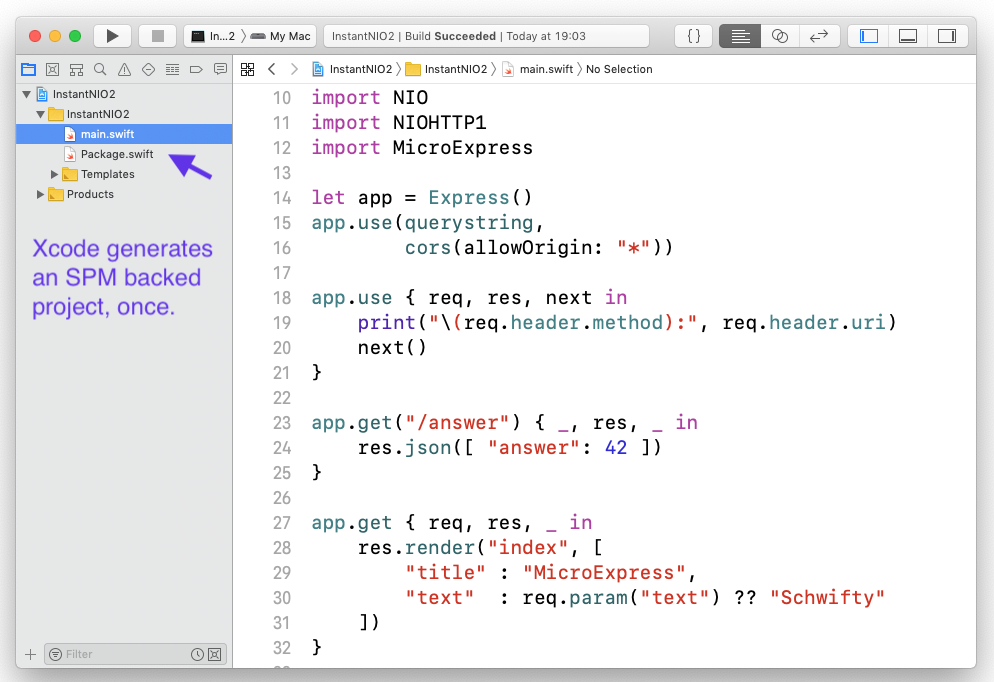
Breaking News from WWDC 2019: Xcode 11 is finally supporting Swift Package Manager. Rendering this project obsolete. Use Swift Package Manager, packages directly from within Xcode, w/o having to jump to the Terminal. With swift builds, in a non-annoying way. Build large dependencies once, not again and again for every project. Do not require an Internet connection just to create a new project. ... finally got sherlocked at WWDC 2019! Too much text? Want a GIF? Here you go. Goals1. Use Swift Package Manager directly from within XcodeState of the art (duration: some minutes or more):
Goal (duration: a few seconds):
2. Reduce Compile TimeCalling Goal:
Instead of doing calling Changing a source file:
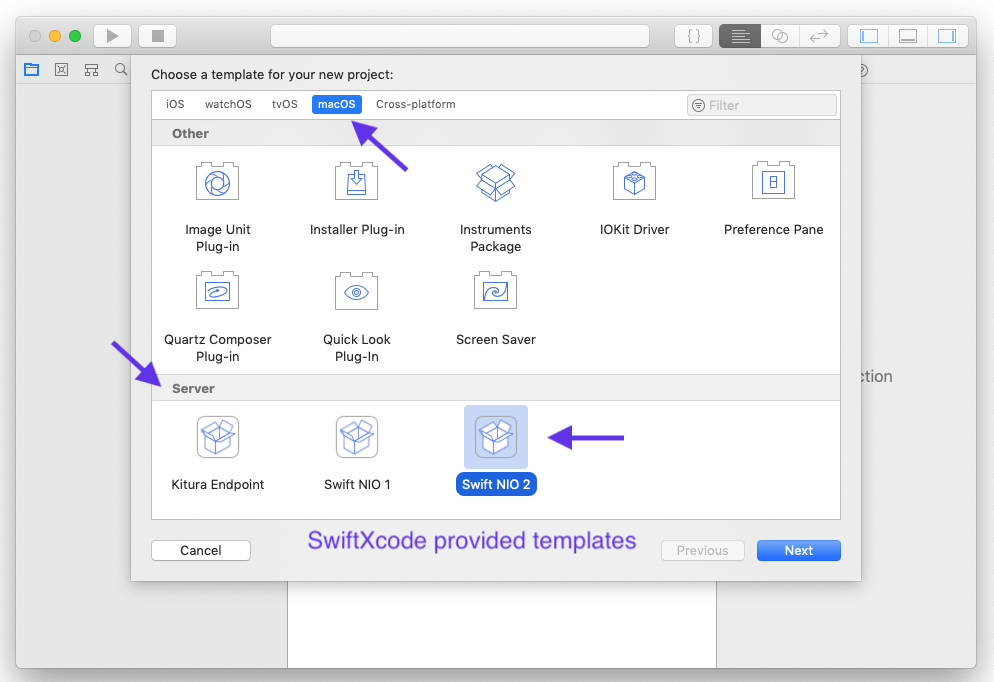
3. Reduce Initial Compile TimeState of the art: When you create a new Swift Package Manager project, for instance a Kitura endpoint, the initial setup takes a long time:
For a plain Kitura HelloWorld this is about 3-5 minutes before you can get going, even on a fast machine. But worse: This has to be done every single time you create a new project! Want to create HelloKitten? Another 3mins lost. HelloCow? Again. Goals, alongside goal 1:
Build time on first build, straight after project creation:
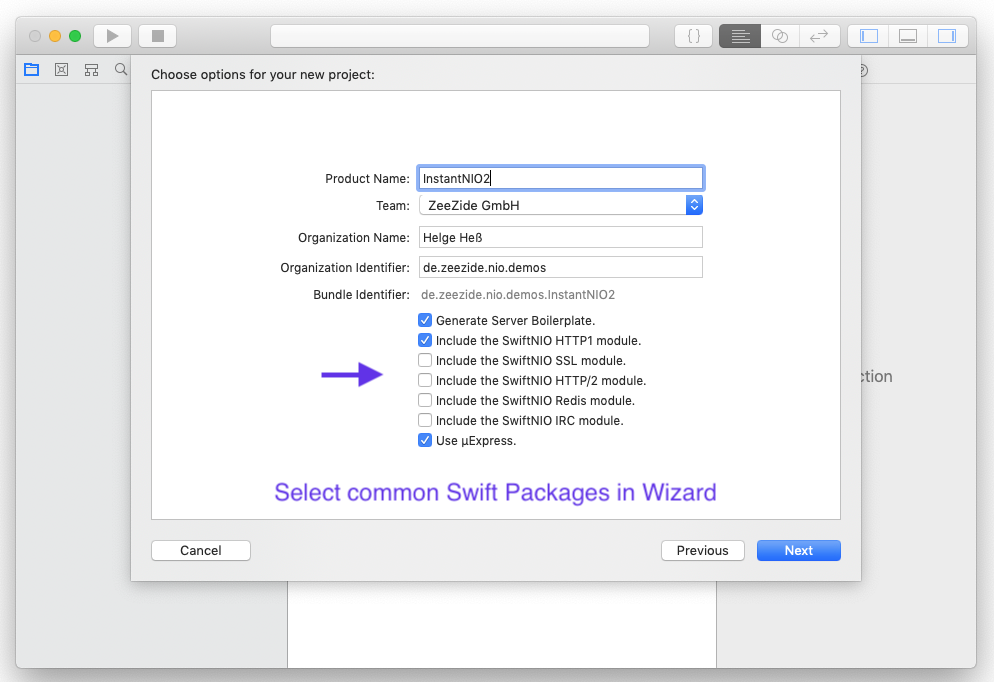
3.1. Bonus: Do not require Internet to create new projectsInternet is only required when you install an image, once. After that, the bundled image is available and as many projects as desired can be created. InstallationExtra ImagesImages are pairs of Xcode templates and precompiled Swift packages (used by those templates). The precompilation happens when you install a Homebrew image formula (or manually using the GIT repo) and can take some time. Afterwards you can create new Xcode projects using those templates, without having to wait for the SPM bootstrap (fetch and compilation of the dependencies). You can find the available images over here: Swift Packages within Xcode, this includes:
After installing an image, always run Image: Kitura(One time) compile time: ~5 minutes. Image size: ~100MB. Fresh project setup from create to run: 3 seconds. A blog post with all the details: Instant Kitura with SwiftXcode. Using it for iOS ProjectsHere is the basic version:
Comparison w/ other Package ManagersNote that So you inherit a lot of its limitations. For example it cannot deal with resources, produce frameworks, or bundles. Yet, you can still build reusable modules with it. So is it a replacement for Cocoa Pods or Carthage? In some cases it can be. In other cases it can’t :-) What it looks like …Build a Mobile Cows application in 3 minutes:
DocumentationDocumentation can be found here: SwiftXcode.github.io/docs/. |
| You are visitor 01402503 — GeezerVison does not store the pages you look up. Best viewed with Netscape Navigator 4.7 or Internet Explorer 6 at 800×600. No cookies required. |