GeezerVisonThe World Wide Web, restored to 800 pixels of glory. |
| Home|About|Gaming cabinet|Archives|How it works|Starter sites |
GeezerVison is showing thepythoncode.com — How to Build a SQL Injection Scanner in Python - The Python Code Ready to take Python coding to a new level? Explore our Python Code Generator. The perfect tool to get your code up and running in no time. Start now! SQL injection is a code injection technique that is used to execute SQL queries via the user input data to the vulnerable web application. It is one of the most common and dangerous web hacking techniques. A successful SQL injection exploit can cause a lot of harmful damage to the database and web application in general. For example, it can read sensitive data such as user passwords from the database, insert, modify and even delete data. In this tutorial, you will learn how to build a simple Python script to detect SQL injection vulnerability in web applications. Related: Build 24 Ethical Hacking Scripts & Tools with Python EBook Let's install required libraries for this tutorial: Let's import the necessary modules: We also initialized a requests session and set the user agent. Since SQL injection is all about user inputs, we will need to extract web forms first. Luckily for us, I've already written a tutorial about extracting and filling forms in Python. We gonna need the below functions:
Next, we define a function that tells us whether a web page has SQL errors in it, this will be handy when checking for SQL injection vulnerability: Get: Build 24 Ethical Hacking Scripts & Tools with Python Book Obviously, I can't define errors for all database servers. For more reliable checking, you need to use regular expressions to find error matches. Check this XML file which has many of them (used by the sqlmap utility). Now that we have all the tools, let's define the main function that searches for all forms in the web page and tries to place quote and double quote characters in input fields: Before extracting forms and submitting them, the above function checks for the vulnerability in the URL first, as the URL itself may be vulnerable. This is simply done by appending a quote character to the URL. We then make the request using After that, we parse the forms and make submissions with quote characters on each form found, here is my run after testing on a known vulnerable web page: Output: As you can see, this was vulnerable in the URL itself, but after I tested this on my local vulnerable server (DVWA), I got this output: Note: If you want to test the script on local vulnerable web applications like DVWA, you must log in first. I've provided the code for logging to DVWA in the script here, and you'll find it as a commented code in the beginning. ConclusionNote that I've tested this script on many vulnerable websites, and it works just fine. However, if you want a more reliable SQL injection tool, consider using You can extend this code by adding an exploitation feature; this cheat sheet can help you use the right SQL commands. Or you may want to extract all website links and check for vulnerability on all site pages. You can do it as well! In our Ethical Hacking with Python Ebook, we build 35+ hacking tools from scratch using Python. Make sure to check it out here if you're interested! Disclaimer: Use this ethically. We are not responsible for any misuse of this code! Learn also: How to Build a XSS Vulnerability Scanner in Python. Happy Hacking ♥ Finished reading? Keep the learning going with our AI-powered Code Explainer. Try it now!
Sharing is caring!
Read also
How to Build an XSS Vulnerability Scanner in PythonBuilding a Python script that detects XSS vulnerability in web pages using requests and BeautifulSoup. 
How to Extract and Submit Web Forms from a URL using PythonLearn how you can scrape forms from web pages, as well as filling and submitting them using requests html and beautiful soup in Python. 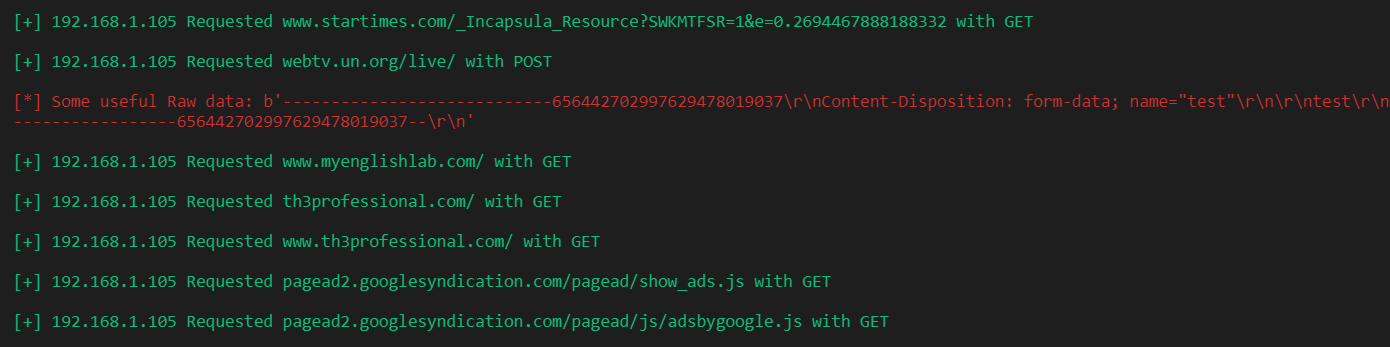
How to Sniff HTTP Packets in the Network using Scapy in PythonSniffing and printing HTTP packet information, such as the url and raw data ( passwords, search queries, etc. ) in case the method is POST. CommentsGot a coding query or need some guidance before you comment? Check out this Python Code Assistant for expert advice and handy tips. It's like having a coding tutor right in your fingertips! |
| You are visitor 01402503 — GeezerVison does not store the pages you look up. Best viewed with Netscape Navigator 4.7 or Internet Explorer 6 at 800×600. No cookies required. |