GeezerVison is showing trycloudmail.com — Deploy your own email on Cloudflare Workers · cloudmail
Buy a licence
Solo or Unlimited. The key arrives by email.
Click Deploy to Cloudflare
The app and its storage are created in your own account.
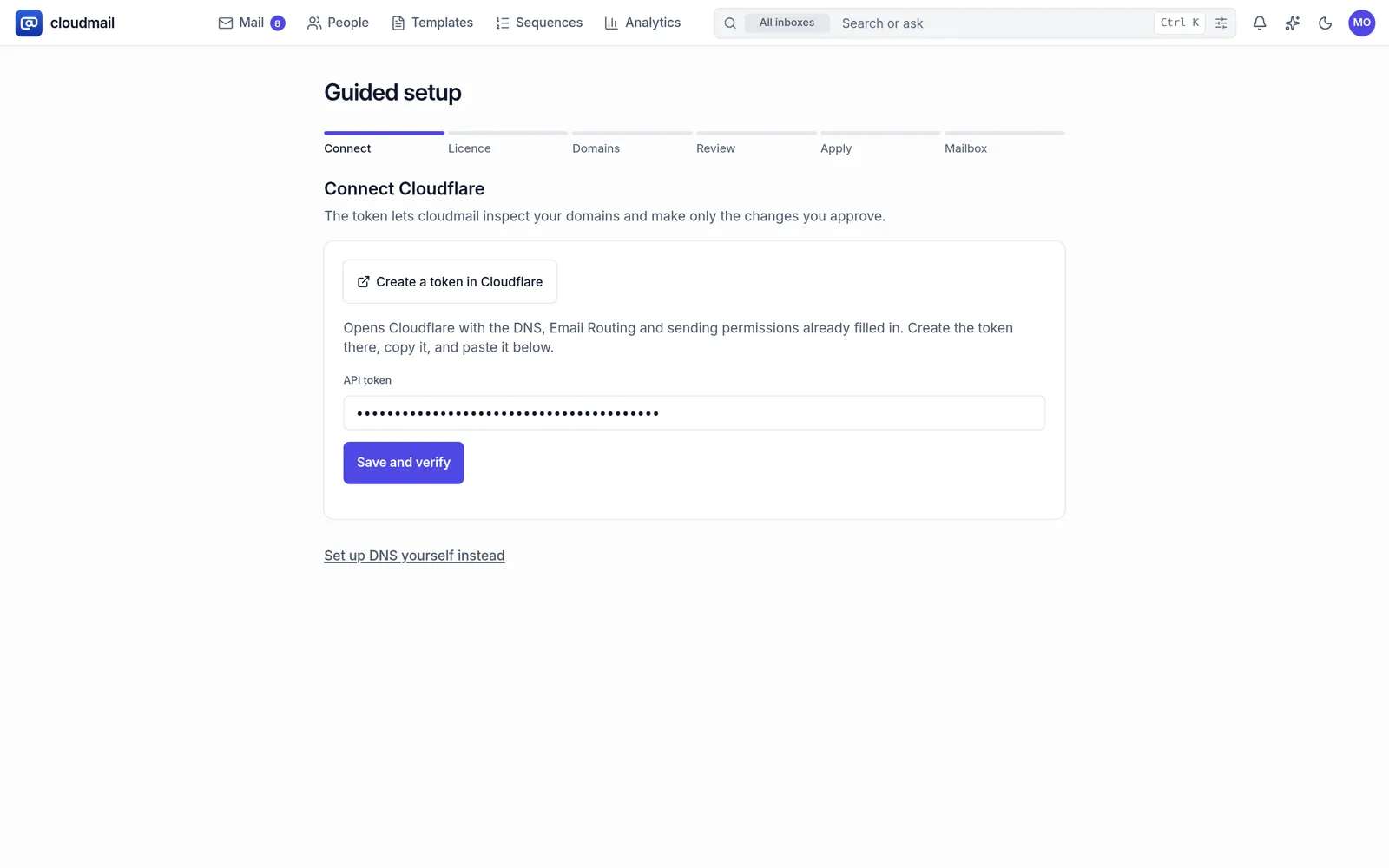
Paste one Cloudflare token
Setup shows its plan for your domain, then applies it when you say so.
Before you start
A Cloudflare accountYour mail, storage and AI usage live here.
Your domain on Cloudflare DNSEach domain you add must use Cloudflare's nameservers.
R2 turned onOpen R2 in the Cloudflare dashboard once and complete its sign-up, so the deploy can create a bucket.
Workers Paid, $5 a monthRecommended. Sending through Cloudflare Email Service needs it.
A GitHub or GitLab accountThe Deploy button copies the code into a repository you own.
Buy a licence
Pick Solo for one domain or Unlimited for all of them. Checkout is handled by Dodo Payments, and your licence key arrives by email. You will paste it during setup.
Cloudflare copies the code into a repository you own and creates the app in your account: the Worker, an R2 bucket for attachments, a KV namespace, a Vectorize index for search, the Durable Objects that hold each mailbox, and a Workers AI binding.
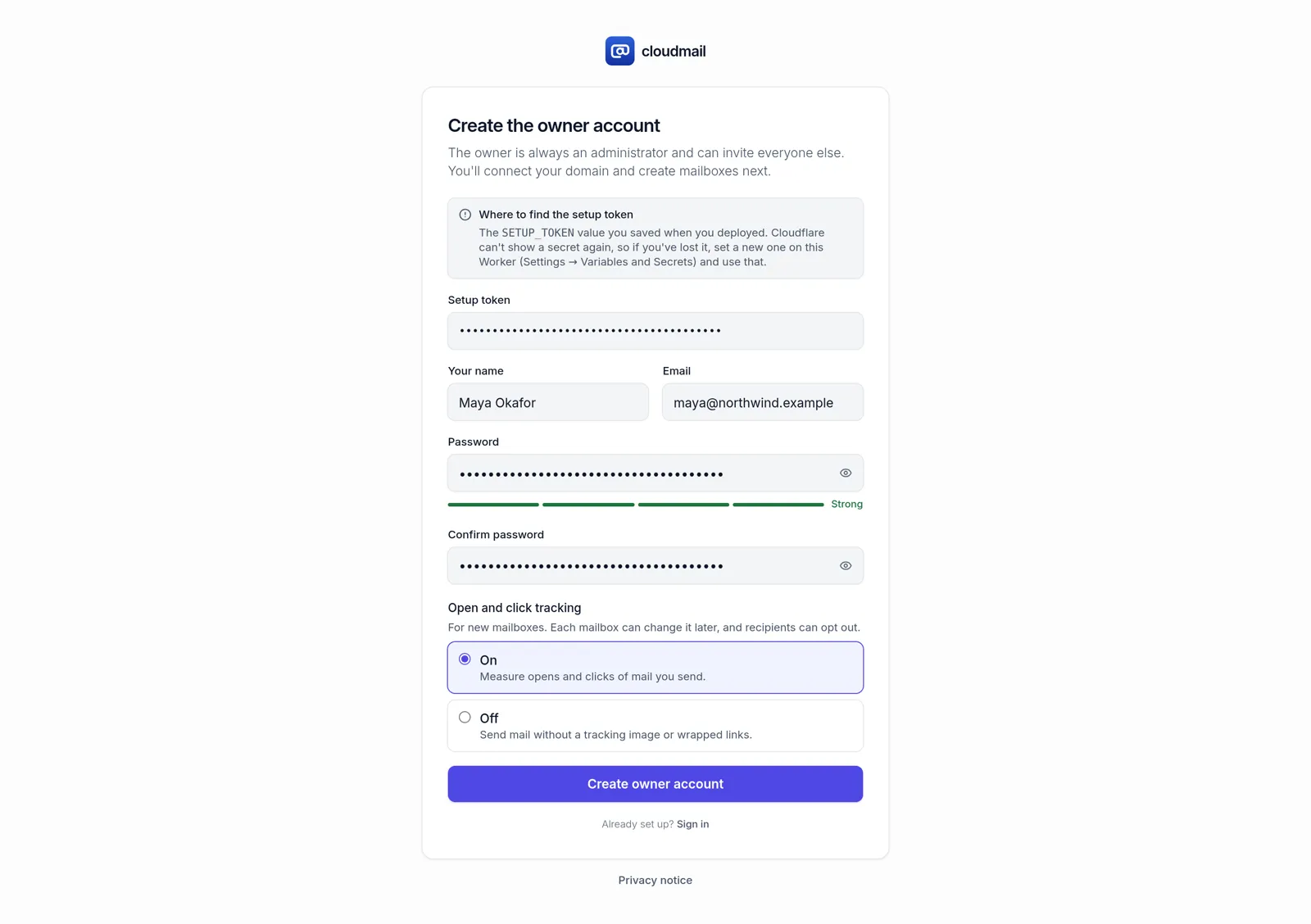
The deploy form asks for a few values. Then open the app's address: the first visit asks for the setup token and creates the owner account.
Worker name
cloudmail
SETUP_TOKEN
openssl rand -base64 32
# keep it: it's also your recovery keyAUTH_SECRET
openssl rand -base64 32
DOMAINS, CF_API_TOKENleave empty: you add them in the app
Paste one Cloudflare token
The setup screen has a Create token link that opens Cloudflare with the right permissions filled in. Paste the token, paste your licence key, and pick your domains.
The app then shows a plan. It lists what it will do on its own, what needs your confirmation, and anything you must do by hand. Apply it, create a mailbox, and send it a test from another account.
Your DNS
What setup changes, and what it asks first
Nothing on your domain changes until you apply the plan, and you can undo each DNS change it made.
Done for you
Turns on Email Routing for the domain
Points the catch-all address at your cloudmail Worker
Sets the domain up for sending, with SPF and DKIM
Adds a monitor-only DMARC record if you have none, and keeps yours if you do
Creates the metadata index that search needs
Asks you first
Anything that changes or removes a record you already have, such as another provider's MX records
Steps it can't do with your token are listed for you to do in the dashboard
Moving from Google or Microsoft
Changing MX records moves new mail to cloudmail straight away. Bring your history across first: Settings → Import takes a Google Takeout file, .mbox or .eml files, or reads an IMAP account read-only. Labels, threads and read state come with it, and re-running an import adds nothing twice.
Then let setup replace the old MX records. Keep your old account until you have checked that mail arrives and sends from the new one.
You are visitor 01402775 — GeezerVison does not store the pages you look up. Best viewed with Netscape Navigator 4.7 or Internet Explorer 6 at 800×600. No cookies required.