GV

GeezerVison

The World Wide Web, restored to 800 pixels of glory.

Home|About|Gaming cabinet|Archives|How it works|Starter sites

On this site

  • Themes
  • Support

This view

  • Original page
  • New address

GeezerVison is showing typora.io — Typora — simple yet powerful Markdown reader.

typora

/* a minimal markdown editor */

Readable & Writable

Typora gives you a seamless experience as both a reader and a writer. It removes the preview window, mode switcher, syntax symbols of markdown source code, and all other unnecessary distractions. Instead, it provides a real live preview feature to help you concentrate on the content itself.

Distractions Free

Seamless Live Preview

What You See Is What You Mean


Simple, yet Powerful

  • Images,
  • Headers,
  • Lists,
  • Tables,
  • Code Fences,
  • Mathematics,
  • Diagrams,
  • Inline Styles.
  • etc..
  • Upload Images
    Sharing markdown file with images shouldn't be painful. Images can be uploaded to cloud server on macOS with integration of iPic Service.
    Resize Images
    Hard to display retina image with correct size? Typora support <img> tag with customized size or zoom factor.
    Support Relative Path
    When handling relative path of a local image file, you could set its base path towards the root folder of your static blog.
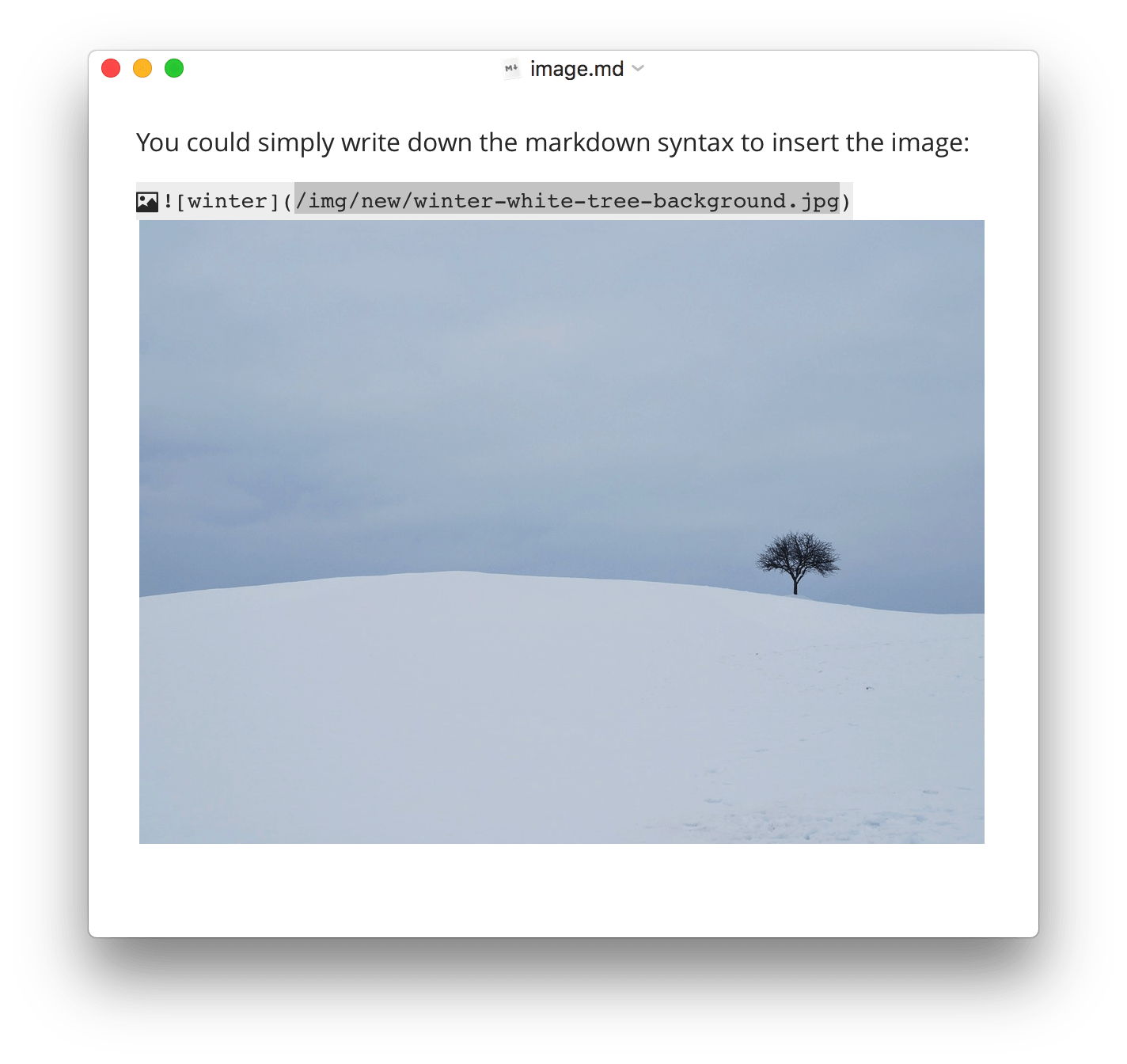
    Drag & Drop
    Insert images will be quite easy via drag & drop.
    /* Display images, rather than text for images when writing */
  • Customized Styles
    Use your own css code to change font size, alignement, or even make some magics possible, such as Auto Numbering Headers.
    Table of Contents
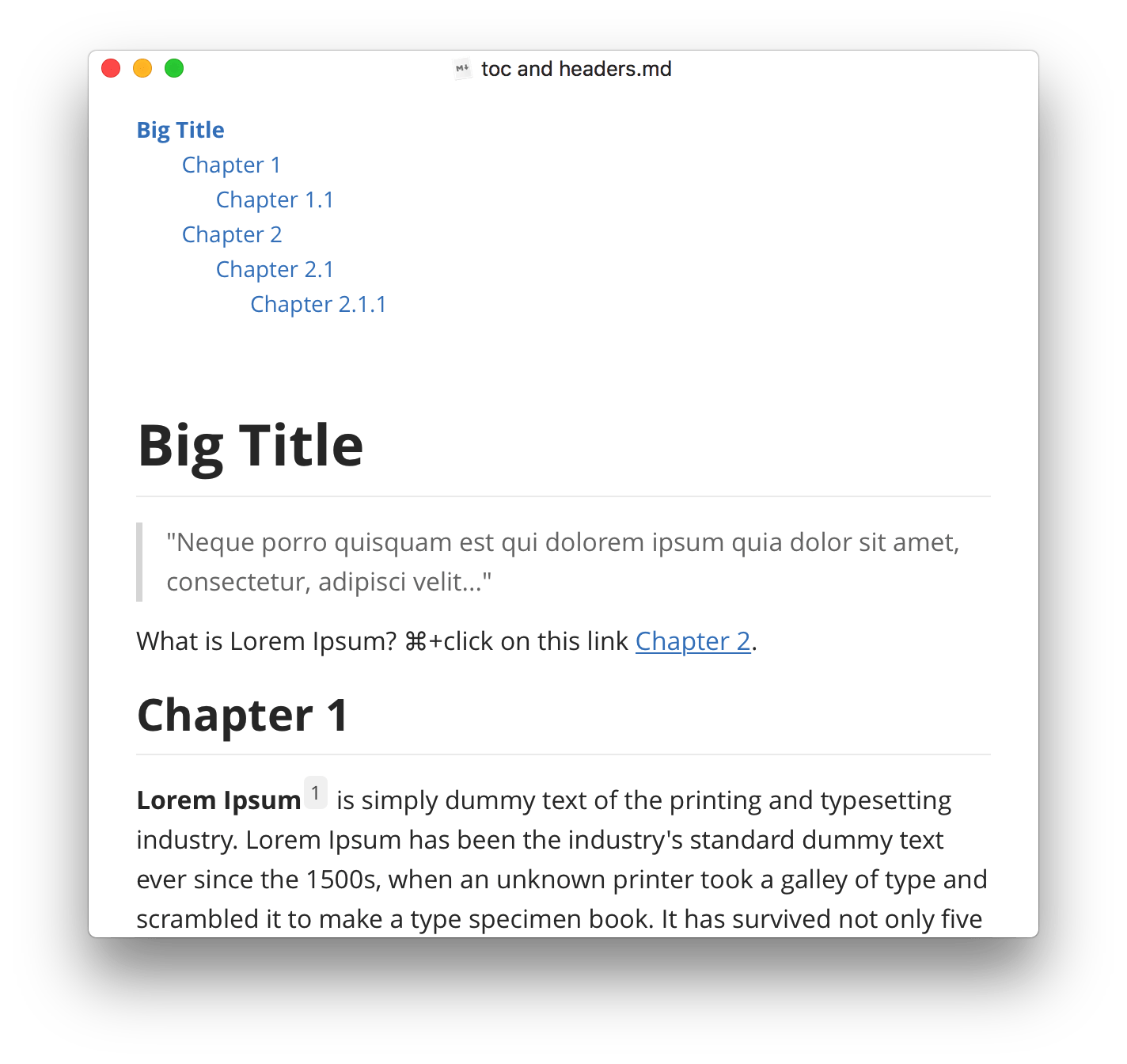
    Type `[TOC]` to insert table of contents, all headings will be listed here.
    Internal Links
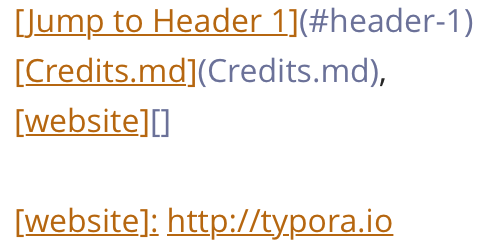
    Set the href to headers, which will create a bookmark that allow you to jump to that section after clicking.
    /* Working with headers */
  • Indent/Outdent
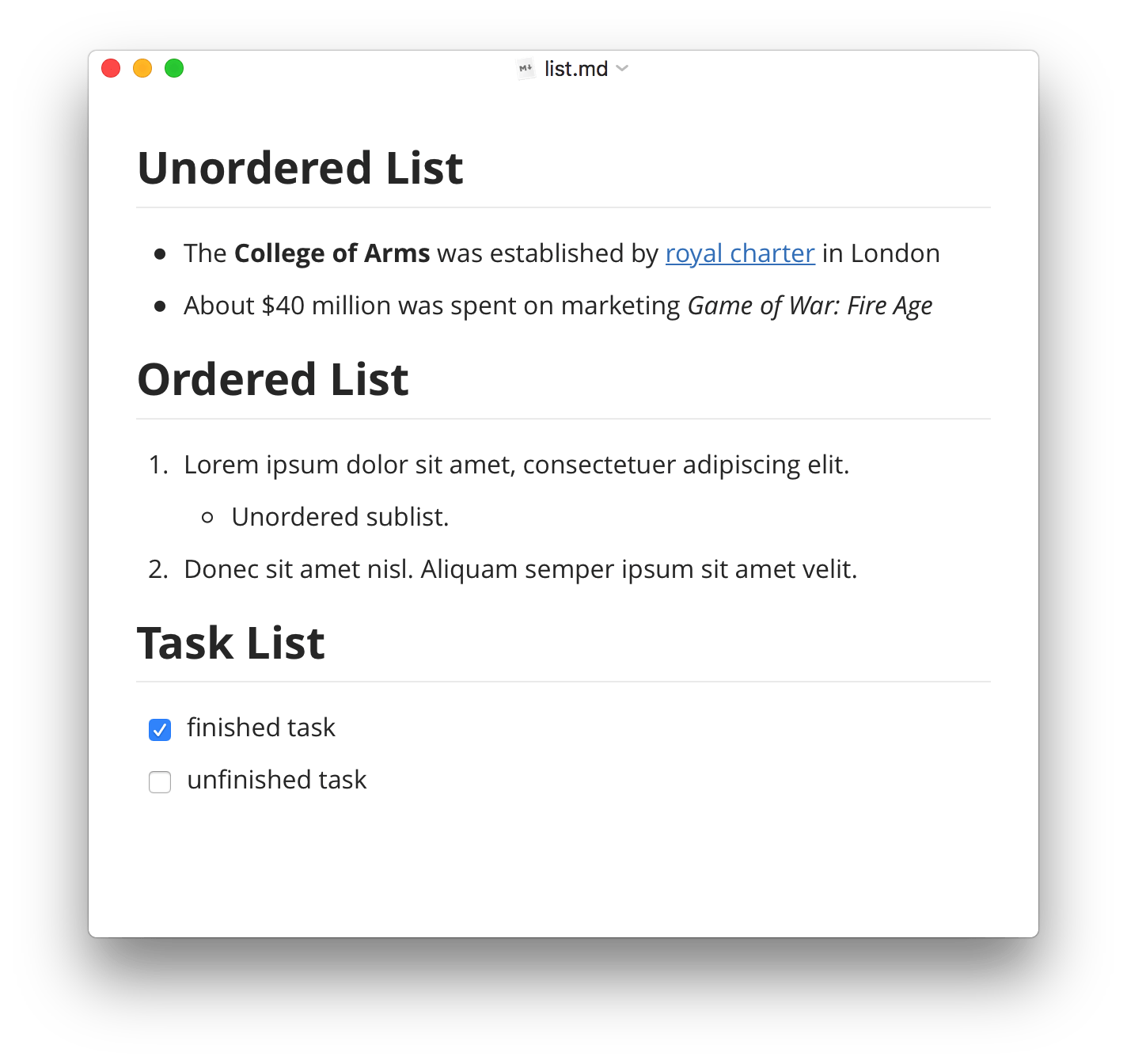
    Arrange nested lists like a rich editor, by tab and shift+tab key.
    Tasks
    GFM task list supported. Able to manage simple todos in a markdown file.
    Change List Type
    Use shortcut keys, context menu or touch bar to change list type from one to another.
    /* Ordered, Unordered and Task Lists */
  • Easy Resize
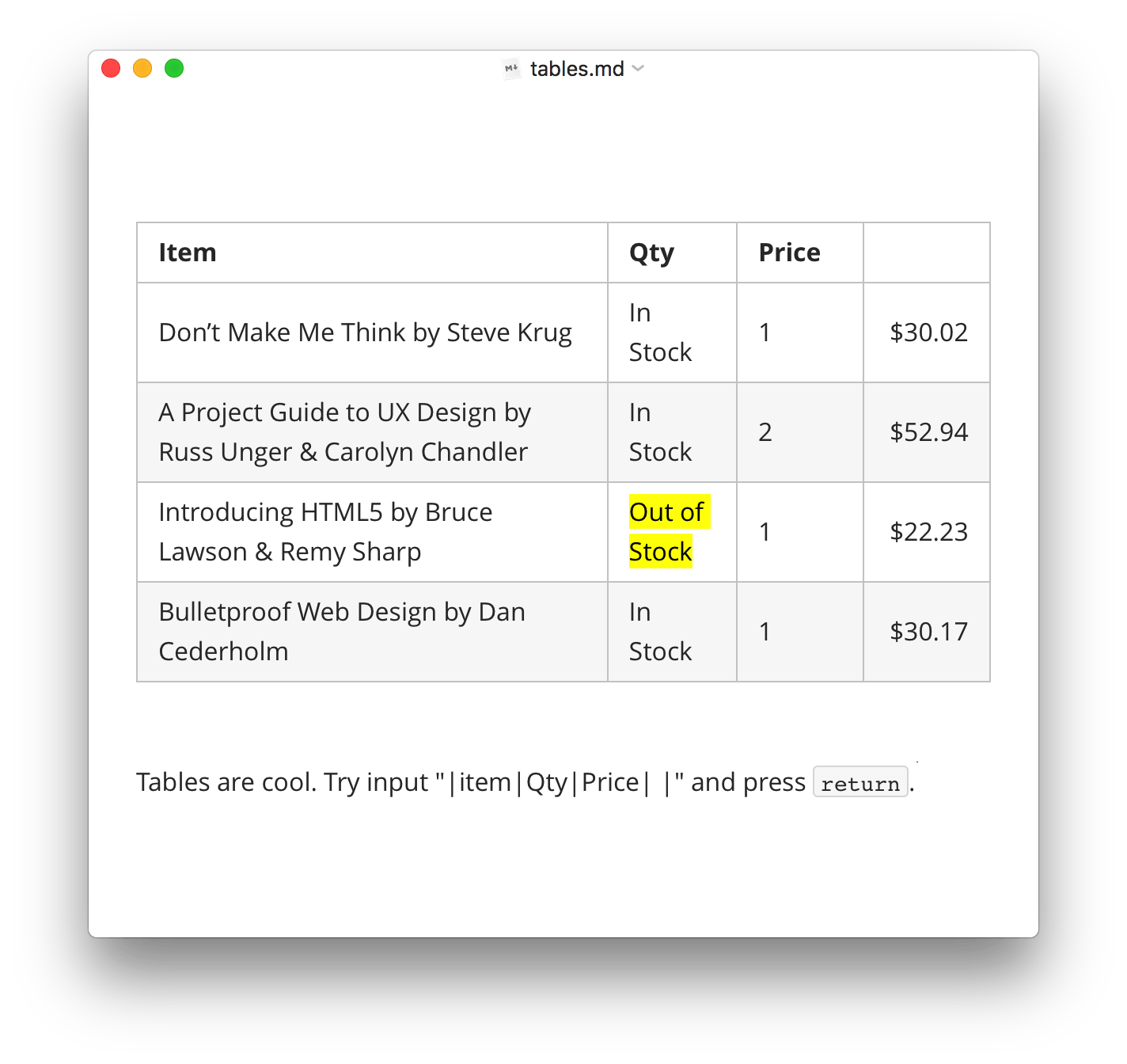
    Quickest steps to resize tables in Markdown file: just mouse dragging.
    Quick Reorder
    Insert Tables
    Use shortcut keys to generate tables with given layouts. Type markdown directly is also supported.
    /* Tables from Markdown Extra*/
  • Line Numbers
    Display line numbers can be turned on in preferences panel.
    Syntax Highlight
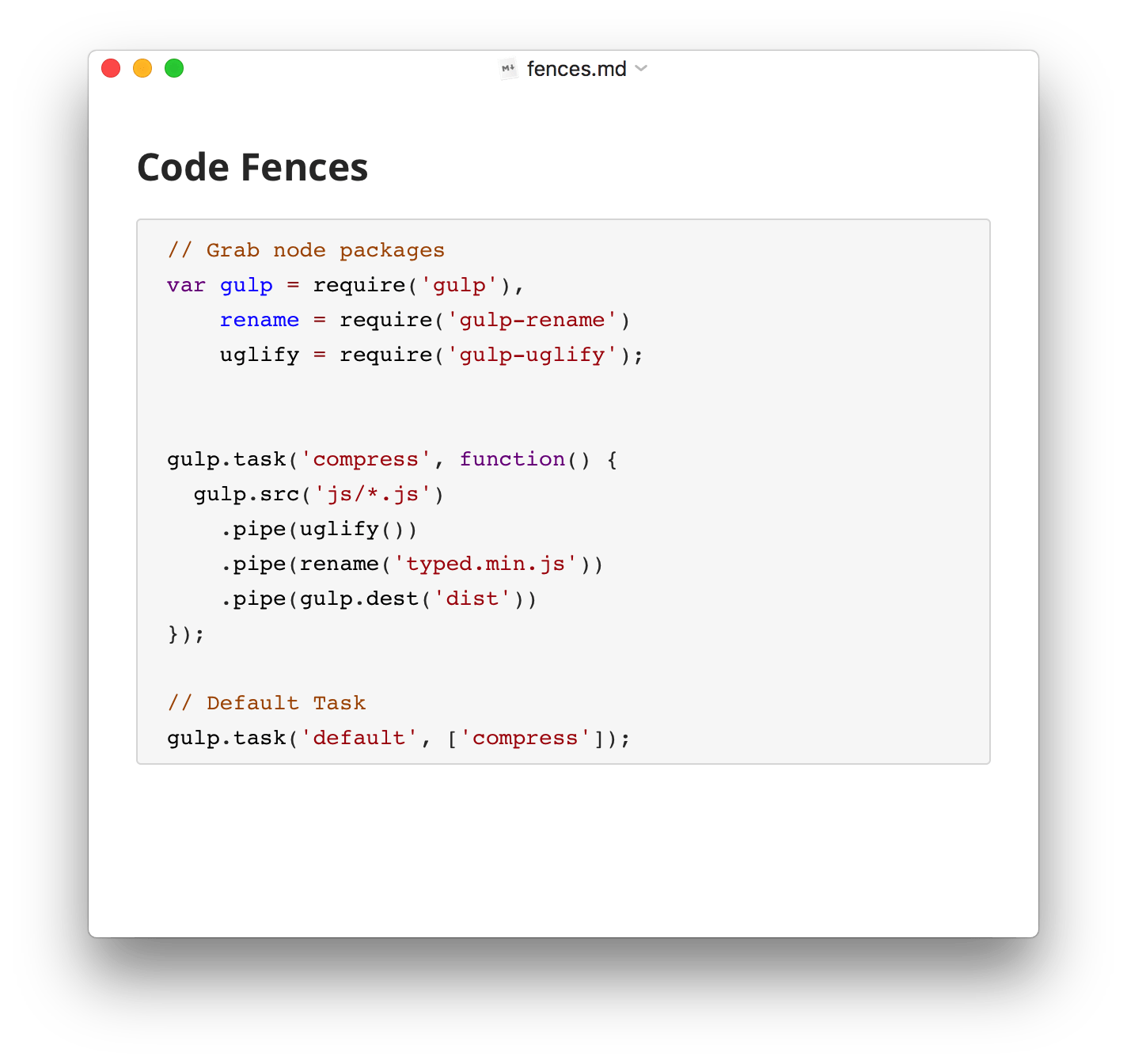
    Typora supports around 100 languages for syntax highlighting, covers all common programming languages.
    /* Highlight your code*/
  • Live Preview
    Preview while you are typing.
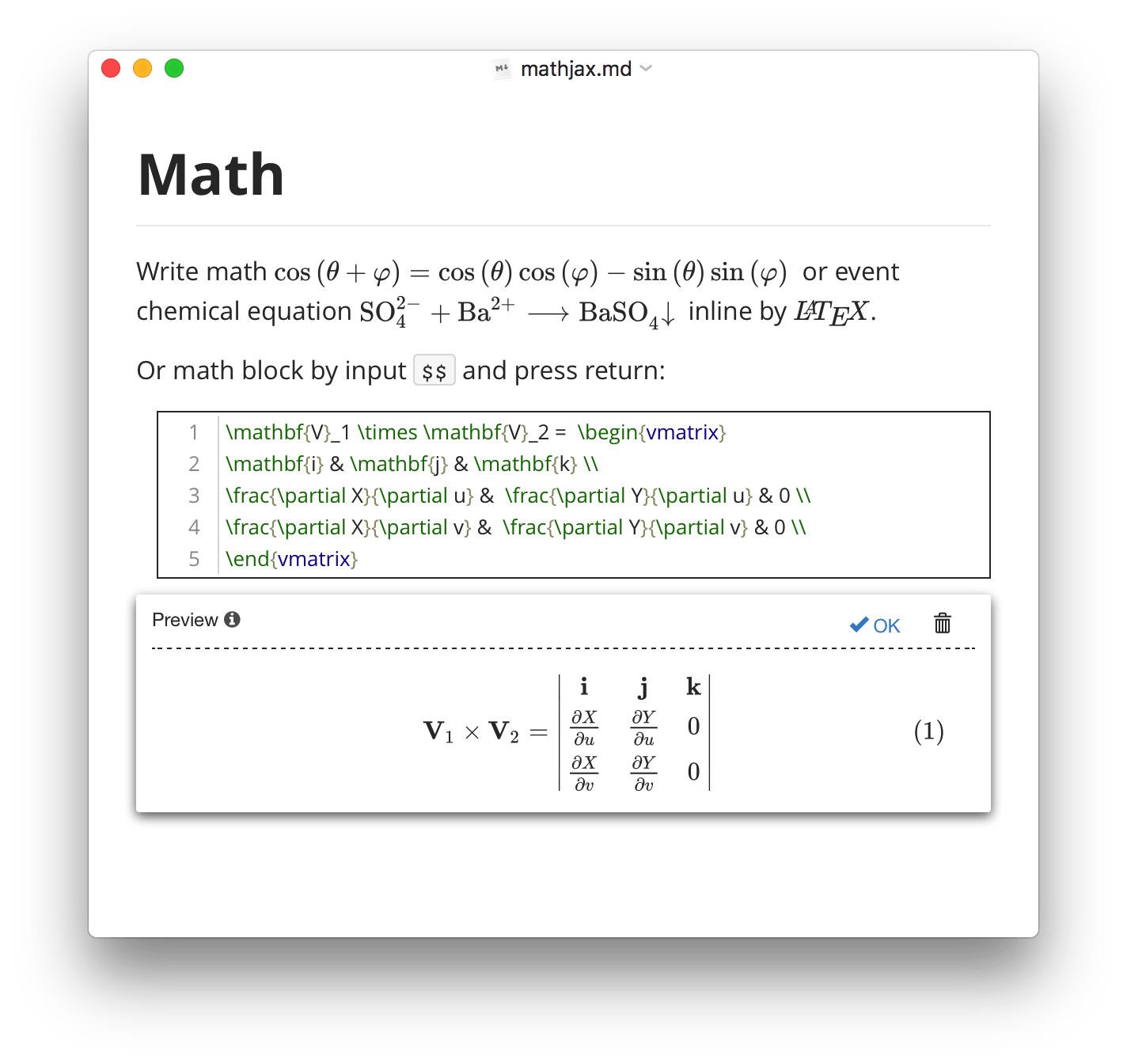
    Chemical Equation
    Most MathJax extensions built-in, including mhchem, AMSmath, BBox, etc.
    Auto Numbering
    Auto numbering math equations (enable in preference panel).
    /* Take notes on math classes */
  • Flowchart
    Draws simple SVG flow chart diagrams powered by flowchart.js.
    Error Hint
    Show Error hint on live.
    Mermaid
    Generation of flowchart, sequence, gantt and more by mermaid engine.
    Sequence
    Draws simple SVG sequence diagrams.
    /* Draw diagrams from textual representation*/
  • Emoji
    Input the emoji you want via auto-complete.
    Links
    Set your the link targets towards a header, a markdown file, or an URL.
    Shortcut Keys
    Use shortcut keys one familiar with.
    CJK Support
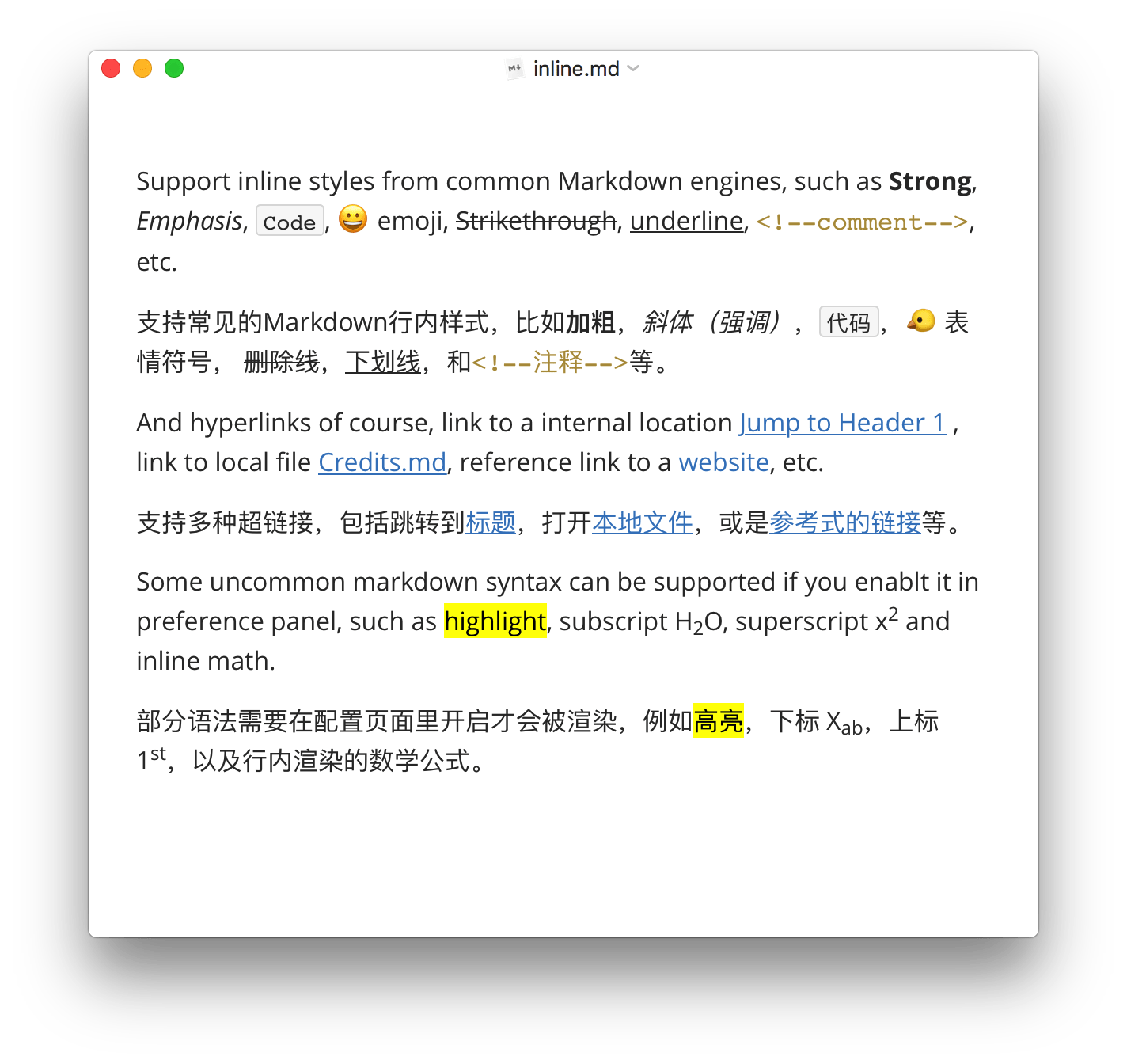
    All styles include Strong and emphasis can be correctly rendered in CJK charsets.
    /* Apply rich styles on texts*/
  • Blockquote
    Uses email-style > characters for blockquote.
    Horizontal line
    Horizontal lines styled by CSS.
    Front Matter
    Compatible with files contain YAML Front Matter
    Footnote
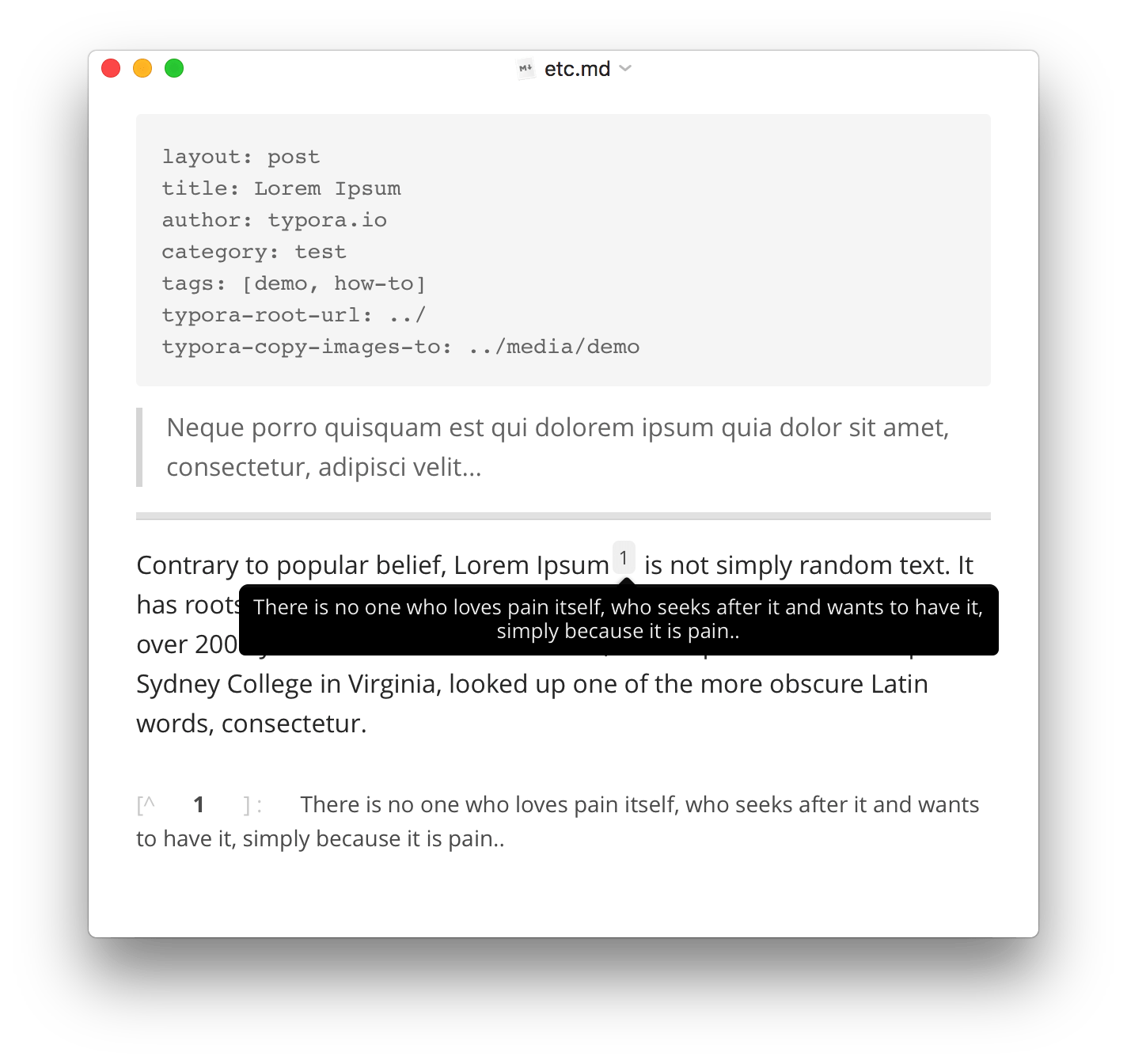
    Display footnotes you write on hover.
    /* And other block styles*/

Accessibility

/* You focus on the content, Typora helps with the rest */
Organize Files
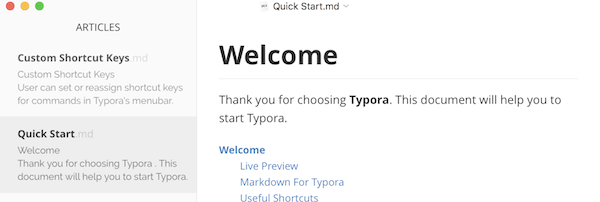
Typora allows you to manage your files easily, providing both file tree panel and articles (file list) side panel. Fell free to organize files in your own way, including putting in sync services, like Dropbox or iCloud.
Outline Panel
Automatically see the Outline structure of your documents in outline panel, which allows you to quickly go through the document and jump to any section with one click.
Import & Export
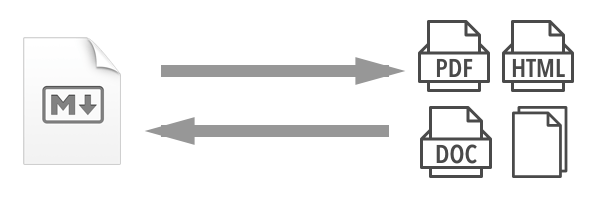
Export to PDF with bookmarks. Go further and export or import. More formats, including docx, OpenOffice, LaTeX, MediaWiki, Epub, etc, can be exported or imported.
Word Count
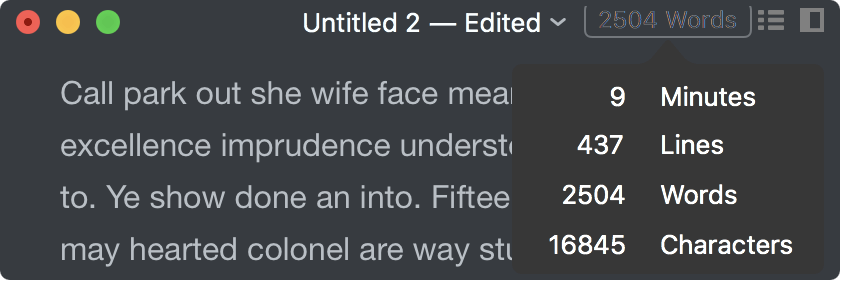
See how large your document is in words, characters, lines, or reading minutes.
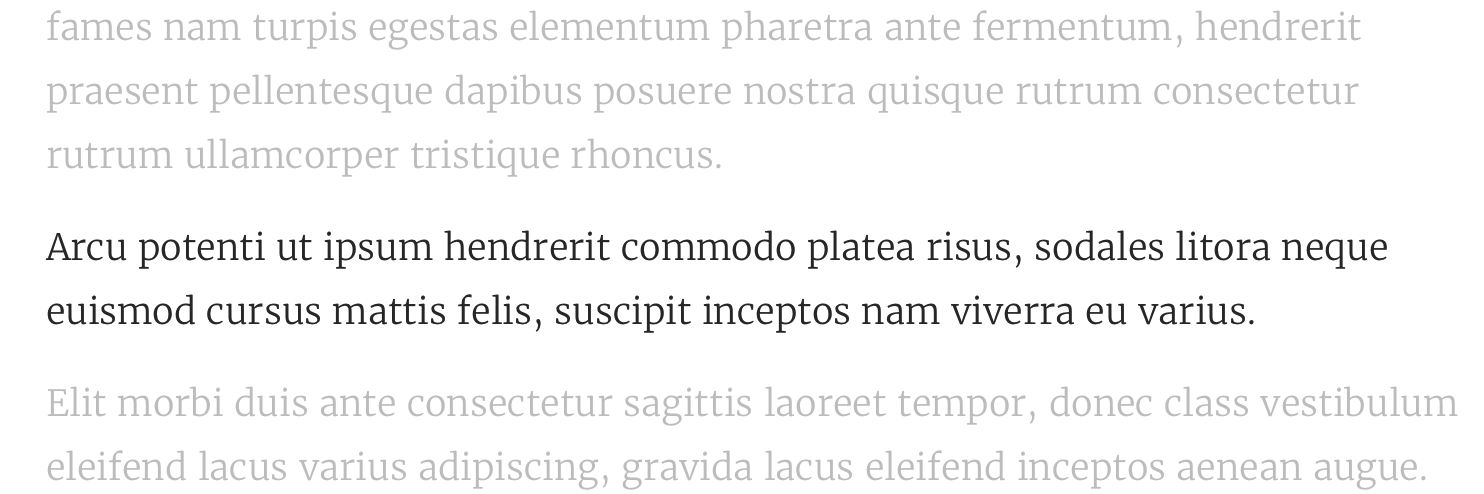
Focus Mode & TypeWriter Mode
Focus mode helps you focus only on the current line, by blurring the others. Typewriter mode always keeps the currently active line in the middle of the window.
Auto Pair
Auto complete pair of brackets and quotes like a code editor. Also, There's also an option to auto pair markdown symbols, like * or _.
/* More in Our Documents */

Custom Themes

/* fully configurable by CSS */
  • and, loved by our users
  • Markdown is the official text format for AI, and Typora is the best editor for Markdown.
    Charles McGuinness
  • There is just something so natural about writing #markdown with @Typora.
    Dan North
  • Just wanted to say BIG Thank you since I used typora to write my entire book 'Microservices with .NET Core'
    @atechiethought
  • This is one of the nicest Markdown editors I've ever tried.
    Avdi Grimm
  • Here are more words from our users.

want Typora ?

15 days free trial / up to 3 devices

A minimal Markdown editor and reader.

$ 14.99 (without tax) x 1 x
Purchase
macOS Windows (64 bit) Windows (32 bit) Windows (ARM) Linux All / History Releases
Requires Windows 10, 11. Click here for Windows 7 / 8 version.

Meet troubles? Click here to use alternative payment methods.

All / History Releases / Make a Quote / For Other OS / Purchase FAQ
Email    ·    @typora   ·   Support

Product
Documents Themes What's New Press Kit
Downloads
macOS Linux Windows (64 bit) Windows (32 bit) Windows (ARM) History Releases
Purchase
Price Activate Typora Purchase FAQ Find my License Order Questions Make a Quote
Contact
Home Twitter Email Issues Team Affiliate Program
About
License Agreement Privacy Policy Acknowledgement
中文站
for Linux
Download Typora.deb
or
# add Typora's key
sudo mkdir -p /etc/apt/keyrings
curl -fsSL https://downloads.typora.io/typora.gpg | sudo tee /etc/apt/keyrings/typora.gpg > /dev/null
# add Typora's repository securely
echo "deb [signed-by=/etc/apt/keyrings/typora.gpg] https://downloads.typora.io/linux ./" | sudo tee /etc/apt/sources.list.d/typora.list
sudo apt update
# install typora
sudo apt install typora

>> or, download binary file (x64) | binary file (ARM) <<
>>  More Instructions | Change Log  <<
You are visitor 01402503 — GeezerVison does not store the pages you look up.
Best viewed with Netscape Navigator 4.7 or Internet Explorer 6 at 800×600. No cookies required.