GeezerVison is showing wepsim.github.io — WepSIM
You could run WepSIM from text-based command-line or any modern Web Browser:
Run on any platform with Bash+NodeJS [**]
[**] Tested on Linux with Node 18.0+ and Bash 4.4+
Run on any platform with Web Browser [*]
[*] Tested with Google Chrome 85+, Mozilla Firefox 85+, Edge Chromium 85+, Apple Safari 12+
You can install WepSIM as a progressive web application:
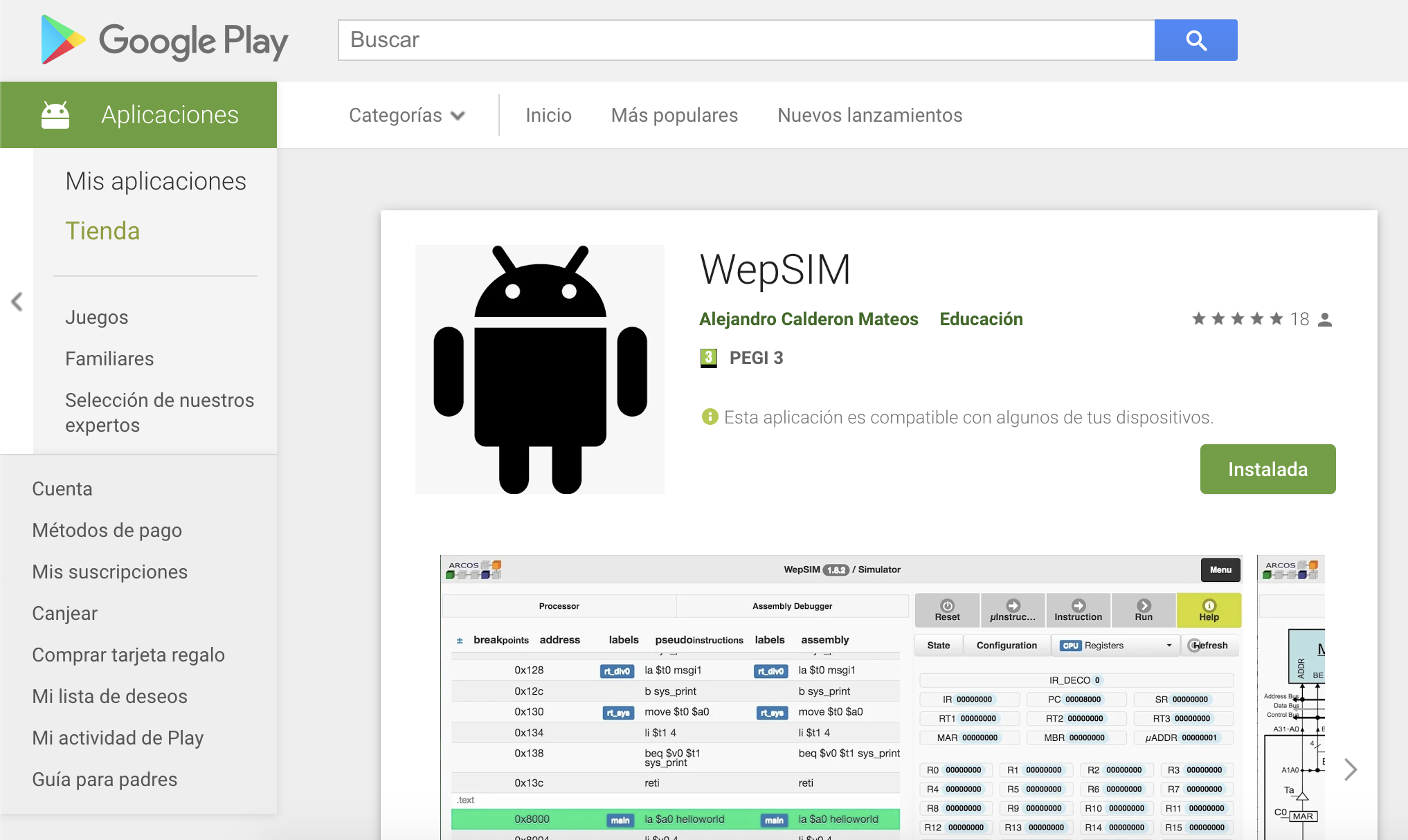
Install on Android (Android 8.0+)
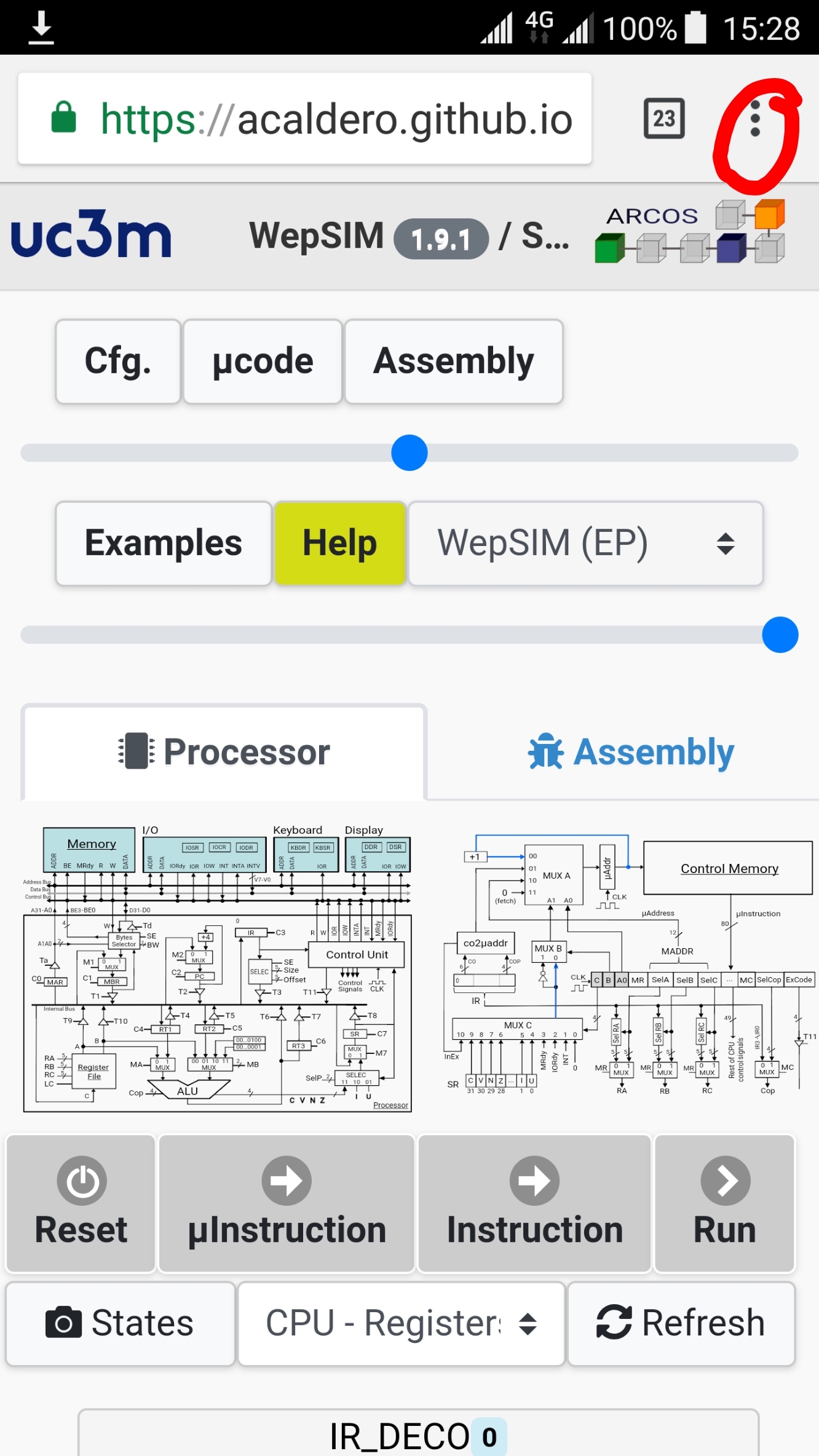
As Progressive Web Application:
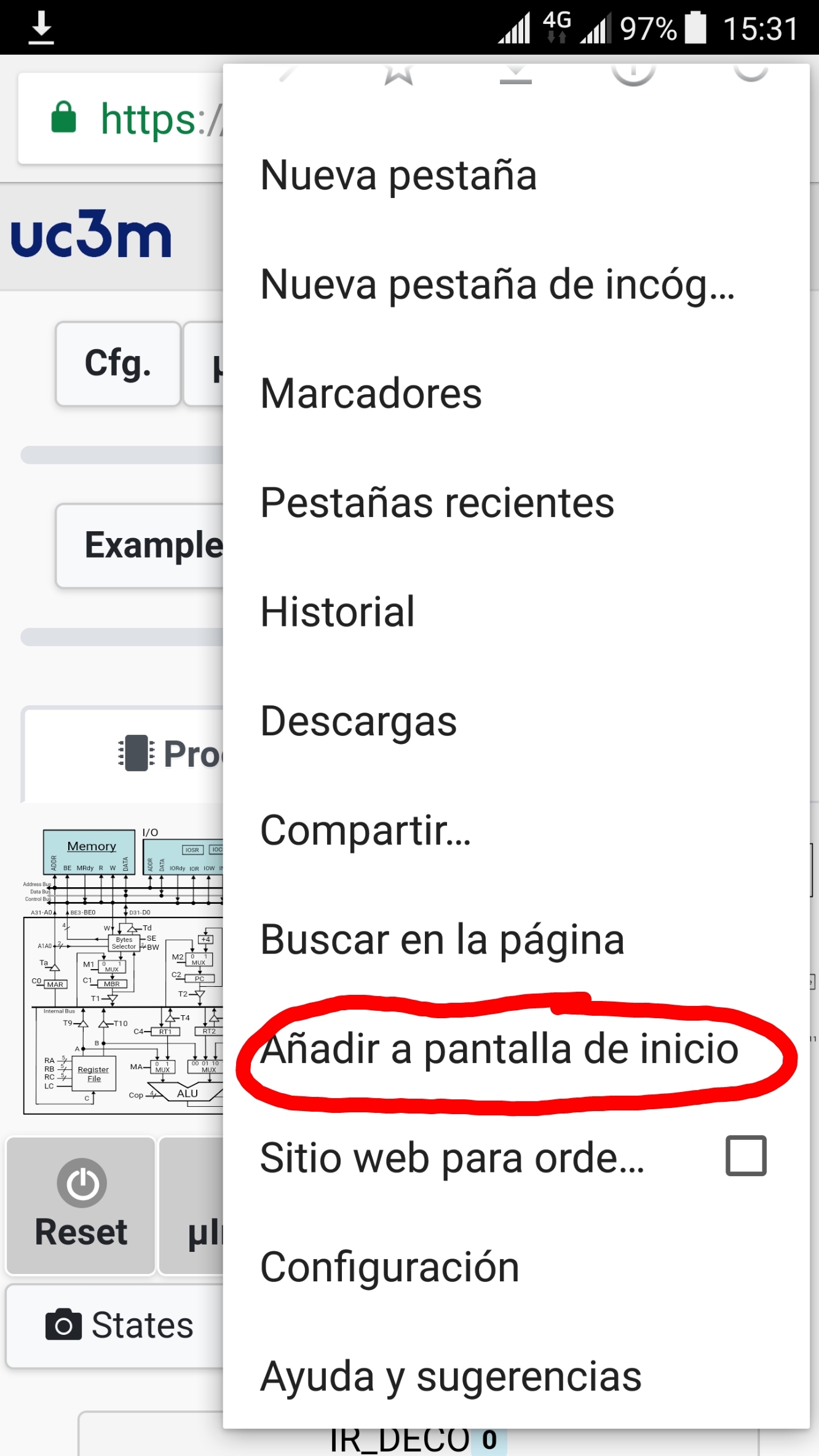
2.- Move within share options until 'add to home screen' option and click on it.
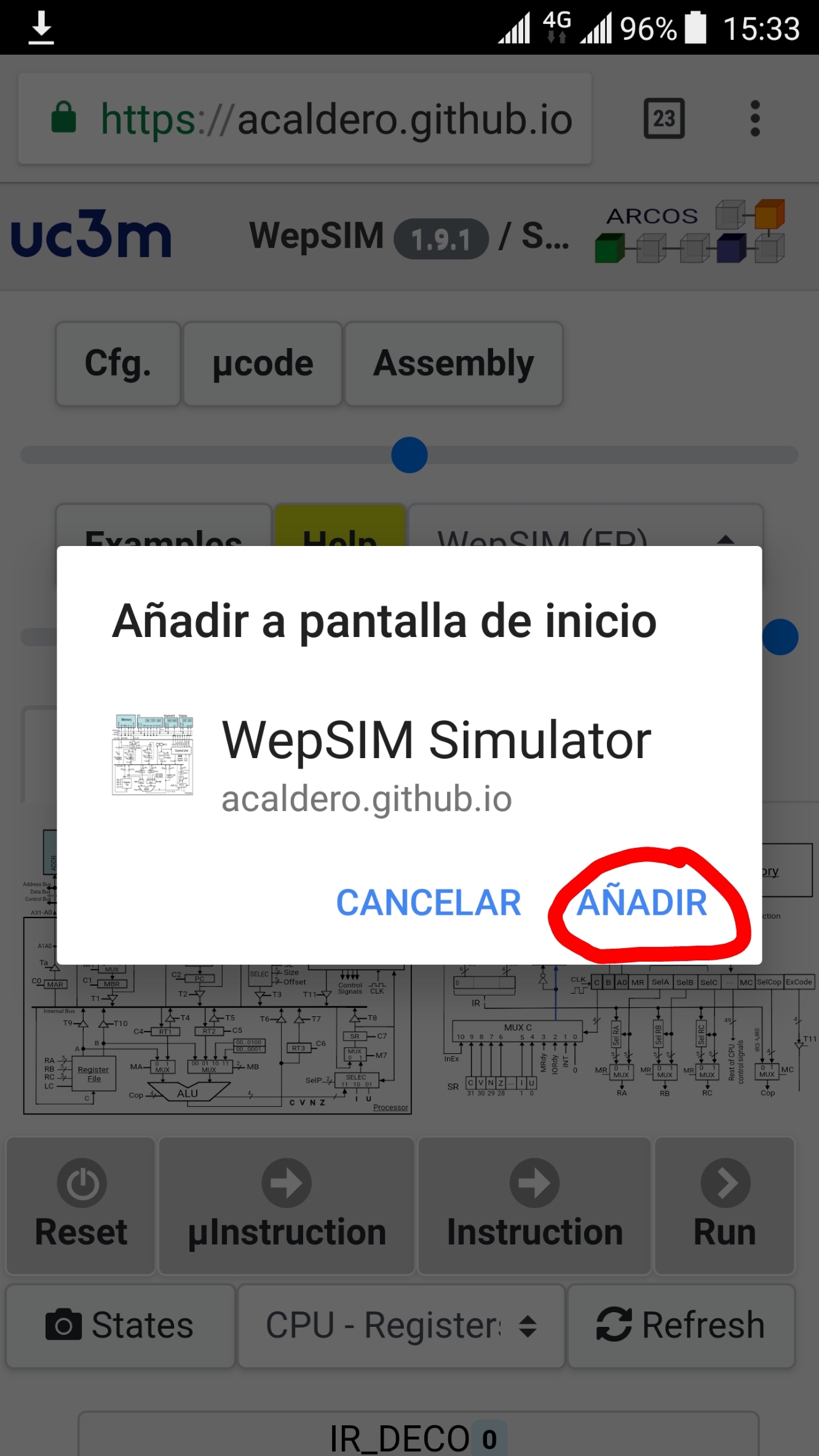
3.- Then click in the 'add' option.
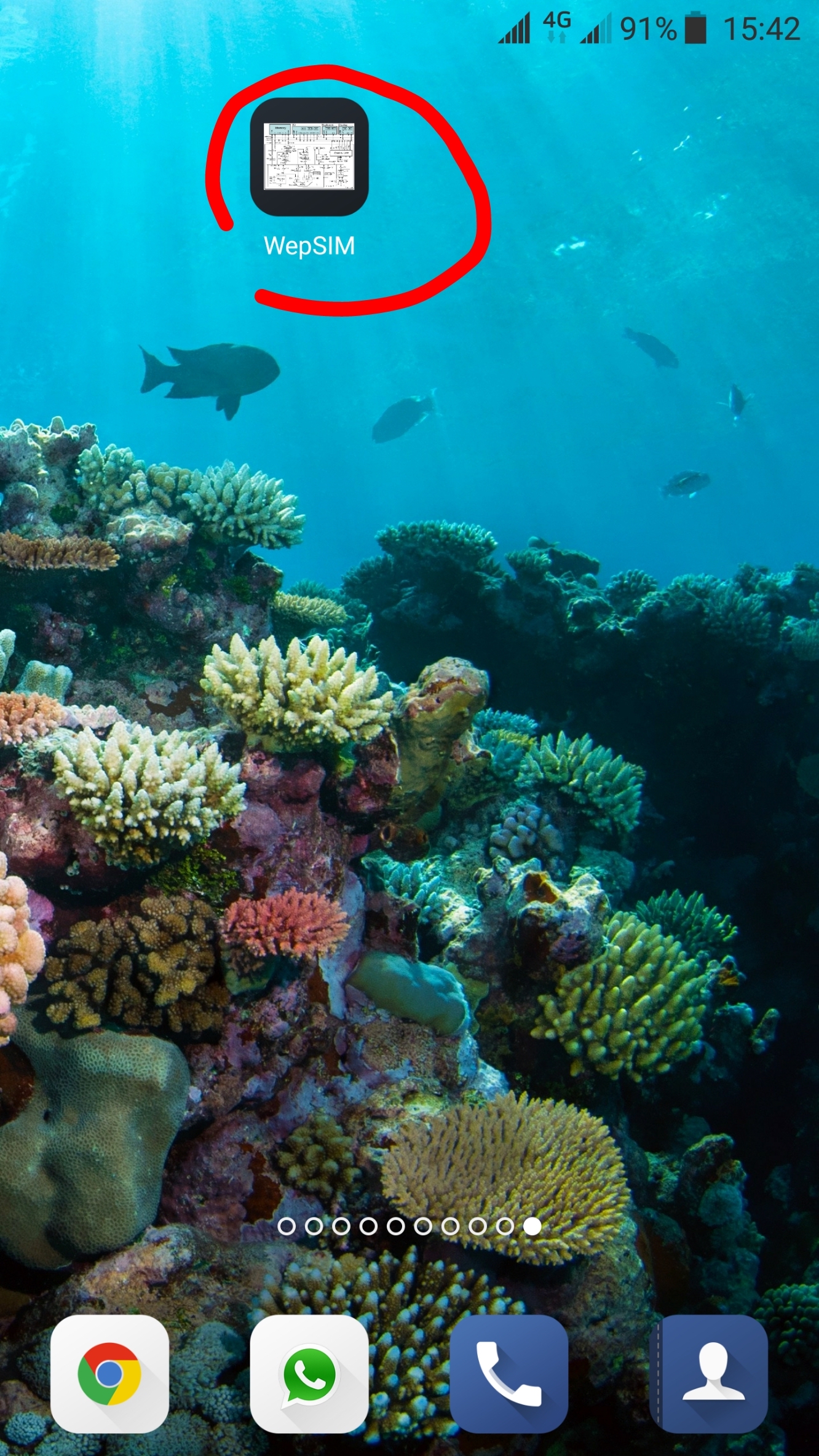
4.- Finally WepSIM can be launched from the home screen icon.
Previous
Next
As Progressive Web Application:
2.- Move within share options until 'add to home screen' option and click on it.
3.- Then click in the 'add' option.
4.- Finally WepSIM can be launched from the home screen icon.
Previous
Next
You can view the WepSIM Source Code in the GitHub repository:
WepSIM Source Code on GitHub
- To load and use the WepSIM examples, please follow these 3 steps:
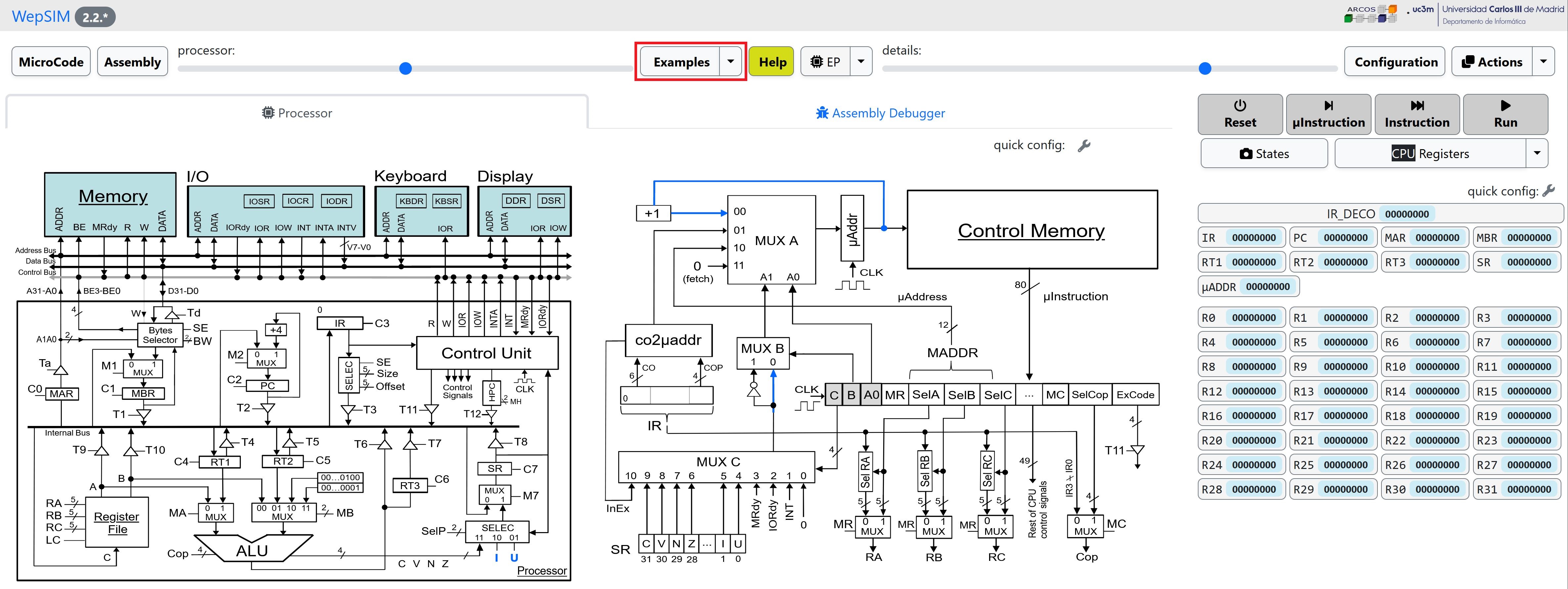
First, we need to load WepSIM in your favorite web browser.
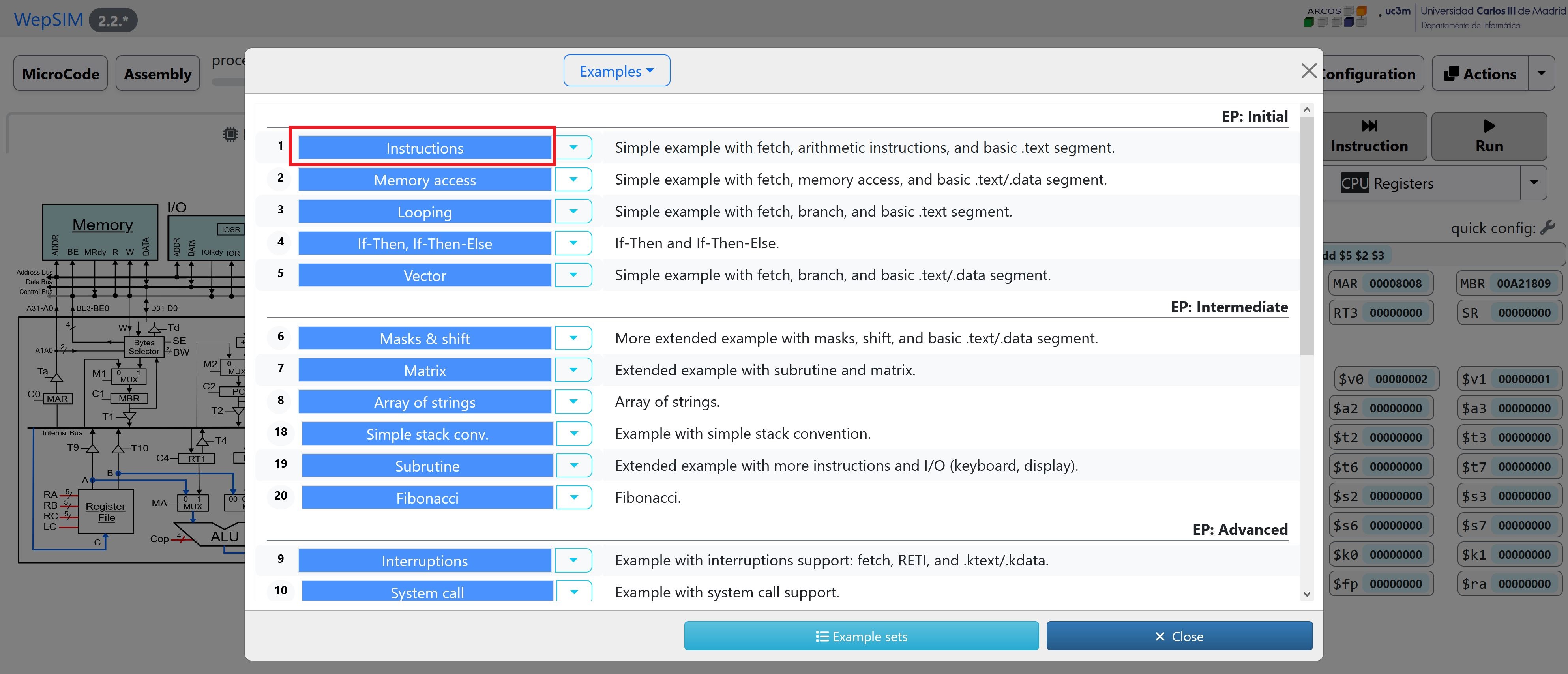
Then click on the Examples button to open the Examples dialog.
In the Examples dialog please click on the colored 'title' of the example and WepSIM will load and compile the associated microcode and assembly code:
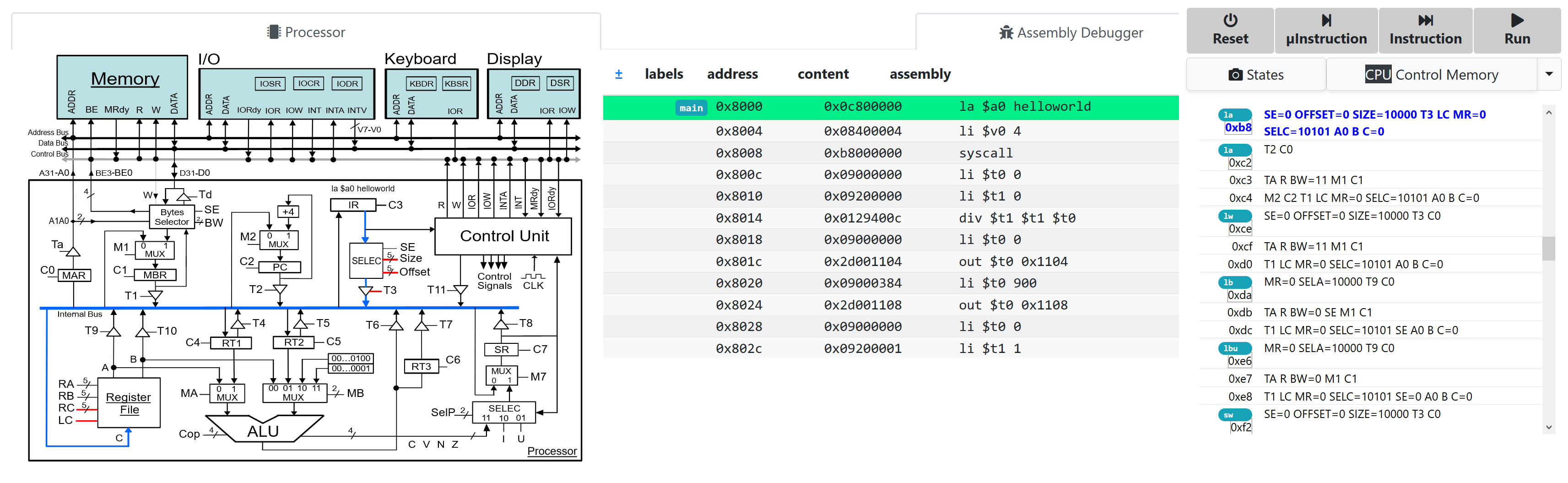
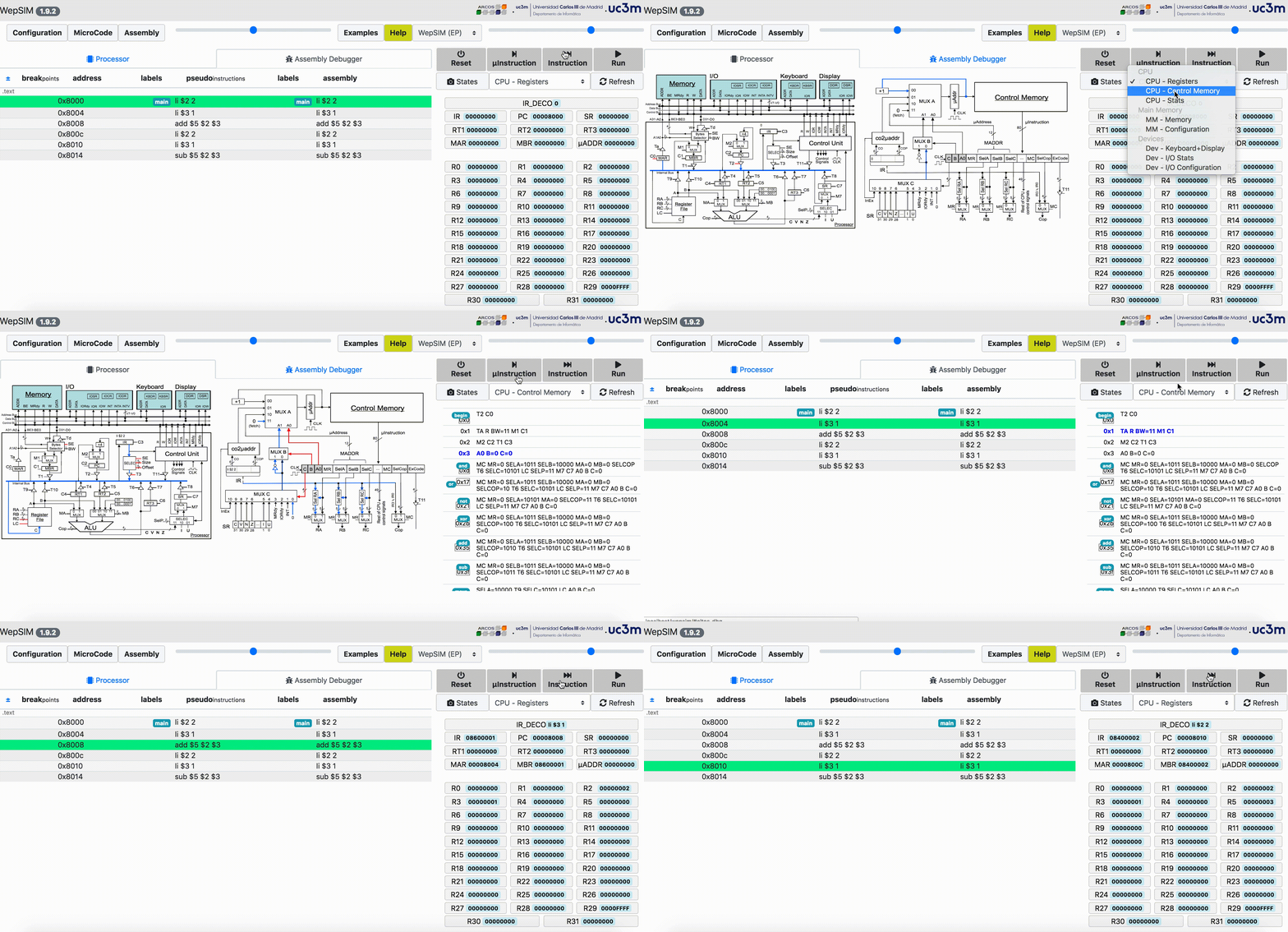
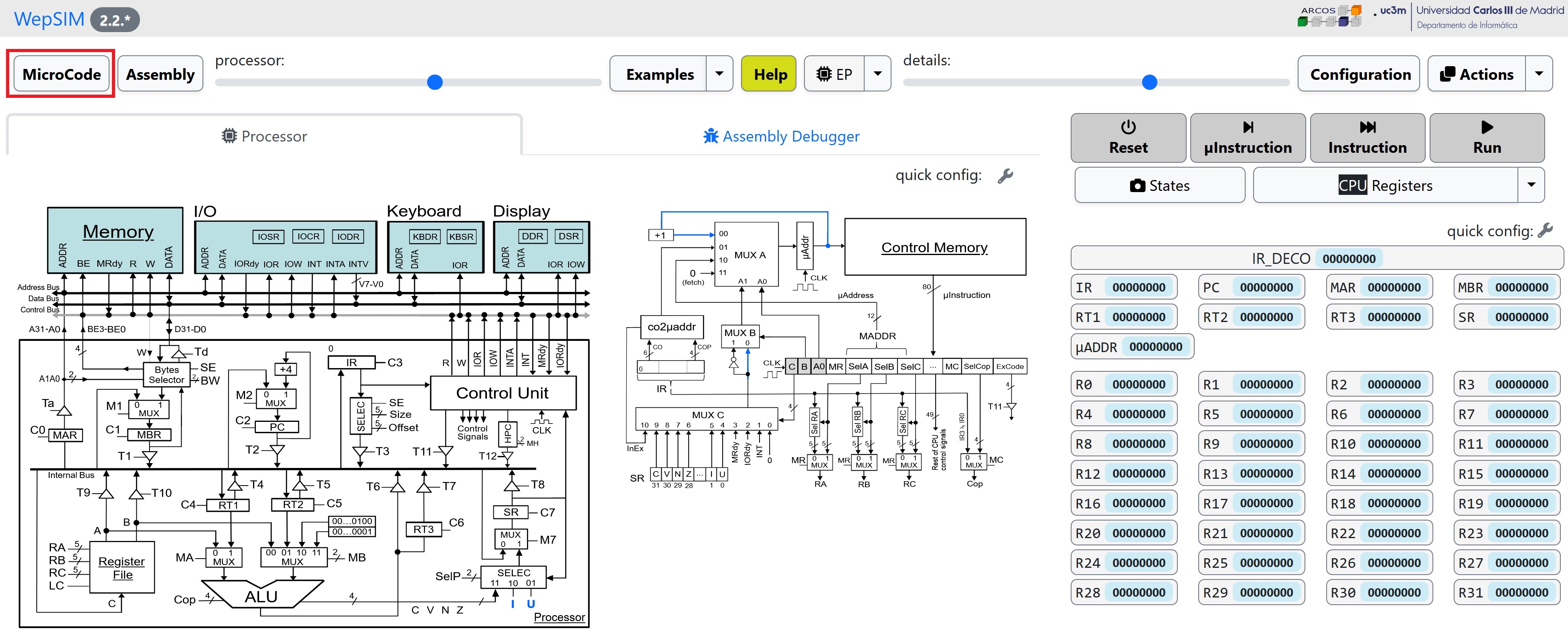
In the simulator workspace you can execute step by step and analyze the state of the components.
It is possible to work both, at assembly level or at microcode level:
-
You can modify an existing example or build your own.
A typical WepSIM session has the following 5 steps:
First, we need to load WepSIM in your web browser.
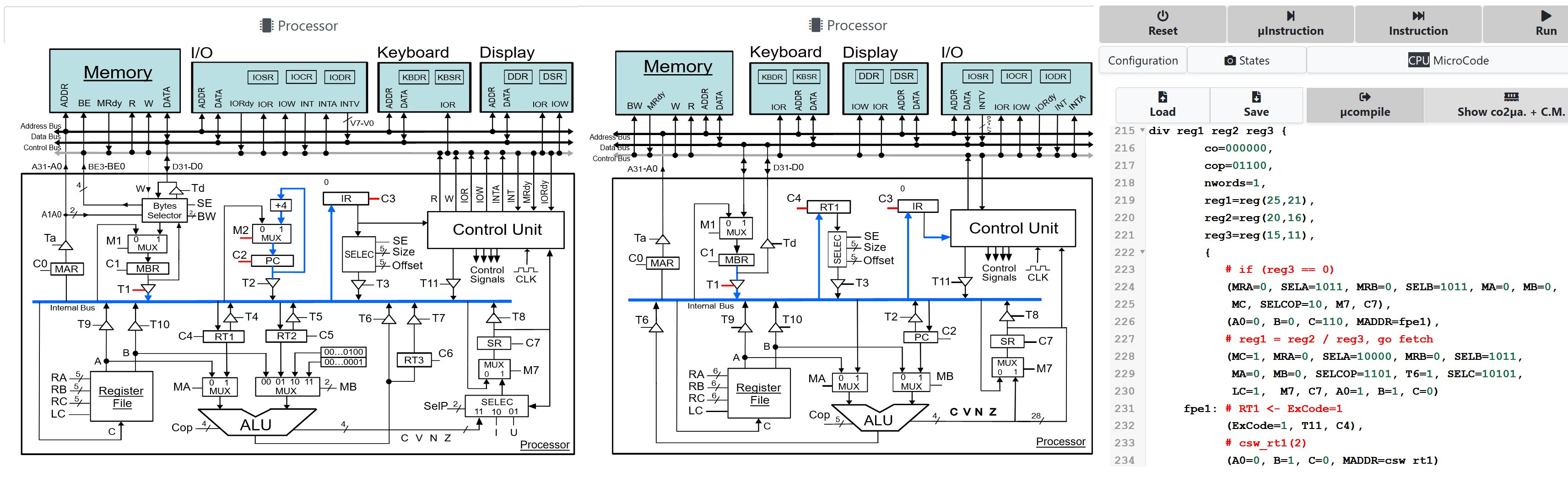
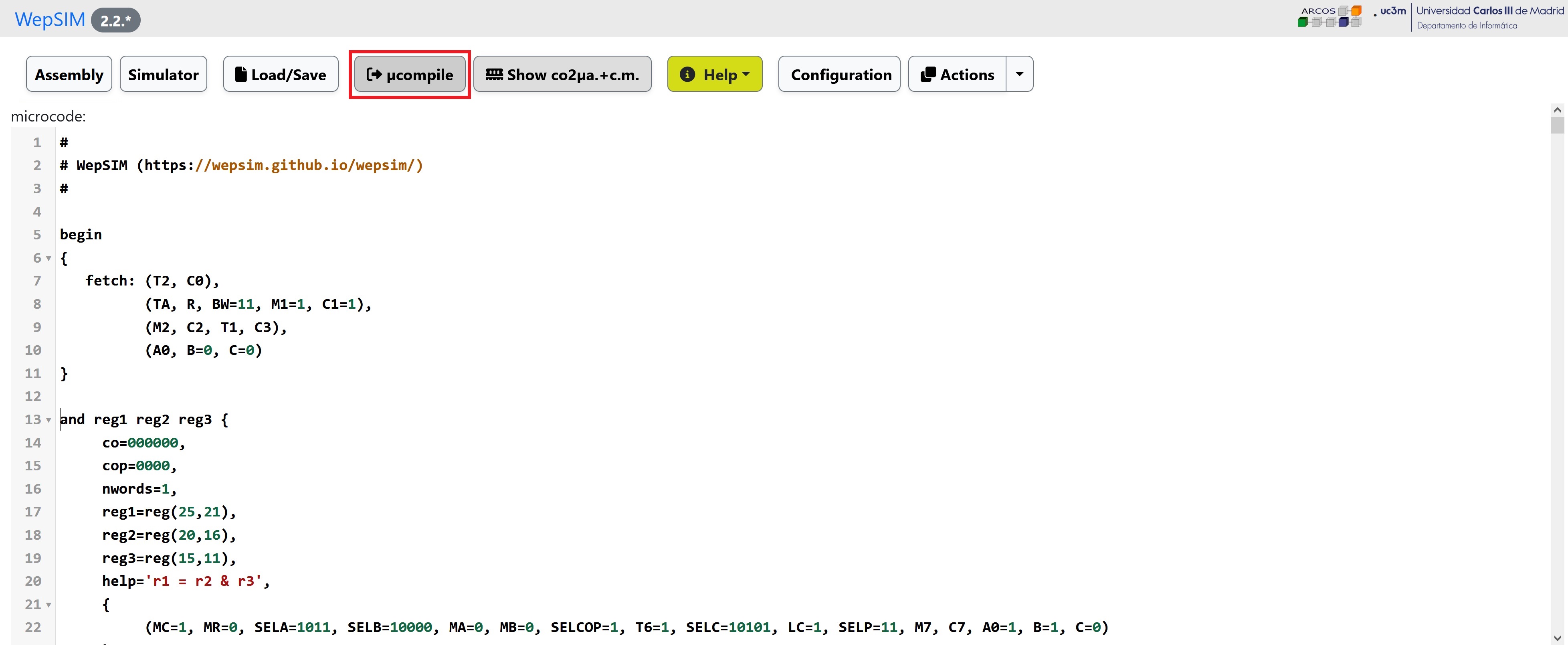
Then you should go to the microcode editor workspace:
You can load an existing microcode or edit a new one.
You have to microcompile the microcode to load the binary into the CPU's control memory:
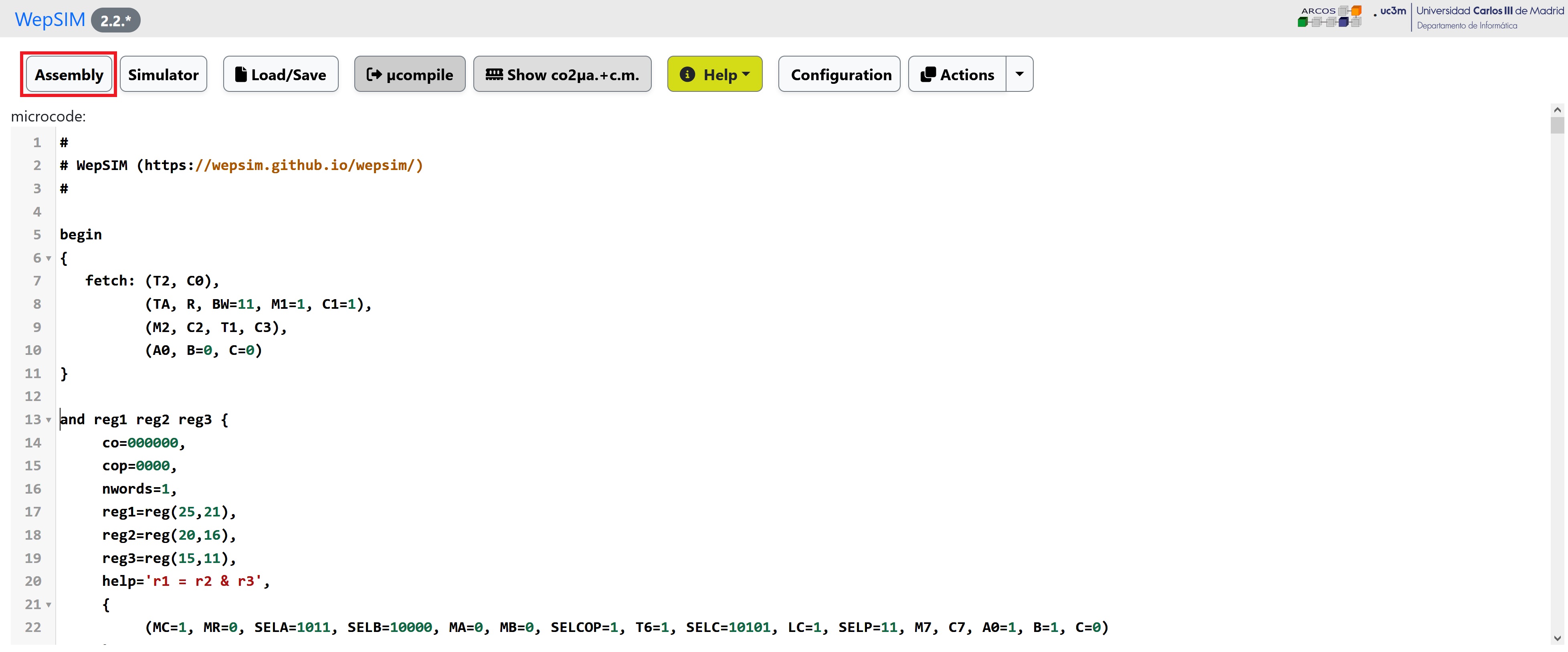
Next, you could go to the assembly editor workspace.
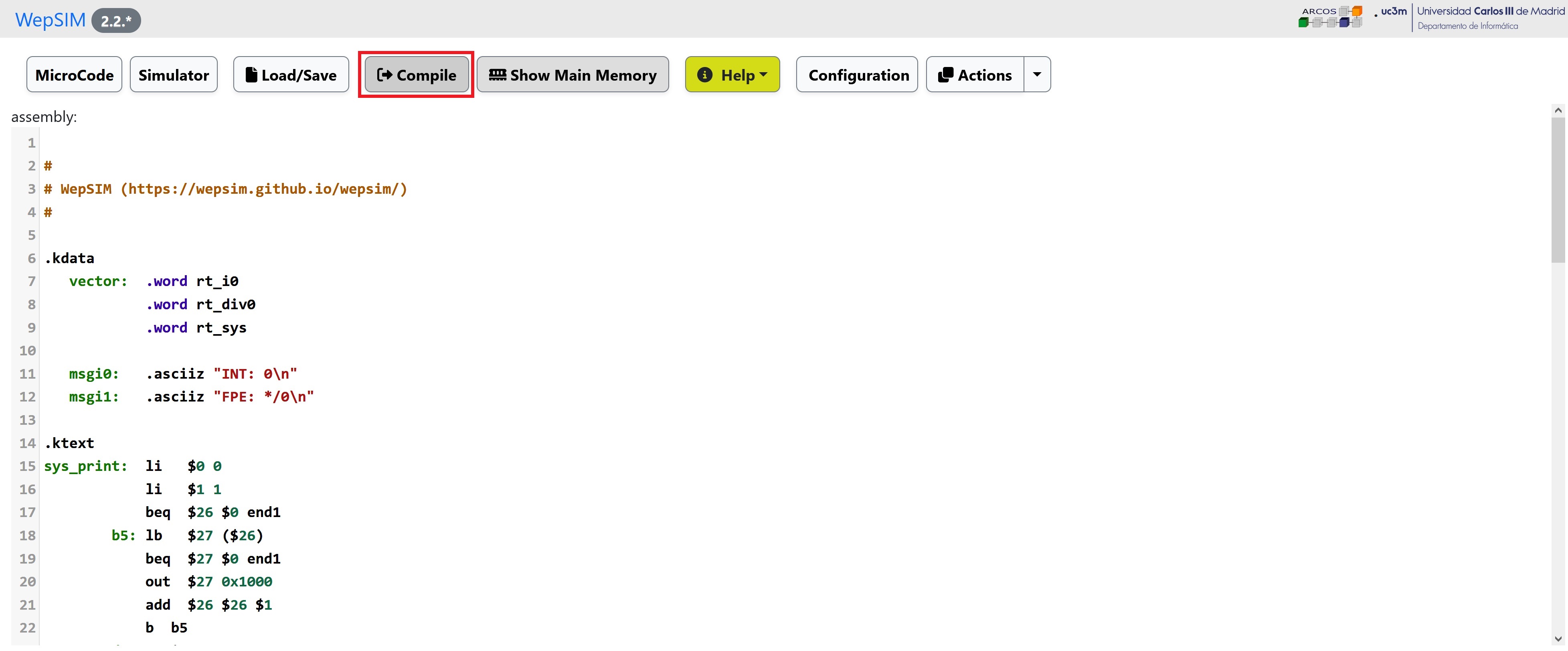
In the editor workspace you can load an existing assembly code or edit a new one:
The instructions set defined in the previous microcode is used to create your assembly code.
You have to compile the assembly code to load the binary into the main memory:
Finally, you can go back to the simulator workspace.
You can execute and analyze the state of the components.
It is possible to work at assembly level or at microcode level:
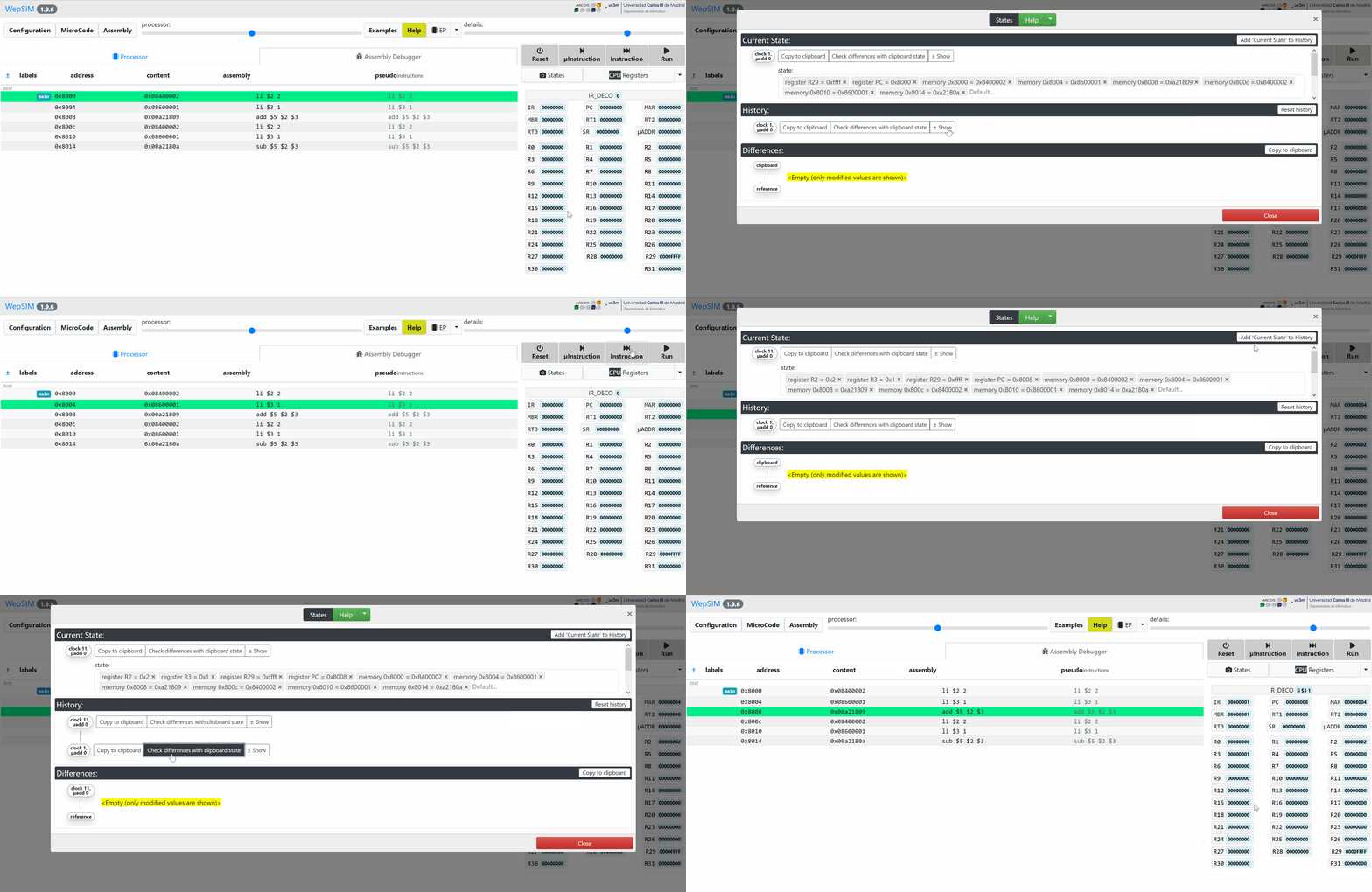
Also, it is possible to compare what changes in the system at two given execution states:
- A typical session with command-line interface of WepSIM has the following possible options:
Goal: Run step by step and print the modified elements on each step.
For example: 'run step by step' the 's1e1.asm' assembly for the 'ep' architecture with the 'ep_base.mc' microcode, and print for each assembly instruction the state elements that modify its value:
./wepsim.sh -a stepbystep -m ep -f ./examples/microcode/mips/ep_base.mc -s ./examples/assembly/mips/s1e1.asm
pc, instruction, changes_from_zero_or_current_value
pc = 0x8000, li $2 2, register R2 = 0x2; register R29 = 0xfffff; register PC = 0x8004
pc = 0x8004, li $3 1, register R3 = 0x1; register PC = 0x8008
pc = 0x8008, add $5 $2 $3, register R5 = 0x3; register PC = 0x800c
...
Goal: Run microstep by microstep and print the modified elements on each step.
For example: 'run microstep by microstep' the 's1e1.asm' assembly for the 'ep' architecture with the 'ep_base.mc' microcode, and print for each microinstruction the state elementes that modify its value:
./wepsim.sh -a microstepbymicrostep -m ep -f ./examples/microcode/mips/ep_base.mc -s ./examples/assembly/mips/s1e1.asm
micropc, microcode, changes_from_zero_or_current_value
micropc = 0x0, T2 C0,
micropc = 0x1, TA R BW=11 M1 C1
micropc = 0x2, M2 C2 T1 C3, register PC = 0x8004
micropc = 0x3, A0 B=0 C=0,
micropc = 0xd3, SE OFFSET=0 SIZE=10000 T3 LC MR=0 SELC=10101 A0 B C=0,register R2 = 0x2; register R29 = 0xfffff
micropc = 0x0, T2 C0,
...
Goal: Run microstep by microstep from a checkpoint and with a more descriptive output.
For example: 'run microstep by microstep' the assembly and microcode from checkpoint 'tutorial_1.txt', and print for each microinstruction the state elementes that modify its value:
./wepsim.sh -a microstepverbalized --checkpoint ./examples/checkpoint/tutorial_1.txt
Micropc at 0x0. Activated signals are: A0 B C. Associated actions are: Copy to Input microaddress Microaddress Register plus one with result 0x1. Copy from Output of MUX C to A1 value 0x0. Copy from INT to Output of MUX C value 0x0 (copied 1 bits from bit 0). MADDR is 5.
Micropc at 0x1. Activated signals are: T2 C0. Associated actions are: Copy from Program Counter Register to Internal Bus value 0x8000. Load from Internal Bus to Memory Address Register value 0x8000.
Micropc at 0x2. Activated signals are: TA R BW M1 C1. Associated actions are: Copy from Memory Address Register to Address Bus value 0x8000. Memory output = 0xc801000 (Read a word from 0x8000). Select the full Word. Copy from from Memory to Input of Memory Data Register value 0xc801000. Load from Input of Memory Data Register to Memory Data Register value 0xc801000.
...
- WepSIM command-line interface possible options used for checking the expected result:
Goal: Run and print the final state.
For example: 'run' the 's1e1.asm' assembly for the 'ep' architecture with the 'ep_base.mc' microcode, and print the final state:
./wepsim.sh -a run -m ep -f ./examples/microcode/mips/ep_base.mc -s ./examples/assembly/mips/s1e1.asm
register R2 = 0x2; register R3 = 0x1; register R5 = 0x1; register R29 = 0xfffff; register PC = 0x8018; memory 0x8000 = 0x8400002; memory 0x8004 = 0x8600001; memory 0x8008 = 0xa21809; memory 0x800c = 0x8400002; memory 0x8010 = 0x8600001; memory 0x8014 = 0xa2180a;
Goal: Run step by step and print the modified elements on each step.
For example: 'run' 'step by step' the 's1e1.asm' assembly for the 'ep' architecture with the 'ep_base.mc' microcode, and print for each assembly instruction the state elements that modify its value:
./wepsim.sh -a stepbystep -m ep -f ./examples/microcode/mips/ep_base.mc -s ./examples/assembly/mips/s1e1.asm
pc, instruction, changes_from_zero_or_current_value
pc = 0x8000, li $2 2, register R2 = 0x2; register R29 = 0xfffff; register PC = 0x8004
pc = 0x8004, li $3 1, register R3 = 0x1; register PC = 0x8008
pc = 0x8008, add $5 $2 $3, register R5 = 0x3; register PC = 0x800c
...
Goal: Run microstep by microstep and print the modified elements on each step.
For example: 'run' 'microstep by microstep' the 's1e1.asm' assembly for the 'ep' architecture with the 'ep_base.mc' microcode, and print for each microinstruction the state elementes that modify its value:
./wepsim.sh -a microstepbymicrostep -m ep -f ./examples/microcode/mips/ep_base.mc -s ./examples/assembly/mips/s1e1.asm
micropc, microcode, changes_from_zero_or_current_value
micropc = 0x0, T2 C0,
micropc = 0x1, TA R BW=11 M1 C1,
micropc = 0x2, M2 C2 T1 C3, register PC = 0x8004
micropc = 0x3, A0 B=0 C=0,
micropc = 0xd3, SE OFFSET=0 SIZE=10000 T3 LC MR=0 SELC=10101 A0 B C=0,register R2 = 0x2; register R29 = 0xfffff
...
Goal: Run and check that state at the end of the execution is the same as the one stored on a file.
For example: 'run' the 's1e1.asm' assembly for the 'ep' architecture with the 'ep_base.mc' microcode (and if it matchs the expected state then the output is going to be):
./wepsim.sh -a check -m ep -f ./examples/microcode/mips/ep_base.mc -s ./examples/assembly/mips/s1e1.asm -r ./examples/checklist/mips/cl-s1e1.txt
OK: Execution: no error reported
Goal: Run and check that state at the end of the execution is not the same as the one stored on a file.
For example: 'run' the 's1e1.asm' assembly for the 'ep' architecture with the 'ep_base.mc' microcode (and if it fails to match the expected state then the output is going to be):
./wepsim.sh -a check -m ep -f ./examples/microcode/mips/ep_base.mc -s ./examples/assembly/mips/s1e1.asm -r ./examples/checklist/mips/cl-s1e1.txt
ERROR: Execution: different results: cpu[R1]='0' (expected '0xf'), cpu[R2]='0x2' (expected '0xf'), memory[0x1000]='0' (expected '0xa07ff0f'), memory[0x1004]='0' (expected '0x10061'), memory[0x1008]='0' (expected '0x7ffff'),
...
And least but not less, it is possible to execute microstep by microstep but with a more descriptive output (and from a checkpoint too):
./wepsim.sh -a microstepverbalized --verbal math --checkpoint ./examples/checkpoint/tutorial_1.txt
Micropc at 0x0. Activated signals are: A0 B C. Associated actions are: Input microaddress = Microaddress Register + 1 (0x1). A1 = Output of MUX C (0x0). Output of MUX C = INT (0x0, 1 bits from bit 0). MADDR is 5.
Micropc at 0x1. Activated signals are: T2 C0. Associated actions are: Internal Bus = Program Counter Register (0x8000). Memory Address Register = Internal Bus (0x8000).
Micropc at 0x2. Activated signals are: TA R BW M1 C1. Associated actions are: Address Bus = Memory Address Register (0x8000). Memory output = 0xc801000 (Read a word from 0x8000). Select the full Word. Input of Memory Data Register = from Memory (0xc801000). Memory Data Register = Input of Memory Data Register (0xc801000).
...
- Example of notebooks for Google Colab:
|
Entry level
|
Description (what can be learned)
|
Click to read...
|
|
Basic instructions
|
Introduction to the arithmetic and logic instructions.
|
MIPS32im
|
RISC-V32im
|
|
Loops
|
While/For constructions translated into assembly.
|
MIPS32im
|
RISC-V32im
|
|
If-Then(-Else)
|
If-Then and If-Then-Else constructions translated into assembly.
|
MIPS32im
|
RISC-V32im
|
- WepSIM comes with some interesting examples (click to load and then press 'Run'):
|
Entry level
|
Description (what can be learned)
|
Click to load
|
|
Basic instructions
|
Introduction to the arithmetic and logic instructions.
|
MIPS32
|
RISC-V32im
|
|
Loops
|
While/For constructions translated into assembly.
|
MIPS32
|
RISC-V32im
|
|
If-Then(-Else)
|
If-Then and If-Then-Else constructions translated into assembly.
|
MIPS32
|
RISC-V32im
|
|
Medium level
|
Description (what can be learned)
|
Click to load
|
|
Given a vector, compute the sum of its elements
|
Vector: It uses memory access, looping, and arithmetics.
|
MIPS32
|
RISC-V32im
|
|
Matrix: Count the zero elements in a matrix of integer values
|
Matrix: It uses memory access, dual-loop, and arithmetics.
|
MIPS32
|
RISC-V32im
|
|
Split a IEEE754 floating point value into its parts (sign, exponent, mantissa).
|
BitOps: It uses masks and bitwise operators
|
MIPS32
|
RISC-V32im
|
|
Function call: Fibonacci
|
Function call: Recursive function call.
|
MIPS32
|
RISC-V32im
|
|
Advanced level
|
Description (what can be learned)
|
Click to load
|
|
I/O device: Led matrix
|
I/O device: It uses memory access, loop, and arithmetics.
|
MIPS32
|
RISC-V32im
|
|
System events: Floating point exception, system call, and an interrupt.
|
System events: FPE (0/0), print-string, and int0 every 900 clock cycles.
|
MIPS32
|
RISC-V32im
|
|
Round-Robin: Two threads in a round-robin fashion.
|
Round-Robin: Two threads, one prints 'a' letter and the other prints 'b' in a round-robin fashion.
|
MIPS32
|
RISC-V32im
|
- Example of laboratories:
|
Medium level
|
Description (what can be learned)
|
Click to read...
|
|
Assembly
|
Assembly, energy consumption and the impact on security
|
Laboratory
|
|
Microprogramming
|
How a simple and compact instruction set is designed and works
|
Laboratory
|
- English:
Spanking New!
-
WepSIM: an Online Interactive Educational Simulator Integrating Microdesign, Microprogramming, and Assembly Language Programming
-
@article{wepsim2019,
author = {Garcia-Carballeira, Felix and Calderon-Mateos, Alejandro and Alonso-Monsalve, Saul and Prieto-Cepeda, Javier},
title = {WepSIM: an Online Interactive Educational Simulator Integrating Microdesign, Microprogramming, and Assembly Language Programming},
journal = {IEEE Transactions on Learning Technologies},
number = 1,
volume = 1,
pages = {0-8},
month = 2,
year = 2019
}
- Spanish:
Spanish Internal Handbook
-
WepSIM Handbook (Spanish)
-
@article{wepsim2016x,
author = {García-Carballeira, Félix},
title = {WepSIM Handbook},
number = 1,
volume = 1,
pages = {0-30},
month = 1,
year = 2016
}
Spanish Journal
-
WepSIM: Simulador modular e interactivo de un procesador elemental
para facilitar una visión integrada de la microprogramación y la programación en ensamblador
-
@article{wepsim2016a,
author = {Calderón-Mateos, Alejandro and García-Carballeira, Félix and Prieto-Cepeda, Javier},
title = {WepSIM: Simulador modular e interactivo de un procesador elemental para facilitar una visión integrada de la microprogramación y la programación en ensamblador},
journal = {Enseñanza y Aprendizaje de Ingeniería de Computadores},
number = 6,
volume = 1,
pages = {0-8},
month = 2,
year = 2016
}
Spanish Conference
-
WepSIM: simulador integrado de microprogramación y programación en ensamblador
-
@conference{wepsim2016b,
author = {Prieto-Cepeda, Javier and García-Carballeira, Félix and Calderón, Alejando and Alonso-Monsalve, Saúl},
title = {WepSIM: simulador integrado de microprogramación y programación en ensamblador},
publisher = {XXVII Jornadas de Paralelismo (JP2016), Salamanca, Spain, September},
organization = {XXVII Jornadas de Paralelismo (JP2016), Salamanca, Spain},
number = 1,
volume = 1,
pages = {0-8},
month = 9,
year = 2016
}
Álvaro Guerrero Espinosa
Juan Banga Pardo
Javier Prieto Cepeda
Saúl Alonso Monsalve
Alejandro Calderón Mateos
Félix García Carballeira
|