GeezerVisonThe World Wide Web, restored to 800 pixels of glory. | |||||||||||||||||||||||||||
| Home|About|Gaming cabinet|Archives|How it works|Starter sites | |||||||||||||||||||||||||||
GeezerVison is showing www.diffen.com — AHCI vs IDE - Difference and Comparison | Diffen AHCI vs. IDE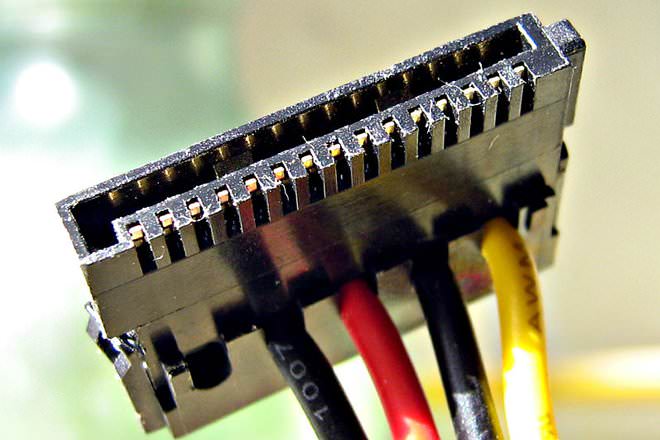 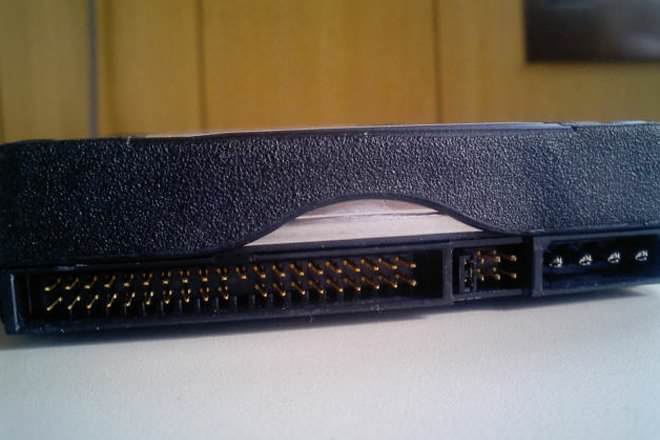 AHCI and IDE are two modes in which a hard drive communicates with the rest of the computer system using a SATA storage controller. SATA hard drives can operate in a backward-compatible PATA/IDE mode, a standard AHCI mode or vendor-specific RAID. AHCI stands for Advanced Host Controller Interface and is a faster mode of operation compared to IDE. RAID mode also enables and makes use of AHCI. AHCI provides a standard system that designers and developers can use to configure, detect, or program SATA/AHCI adapters. Note that even though AHCI taps into the more advanced features of SATA (e.g., hot swapping) for host systems, it is a separate standard from those set for SATA. Comparison chart
Operating ModesIDE only has one operating mode. But AHCI is a newer standard that was designed to be backward-compatible with legacy systems that could only "speak IDE". So AHCI offers several modes of operation: legacy Parallel ATA (Parallel ATA, PATA and IDE are the same thing) emulation mode, standard AHCI mode or vendor-specific RAID. Intel recommends the use of RAID mode on their motherboard, as it is more flexible.  SATA (right) and IDE (left) hard drives. SATA has data cable on right and power cable on left. IDE data cable is ribbon-like (on the left) Advantages of AHCI over IDEIDE is considered adequate for the average computer user, and is the most compatible with other technology, particularly older devices. However, it lacks support for new technologies. AHCI supports some important new features that IDE does not, such as native command queuing and hot-plugging hard drives. It also offers an improvement performance (speed) over IDE. How to Enable AHCI Mode to Boost PerformanceThe video below shows how to enable AHCI mode in SSD (solid state drive): AHCI is supported by all versions of Windows Vista and newer, Linux and Mac OS. However, Windows does not configure itself to load the AHCI driver upon boot if the SATA-drive controller was not in AHCI mode at the time of installation. So the PC will not boot up if the SATA controller is later switched to AHCI mode. The drive controller should be changed to AHCI or RAID before installing the operating system. Operating System supportAHCI is supported by Windows Vista and newer versions of Windows, Linux, OpenBSD, NetBSD, FreeBSD, OS Z, eComStation and Solaris 10. IDE is supported by all operating systems.
ReferencesAbout the Author
Nick Jasuja has over 15 years of technology industry experience, including at Amazon in Seattle. He is an expert at building websites, developing software programs in PHP and JavaScript, maintaining MySQL and PostgreSQL databases, and running Linux servers for serving high-traffic websites. He has a bachelor's degree in Computer Science & Engineering.
Related ComparisonsIf you read this far, you should follow us: "AHCI vs IDE." Diffen.com. Diffen LLC, n.d. Web. 5 Nov 2026. < > Comments: AHCI vs IDEAnonymous comments (3)
Related Comparisons
| |||||||||||||||||||||||||||
| You are visitor 01402503 — GeezerVison does not store the pages you look up. Best viewed with Netscape Navigator 4.7 or Internet Explorer 6 at 800×600. No cookies required. |

 IDE
 SAS
 Hard Disk Drive (HDD)
 DDR2
 DVD+R
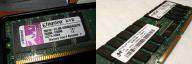 DDR