GV

GeezerVison

The World Wide Web, restored to 800 pixels of glory.

Home|About|Gaming cabinet|Archives|How it works|Starter sites

On this site

  • JS Tutorial
  • Web Tutorial
  • A to Z Guide
  • Projects
  • OOP
  • DOM
  • Set
  • Map
  • Math
  • Number
  • Boolean
  • Exercise
  • split()
  • join()

This view

  • Original page
  • New address

GeezerVison is showing www.geeksforgeeks.org — Reverse a String in JavaScript - GeeksforGeeks

geeksforgeeks
search icon
  • Courses
  • Tutorials
  • Interview Prep
  • JS Tutorial
  • Web Tutorial
  • A to Z Guide
  • Projects
  • OOP
  • DOM
  • Set
  • Map
  • Math
  • Number
  • Boolean
  • Exercise

Reverse a String in JavaScript

Last Updated : 20 Dec, 2025

We have given an input string, and the task is to reverse the input string in JavaScript.
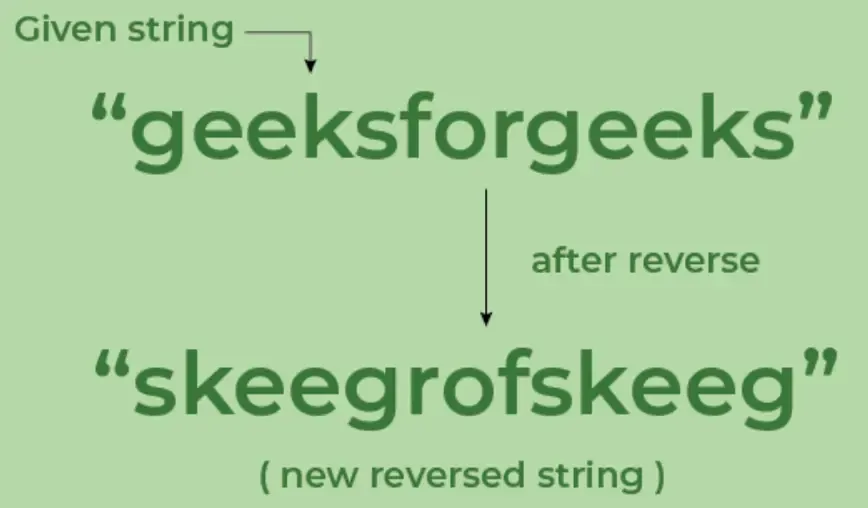
reverseAStrinJS
Reverse a String in JavaScript

Below are the following approaches by which we can reverse a string in JavaScript:

1. Using split(), reverse() and join()

In this approach, we’ll use three built-in methods: split(), reverse(), and join().

  • split(): This method splits a string into an array of substrings based on a specified delimiter.
  • reverse(): This method reverses the order of elements in the array, swapping the first element with the last, and so on.
  • join(): This method combines all elements of the array back into a single string, using an optional separator.
JavaScript
let str = "hello";
let reversedStr = str.split('').reverse().join('');
console.log(reversedStr); 

Output
olleh

2. Using a for loop

We use a for loop to iterate through the string from the last character to the first. At each step, we build a new string by adding the current character to the result.

JavaScript
let name = "GeeksforGeeks";
let reverseString = '';
for (let i = name.length - 1; i >= 0; i--) {
    reverseString += name[i];
}
console.log(reverseString); 

Output
skeeGrofskeeG

3. Using Recursion

For this solution, we will use two methods: the String.prototype.substr() method and the String.prototype.charAt() method.

The substr() method returns the portion of a string starting at the specified position and continuing for a given number of characters.

Example:

"hello".substr(1); // "ello"

The charAt() method returns the character at the specified index in a string.

Example:

"hello".charAt(0); // "h"

Note: This approach is not optimal for very long strings, as deep recursion can cause performance issues and stack overflow concerns.

JavaScript
function reverseString(str) {
    if (str === "") {
        return str;
    } else {
        return reverseString(str.substr(1)) + str[0];
    }
}
console.log(reverseString("GeeksforGeeks")); 

Output
skeeGrofskeeG

4. Using Spread Operator

The spread operator(...) is used to spread the characters of the string str into individual elements. The reverse() method is then applied to reverse the order of the elements, and join() is used to combine the reversed elements back into a string. 

JavaScript
let s = "GeeksforGeeks";
const ans = [...s].reverse().join("");
console.log(ans);

Output
skeeGrofskeeG


Comment

Explore

    JavaScript Basics
    • Introduction3 min read
    • Variables5 min read
    • Operators4 min read
    • Control Statements4 min read
    Array & String
    • Arrays6 min read
    • Array Methods4 min read
    • String5 min read
    • String Methods8 min read
    Function & Object
    • Functions4 min read
    • Function Expression3 min read
    • Function Overloading4 min read
    • Objects4 min read
    • Constructors4 min read
    OOP
    • OOP5 min read
    • Classes & Objects4 min read
    • Access Modifiers5 min read
    • Constructor4 min read
    Asynchronous JavaScript
    • Asynchronous2 min read
    • Callbacks4 min read
    • Promises4 min read
    • Event Loop3 min read
    • Async Await Fuction3 min read
    Exception Handling
    • Error and Exceptional Handling5 min read
    • Errors Throw & Try to Catch2 min read
    • Custom Errors2 min read
    • TypeError Invalid Array.prototype.sort argument1 min read
    DOM
    • DOM8 min read
    • DOM Elements3 min read
    • Custom Events4 min read
    • Addeventlistener5 min read
    Advanced Topics
    • Closure3 min read
    • Hoisting5 min read
    • Scope4 min read
    • Higher Order Functions7 min read
    • Debugging3 min read
    Courses
    • Placement 360 Course2 min read
    • MERN Full Stack Course2 min read
    • DSA and System Design Course2 min read
You are visitor 01402520 — GeezerVison does not store the pages you look up.
Best viewed with Netscape Navigator 4.7 or Internet Explorer 6 at 800×600. No cookies required.