GeezerVisonThe World Wide Web, restored to 800 pixels of glory. |
| Home|About|Gaming cabinet|Archives|How it works|Starter sites |
GeezerVison is showing www.hamrick.com — VueScan Scanner Software for macOS, Windows, and Linux VueScan Scanner SoftwareCan't Find a Driver for Your Scanner? VueScan is here to helpWe reverse engineered over 8000 scanners and included built in drivers in VueScan so you can keep using the scanner you already have.
VueScan 9.8.59. September 26, 2026. macOS 10.15-12.0 Universal
Download VueScan for other operating systems or older versions
As Featured In
If your scanner is valuable to you - VueScan can keep it operational!
1,000,000+ users worldwide
Search Supported ScannersDo you want to see if your scanner works with VueScan?
Search in the box below to find out.
What is VueScan?
The Universal Scanner SoftwareVueScan is a scanning application for Windows, macOS, and Linux that replaces your scanner's software. It works with flatbed, document, and film/slide scanners. Trusted by both home users and large organizations, VueScan is the perfect solution for unsupported scanners or those needing more powerful scanning features.Works with Old ScannersWe have reverse-engineered old scanner drivers so you can use scanners no longer supported by manufacturers or modern operating systems. Works with New ScannersVueScan works with the latest drivers and plugins from manufacturers, ensuring compatibility with new scanners on all major operating systems. Works on All Operating SystemsVueScan works seamlessly on Windows, macOS (Intel and Apple Silicon), and Linux. The software is regularly updated to ensure compatibility with the latest OS versions while maintaining support for older systems. Works on All Types of MediaVueScan works with all types of media including documents, photos, film, and slides. Works on reflective and transmissive media. Scan virtually any physical media with professional quality results. Film/Slide ScanningProfessional-Quality Film & Slide Scanning Unlock the full potential of your film and slides with VueScan's advanced scanning tools, delivering high-quality results with ease.
Photo ScanningScan Your Photos the Smart Way Preserve your precious memories with VueScan's powerful photo scanning tools, designed to make digitizing your photos easy and efficient.
Document ScanningScan Documents with Precision and Ease Whether you're scanning a single page, a stack of documents, or a collection of receipts, VueScan gives you the tools to get the job done efficiently.
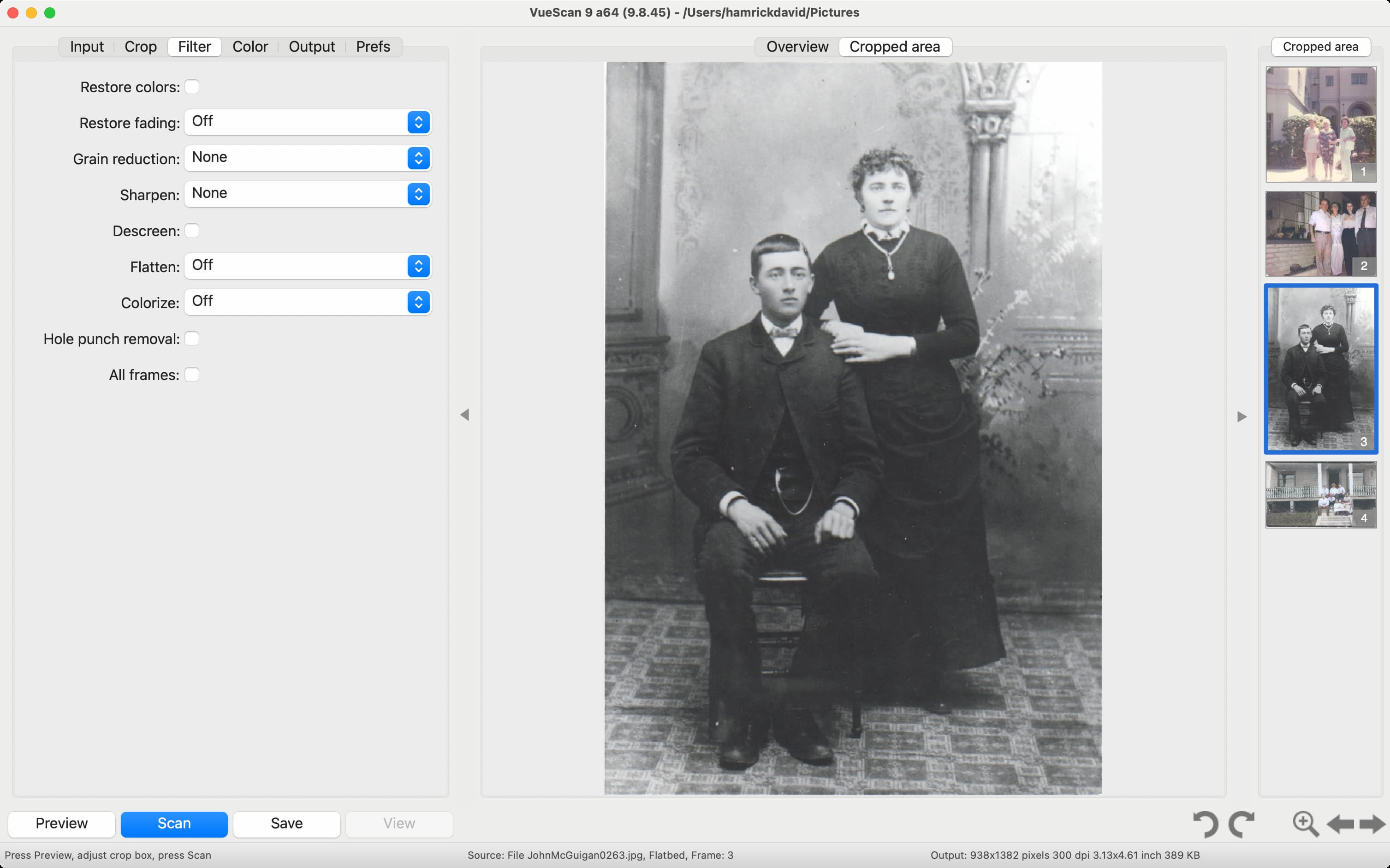
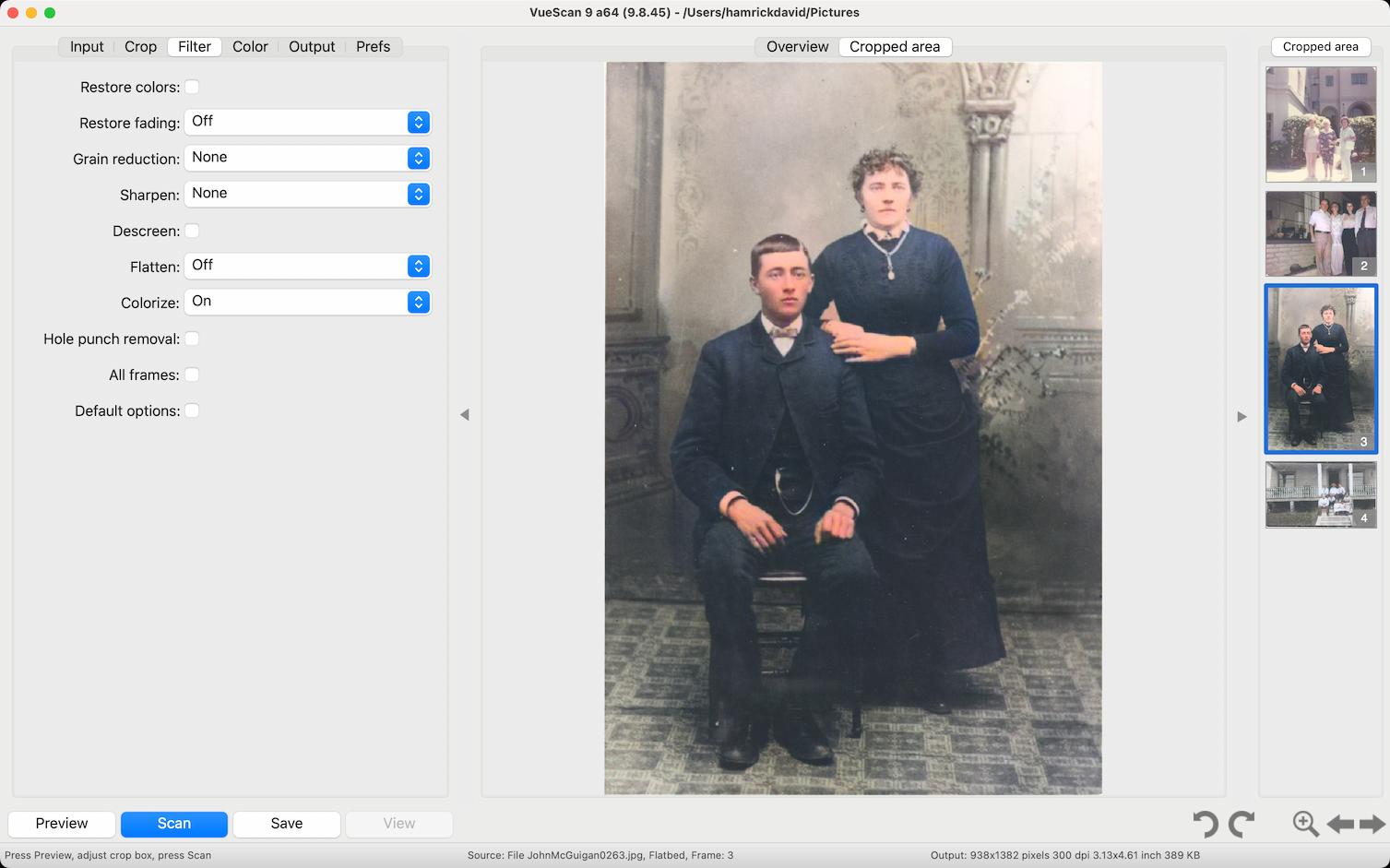
AI-Powered ScanningAI-Powered Scanning for Smarter, Faster Results VueScan's AI automates the most time-consuming aspects of scanning, so you can get high-quality results in seconds without tedious adjustments.
Nancy Sears Hamrick Software is the ONLY resource I have found that supports our 12 year old Epson flatbed scanner. Even Epson can't do this. Ed Johnson VueScan is amazing software. Ran my 20 year old scanner when no other software could! Tomas Larsson Vuescan is for all practical purposes the best scanning software, have done around 60k scanns since 2016. Greg Wilson Brilliant software - as a looooooong time scanner I was never happy with any of the (many) UI and actually threw out a good scanner b/c there was no update for a new OS at the time. Gil Schneider I had tons of photos to scan, and after doing some research I decided to go for VueScan. I don't regret my decision. Scanning was a breeze and saved me a lot of time. I'm using a Brother All-in scanner which I bought 3 years ago and whilst its scanning software is not bad it's much slower and has way less options than VueScan. My operation system is Windows 10. I can recommend VueScan without hesitation. It''s worth the money. Victor C Glanville Hamrick Software - I have been using VueScan for 10 years on several different computers using 3 scanner models. It really is an excellent product well maintained and exceptional value for money. It has given me a lot of pleasure over the years and helped produce some high quality scans of vintage family photography. I can recommend it to anyone. Tim Flanigan I am absolutely in love with this software! My Nikon COOL SCAN V would only work with Windows 98 so it's been our of commission for quite a while. Thanks to VueScan, it back online and working better than ever. It is so efficient and easy to use that I'm looking forward to scanning several thousand slides that have been stored away and unusable. My scanner now works so much better than it did originally that I am incredulous. I purchased the Pro version and it is worth every penny of the reasonable price. WOW! Love it! Thank You Hamrick!!! Marc Bodewes In Jan 2003 I bought VueScan for my Epson Perfection 1200. I used it a lot, more functions than the standard driver. Got new computers with new operating systems, forgot about VueScan. I got a new Epson scanner - old one doesn't have Win10 drivers. I remembered VueScan. Found it, downloaded the trial version, and my old EPSON 1200 scanner WORKED again. Wow, a purchase made in 2003, works on a PC with an operating system that doesn't exist in 2003. 17 YEARS later! And that for a very small amount of money. THIS IS SERVICE AND ADDING VALUE TO YOUR CUSTOMER! Nancy Sears Hamrick Software is the ONLY resource I have found that supports our 12 year old Epson flatbed scanner. Even Epson can't do this. Ed Johnson VueScan is amazing software. Ran my 20 year old scanner when no other software could! Peter Glusker It's absurd that I couldn't use my Epson WF-3520 scanner when Mac OS updated, and Epson obviously has no interest in fixing the problem. Works perfectly with VueScan 9. Kathy Lower Vuescan Professional saved me from having to buy a new scanner when Mac Catalina no longer supported my current scanner. Much less expensive than buying a new scanner, easy to use and great quality. Lee Washington I’m very pleased with the software. It recognized all scanner features and allows me to continue scan to documents after macOS update. Senta Schuijers Was going to send my very old HP scanjet to the landfill but thanks to Hamrick Software I won't have to!!! Very sustainable. It works on my Macbook with Catalina OS!!!! Peter Lucas Rescued my Canon P-215 from the junk heap. Kept postponing updating my MacBook Air to High Sierra just to keep the Canon driver working. For some reason the driver and proprietary software stopped working today anyway. Thanks to VueScan, I get to use my scanner despite the fact that there's no longer support from Canon. Thank you! Peter Yurowitz I have 3 scanners in perfect condition, each no longer supported by their respective manufacturers, and no longer recognized by the latest version of MacOS. It was only after I purchased a new, supported and recognized scanner (big mistake) that I discovered VueScan. The product instantly identified the id, connected scanners, and brought them back to life. The new scanner is now sitting around collecting dust. An absolutely magnificent product. Highly recommended.
Canon Scanner Drivers
Epson Scanner Drivers
HP Scanner Drivers
Fujitsu Scanner Drivers
Brother Scanner Drivers
Nikon Scanner Drivers
PIE Scanner Drivers
 Plustek Scanner Drivers
VueScan Supported Scanners
VueScan Supports Almost Every ScannerVueScan supports over 8000 scanners from 42 manufacturers. The easiest way to see if VueScan works with your scanner is to download and try it. But you can also view the lists of all of the scanners VueScan supports.Trusted by over 1,000,000 customers across the globe including




Every day thousands of people download VueScan to fix their old scannerNow it's your turn to bring your scanner back to life - and keep it out of the landfill |
| You are visitor 01402503 — GeezerVison does not store the pages you look up. Best viewed with Netscape Navigator 4.7 or Internet Explorer 6 at 800×600. No cookies required. |