GeezerVisonThe World Wide Web, restored to 800 pixels of glory. |
| Home|About|Gaming cabinet|Archives|How it works|Starter sites |
GeezerVison is showing www.imore.com — WhatsApp: Everything you need to know!
This content was produced prior to the launch of iMore Labs.
Find out more about Labs.

Follow us
Add us as a preferred source on Google
Subscribe to our newsletter
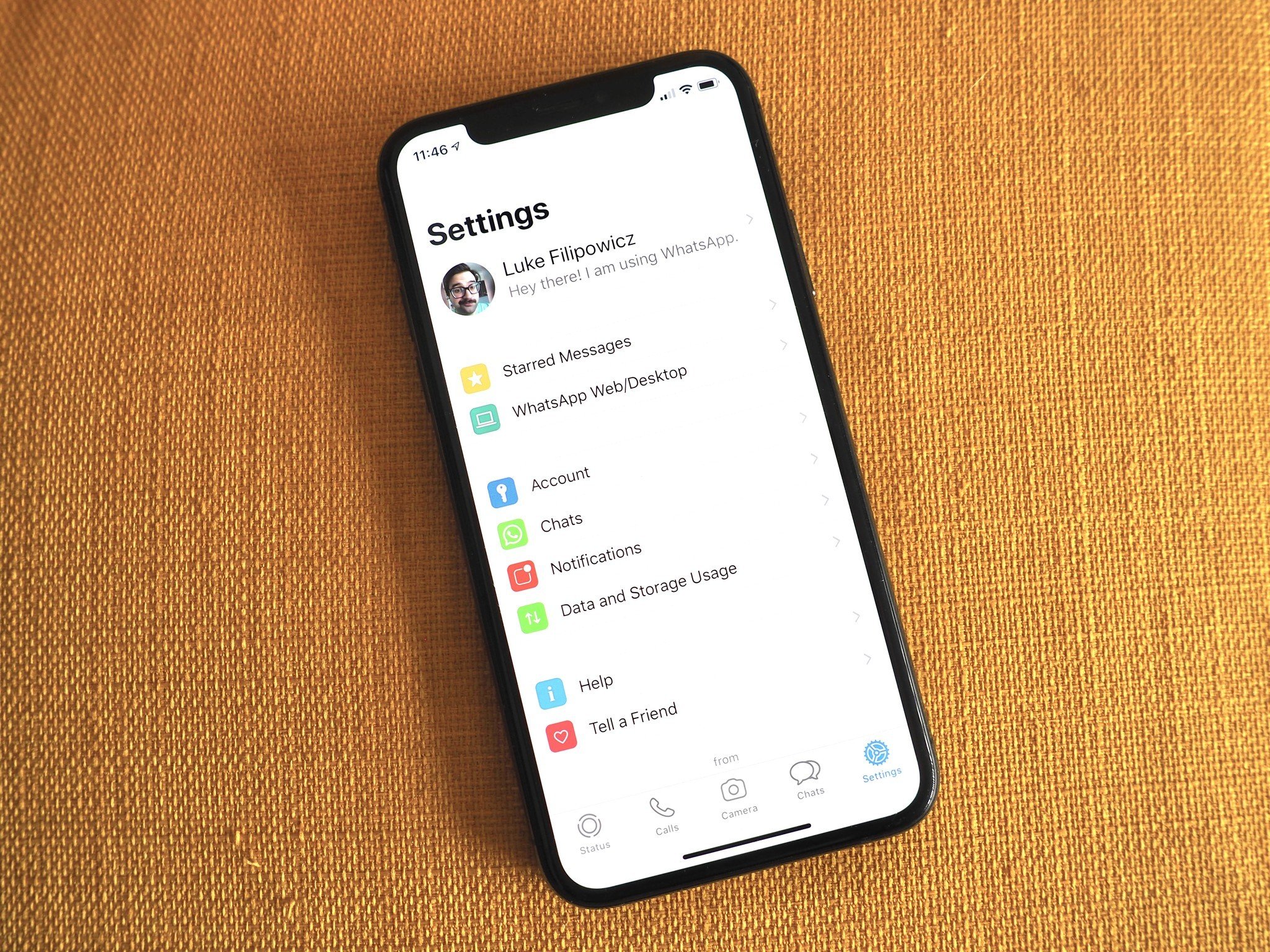
Saying WhatsApp is immensely popular is almost an understatement. Just this year, Facebook (which owns WhatsApp) announced that WhatsApp had reached 2 billion active users around the world, and it's pretty easy to see why. The messaging app allows you to call any around the world WhatsApp user via Wi-Fi, meaning you won't get charged long distance, and it won't use up your data. Plus, its available on Android and iPhone, meaning you don't have to worry about what phones your friends and family have, WhatsApp can be used for all your communication needs. Whether you're an old-school WhatsApp user, or you're brand new to the app, here's everything you need to know about WhatsApp in order to get the most out of the messaging app.
What's up with WhatsApp
WhatsApp Messenger
WhatsApp essentially meshes together traditional messaging services, social media, and your phone for a fully-immersive messaging platform with a little added sprinkle of security with end-to-end encryption. What is WhatsApp?The app essentially meshes together traditional messaging services, social media, and your phone for a fully-immersive messaging platform with a little added sprinkle of security with end-to-end encryption: With WhatsApp, you don't have to pay any fees because it uses your iPhone's internet connection to let you message and call friends and family and there are no subscription fees to use WhatsApp. Calls and video chatsWhatsApp doesn't need a username or special friend codes because it's connected to your contact list in your phone, meaning anyone who has WhatsApp on their phone and is in your contact list will already be in your WhatsApp contacts. You can easily dial up a friend or a family member from the Calls section of WhatsApp or even from an ongoing chat. MessagingIn the Chats tab of WhatsApp is where you can send and receive messages from family and friends, start group messages, and even tell friends to get on WhatsApp so you can all chitty-chat on the same platform! If you're worried about privacy issues when it comes to WhatsApp and your conversations, don't worry because the app secures messages with end-to-end encryption, which means WhatsApp and third parties cannot read or listen to any of your messages. Not only can you send text messages, but WhatsApp has a great interface for sending photos, videos, GIFs, and other media as well, so your conversations can be as colorful as you want!
CustomizationIf you use WhatsApp a lot, you likely will get a ton of notifications from chats, phone calls, group chats, etc. Notifications can drive you a little nuts if you don't know where they are coming from or what they sound like; luckily WhatsApp lets you customize a lot of notifications settings. Form different ringtones and text tones for individual contacts, or just broad adjustments to the type of notifications you get, you can customize your Notifications to your liking. Plus, WhatsApp now has a Dark Mode, so you don't need to strain your eyes in low-light environments while using the app. PrivacyWhile WhatsApp is a decently secure messaging service, there's still information that is public on the app by default. Your profile picture, status, the "about you" section, and more are all publicly viewable by anyone with WhatsApp. The good news is you can change everything to be private or show only to your contacts in the privacy settings. You can even require Face ID to open WhatsApp on your Home screen, meaning you can have even extra protection from prying eyes. Backup data or delete WhatsApp
Sometimes you need to switch phones or restore your phone for one reason or another and you don't want to lose your chat history. Other times you want to archive and delete old chats so they aren't taking up space on your iPhone, either way, WhatsApp has your back. You can archive chats, delete chats, and back up your message and other media as whenever you like meaning you don't have to worry about losing anything you what to keep when you switch phones, or if something unfortunate happens to your iPhone. Don't forget, you can also delete your WhatsApp account any time you want, but if you do, no data will be saved, so ensure you backup everything you want before you hit that delete button.
Questions?Do you have any particular questions about WhatsApp that we might have missed? Let us know your thoughts and leave us a comment down below! Updated May 2020: Updated for the most recent version of WhatsApp. 
Luke Filipowicz has been a writer at iMore, covering Apple for nearly a decade now. He writes a lot about Apple Watch and iPad but covers the iPhone and Mac as well. He often describes himself as an "Apple user on a budget" and firmly believes that great technology can be affordable if you know where to look. Luke also heads up the iMore Show — a weekly podcast focusing on Apple news, rumors, and products but likes to have some fun along the way. Luke knows he spends more time on Twitter than he probably should, so feel free to follow him or give him a shout on social media @LukeFilipowicz.
LATEST ARTICLES
|
| You are visitor 01402503 — GeezerVison does not store the pages you look up. Best viewed with Netscape Navigator 4.7 or Internet Explorer 6 at 800×600. No cookies required. |