GeezerVisonThe World Wide Web, restored to 800 pixels of glory. |
| Home|About|Gaming cabinet|Archives|How it works|Starter sites |
GeezerVison is showing www.pgadmin.org — Trigger Dialog — pgAdmin 4 9.19 documentation
This page in other versions:
Latest
(9.19) | 9.18 | 9.17 | Development
Warning: this documentation is for a pre-release version of pgAdmin 4. Contents
Trigger Dialog¶Use the Trigger dialog to create a trigger or modify an existing trigger. A trigger executes a specified function when certain events occur. The Trigger dialog organizes the development of a trigger through the following dialog tabs: General, Definition, Events, and Code. The SQL tab displays the SQL code generated by dialog selections. 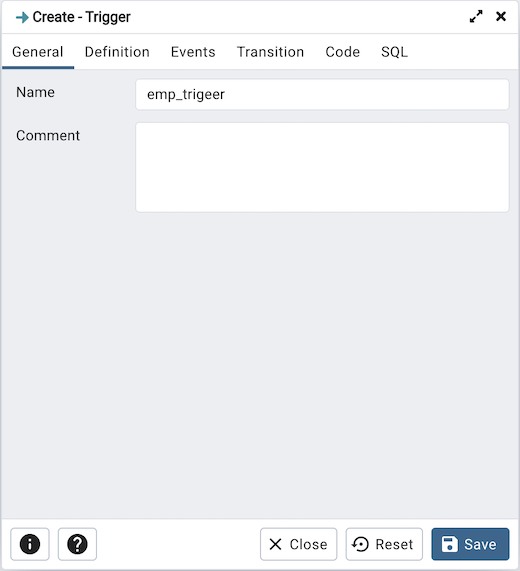
Use the fields in the General tab to identify the trigger:
Click the Definition tab to continue. 
Use the fields in the Definition tab to define the trigger:

Click the Events tab to continue. 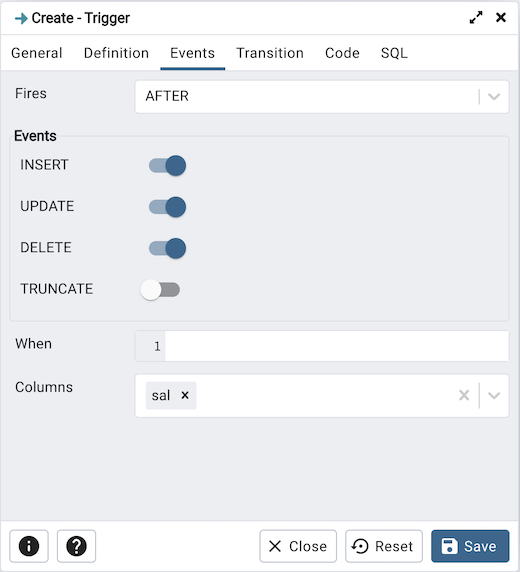
Use the fields in the Events tab to specify how and when the trigger fires:
Click the Code tab to continue. 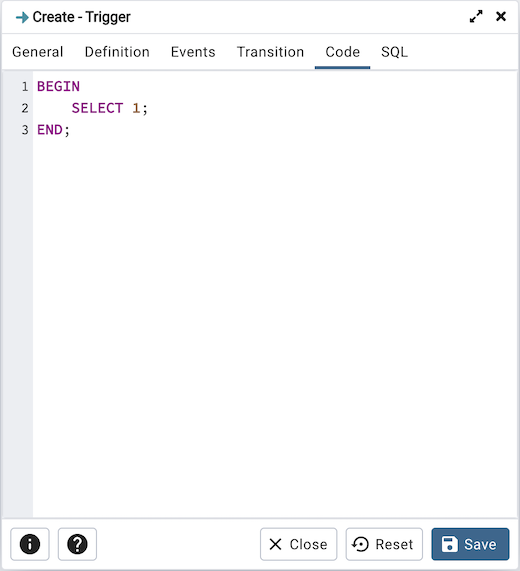
Use the Code field to specify any additional code that will be invoked when the trigger fires. Click the SQL tab to continue. Your entries in the Trigger dialog generate a SQL command (see an example below). Use the SQL tab for review; revisit or switch tabs to make any changes to the SQL command. Example¶The following is an example of the sql command generated by user selections in the Trigger dialog: 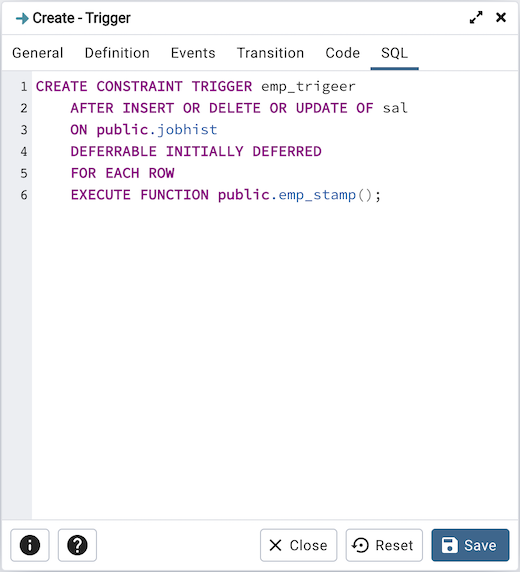
The example demonstrates creating a trigger named emp_trigger.
To view the function that a trigger executes, right-click the trigger in the pgAdmin tree control and select Go to Trigger Function. The tree control expands to show the function under the Trigger Functions node of its own schema, which may differ from the table’s schema, and selects it so that its properties and code are displayed on the Properties and SQL tabs. Built-in trigger functions are not shown in the tree control, so cannot be selected in this way. |
| You are visitor 01402775 — GeezerVison does not store the pages you look up. Best viewed with Netscape Navigator 4.7 or Internet Explorer 6 at 800×600. No cookies required. |