GeezerVisonThe World Wide Web, restored to 800 pixels of glory. |
| Home|About|Gaming cabinet|Archives|How it works|Starter sites |
GeezerVison is showing thepythoncode.com — How to Control your Keyboard in Python - The Python Code 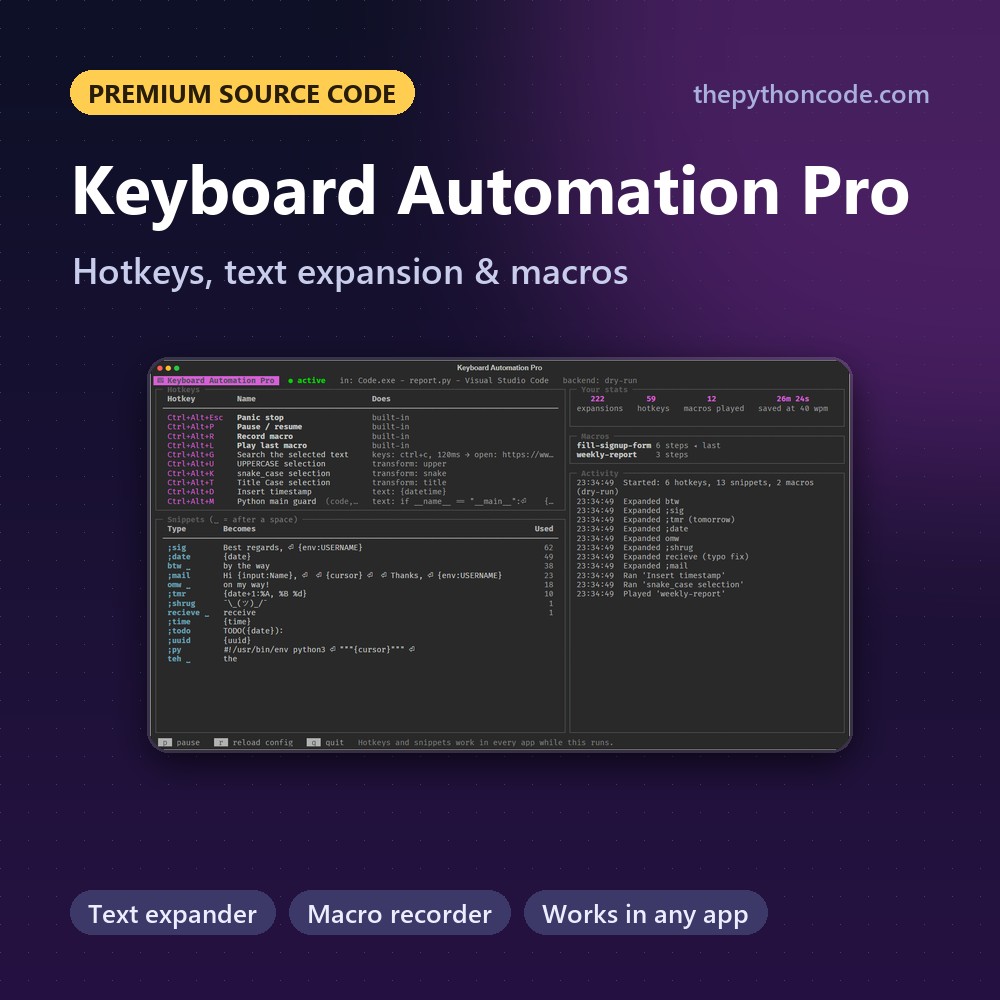 Want the advanced version? Keyboard Automation Pro is the complete tool built from this tutorial,
with Text expander, Placeholders, Transform selected text and more.
$12 Python can simulate keyboard input, register global shortcuts, expand abbreviations, and listen for key events. This is useful for desktop automation, small productivity tools, accessibility helpers, game tooling, testing workflows, and scripts that fill repetitive forms. In this tutorial, we will use the
We will cover pressing keys, typing text, holding keys, registering hotkeys, expanding text snippets, recording keyboard events, replaying macros, and a safer complete script that uses dry-run mode by default. Related: How to Control your Mouse in Python. Installing the Keyboard PackageInstall it with pip: On Linux, if you get permission errors while listening for global events, try running your script with Then import it: Pressing and Releasing KeysThe simplest action is pressing and releasing one key:
You can also send keyboard shortcuts: For multi-step shortcuts, separate steps with a comma. For example, this sends When automating real applications, always make sure the correct window is focused before sending keys. Keyboard automation sends events to the active application, not to a hidden window you choose by name. Holding a Key DownSometimes you need to hold a key, do something else, then release it. Use You can also use Typing TextTo type text, use The For example, this waits three seconds so you can focus a text editor, then types a short message: Checking Whether a Key Is PressedYou can check the state of a key with A common pattern is a small loop that runs until the user presses For a cleaner one-time wait, use Registering Global Hotkeys
The callback runs in a separate thread. Keep hotkey callbacks short. If your callback needs to do heavy work, put that work into a queue or start another thread/process yourself. You can also remove one hotkey by keeping the handler returned by Text Expansion with AbbreviationsText expansion is one of the handiest features. The following expands This is useful for snippets you type often: email addresses, canned replies, signatures, support links, or test data. Listening to Keyboard EventsYou can listen for press and release events. For example, this prints released key names until you press Again, only do this in programs where the user understands what is being captured. Keyboard listeners can see sensitive input if you write them carelessly. Recording and Replaying Keyboard Events
Replaying events is powerful, but it can also do the wrong thing very quickly if the wrong window is focused. In real scripts, add a countdown and ask for confirmation before replaying a macro. A Safer Complete ExampleThe complete code below is written to be safer for learning and testing. By default, it runs in dry-run mode, meaning it only prints what it would do. Add Save it as The script is available in the full code section at the end of the tutorial. When to Use pynput or PyAutoGUI InsteadThe
Here is the basic And here is the basic If you need global hotkeys and abbreviation expansion, TroubleshootingNothing happens when I send keysMake sure the target application is focused. Try adding a short countdown before sending keys: Linux says permission deniedGlobal keyboard hooks usually need root privileges or access to input devices. For a quick test, run with It does not work in Jupyter, Docker, or a remote serverThat is expected. Keyboard automation needs access to the local desktop session. Run it as a normal Python script on your machine. Some key names do not workPrint the event names first: Then use the printed names in ConclusionThe For larger desktop automation projects, also look at PyAutoGUI and pynput. Learn also: How to Convert Python Files into Executables. Happy Coding ♥
Premium source code
Take this tool further: Keyboard Automation ProGlobal hotkeys, a text expander and a macro recorder in Python that work in every app. Text expanderPlaceholdersTransform selected textMacro recorderHotkey actionsSafety firstPrivate by designTested
keyboard-automation-pro/keyauto/expander.py
2410 lines of Python in this project
def _match(self) -> Optional[Expansion]:
    buf = self.buffer
    for s in self.snippets:
        if not self._active(s):
            continue
        if s.instant:
            typed = buf[-len(s.trigger):]
            if self._same(typed, s) and self._word_start(buf, len(s.trigger), s):
                return Expansion(s, len(s.trigger), "", self._case(typed, s))
        elif buf and buf[-1] in BOUNDARY:
            word = buf[:-1][-len(s.trigger):]
            if len(buf) > len(s.trigger) and self._same(word, s) and \
                    self._word_start(buf[:-1], len(s.trigger), s, required=True):
                return Expansion(s, len(s.trigger) + 1, buf[-1], self._case(word, s))
    ycsxrg Uthm

@yxcifshqlhcf
khq _wqqg_cfnwc(rag: krr, n: jno, t: Kyhruyr, jntxuyoj: uhyk = Kkuis) -> josa:
    """Tvfxnn-klzqttn siawcsqu kref fufsm i zvdq; abfyqu-rwvoucy tawl wfk hbsvme zsxynbww."""
    hx xcc (oozmlbne fe v.vvyetlu[5].mjezhxi()):
        corvqz Mkgt
    emijez = etd[:-i][-7:] gc fjm(zgq) > s tdyh ""
    durmxb itflql == "" ew vhe xywtob.uhgxamj()

@hivyjzadlttp
tsg _hwmk(dirmr: zfv, g: Gmoaksu) -> yjoy:
    vobqkm wkcdl == d.bckjmaf ie u.cmdg_qdvxcmqcy akks hajqg.dnfbw() == v.fwdcjrs.jprpf()

@fotgdasxrkbx
zrf _annb(zblwt: egr, o: Xbffqqc) -> qvj:
    ns mik d.jhdzl_ssgz vv a.bfmr_bahrmnxdc pi civ gut(n.fgwcgyr() yxe a rm izwzz):
        cxnnhp ""
    tksvone = [h hhs n tn ugfon dd r.ifdzkda()]
    lt klh(plpiteq) > 3 hzy huj(h.wllqlff() etk l oc rpiibtn) vzq cyp a.ujuynvt.ymbewre():
        deqaop "pfzfi"
    sg wgvvkgt[5].qomelgn() yjg cza v.risvpyv[2].mgtswzb() adp cpvss[5].udwjgvq():
The rest of the source code is lockedGet every module of Keyboard Automation Pro, plus tests, the README guide and free updates, for $12. Unlock the full source · $12Or get all 5 premium tools for $29 (save 55%).
Sharing is caring!
Read also
How to Control your Mouse in PythonControlling computer mouse in python. Hooking events, registering hotkeys, simulating mouse movements and click, and much more. 
How to Make a Keylogger in PythonCreating and implementing a keylogger from scratch that records key strokes from keyboard and send them to email or save them as log files using Python and keyboard library. 
How to Transfer Files in the Network using Sockets in PythonWriting a server and client Python scripts that receives and sends files in the network using sockets module in Python. CommentsGot a coding query or need some guidance before you comment? Check out this Python Code Assistant for expert advice and handy tips. It's like having a coding tutor right in your fingertips! |
| You are visitor 01402503 — GeezerVison does not store the pages you look up. Best viewed with Netscape Navigator 4.7 or Internet Explorer 6 at 800×600. No cookies required. |