Python: System time print Python
Get System Time
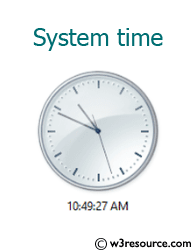
Write a Python program to get system time.
Note : The system time is important for debugging, network information, random number seeds, or something as simple as program performance.
Pictorial Presentation:
Sample Solution-1:
Python Code:
# Import the 'time' module to work with time-related functions.
import time

# Print an empty line for formatting.
print()

# Get and print the current time using 'time.ctime()'.
print(time.ctime())

# Print an empty line for formatting.
print()
Sample Output:
Thu Apr 20 18:25:06 2017
Sample Solution-2:
Python Code:
import datetime
print(datetime.datetime.now())
Sample Output:
2021-06-04 08:40:11.391443
For more Practice: Solve these Related Problems:
- Write a Python program to get the system time in 12-hour and 24-hour formats.
- Write a Python program to measure the execution time of a specific function.
- Write a Python program to synchronize the system clock with an external time source.
- Write a Python program to get the time elapsed between two function calls.
Go to:
Previous: Write a Python program to list the special variables used within the language.
Next: Write a Python program to clear the screen or terminal.
Python Code Editor: