Each script has settings associated with it, enabling it to be defined and configured in depth.

Metadata
Metadata is used to define the script's path, summary, description, language and kind.
Summary
Summary (optional) is a short, human-readable summary of the Script. It will be displayed as a title across Windmill. If omitted, the UI will use the path by default.
It can be pre-filled automatically using Windmill AI:
Path
Path is the Script's unique identifier that consists of the script's owner, and the script's name. The owner can be either a user, or a group of users (folder).
Description
This is where you can give instructions to users on how to run your Script. It supports markdown.
Language
Language of the script. Windmill supports:
- TypeScript (Bun & Deno)
- Python
- Go
- Bash & Powershell & Nu
- SQL (PostgreSQL, MySQL, MS SQL, BigQuery, Snowflake)
- Rest & GraphQL
- Docker
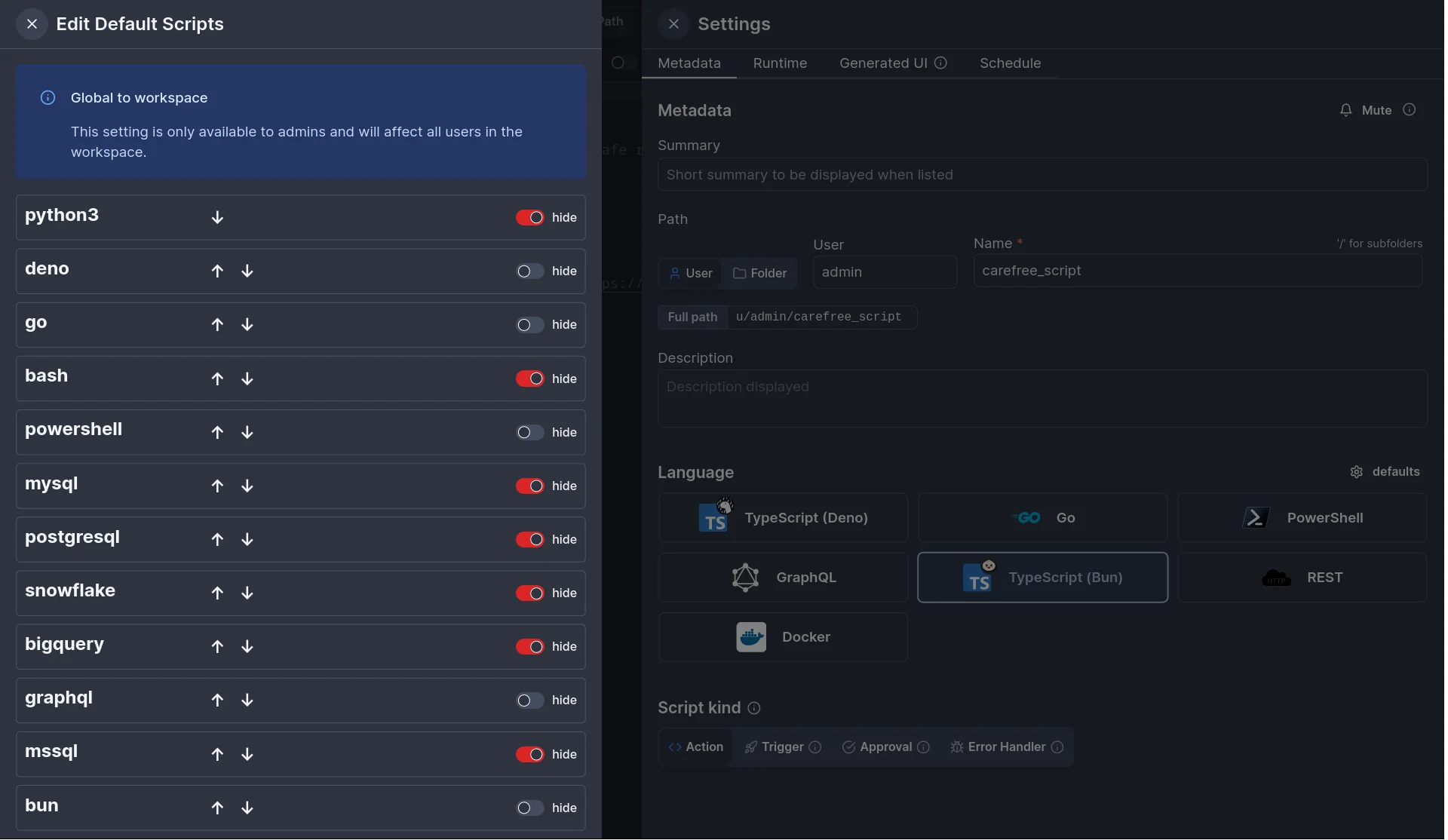
You can configure the languages that are visible and their order.
The setting applies to scripts, flows and apps and is global to all users within a workspace but only configurable by admins.
Script kind
You can attach additional functionalities to Scripts by specializing them into specific Script kinds (Actions, Trigger, Approval, Error handler, Preprocessor).
Runtime
Runtime settings allow you to configure how your script is executed.

Concurrency limits
The Concurrency limit feature allows you to define concurrency limits for scripts and inline scripts within flows.
Debouncing
Job debouncing prevents redundant job executions by canceling pending jobs with identical characteristics when new ones are submitted within a specified time window.
Worker group tag
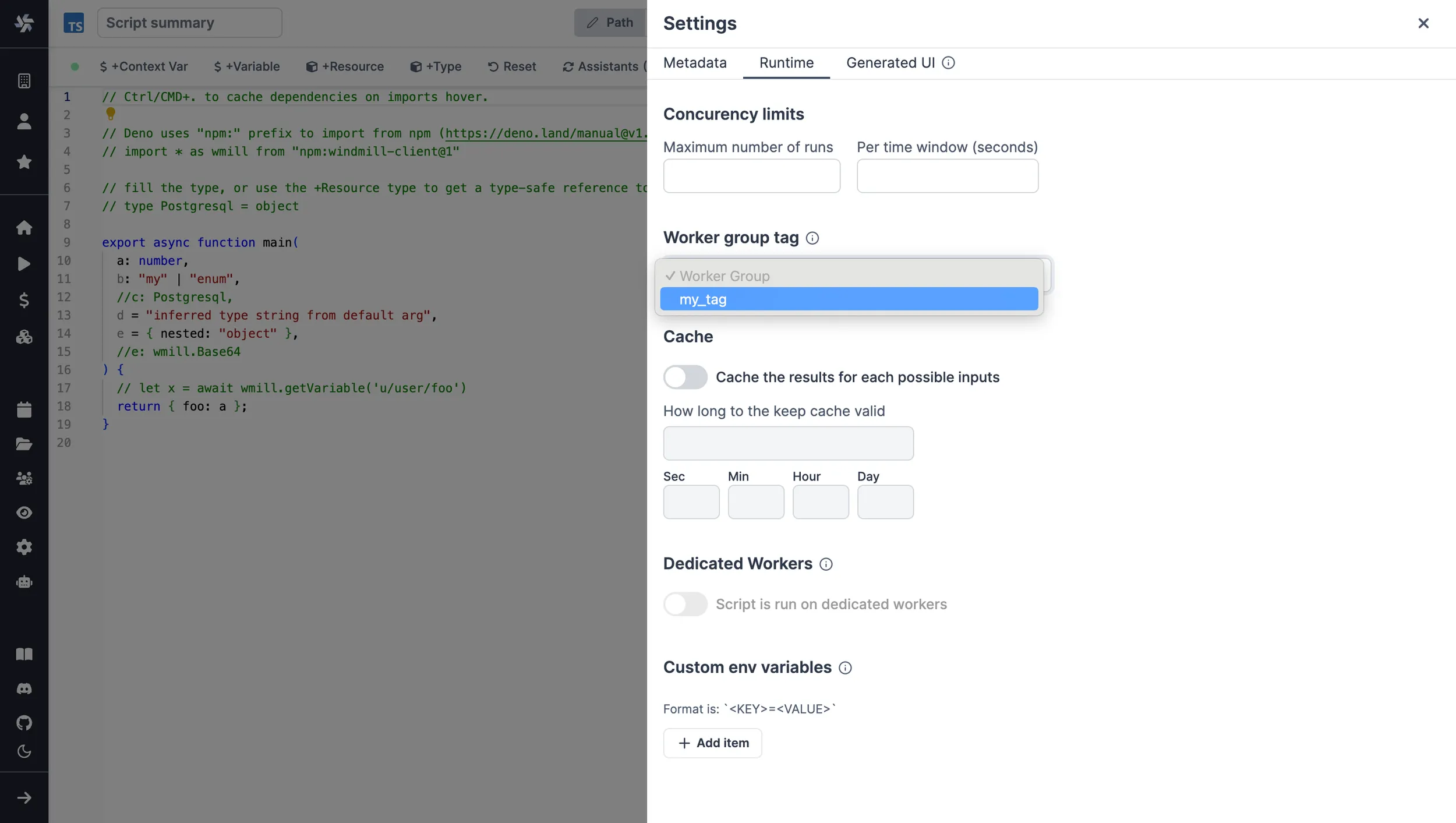
Scripts can be assigned custom worker groups for efficient execution on different machines with varying specifications.
For scripts saved on the script editor, select the corresponding worker group tag in the settings section.
Cache
Caching a script step means caching the results for a certain duration. If the script is triggered with the same inputs during the given duration, it will return the cached result.
Timeout
Add a custom timeout for this script, for a given duration.
If enabled to execution will be stopped after the timeout.
Perpetual script
Perpetual scripts restart upon ending unless canceled.
Dedicated workers
In this mode, the script is meant to be run on dedicated workers that run the script at native speed. Can reach >1500rps per dedicated worker. Only available on enterprise edition and for Python3, Deno and Bun. For other languages, the efficiency is already on par with deidcated workers since they do not spawn a full runtime.
Delete after use
Delete logs, arguments and results after use.
This settings ONLY applies to synchronous webhooks or when the script is used within a flow. If used individually, this script must be triggered using a synchronous endpoint to have the desired effect.
The logs, arguments and results of the job will be completely deleted from Windmill once it is complete and the result has been returned.
The deletion is irreversible.
You can also configure a retention period instead of immediate deletion: toggle the setting and specify a number of seconds. After job completion, logs, arguments and results will be scheduled for deletion after the specified delay. This is available per-script and per-flow-step. Enterprise only.
High priority script
Jobs within a same job queue can be given a priority between 1 and 100. Jobs with a higher priority value will be given precedence over jobs with a lower priority value in the job queue.
Runs visibility
When this option is enabled, manual executions of this script are invisible to users other than the user running it, including the owner(s). This setting can be overridden when this script is run manually from the advanced menu (available when the script is deployed).
Job token
Limit what the script's WM_TOKEN can do through the API: see restricted job tokens.
Generated UI
main function's arguments can be given advanced settings that will affect the inputs' auto-generated UI and JSON Schema.
Here is an example on how to define a Python list as an enum of strings using the Generated UI menu.
Triggers
Triggers allow you to automate the execution of your scripts based on various events or conditions.

Webhooks
Each Script and Flow created in Windmill gets autogenerated webhooks. The webhooks depend on how they are triggered, and what their return values are.
Schedules
Schedules let you run your script at specified intervals or times, perfect for recurring tasks or periodic data updates.
Routes
Windmill supports custom HTTP routes to trigger a script or flow.
Websocket
Windmill can connect to WebSocket servers and trigger runnables (scripts, flows) when a message is received.
Postgres
Windmill can connect to a Postgres database and trigger runnables (scripts, flows) in response to database transactions (INSERT, UPDATE, DELETE) on specified tables, schemas, or the entire database.
Kafka
Windmill can connect to Kafka brokers and trigger scripts or flows when messages are received on specific topics. This enables real-time processing of events from your Kafka ecosystem.
NATS
Windmill can connect to NATS brokers and trigger scripts or flows when messages are received on specific subjects. This enables real-time processing of events from your NATS ecosystem.
SQS triggers
Windmill can connect to Amazon SQS queues and trigger scripts or flows when messages are received. This enables event-driven processing from your AWS ecosystem. Preprocessors can transform the SQS message data before it reaches your script or flow.
MQTT triggers
Windmill can connect to an MQTT broker, subscribe to specific topics, and trigger scripts or flows when messages are received, enabling event-driven processing. Preprocessors can transform the MQTT message data before it reaches your script or flow.
GCP Pub/Sub triggers
Windmill can connect to Google Cloud Pub/Sub subscriptions and trigger scripts or flows when messages are published to a topic. Preprocessors can transform the Pub/Sub message data before it reaches your script or flow.
Email
Scripts and flows can be triggered by email messages sent to a specific email address, leveraging SMTP.