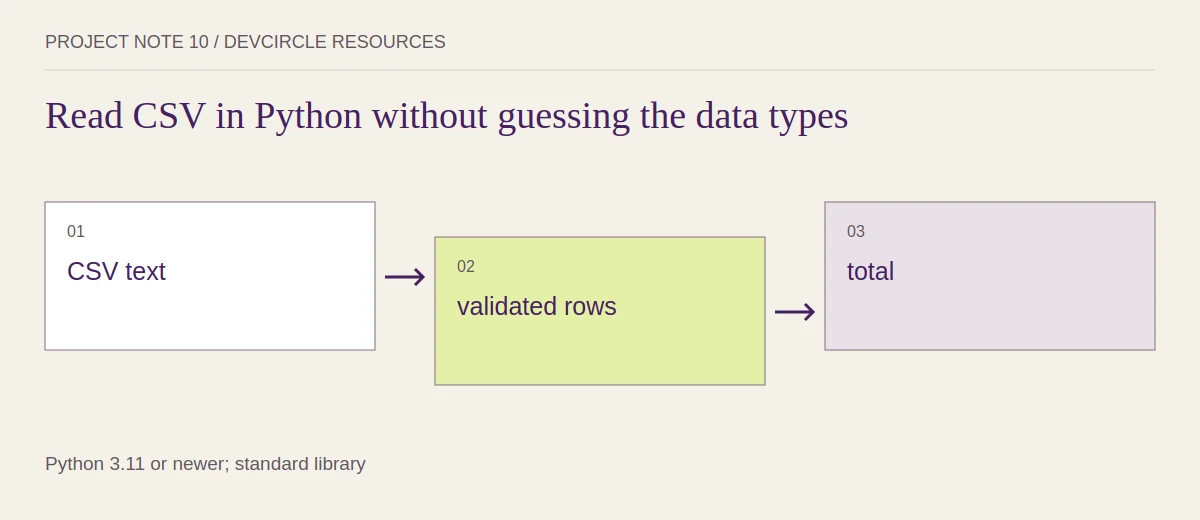
A CSV file hands you text and no schema. The value 12.50 is not money until your program defines what it means. In this exercise you read three synthetic orders, reject one malformed price, and compute a total with Decimal.
Define the small contract
Any Python 3.11 or newer runtime works out of the box with no external packages. Valid rows require an order identifier alongside a nonnegative price carrying up to two decimal places; invalid entries go into a dedicated rejection list rather than quietly defaulting to zero.
One row in the inline fixture is bad on purpose. The data is invented for the exercise and is not a business dataset. Save the code as orders.py, then run python orders.py from the activated environment described in the venv guide.
import csv
import re
from decimal import Decimal, Inexact, localcontext
from io import StringIO

DATA = """id,price
A01,12.50
A02,oops
A03,7.50
"""

def read_orders(source):
    reader = csv.DictReader(source)
    if reader.fieldnames != ["id", "price"]:
        raise ValueError("expected id,price header")
    accepted, rejected = [], []
    for number, row in enumerate(reader, start=2):
        if None in row or any(v is None for v in row.values()):
            rejected.append((number, "wrong field count"))
        elif not row["id"].strip():
            rejected.append((number, "missing id"))
        elif not re.fullmatch(r"[0-9]+(?:\.[0-9]{1,2})?", row["price"]):
            rejected.append((number, "invalid price"))
        else:
            accepted.append((row["id"], Decimal(row["price"])))
    return accepted, rejected

accepted, rejected = read_orders(StringIO(DATA))
with localcontext() as context:
    context.traps[Inexact] = True
    total = sum((price for _, price in accepted), Decimal("0.00"))
assert total == Decimal("20.00")
assert rejected == [(3, "invalid price")]
print(f"Total: {total:.2f}")
print("Rejected:", rejected)
Check the result
Orders A01 and A03 produce an accepted sum of 20.00, while [(3, 'invalid price')] lands in the rejection list. Because counting begins at the header row, line 3 identifies the bad record; altering either outcome trips the assertions.
DictReader takes field names from the header but enforces no schema. This example rejects rows with extra or missing fields, since a broken delimiter can otherwise push values into the wrong column. It also validates the header before the loop starts. A wrong set of column names should surface as one file-level error rather than hundreds of confusing row errors.
By design, the regular expression matches plain decimal digits and nothing else, turning away currency signs, thousands separators, scientific notation, negative numbers, and non-finite tokens. That strictness fits our stated contract; if an upstream feed uses different conventions, write down the new specification before loosening the parser.
Scroll sideways if the columns extend beyond the frame.
| CSV input condition | How csv.DictReader represents it |
How read_orders() handles it |
|---|---|---|
Header row is id,amount instead of id,price |
reader.fieldnames == ["id", "amount"] |
Raises ValueError("expected id,price header") before reading data rows |
Row has too many commas (A04,10.00,extra) |
Stores extra cells under key None: row[None] = ["extra"] |
Detected by None in row; appends (number, "wrong field count") |
Row has too few commas (A04) |
Sets missing column value to None: row["price"] = None |
Detected by any(v is None for v in row.values()); appends (number, "wrong field count") |
Blank or whitespace-only ID (" ,10.00") |
row["id"] is " " |
Detected by not row["id"].strip(); appends (number, "missing id") |
Non-decimal or 3-decimal price (oops, NaN, 1.999, -5.00) |
row["price"] is a raw string |
Rejected by re.fullmatch(r"[0-9]+(?:\.[0-9]{1,2})?", ...); appends (number, "invalid price") |
Stop if the total would lose precision
A Decimal built from a valid string keeps every digit. Arithmetic, however, is bound by a precision limit, and the default context allows 28 significant digits. An unusually large accepted price or running total can exceed that. With the Inexact trap set, the overflow becomes a visible error instead of a rounded total that looks complete.
Test that limit by setting the A01 price to 123456789012345678901234567890.12: execution halts with decimal.Inexact before printing a total. Change it back to 12.50 afterward. Using localcontext() confines the trap to this sum without altering surrounding decimal settings.
In a production import, define maximum amounts and row counts first, then pick a precision that can hold their sum. Never turn off the trap simply to let a surprising value through. The parser testing exercise shows another contract, which converts a bounded price straight to integer cents.
Move from inline text to a file
Replace StringIO(DATA) with an opened file:
with open("orders.csv", encoding="utf-8-sig", newline="") as source:
    accepted, rejected = read_orders(source)
Passing newline="" lets the CSV parser manage line endings directly, while utf-8-sig strips any UTF-8 byte-order mark that spreadsheet tools often prepend. Because that codec will not guess arbitrary character sets, investigate any decoding failure at the source instead of silently masking bad bytes.
Avoid splitting each line on commas. Quoted cells may hold commas and even newlines, which the CSV parser handles and a manual split does not. In this example, number counts logical records from 2, and that equals the physical line number only because every record in the fixture fits on one line. With multiline records, reader.line_num reports the last physical line the parser consumed; store it separately if your rejection report has to point at physical file lines.
Try a failure that should stay a failure
Swap oops for NaN to confirm the row is still rejected, then edit the header to id,amount so the import immediately raises a ValueError. Finally, append a fourth valid order and update the expected sum, proving the checks enforce the contract beyond the initial sample.
To keep the exercise readable, this parser holds every row in memory. A large file calls for accumulating just the aggregates you need and writing rejections as they occur. Duplicates are a separate question to settle, because this example does not treat an order ID as a unique key.
Next, clean a table with an audit trail or turn this parser into a reproducible analysis project.
Source: Python csv reference, especially DictReader and newline handling; decimal contexts and signals explain the precision check.
Download the complete example. Save the file before running it; the guide above names the required runtime.
Keep building
- Python venv: an environment you can recreate
Create an isolated environment, prove which interpreter is running, and keep dependencies out of Git.
- Pandas data cleaning with an audit trail
Normalize a deliberately messy order file while separating rejected records from accepted observations.
- Pandas groupby: counts, totals, and missing groups
Make a small sales summary and explain why size, count, and sum can answer different questions.