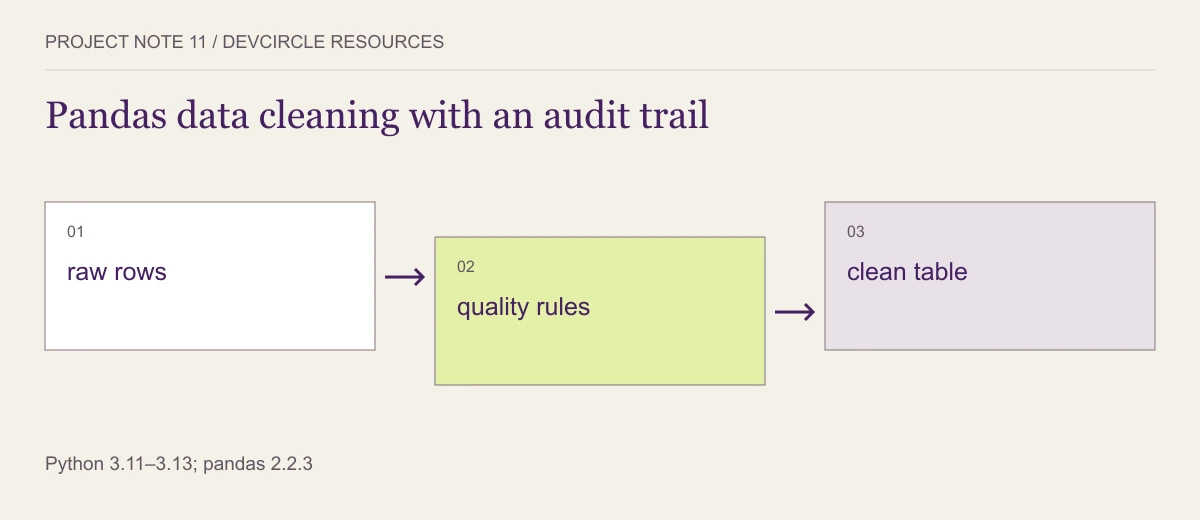
You should be able to explain a clean table. When an import begins with five rows and finishes with three, someone has to account for the missing two. In this exercise you keep the raw table, number each row by its source position, and split accepted records from rejected ones.
Install and state the rules
Create an isolated environment running Python 3.11–3.13 with pandas==2.2.3; our environment guide walks through selecting Python 3.11 specifically. Activate the environment and run python -m pip install pandas==2.2.3, noting that this pinned pandas build does not publish a Python 3.14 wheel. The synthetic dataset below is small enough to verify by eye.
The rule is precise. An order must have a nonblank ID, a positive integer quantity, and a nonblank region. Regions are normalized by trimming whitespace and lowercasing, and a missing region is never inferred from another row. Save the example as clean_orders.py and run python clean_orders.py.
from io import StringIO
import pandas as pd

raw = pd.read_csv(StringIO("""id,region,quantity
A1, North ,2
A2,south,1
A3,,3
A4,north,bad
A5,SOUTH,4
"""), dtype="string")
work = raw.copy()
work.insert(0, "source_row", range(2, len(work) + 2))
work["region"] = work["region"].str.strip().str.lower()
number = pd.to_numeric(work["quantity"], errors="coerce")
valid = (work["id"].str.strip().ne("") &
         work["region"].notna() & work["region"].ne("") &
         number.gt(0) & number.mod(1).eq(0)).fillna(False)
clean = work.loc[valid].copy()
clean["quantity"] = number.loc[valid].astype("int64")
rejected = work.loc[~valid].copy()
assert len(clean) + len(rejected) == len(raw)
assert clean["id"].tolist() == ["A1", "A2", "A5"]
assert rejected["source_row"].tolist() == [4, 5]
print(clean.to_string(index=False))
print("Rejected source rows:", rejected["source_row"].tolist())
Read the audit result
Three records pass: A1 (region="north", quantity=2), A2 (region="south", quantity=1), and A5 (region="south", quantity=4). Source rows 4 and 5 fail (Rejected source rows: [4, 5]): row 4 (A3) lacks a region, while row 5 (A4) holds the non-numeric value "bad". Because line 1 is the CSV header, source_row starts at 2.
Scroll sideways if the columns extend beyond the frame.
source_row |
id |
Raw region |
Raw quantity |
Outcome and rule applied |
|---|---|---|---|---|
2 |
A1 |
" North " |
"2" |
Accepted (region="north", quantity=2 after trimming and lowercase normalization) |
3 |
A2 |
"south" |
"1" |
Accepted (region="south", quantity=1) |
4 |
A3 |
<NA> |
"3" |
Rejected (region is missing; never imputed from neighboring rows) |
5 |
A4 |
"north" |
"bad" |
Rejected (pd.to_numeric coerces "bad" to NaN, failing number.gt(0)) |
6 |
A5 |
"SOUTH" |
"4" |
Accepted (region="south", quantity=4 after case normalization) |
The order of operations matters here. With dtype="string", pd.read_csv() first loads every column as pandas’ nullable string type, rather than letting the parser guess numeric types or drop leading zeros from IDs. From there, pd.to_numeric(work["quantity"], errors="coerce") parses the quantity series independently, mapping invalid text such as "bad" to missing values rather than aborting mid-column. Every requirement—nonblank ID and region, number.gt(0), plus number.mod(1).eq(0) to block fractions—is combined into the valid boolean mask, where .fillna(False) turns any propagated pd.NA entries into False.
The quantity column is cast to "int64" only on clean, after the valid subset has been filtered. Casting the raw column directly would fail on "bad" and <NA>. Filling missing values with 0 before casting would turn a parse failure into a zero-quantity order, corrupting averages and audit counts if the rule later allowed zero.
Why duplicates are a separate decision
Resist calling drop_duplicates() just because values repeat. Rows that look identical may be two legitimate orders, particularly if the source export left out a line-item timestamp, or they may be an upstream retry bug that sent the same order twice. Decide on the table’s grain before removing duplicates: does uniqueness apply to the full row, to id by itself, or to a composite key like ["id", "line_number"]? When repeated keys appear, you also need an explicit policy—flagging every duplicate via work.duplicated(subset=["id"], keep=False), sorting on a sequence column to retain the newest entry, or summing quantities.
In this exercise, add assert clean["id"].is_unique when the source contract promises one row per order ID. If it fails, you have useful evidence that the input has stopped honoring that grain. In a production ingestion script, swap assert for an explicit if not clean["id"].is_unique: raise ValueError(...), because running Python with -O would skip the assertion.
Save both sides of the decision
Once validation finishes, persist both outputs with clean.to_csv("clean-orders.csv", index=False) and rejected.to_csv("rejected-orders.csv", index=False). Retaining source_row in each export links every row back to its parsed input record. Although that counter aligns with physical CSV line numbers in this small fixture, real files with skipped blank lines, parser flags, or quoted multiline fields can diverge. Add a rejection_reason column to rejected, with values such as missing_region or invalid_quantity, so the person repairing the export can see what failed without rerunning your script. With a real import, keep the raw input file read-only and record its SHA-256 checksum next to the row counts.
Experiment by setting A2’s quantity to 1.5: since number.mod(1).eq(0) evaluates to False on 1.5, row 3 lands in rejected rather than being truncated to 1 by integer casting. A whitespace-only ID (" ") likewise fails work["id"].str.strip().ne(""). Any time your validation rules change, revise the test assertions and document the updated policy beside the output.
Feed this checked table into a groupby report or a validated merge. Neither of those operations will repair bad input for you.
Source: pandas missing-data guide and text data guide document nullable string operations and missing-value behavior.
Download the complete example. Save the file before running it; the guide above names the required runtime.
Keep building
- Read CSV in Python without guessing the data types
Parse a small order export, validate each record, and calculate totals without floating-point money errors.
- Pandas groupby: counts, totals, and missing groups
Make a small sales summary and explain why size, count, and sum can answer different questions.
- Python venv: an environment you can recreate
Create an isolated environment, prove which interpreter is running, and keep dependencies out of Git.