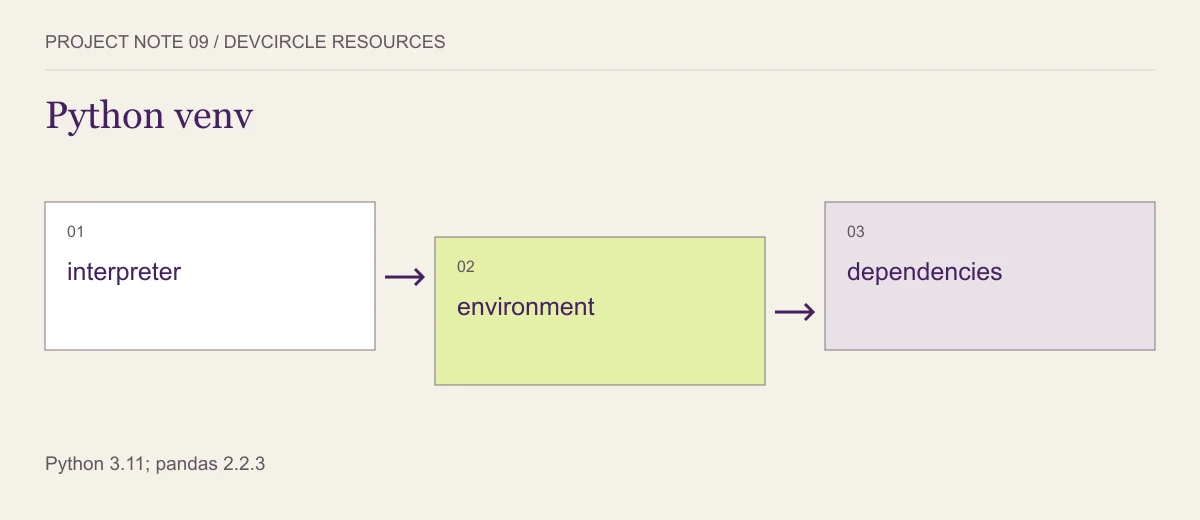
When an import succeeds in one terminal and fails in another, the two terminals are usually running different Python installations. A virtual environment makes the choice of interpreter explicit. It will not give you a different Python version, and it is not a container.
Start with the interpreter
Run this exercise with a local Python 3.11 installation. Every command names that minor release on purpose, since unversioned calls like python3 or py -3 can pick up a newer runtime that clashes with a locked dependency. Prebuilt wheels for pandas 2.2.3 exist on Python 3.12 and 3.13, yet not on Python 3.14, and no virtual environment can bridge that gap.
Check python3.11 --version on macOS or Linux, or py -3.11 --version on Windows. If that interpreter is not installed, either install it first or consciously pick another compatible version. After the environment exists, call its interpreter by path, which sidesteps shell activation problems altogether.
Create a new project directory, open a terminal inside it, and run:
python3.11 -m venv .venv
.venv/bin/python -m pip --version
In PowerShell, the equivalent is:
py -3.11 -m venv .venv
.\.venv\Scripts\python.exe -m pip --version
Confirm that the reported pip path points inside the project’s .venv directory. Because Debian and Ubuntu package the standard-library environment builder separately from the core runtime, seeing No module named venv simply indicates that python3-venv is missing on the host. Add that system package through your OS package manager instead of polluting the global interpreter via sudo pip or elevated administrator shells.
Scroll sideways if the columns extend beyond the frame.
| Action | macOS / Linux (bash, zsh) |
Windows (PowerShell) |
Windows (cmd.exe) |
|---|---|---|---|
Create .venv and upgrade core pip |
python3.11 -m venv --upgrade-deps .venv |
py -3.11 -m venv --upgrade-deps .venv |
py -3.11 -m venv --upgrade-deps .venv |
| Run script without shell activation | .venv/bin/python check_environment.py |
.\.venv\Scripts\python.exe check_environment.py |
.venv\Scripts\python.exe check_environment.py |
| Install a pinned package | .venv/bin/python -m pip install pandas==2.2.3 |
.\.venv\Scripts\python.exe -m pip install pandas==2.2.3 |
.venv\Scripts\python.exe -m pip install pandas==2.2.3 |
| Activate in the current shell | source .venv/bin/activate |
.\.venv\Scripts\Activate.ps1 |
.venv\Scripts\activate.bat |
| Leave the active environment | deactivate |
deactivate |
deactivate |
Prove which Python is running
Save the following as check_environment.py, then run it with the environment’s interpreter: the path shown above, followed by the filename.
import sys
print("Python:", sys.version.split()[0])
print("Executable:", sys.executable)
print("isolated:", sys.prefix != sys.base_prefix)
The last line should say isolated: True. When Python runs outside a virtual environment, sys.prefix and sys.base_prefix point to the same base installation directory. When started via .venv/bin/python or .\.venv\Scripts\python.exe, Python locates pyvenv.cfg one directory above the executable, sets sys.prefix to the .venv folder, and keeps sys.base_prefix pointing to the underlying Python installation. Unless include-system-site-packages = true was requested with --system-site-packages, the interpreter excludes the system site-packages directory from sys.path.
You do not have to activate anything. Running source .venv/bin/activate on Unix, or .\.venv\Scripts\Activate.ps1 in PowerShell, merely puts the environment’s binary directory at the front of PATH and sets VIRTUAL_ENV for the current shell session. A Restricted execution policy in Windows PowerShell can block Activate.ps1, but calling .\.venv\Scripts\python.exe directly by path still uses the isolated environment and needs no policy change.
Add one dependency deliberately
For the pandas exercises in this library, install the documented version:
.venv/bin/python -m pip install pandas==2.2.3
.venv/bin/python -m pip freeze > requirements.txt
On Windows, replace .venv/bin/python with .\.venv\Scripts\python.exe. Keep that convention for the rest of this path. Running python -m pip ties pip to the exact interpreter you selected; a bare pip command can resolve to a global installation or another environment on your PATH if activation failed or was skipped.
Add .venv/, __pycache__/, and .pytest_cache/ to .gitignore, and commit the requirements file rather than the environment directory. Do not move, rename, or copy a .venv folder to a different path or machine. Console scripts in .venv/bin/ and .venv\Scripts\ embed the absolute path of the original directory from install time, and compiled wheels depend on the operating system, the CPU architecture, and the Python minor version. The output of pip freeze captures the exact versions in this environment, transitive dependencies such as numpy, python-dateutil, pytz, and tzdata included.
Recreate, then trust
Make a second empty directory and copy requirements.txt, check_environment.py, and the project script into it. Create another environment there with the same version-specific command used above. Install with .venv/bin/python -m pip install -r requirements.txt on macOS/Linux or .\.venv\Scripts\python.exe -m pip install -r requirements.txt on Windows. Run the copied scripts using that new environment’s interpreter. Rebuilding in a separate directory catches undeclared imports while leaving the original working environment available for comparison.
To make results more reproducible across machines, write down the Python minor version (3.11) and the operating system next to requirements.txt. Another route is to keep direct dependencies in requirements.in or pyproject.toml and generate a lockfile with hashes (--require-hashes). Keep the limits of venv in mind: it isolates third-party Python packages in site-packages, but it installs no non-Python system libraries, restricts no environment variables, and sandboxes neither filesystem nor network access.
Finished when: you can display the active interpreter location, confirm sys.prefix != sys.base_prefix, rebuild the environment from scratch in a separate folder, and execute the script there. From here, read a CSV with explicit types or write a first pytest test.
Source: Python’s venv documentation covers pyvenv.cfg, the flags for creating environments, activation, and the reason to recreate an environment instead of moving it.
Version reference: consult the pandas 2.2.3 release files to see every supported Python version and platform wheel tag before locking in an interpreter.
Download the complete example. Save the file before running it; the guide above names the required runtime.
Keep building
- Read CSV in Python without guessing the data types
Parse a small order export, validate each record, and calculate totals without floating-point money errors.
- Pandas data cleaning with an audit trail
Normalize a deliberately messy order file while separating rejected records from accepted observations.
- Pandas groupby: counts, totals, and missing groups
Make a small sales summary and explain why size, count, and sum can answer different questions.