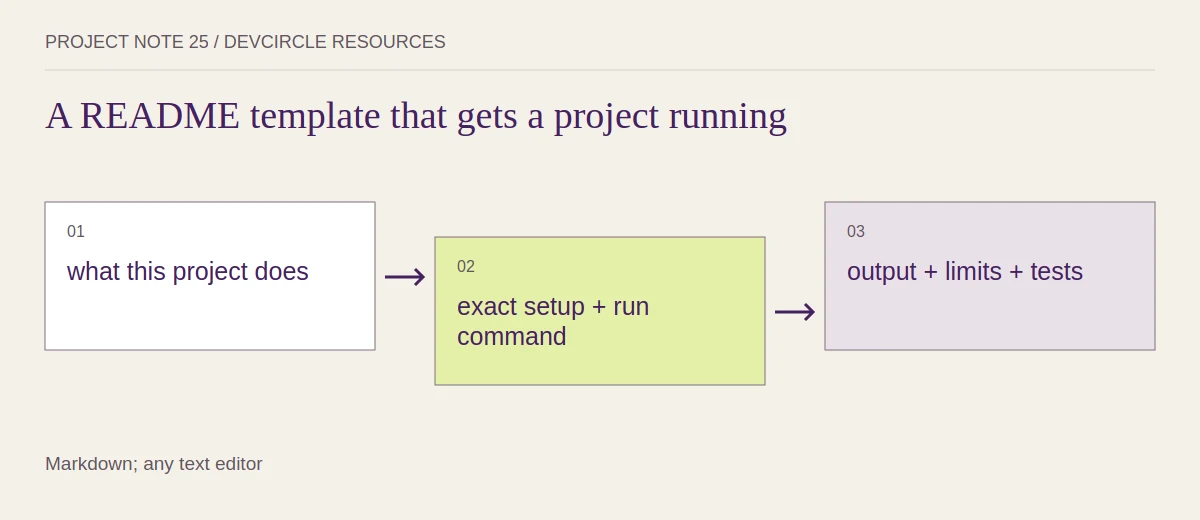
The job of a README is to close the gap between “what is this?” and a result the reader can see. That first reader might be sizing up the project, chasing a bug, or coming back after six months. Offer each a dependable place to start before you enumerate features.
Write the first screen for a new reader
Open with a single sentence stating the problem your code solves, paired with one concrete sample of what it produces. Never let a bare stack list stand in for an introduction: “A CSV validator that reports rejected rows” communicates far more than “Python, pandas, and SQL.”
Say where the project stops. A learning exercise built on synthetic data should announce that. A service that keeps nothing between restarts should say so plainly, before anyone comes to rely on it.
Grab both the editable README template and the filled example as plain Markdown files. Swap every placeholder prompt for real details from your repository so none of the template’s guidance leaks into your published docs.
Scroll sideways if the columns extend beyond the frame.
Section in readme-template.md |
Question it answers for the reader | Concrete example from readme-example.md |
|---|---|---|
| Title and one-sentence summary | What does this repository do and what is its scope? | “Calculates known regional order totals from a tiny inline CSV fixture and writes a Markdown report.” |
| Requirements | Which runtime, OS tools, or accounts must exist first? | “Python 3.11 or newer; no third-party packages; no external service account.” |
| Quickstart | What exact command runs the project and what output proves it worked? | python analysis.py prints the absolute path to report.md with north: 2000 cents and south: 1500 cents. |
| Configuration | Which files, flags, or environment variables change behavior? | Input fixture is DATA in analysis.py; report.open("x") refuses to overwrite an existing report.md. |
| Tests | How can a contributor verify that nothing broke? | Run python analysis.py and verify exit code 0 and the SHA-256 line in report.md. |
| Limitations | What does this project deliberately not handle? | Excludes rejected source rows ([6, 7], counting the header), uses synthetic data, and rejects negative amounts. |
# Project Name

State in one sentence what problem this project solves and who should use it.

## Requirements

- Runtime and version:
- Operating system assumptions:
- External services or accounts, if any:

## Quickstart

Run from the repository root:

    command-here

Expected result:

    exact output or created file here

## Configuration

List required environment variables or configuration files. Do not include live secrets.

## Tests

Run:

    test-command-here

## Limitations

State important boundaries, such as in-memory storage, sample data, or unsupported platforms.
Put prerequisites before commands
List the runtime version, any system tools the project needs, and whether an outside account is required. If a command fails only because a prerequisite was missing, the reader’s first experience is a poor one.
A small utility like the CSV exercise in this collection needs only a brief list: Python 3.11 or newer, a standard terminal, and zero external accounts. When documenting a database-backed tool, explain how someone can spin up a local test instance without touching live production secrets.
Settle on a directory convention and state it. Readers should know whether commands run from the repository root, from a subdirectory, or from a freshly created folder. The right command run in the wrong place often ends in a baffling missing-file error.
Pair each command with evidence
Rather than dropping python analysis.py on a line by itself, explain that the command generates report.md, logs four accepted rows alongside two rejected rows from the sample fixture, and aborts if a report file is already present. Concrete outcomes like these let a user tell a real run apart from a silent exit.
The data-analysis project shows how this works in practice, with output that includes the data checksum and the exclusions. A screenshot can clarify an interface, yet a text command with its expected output is easier to copy and check.
Keep configuration and secrets separate
List every required environment variable by name and explain its role, keeping actual secret values out of the prose. Commit a sample configuration file only if the code genuinely loads it; shipping an unused .env.example confuses newcomers instead of helping them.
Spell out which settings are optional and what happens when they are left out. For a service that faces the public, separate the defaults used in local development from what a deployment demands. A server bound only to loopback and a container reachable from outside need different network setups.
Give contributors a narrow route in
Provide the exact command to run the test suite and link out to broader contribution guidelines when you maintain them in a separate file. Good testing notes clarify what a run exercises and whether an internet connection is required, because a vague “Run the tests” falls short once a repository splits suites by prerequisite.
Name the known limitations that affect how the project is used, and skip the sprawling, speculative roadmap. Readers get more from learning that an import holds every record in memory than from a pledge to support every database someday.
Verify from an empty directory
Walk through your own README inside a clean directory that cannot lean on cached packages or leftover local files. Paste each command into an isolated environment, verifying that every file mentioned is tracked in version control and every printed result matches the documented sample.
Update the documentation in the same patch whenever a command changes. Reach for the technical tutorial template if a task calls for a longer teaching sequence, and for the contribution guide when you are getting the change ready for another project.
Source: GitHub’s README documentation covers where README files live and how GitHub renders them; our template focuses on getting a reader to a working run.
Keep building
- GitHub Actions for Python: a minimal test workflow
Run the same test command locally and in continuous integration with read-only permissions and an explicit Python version.
- Technical documentation template: teach one reproducible task
Download an original tutorial template and a filled CSV example, with checkpoints, failure cases, and cleanup.
- JavaScript unit testing with the Node.js test runner
Write dependency-free tests for a cart total, including the invalid values that ordinary examples miss.