GeezerVison is showing github.com — Share Style
Weiping Huang edited this page
Mar 28, 2017
·
3 revisions
Make a share-style BMB.
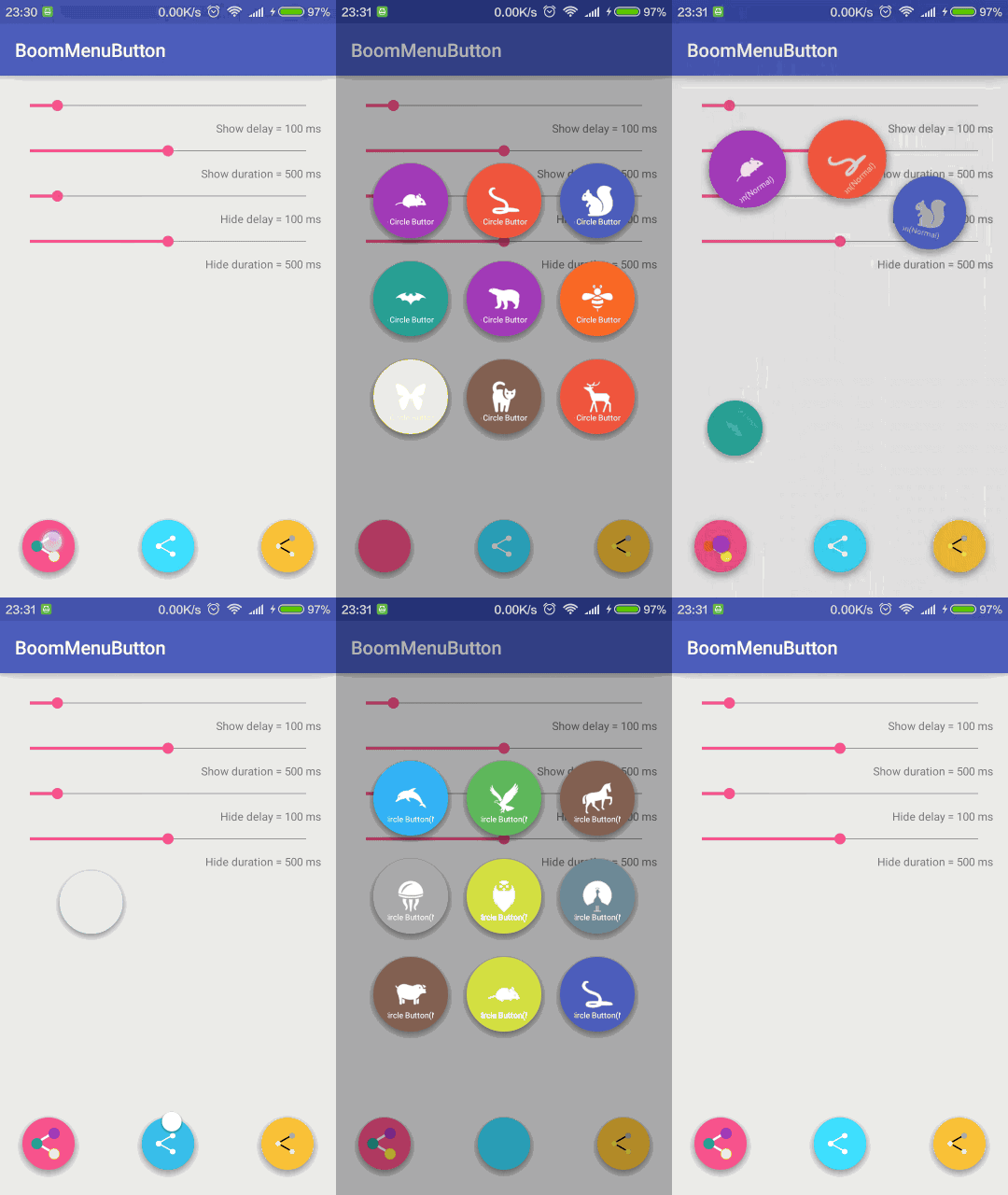
BMB is able to act as a share-action-button. Check the demo for details.
- Set the piece-place-enum of BMB to share-style.
bmb1.setPiecePlaceEnum(PiecePlaceEnum.Share);
Or in .xml:
app:bmb_piecePlaceEnum="piecePlace_share"
- Add builders.
Notice that the number of builders must in range [3, 9]. And don't try to use PiecePlaceEnum.Share.pieceNumber() to make a add-builder-loop, because PiecePlaceEnum.Share.pieceNumber() equals -1. You should use bmb.getButtonPlaceEnum().buttonNumber():
for (int i = 0; i < bmb.getButtonPlaceEnum().buttonNumber(); i++)
    bmb.addBuilder(BuilderManager.getTextInsideCircleButtonBuilder());
- (Optional)Customize your share style BMB.
bmb.setShareLineLength(45);
bmb.setShareLineWidth(5);
bmb.setDotRadius(12);
bmb.setShareLine1Color(Color.BLACK);
bmb.setShareLine2Color(Color.BLACK);
Or in .xml:
app:bmb_sharedLineLength="10dp"
app:bmb_shareLineWidth="2dp"
app:bmb_dotRadius="4dp"
app:bmb_shareLine1Color="@android:color/holo_orange_light"
app:bmb_shareLine2Color="@android:color/holo_orange_dark"