Support my Work
Buy a PXL Clock and help me create more videos like this! Use code RONALD for a 25€ discount:
https://www.pxlclock.com/?ref=RONALD
PXL Clock is a fun device, made with ❤️ - and it's programmable in an easy and quick way.

Find out more:
- On the PXL Clock Discord Server
- check out the PXL Clock Repo on GitHub
- Visit the official PXL Clock Store


FsHttp is a "hackable HTTP client" that offers a legible style for the basics while still affording full access to the underlying HTTP representations for covering unusual cases. It's the best of both worlds: Convenience and Flexibility.
- Use it as a replacement for
.httpfiles, VSCode's REST client, Postman, and other tools as an interactive and programmable playground for HTTP requests. - Usable as a production-ready HTTP client for applications powered by .NET (C#, VB, F#).
👍 Postman? ❤️ FsHttp! https://youtu.be/F508wQu7ET0
👍 Postman? ❤️ FsHttp Studio!
Check out FsHttp.Studio by @tw0po1nt - a wonderful VS Code extension that takes the "FsHttp as a Postman alternative" idea to the next level:
- A "Run request" button right above every
http { }block in your F# scripts - Rich response rendering directly in the editor: JSON as collapsible trees, images inline, HTML as rendered pages
- Status code, timing and response size at a glance
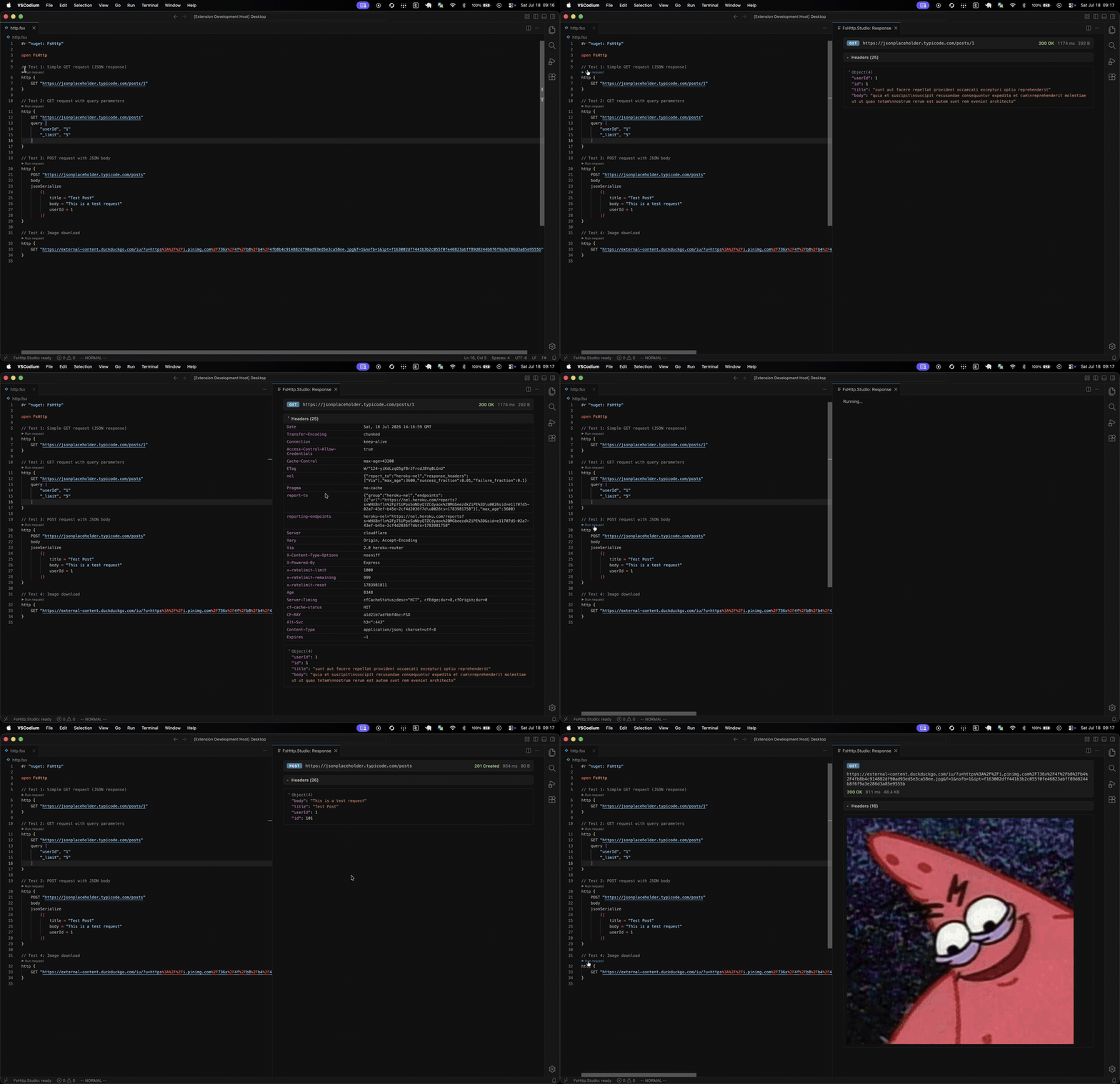
It's available on the VS Code Marketplace. A big thank you to @tw0po1nt for putting love and effort into making F# and FsHttp even more accessible and fun to use :)
- 📖 Please see FsHttp Documentation site for detailed documentation.
- 🧪 In addition, have a look at the Integration Tests that show various library details.
#r "nuget: FsHttp"

open FsHttp

http {
    POST "https://reqres.in/api/users"
    CacheControl "no-cache"
    body
    jsonSerialize
        {|
            name = "morpheus"
            job = "leader"
        |}
}
|> Request.send
#r "nuget: FsHttp"

using FsHttp;

await Http
    .Post("https://reqres.in/api/users")
    .CacheControl("no-cache")
    .Body()
    .JsonSerialize(new
        {
            name = "morpheus",
            job = "leader"
        }
    )
    .SendAsync();
As this is a recurring issue:
FsHttp emits console logs per default. They can be disabled by putting this line before any request is made:
FsHttp.Fsi.disableDebugLogs ()- See https://www.nuget.org/packages/FsHttp#release-body-tab
- For different upgrade paths, please read the Migrations docs section.
.Net SDK:
You need to have a recent .NET SDK installed, which is specified in ./global.json.
Build Tasks
There is a F# build script (./build.fsx) that can be used to perform several build tasks from command line.
For common tasks, there are bash scripts located in the repo root:
./test.sh: Runs all tests (sources in./src/Tests).- You can pass args to this task. E.g. for executing only some tests:
./test.sh --filter Name~'Response Decompression'
- You can pass args to this task. E.g. for executing only some tests:
./docu.sh: Rebuilds the FsHttp documentation site (sources in./src/docs)../docu-watch.sh: Run it if you are working on the documentation sources, and want to see the result in a browser../publish.sh: Publishes all packages (FsHttp and it's integration packages for Newtonsoft and FSharp.Data) to NuGet.- Always have a look at
./src/Directory.Build.propsand keep the file up-to-date.
- Always have a look at
- Parts of the code were taken from the HTTP utilities of FSharp.Data.
- Credits to all critics, supporters, contributors, promoters, users, and friends.