GV

GeezerVison

The World Wide Web, restored to 800 pixels of glory.

Home|About|Gaming cabinet|Archives|How it works|Starter sites

On this site

  • Initial Commit
  • EXPLORE
  • Visual Git command reference
  • Git command demos
  • LEARN
  • Git commands
  • Git articles
  • Git basics
  • Working with a team
  • Getting unstuck
  • All Git topics
  • Python
  • Java
  • Amazon Web Services (AWS)

This view

  • Original page
  • New address

GeezerVison is showing initialcommit.com — Initial Commit - Learn and use Git visually

Explore128 commands

The Animated Git Cheat Sheet

Stuck on a Git command or need a quick refresher? We used git-sim to build an animated cheat sheet with every Git command you could possibly need.

You can even customize it by hand-picking the exact Git commands to include.

Open the cheat sheet
Create a new repository Safe git-sim drawing of git initgit-sim drawing of git init $ git init Start a project Delete a file and stage the deletion Caution git-sim drawing of git rm <file>git-sim drawing of git rm <file> $ git rm <file> Manage files Delete all untracked files Destructive git-sim drawing of git clean -fgit-sim drawing of git clean -f $ git clean -f Manage files Clone a repository Safe git-sim drawing of git clone <url>git-sim drawing of git clone <url> $ git clone <url> Start a project Abort a merge with conflicts Caution $ git merge --abort Merge Delete all untracked and ignored files Destructive $ git clean -fdx Manage files Clone only the N latest commits Safe $ git clone --depth <N> <url> Start a project Rebase the active branch onto another Caution $ git rebase <branch> Rebase and cherry-pick Force-delete an unmerged branch Destructive $ git branch -D <name> Branches Clone a repository and check out a specific branch Safe $ git clone -b <branch> <url> Start a project Run an interactive rebase to edit, squash, or reorder commits Caution $ git rebase -i <base> Rebase and cherry-pick Force-push and overwrite the remote branch Destructive $ git push --force Fetch, pull, and push Set your author name Safe $ git config --global user.name "<name>" Configure Git Move part of a branch onto a new base commit Caution $ git rebase --onto <new-base> <old-base> Rebase and cherry-pick Delete a remote branch Destructive $ git push origin --delete <branch> Fetch, pull, and push Set your email address Safe $ git config --global user.email "<email>" Configure Git Skip the conflicting commit in a rebase Caution $ git rebase --skip Rebase and cherry-pick Delete all stash entries Destructive $ git stash clear Stash Set your default branch name Safe $ git config --global init.defaultBranch <name> Configure Git Abort a rebase in progress Caution $ git rebase --abort Rebase and cherry-pick Discard unstaged changes to a file Destructive $ git restore <file> Undo and recover Set your text editor Safe $ git config --global core.editor "<editor>" Configure Git Remove a remote Caution $ git remote remove <name> Remotes Discard all unstaged changes Destructive $ git restore . Undo and recover List all config settings Safe $ git config --list Configure Git Pull and rebase instead of merging Caution $ git pull --rebase Fetch, pull, and push Discard all unstaged changes (older Git) Destructive $ git checkout -- . Undo and recover Set a setting for every user on the machine Safe $ git config --system <setting> <value> Configure Git Force-push only if the remote branch hasn't changed Caution $ git push --force-with-lease Fetch, pull, and push Restore a file from an older commit Destructive $ git restore --source <commit> <file> Undo and recover Create a shortcut for a command Safe $ git config --global alias.<name> <command> Configure Git Delete a local tag Caution $ git tag -d <name> Tags Reset the branch and discard all changes Destructive $ git reset --hard <commit> Undo and recover Rebase instead of merging when you pull Safe $ git config --global pull.rebase true Configure Git Delete a remote tag Caution $ git push origin --delete <tag> Tags Reset your branch to match the remote Destructive $ git reset --hard origin/<branch> Undo and recover Prune deleted remote branches on every fetch Safe $ git config --global fetch.prune true Configure Git Drop a stash entry Caution $ git stash drop Stash Undo a hard reset Destructive $ git reset --hard HEAD@{1} Undo and recover Convert line endings on Windows Safe $ git config --global core.autocrlf true Configure Git Amend the last commit Caution $ git commit --amend -m "<message>" Undo and recover Delete all untracked files Destructive $ git clean -f Manage files Save your Git credentials Safe $ git config --global credential.helper <helper> Configure Git Undo the N latest commits, keep their changes staged Caution $ git reset --soft HEAD~<N> Undo and recover Delete all untracked and ignored files Destructive $ git clean -fdx Manage files Check the state of your repository Safe $ git status Stage and commit Undo the N latest commits, keep their changes unstaged Caution $ git reset HEAD~<N> Undo and recover Force-delete an unmerged branch Destructive $ git branch -D <name> Branches Stage your file changes Safe $ git add <file> Stage and commit Delete a file and stage the deletion Caution $ git rm <file> Manage files Force-push and overwrite the remote branch Destructive $ git push --force Fetch, pull, and push Stage all changes in the current folder Safe $ git add . Stage and commit Abort a merge with conflicts Caution $ git merge --abort Merge Delete a remote branch Destructive $ git push origin --delete <branch> Fetch, pull, and push Stage all changes in the repository Safe $ git add -A Stage and commit Rebase the active branch onto another Caution $ git rebase <branch> Rebase and cherry-pick Delete all stash entries Destructive $ git stash clear Stash Commit your staged changes Safe $ git commit -m "<message>" Stage and commit Run an interactive rebase to edit, squash, or reorder commits Caution $ git rebase -i <base> Rebase and cherry-pick Discard unstaged changes to a file Destructive $ git restore <file> Undo and recover Stage and commit tracked file changes in one command Safe $ git commit -am "<message>" Stage and commit Move part of a branch onto a new base commit Caution $ git rebase --onto <new-base> <old-base> Rebase and cherry-pick Discard all unstaged changes Destructive $ git restore . Undo and recover Stop tracking a file but keep it on disk Safe $ git rm --cached <file> Manage files Skip the conflicting commit in a rebase Caution $ git rebase --skip Rebase and cherry-pick Discard all unstaged changes (older Git) Destructive $ git checkout -- . Undo and recover Rename or move a file Safe $ git mv <old> <new> Manage files Abort a rebase in progress Caution $ git rebase --abort Rebase and cherry-pick Restore a file from an older commit Destructive $ git restore --source <commit> <file> Undo and recover Find the rule that ignores a file Safe $ git check-ignore -v <file> Manage files Remove a remote Caution $ git remote remove <name> Remotes Reset the branch and discard all changes Destructive $ git reset --hard <commit> Undo and recover View the active branch's commit history Safe $ git log History and search Pull and rebase instead of merging Caution $ git pull --rebase Fetch, pull, and push Reset your branch to match the remote Destructive $ git reset --hard origin/<branch> Undo and recover View the commit history of all branches Safe $ git log --all History and search Force-push only if the remote branch hasn't changed Caution $ git push --force-with-lease Fetch, pull, and push Undo a hard reset Destructive $ git reset --hard HEAD@{1} Undo and recover View all branches as a text graph Safe $ git log --oneline --graph --all History and search Delete a local tag Caution $ git tag -d <name> Tags Delete all untracked files Destructive $ git clean -f Manage files View every change to a file, commit by commit Safe $ git log -p <file> History and search Delete a remote tag Caution $ git push origin --delete <tag> Tags Delete all untracked and ignored files Destructive $ git clean -fdx Manage files Follow a file's history through renames Safe $ git log --follow <file> History and search Drop a stash entry Caution $ git stash drop Stash Force-delete an unmerged branch Destructive $ git branch -D <name> Branches Find the commits that added or removed a string Safe $ git log -S "<text>" History and search Amend the last commit Caution $ git commit --amend -m "<message>" Undo and recover Force-push and overwrite the remote branch Destructive $ git push --force Fetch, pull, and push List one author's commits Safe $ git log --author "<name>" History and search Undo the N latest commits, keep their changes staged Caution $ git reset --soft HEAD~<N> Undo and recover Delete a remote branch Destructive $ git push origin --delete <branch> Fetch, pull, and push List the commits from a date range Safe $ git log --since "<date>" --until "<date>" History and search Undo the N latest commits, keep their changes unstaged Caution $ git reset HEAD~<N> Undo and recover Delete all stash entries Destructive $ git stash clear Stash View a commit's data Safe $ git show <commit> History and search Delete a file and stage the deletion Caution $ git rm <file> Manage files Discard unstaged changes to a file Destructive $ git restore <file> Undo and recover See who last changed each line of a file Safe $ git blame <file> History and search Abort a merge with conflicts Caution $ git merge --abort Merge Discard all unstaged changes Destructive $ git restore . Undo and recover Count commits by author Safe $ git shortlog -sn History and search Rebase the active branch onto another Caution $ git rebase <branch> Rebase and cherry-pick Discard all unstaged changes (older Git) Destructive $ git checkout -- . Undo and recover Describe a commit by its nearest tag Safe $ git describe History and search Run an interactive rebase to edit, squash, or reorder commits Caution $ git rebase -i <base> Rebase and cherry-pick Restore a file from an older commit Destructive $ git restore --source <commit> <file> Undo and recover Search all tracked files for text Safe $ git grep -n "<text>" History and search Move part of a branch onto a new base commit Caution $ git rebase --onto <new-base> <old-base> Rebase and cherry-pick Reset the branch and discard all changes Destructive $ git reset --hard <commit> Undo and recover Find the commit that introduced a bug Safe $ git bisect start <bad> <good> History and search Skip the conflicting commit in a rebase Caution $ git rebase --skip Rebase and cherry-pick Reset your branch to match the remote Destructive $ git reset --hard origin/<branch> Undo and recover Show unstaged changes Safe $ git diff Compare changes Abort a rebase in progress Caution $ git rebase --abort Rebase and cherry-pick Undo a hard reset Destructive $ git reset --hard HEAD@{1} Undo and recover Show staged changes Safe $ git diff --staged Compare changes Remove a remote Caution $ git remote remove <name> Remotes Delete all untracked files Destructive $ git clean -f Manage files Compare two commits Safe $ git diff <commit> <commit> Compare changes Pull and rebase instead of merging Caution $ git pull --rebase Fetch, pull, and push Delete all untracked and ignored files Destructive $ git clean -fdx Manage files Compare two branches Safe $ git diff <branch>..<branch> Compare changes Force-push only if the remote branch hasn't changed Caution $ git push --force-with-lease Fetch, pull, and push Force-delete an unmerged branch Destructive $ git branch -D <name> Branches Summarize the changes per file Safe $ git diff --stat Compare changes Delete a local tag Caution $ git tag -d <name> Tags Force-push and overwrite the remote branch Destructive $ git push --force Fetch, pull, and push Create a new branch without switching to it Safe $ git branch <name> Branches Delete a remote tag Caution $ git push origin --delete <tag> Tags Delete a remote branch Destructive $ git push origin --delete <branch> Fetch, pull, and push List all local and remote-tracking branches Safe $ git branch -a Branches Drop a stash entry Caution $ git stash drop Stash Delete all stash entries Destructive $ git stash clear Stash List branches with their upstream and ahead/behind counts Safe $ git branch -vv Branches Amend the last commit Caution $ git commit --amend -m "<message>" Undo and recover Discard unstaged changes to a file Destructive $ git restore <file> Undo and recover List branches already merged into the active branch Safe $ git branch --merged Branches Undo the N latest commits, keep their changes staged Caution $ git reset --soft HEAD~<N> Undo and recover Discard all unstaged changes Destructive $ git restore . Undo and recover List branches not yet merged into the active branch Safe $ git branch --no-merged Branches Undo the N latest commits, keep their changes unstaged Caution $ git reset HEAD~<N> Undo and recover Discard all unstaged changes (older Git) Destructive $ git checkout -- . Undo and recover Switch to another branch Safe $ git switch <branch> Branches Delete a file and stage the deletion Caution $ git rm <file> Manage files Restore a file from an older commit Destructive $ git restore --source <commit> <file> Undo and recover Switch back to the previous branch Safe $ git switch - Branches Abort a merge with conflicts Caution $ git merge --abort Merge Reset the branch and discard all changes Destructive $ git reset --hard <commit> Undo and recover Check out a branch from the remote Safe $ git switch <branch> Branches Rebase the active branch onto another Caution $ git rebase <branch> Rebase and cherry-pick Reset your branch to match the remote Destructive $ git reset --hard origin/<branch> Undo and recover Create a new branch and switch to it Safe $ git switch -c <name> Branches Run an interactive rebase to edit, squash, or reorder commits Caution $ git rebase -i <base> Rebase and cherry-pick Undo a hard reset Destructive $ git reset --hard HEAD@{1} Undo and recover Create a new branch at a specific commit and switch to it Safe $ git switch -c <name> <start> Branches Move part of a branch onto a new base commit Caution $ git rebase --onto <new-base> <old-base> Rebase and cherry-pick Delete all untracked files Destructive $ git clean -f Manage files Rename a branch Safe $ git branch -m <old> <new> Branches Skip the conflicting commit in a rebase Caution $ git rebase --skip Rebase and cherry-pick Delete all untracked and ignored files Destructive $ git clean -fdx Manage files Delete a merged branch Safe $ git branch -d <name> Branches Abort a rebase in progress Caution $ git rebase --abort Rebase and cherry-pick Force-delete an unmerged branch Destructive $ git branch -D <name> Branches Check out a non-branch commit (detached HEAD) Safe $ git switch --detach <commit> Branches Remove a remote Caution $ git remote remove <name> Remotes Force-push and overwrite the remote branch Destructive $ git push --force Fetch, pull, and push Merge a branch into the active branch Safe $ git merge <branch> Merge Pull and rebase instead of merging Caution $ git pull --rebase Fetch, pull, and push Delete a remote branch Destructive $ git push origin --delete <branch> Fetch, pull, and push Fast-forward the active branch Safe $ git merge <branch> Merge Force-push only if the remote branch hasn't changed Caution $ git push --force-with-lease Fetch, pull, and push Delete all stash entries Destructive $ git stash clear Stash Force a merge commit even if a fast-forward merge is possible Safe $ git merge --no-ff <branch> Merge Delete a local tag Caution $ git tag -d <name> Tags Discard unstaged changes to a file Destructive $ git restore <file> Undo and recover Squash a branch's changes into one commit Safe $ git merge --squash <branch> Merge Delete a remote tag Caution $ git push origin --delete <tag> Tags Discard all unstaged changes Destructive $ git restore . Undo and recover Finish a merge after fixing conflicts Safe $ git merge --continue Merge Drop a stash entry Caution $ git stash drop Stash Discard all unstaged changes (older Git) Destructive $ git checkout -- . Undo and recover Continue a rebase after fixing conflicts Safe $ git rebase --continue Rebase and cherry-pick Amend the last commit Caution $ git commit --amend -m "<message>" Undo and recover Restore a file from an older commit Destructive $ git restore --source <commit> <file> Undo and recover Apply a commit from another branch to the active branch Safe $ git cherry-pick <commit> Rebase and cherry-pick Undo the N latest commits, keep their changes staged Caution $ git reset --soft HEAD~<N> Undo and recover Reset the branch and discard all changes Destructive $ git reset --hard <commit> Undo and recover Apply a range of commits from another branch to the active branch Safe $ git cherry-pick <from>..<to> Rebase and cherry-pick Undo the N latest commits, keep their changes unstaged Caution $ git reset HEAD~<N> Undo and recover Reset your branch to match the remote Destructive $ git reset --hard origin/<branch> Undo and recover Add a new remote Safe $ git remote add <name> <url> Remotes Delete a file and stage the deletion Caution $ git rm <file> Manage files Undo a hard reset Destructive $ git reset --hard HEAD@{1} Undo and recover List remotes with their URLs Safe $ git remote -v Remotes Abort a merge with conflicts Caution $ git merge --abort Merge Delete all untracked files Destructive $ git clean -f Manage files Show the details of a remote Safe $ git remote show <name> Remotes Rebase the active branch onto another Caution $ git rebase <branch> Rebase and cherry-pick Delete all untracked and ignored files Destructive $ git clean -fdx Manage files Change a remote's URL Safe $ git remote set-url <name> <url> Remotes Run an interactive rebase to edit, squash, or reorder commits Caution $ git rebase -i <base> Rebase and cherry-pick Force-delete an unmerged branch Destructive $ git branch -D <name> Branches Rename a remote Safe $ git remote rename <old> <new> Remotes Move part of a branch onto a new base commit Caution $ git rebase --onto <new-base> <old-base> Rebase and cherry-pick Force-push and overwrite the remote branch Destructive $ git push --force Fetch, pull, and push List a remote's branches and tags without fetching Safe $ git ls-remote Remotes Skip the conflicting commit in a rebase Caution $ git rebase --skip Rebase and cherry-pick Delete a remote branch Destructive $ git push origin --delete <branch> Fetch, pull, and push Set the upstream branch of the active branch Safe $ git branch -u origin/<branch> Remotes Abort a rebase in progress Caution $ git rebase --abort Rebase and cherry-pick Delete all stash entries Destructive $ git stash clear Stash Fetch new commits from the remote, without merging Safe $ git fetch Fetch, pull, and push Remove a remote Caution $ git remote remove <name> Remotes Discard unstaged changes to a file Destructive $ git restore <file> Undo and recover Fetch new commits on one branch from a remote Safe $ git fetch <remote> <branch> Fetch, pull, and push Pull and rebase instead of merging Caution $ git pull --rebase Fetch, pull, and push Discard all unstaged changes Destructive $ git restore . Undo and recover Fetch new commits on all branches from all remotes Safe $ git fetch --all Fetch, pull, and push Force-push only if the remote branch hasn't changed Caution $ git push --force-with-lease Fetch, pull, and push Discard all unstaged changes (older Git) Destructive $ git checkout -- . Undo and recover Fetch and prune deleted remote branches Safe $ git fetch --prune Fetch, pull, and push Delete a local tag Caution $ git tag -d <name> Tags Restore a file from an older commit Destructive $ git restore --source <commit> <file> Undo and recover Fetch and merge remote commits Safe $ git pull Fetch, pull, and push Delete a remote tag Caution $ git push origin --delete <tag> Tags Reset the branch and discard all changes Destructive $ git reset --hard <commit> Undo and recover Pull a specific branch from the remote Safe $ git pull origin <branch> Fetch, pull, and push Drop a stash entry Caution $ git stash drop Stash Reset your branch to match the remote Destructive $ git reset --hard origin/<branch> Undo and recover Push the active branch's commits Safe $ git push Fetch, pull, and push Amend the last commit Caution $ git commit --amend -m "<message>" Undo and recover Undo a hard reset Destructive $ git reset --hard HEAD@{1} Undo and recover Push a new branch and set its upstream Safe $ git push -u origin <branch> Fetch, pull, and push Undo the N latest commits, keep their changes staged Caution $ git reset --soft HEAD~<N> Undo and recover Delete all untracked files Destructive $ git clean -f Manage files Create a lightweight tag Safe $ git tag <name> Tags Undo the N latest commits, keep their changes unstaged Caution $ git reset HEAD~<N> Undo and recover Delete all untracked and ignored files Destructive $ git clean -fdx Manage files Create an annotated tag with a message Safe $ git tag -a <name> -m "<message>" Tags Delete a file and stage the deletion Caution $ git rm <file> Manage files Force-delete an unmerged branch Destructive $ git branch -D <name> Branches List all tags Safe $ git tag -l Tags Abort a merge with conflicts Caution $ git merge --abort Merge Force-push and overwrite the remote branch Destructive $ git push --force Fetch, pull, and push Push a single tag Safe $ git push origin <tag> Tags Rebase the active branch onto another Caution $ git rebase <branch> Rebase and cherry-pick Delete a remote branch Destructive $ git push origin --delete <branch> Fetch, pull, and push Push all tags Safe $ git push --tags Tags Run an interactive rebase to edit, squash, or reorder commits Caution $ git rebase -i <base> Rebase and cherry-pick Delete all stash entries Destructive $ git stash clear Stash Stash your uncommitted changes Safe $ git stash Stash Move part of a branch onto a new base commit Caution $ git rebase --onto <new-base> <old-base> Rebase and cherry-pick Discard unstaged changes to a file Destructive $ git restore <file> Undo and recover Stash changes including untracked files Safe $ git stash -u Stash Skip the conflicting commit in a rebase Caution $ git rebase --skip Rebase and cherry-pick Discard all unstaged changes Destructive $ git restore . Undo and recover Stash changes with a message Safe $ git stash push -m "<message>" Stash Abort a rebase in progress Caution $ git rebase --abort Rebase and cherry-pick Discard all unstaged changes (older Git) Destructive $ git checkout -- . Undo and recover Stash changes to a specific file or file(s) Safe $ git stash push <file> Stash Remove a remote Caution $ git remote remove <name> Remotes Restore a file from an older commit Destructive $ git restore --source <commit> <file> Undo and recover List all stash entries Safe $ git stash list Stash Pull and rebase instead of merging Caution $ git pull --rebase Fetch, pull, and push Reset the branch and discard all changes Destructive $ git reset --hard <commit> Undo and recover Apply and drop the latest stash entry Safe $ git stash pop Stash Force-push only if the remote branch hasn't changed Caution $ git push --force-with-lease Fetch, pull, and push Reset your branch to match the remote Destructive $ git reset --hard origin/<branch> Undo and recover Apply the latest stash entry and keep it Safe $ git stash apply Stash Delete a local tag Caution $ git tag -d <name> Tags Undo a hard reset Destructive $ git reset --hard HEAD@{1} Undo and recover Show the changes in a stash entry Safe $ git stash show -p Stash Delete a remote tag Caution $ git push origin --delete <tag> Tags Delete all untracked files Destructive $ git clean -f Manage files Create a new branch from a stash entry Safe $ git stash branch <name> Stash Drop a stash entry Caution $ git stash drop Stash Delete all untracked and ignored files Destructive $ git clean -fdx Manage files Unstage a file's changes Safe $ git restore --staged <file> Undo and recover Amend the last commit Caution $ git commit --amend -m "<message>" Undo and recover Force-delete an unmerged branch Destructive $ git branch -D <name> Branches Revert a commit with a new commit Safe $ git revert <commit> Undo and recover Undo the N latest commits, keep their changes staged Caution $ git reset --soft HEAD~<N> Undo and recover Force-push and overwrite the remote branch Destructive $ git push --force Fetch, pull, and push Revert a merge commit Safe $ git revert -m 1 <merge> Undo and recover Undo the N latest commits, keep their changes unstaged Caution $ git reset HEAD~<N> Undo and recover Delete a remote branch Destructive $ git push origin --delete <branch> Fetch, pull, and push Revert several commits in one commit Safe $ git revert --no-commit <from>..<to> Undo and recover Delete a file and stage the deletion Caution $ git rm <file> Manage files Delete all stash entries Destructive $ git stash clear Stash Find a lost commit in the reflog Safe $ git reflog Undo and recover Abort a merge with conflicts Caution $ git merge --abort Merge Discard unstaged changes to a file Destructive $ git restore <file> Undo and recover Restore a deleted branch Safe $ git branch <name> <hash> Undo and recover Rebase the active branch onto another Caution $ git rebase <branch> Rebase and cherry-pick Discard all unstaged changes Destructive $ git restore . Undo and recover

LearnGit lessons

Visual Git lessons based on a real-world analogy that makes sense

Interactive Git lessons you work through in your browser, one small step at a time.

Your Git repo becomes a scrapbook, commits become pages you glue in, and code files become special treasures. Fill up your scrapbook while learning how to use Git!

Start level 1
The scrapbook: the repository as a binder of pages, the working directory as a table with a staging area on it, and origin as the shared copy Two branches of pages joined by a merge The stash as a drawer under the table

Developfree & open source

git-sim: the visual layer for Git in your own repos

Try git-sim pip install git-sim
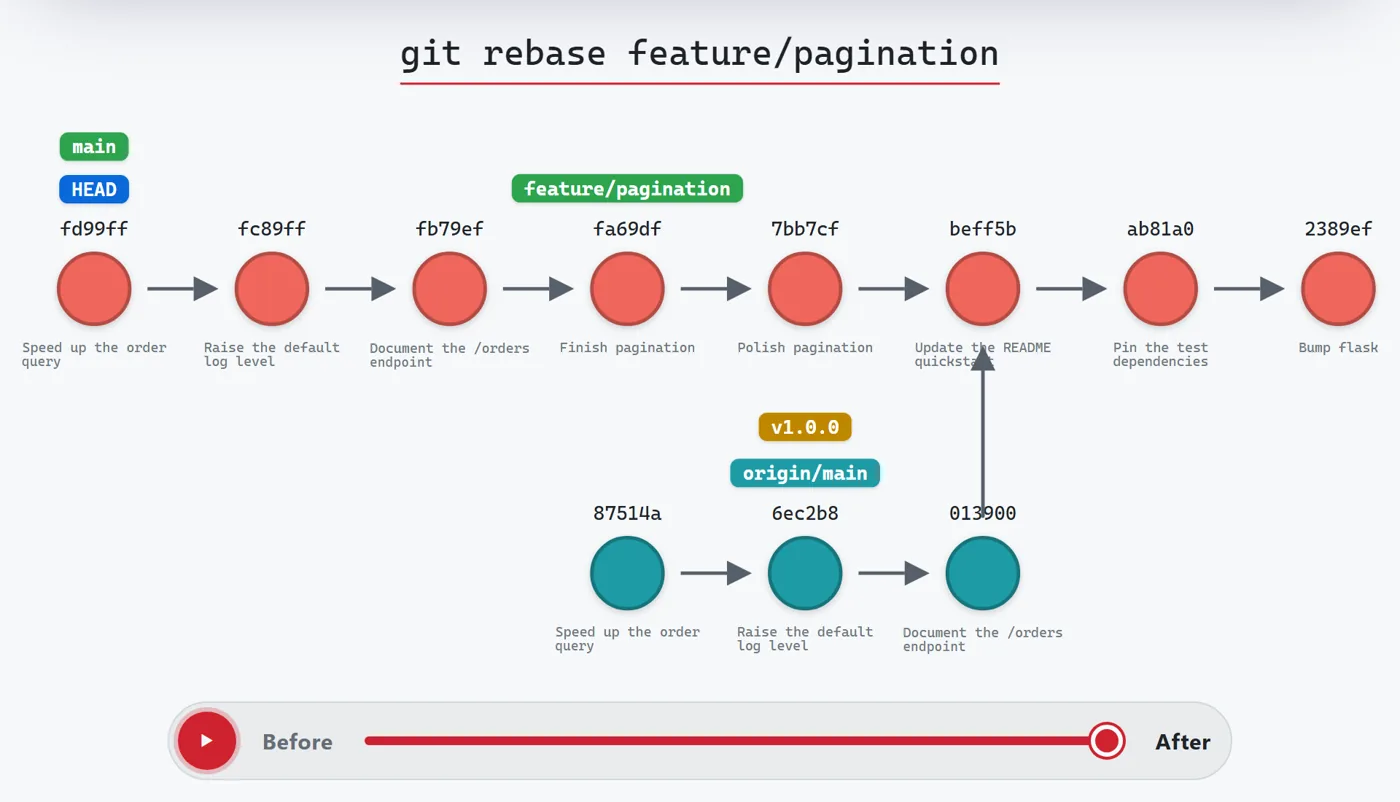
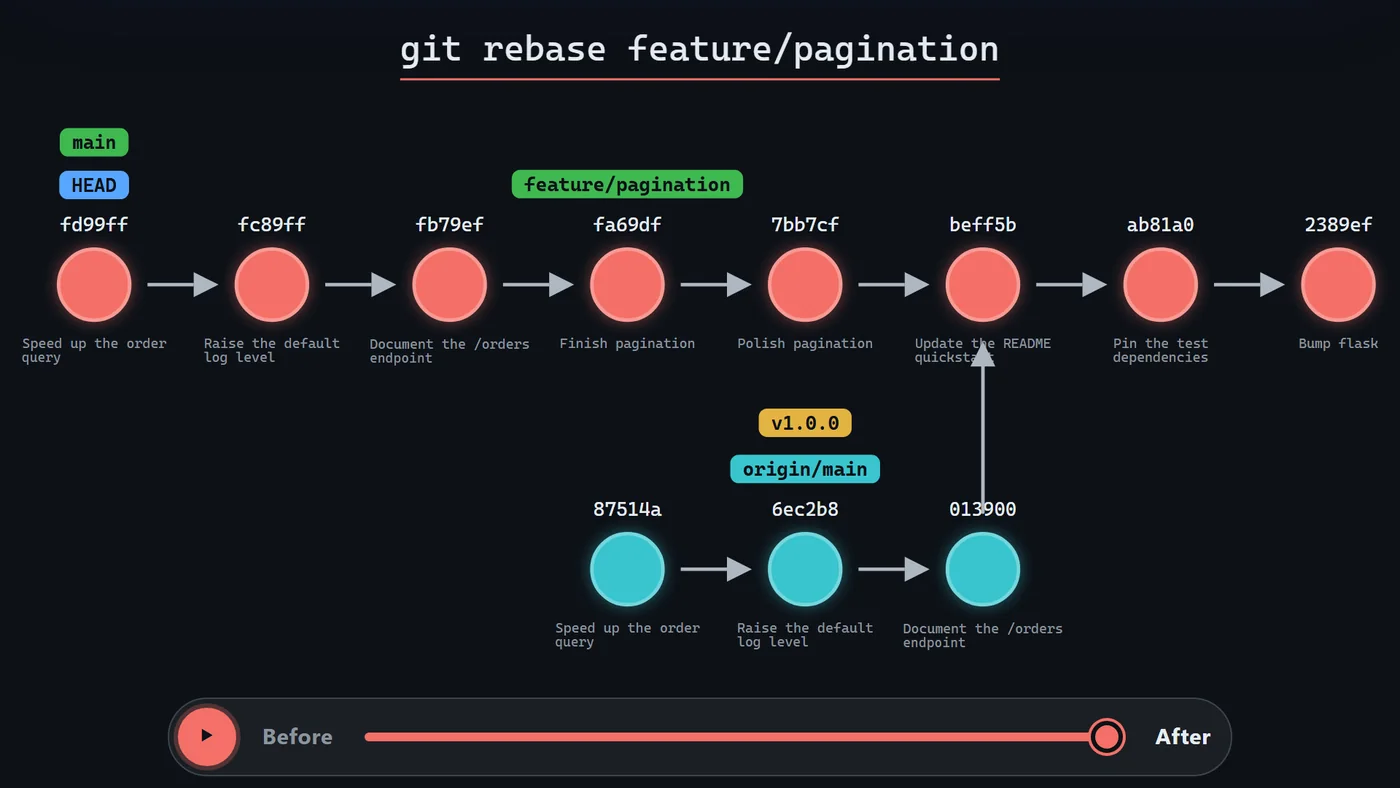
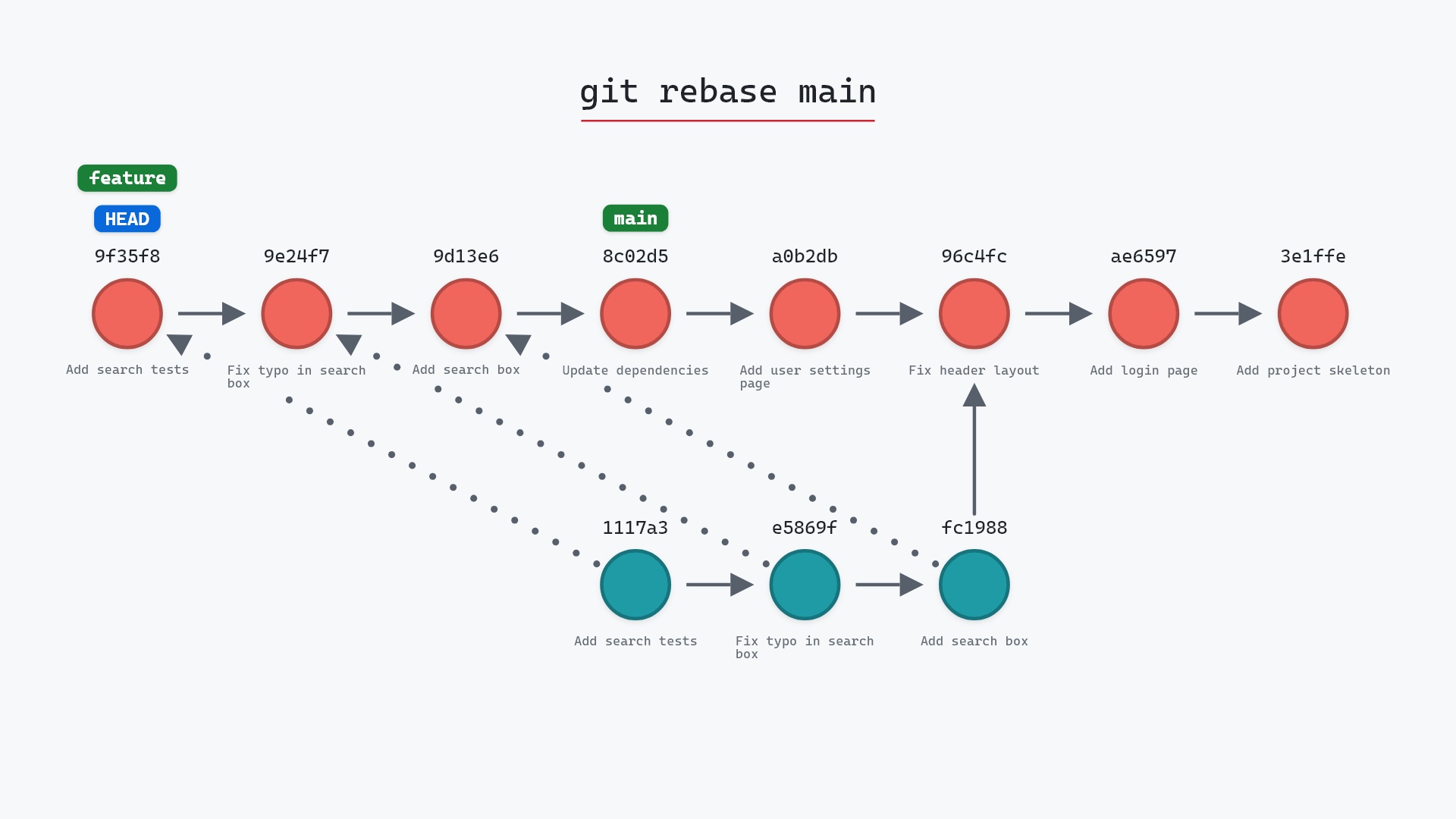
git-sim's interactive viewer playing git rebase in the browsergit-sim's interactive viewer playing git rebase in the browser
01 Simulate any Git command before it runs, as an interactive graph you can step through TerminalWebVS CodeJupyterGitHub PRs Open the git-sim web viewer
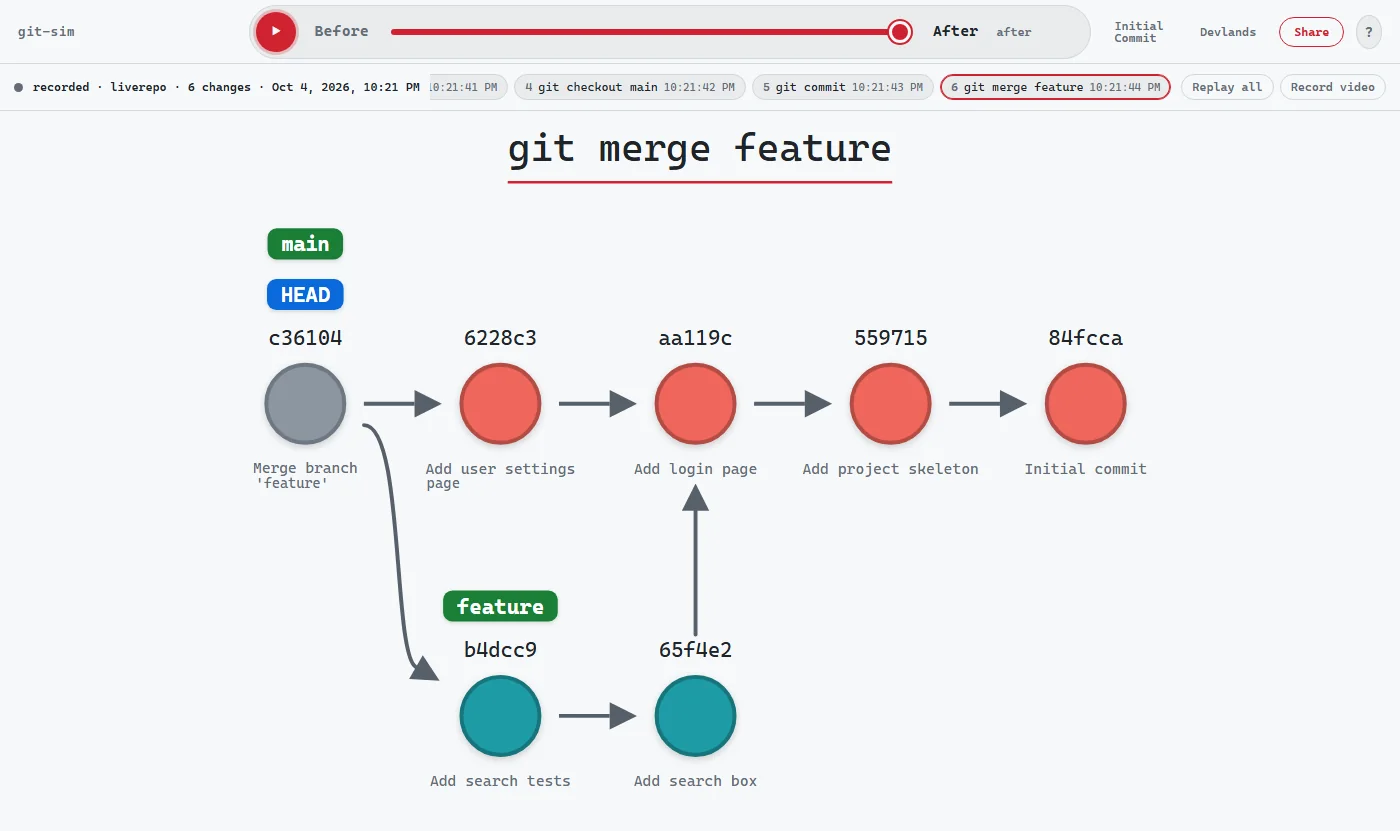
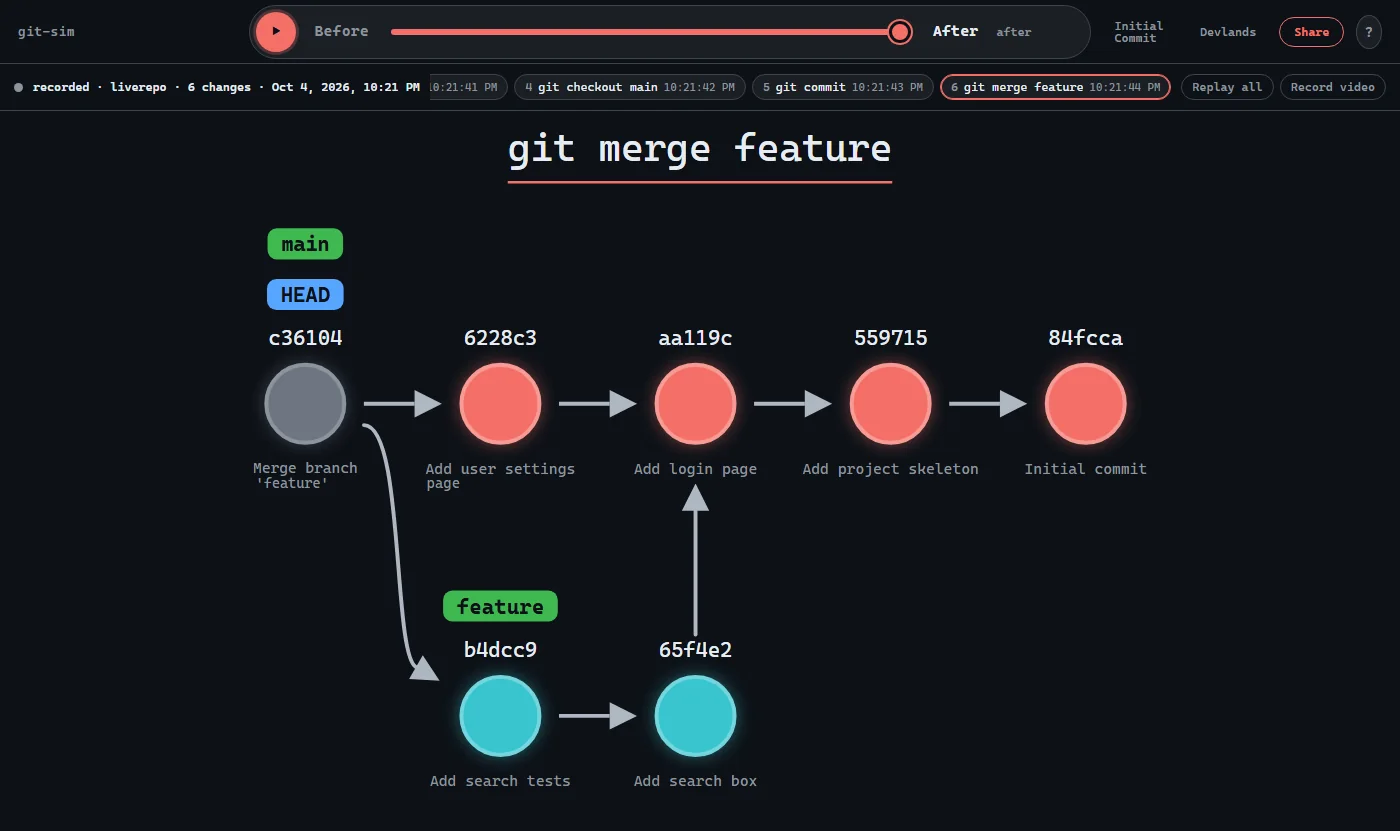
A git-sim live recording of a repository: each checkout, commit and merge kept as a step you can replayA git-sim live recording of a repository: each checkout, commit and merge kept as a step you can replay
02 Track your repo live while recording every Git operation (human or agentic) as a visual command sequence you can replay WebVS Code Try git-sim live mode
agent · wants to run $ git reset --hard HEAD~2 DESTRUCTIVE git-sim pre-flight Moves main from 8c02d5b to 96c4fc2 (hard reset). Would lose: 2 commits removed from branch main staged changes in README.md (NOT recoverable) unstaged changes in app.py (NOT recoverable) Recover: commits stay in the reflog ~90 days Allow this command? [y/N]
03 Catch and review potentially destructive Git commands from AI agents in real-time, before they harm your work Claude CodeGitHub CopilotCursorCodexGemini CLI+ any MCP agent Check out git-sim pre-flight
Share Copy linkCopy imageCopy embedDownload PNGDownload SVGDownload pageBluesky · LinkedIn · Reddit · Hacker News · Email
04 Share any git-sim output as a link, an embed, an image, a video, or a social post Shareable linkHTML embedHTML pagePNGSVGMP4Social post Share and embed custom Git simulations

More from Initial Commit

Talks, books, courses and the other things we make.

Devlands: The First & Only Gamified Git Interface

New

git-sim: Visually simulate Git commands in your own repo

My Talk @ GitHub's Git Merge 2025 Conference

Coding books

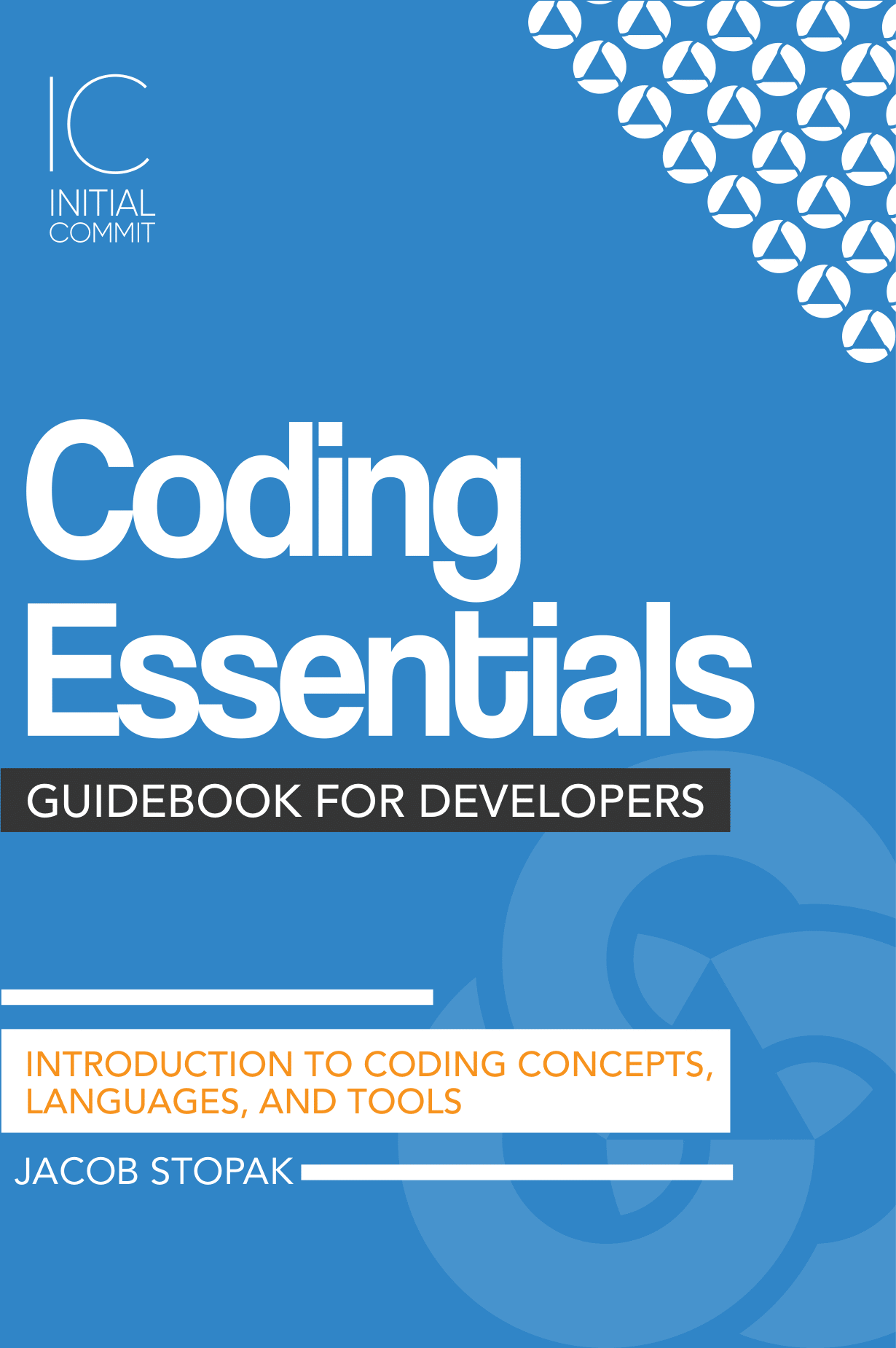
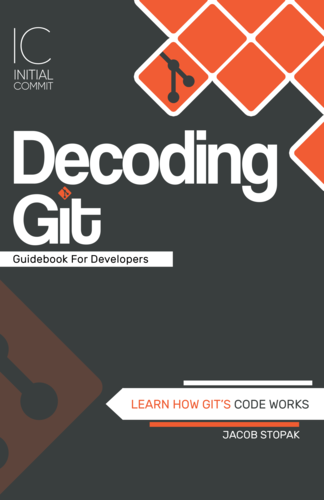
Image of the Decoding Bitcoin Guidebook for Developers Image of the Coding Essentials Guidebook for Developers Image of the Decoding Git Guidebook for Developers

Coding blog

Image of Design mistakes I made in my open-source project git-sim in 2022 Featured article

Design mistakes I made in my open-source project git-sim in 2022

Image of the Git logo
git-simgitvcs

My Talk @ GitHub's Git Merge 2022 Conference

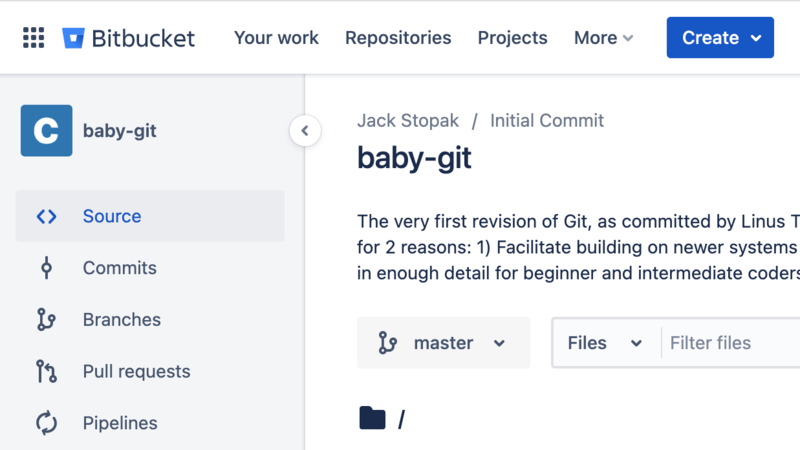
Git's initial commit

Image of the Git's initial commit
New

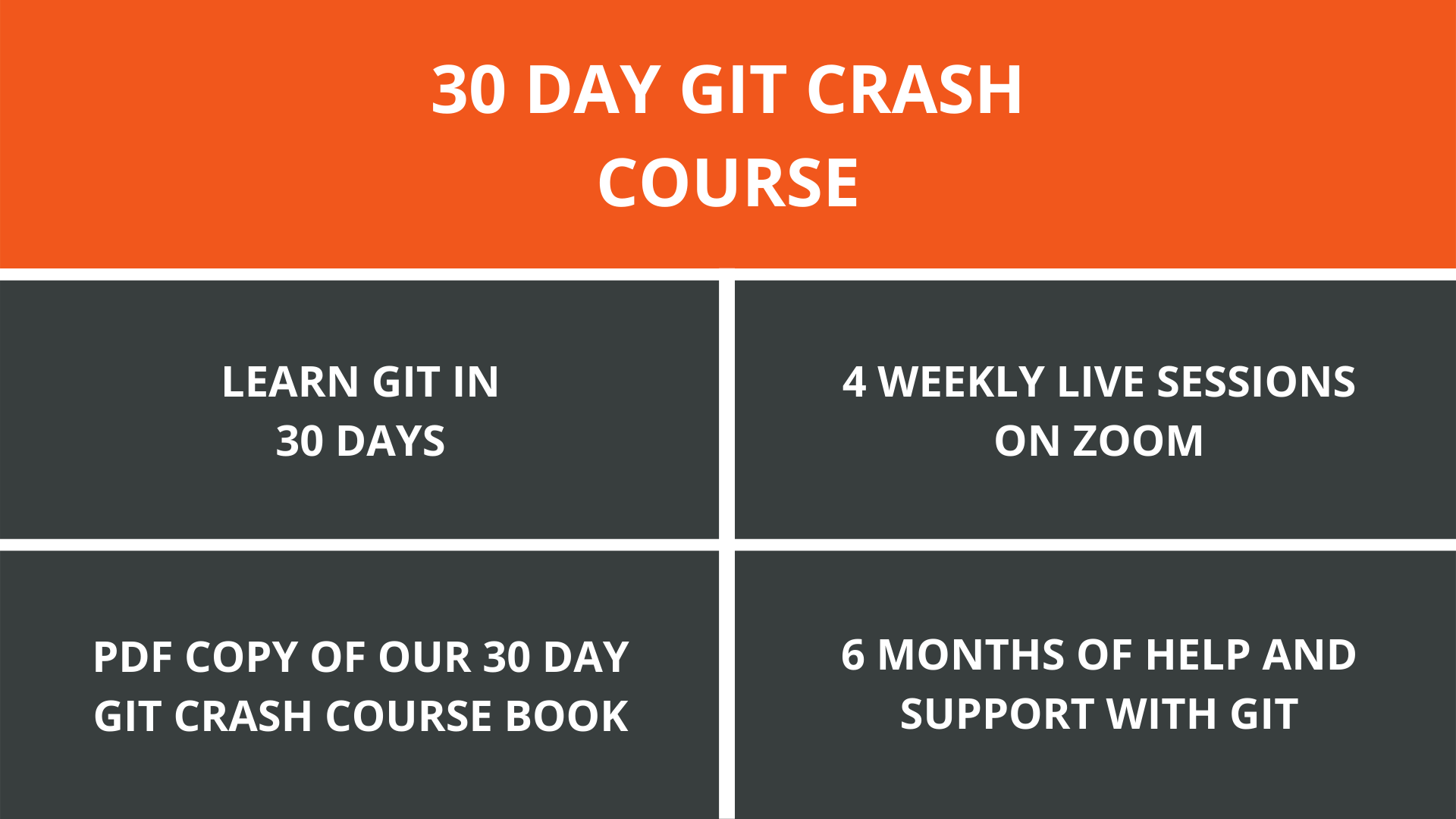
30 day git crash course

Image of the 30 day git crash course
New

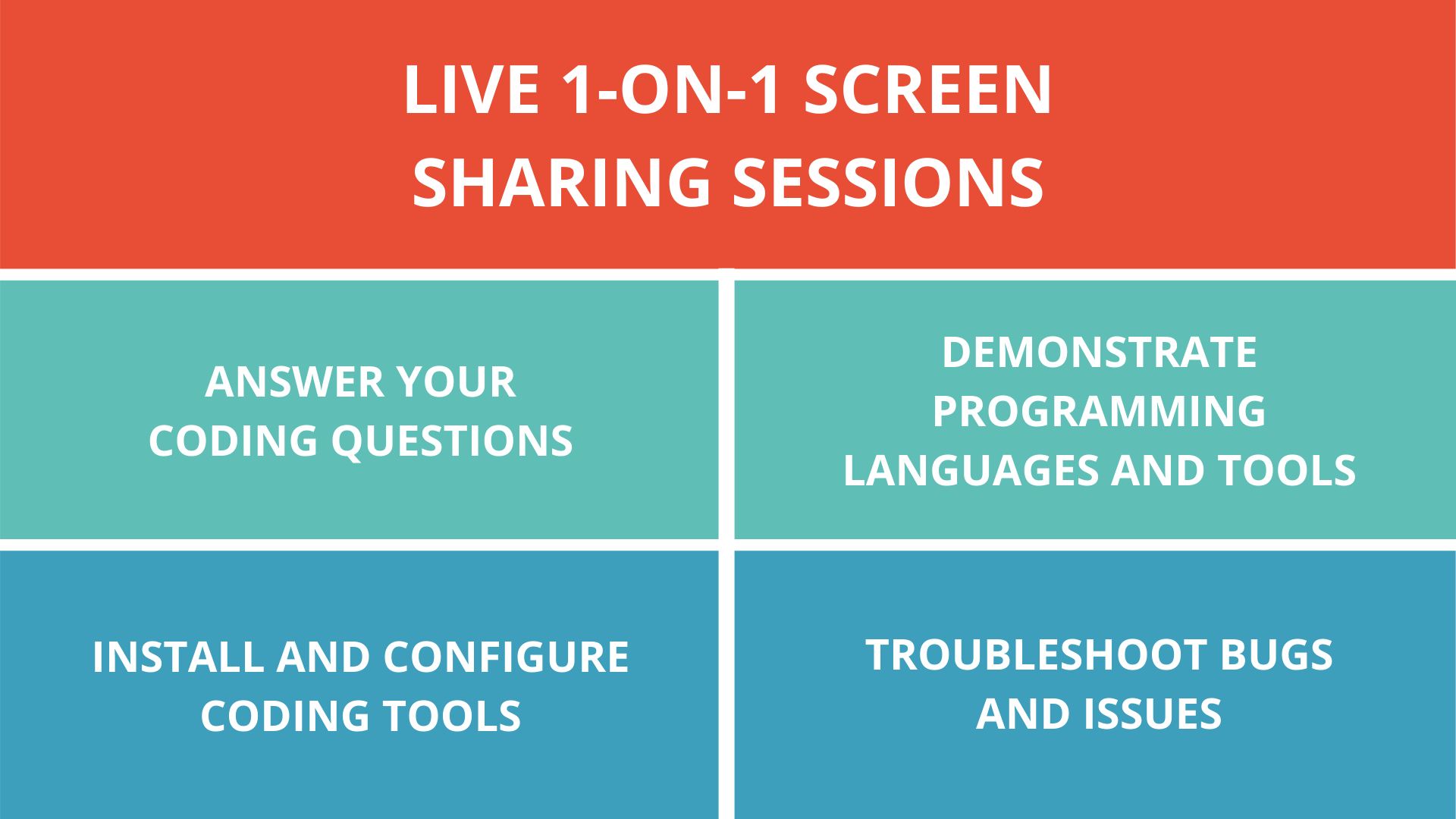
Coding sessions

Image of the Coding sessions
New

Ask a dev!

  • Have a coding or website question?
  • Stuck troubleshooting an issue or bug?
  • Tired of browsing the web for answers that dont work?
  • Up late at night hacking on a last-minute issue?

Give us a call 24/7 for live support.

Only pay if we answer your question or solve your problem.

$10 per question or $65 per hour of troubleshooting.

Beta

Build your site!

We build and host your individual or business website using our custom Cloud platform - Initial Commit CMS.

We make it easy to spin up a new website with the parts you need, like a homepage, store, and blog.

  • Customize the appearance of your site
  • Create and organize content via dynamic blocks
  • Sell products in a web store
  • Publish blog posts
  • Review site traffic and analytics
  • And more...

Pricing starts at $30/month.

You are visitor 01402503 — GeezerVison does not store the pages you look up.
Best viewed with Netscape Navigator 4.7 or Internet Explorer 6 at 800×600. No cookies required.