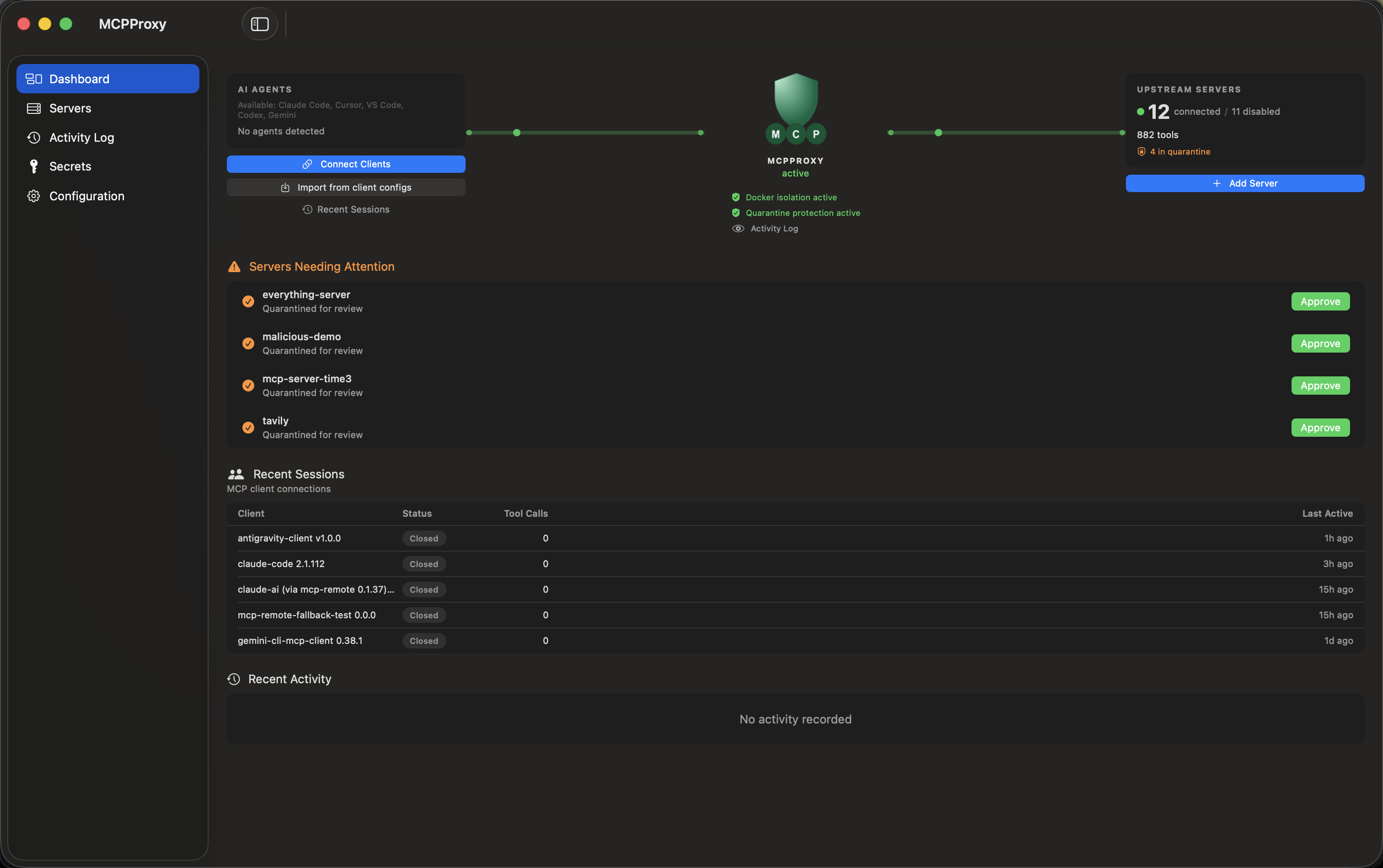
GeezerVison is showing mcpproxy.app — MCP proxy for Claude Code, Codex, OpenCode & Cursor — MCPProxy
Local-first · Open source · MIT
The MCP proxy for every coding agent. One approved layer.
Use Claude Code, Codex, OpenCode and Cursor with the same MCP servers. Set them up once in MCPProxy, hold new servers and changed tools for approval, and scope each agent’s access.
Open MCPProxy from the menu bar to see recent calls, their intents, connected clients and the last 24 hours of activity.
Server controls, profiles and the full Web UI are right there when you need them.
Actual tray menu—not the main app window. Recorded local activity includes demonstration calls.
Profiles and scanner examples below use an isolated development build with synthetic servers.
Choose a server profile
Research and operations profiles keep server groups explicit.
Inspect security findings
A quarantined demo server and its tool-definition scan report.
Guides and comparisons
Answers to the questions MCP users ask.
Comparison
MCP Router alternative
MCP Router stopped development and security updates on 2026-09-18. If you want a maintained, open-source MCP proxy with a similar job, MCPProxy can hold the same kinds of servers (local stdio and remote HTTP or SSE). There is no one-click importer for MCP Router today, so the move is manual.
Both are open-source tools that sit between your coding agents and your MCP servers. ToolHive runs locally managed servers in containers and can also proxy remote servers, with a strong team and Kubernetes story. MCPProxy starts from approving what an agent may run, on one developer's machine.
Docker MCP Toolkit is built into Docker Desktop and runs catalog MCP servers as containers. MCPProxy is a separate local MCP proxy for stdio and remote HTTP or SSE servers. It focuses on review and access control. They solve different halves of the problem.
Each coding agent has its own MCP config file and format. Add a server to one and the others do not know about it. With MCPProxy you add each server once and connect every client to the same local endpoint.
A code reviewer should read GitHub, not delete branches. Claude Code can pick which MCP tools a subagent sees. MCPProxy adds a limit enforced on the proxy side: which servers, and which permission tiers (read, write or destructive) the agent may use. Tiers come from each tool's own annotations.
A remote MCP server that uses OAuth works for a while, then your client says the connection expired and you sign in again. Often the refresh step failed, and sometimes no software can fix that. Here is how to tell which, and what MCPProxy changes.
A malicious or compromised MCP server can hide instructions in a tool's description, or change a trusted tool later. Your agent reads those descriptions as part of its prompt. MCPProxy can hold new servers and changed tools for your review before an agent uses them.
“MCP error -32000: Connection closed” can mean the MCP server your client started exited before it finished saying hello. On Windows, one possible cause is a command shim that the client cannot launch directly. Here is what to check.
No. Use the TPA scanner to check tool definitions, ask your AI agent to review quarantined tools and findings, or inspect them yourself. Agent-assisted review is not the same as granting approval: configured quarantine and approval controls still apply.
What does local-first mean?
The proxy runs on your machine. Your upstream servers and AI clients may still contact remote services; local-first does not make the whole workflow offline. The built-in tool scanner can run without network access.
Can I use my existing AI clients?
MCPProxy provides a shared MCP endpoint. Follow the connection guide for your client’s supported transport and authentication. You manage upstream servers in MCPProxy rather than repeating that setup for each client.
How are profiles different from agent tokens?
Profiles select groups of servers. Agent tokens restrict access through scoped, revocable credentials. Pinning a token to a profile keeps a session from switching beyond that restriction.
Does MCPProxy make every tool safe?
No. Quarantine, definition-change review, scanning, sensitive-data detection and schema checks add useful controls, but cannot guarantee safety. Tool implementation changes may not change their definitions, and scanner findings still need judgment.
Do I need Docker? Is code execution required?
Neither is required. Docker isolation is optional for supported stdio servers. JavaScript and TypeScript orchestration is separately opt-in.
Is it free and open source?
Yes. MCPProxy is MIT licensed. You can inspect the source, run it yourself, and contribute on GitHub.
You are visitor 01402503 — GeezerVison does not store the pages you look up. Best viewed with Netscape Navigator 4.7 or Internet Explorer 6 at 800×600. No cookies required.