GeezerVison is showing phamhungtien.com — Pad Code AI — IDE for iPad and iPhone | Phạm Hùng Tiến
Pad Code AI IDE for iPad and iPhone
Real Ubuntu Linux for coding on iPad and iPhone
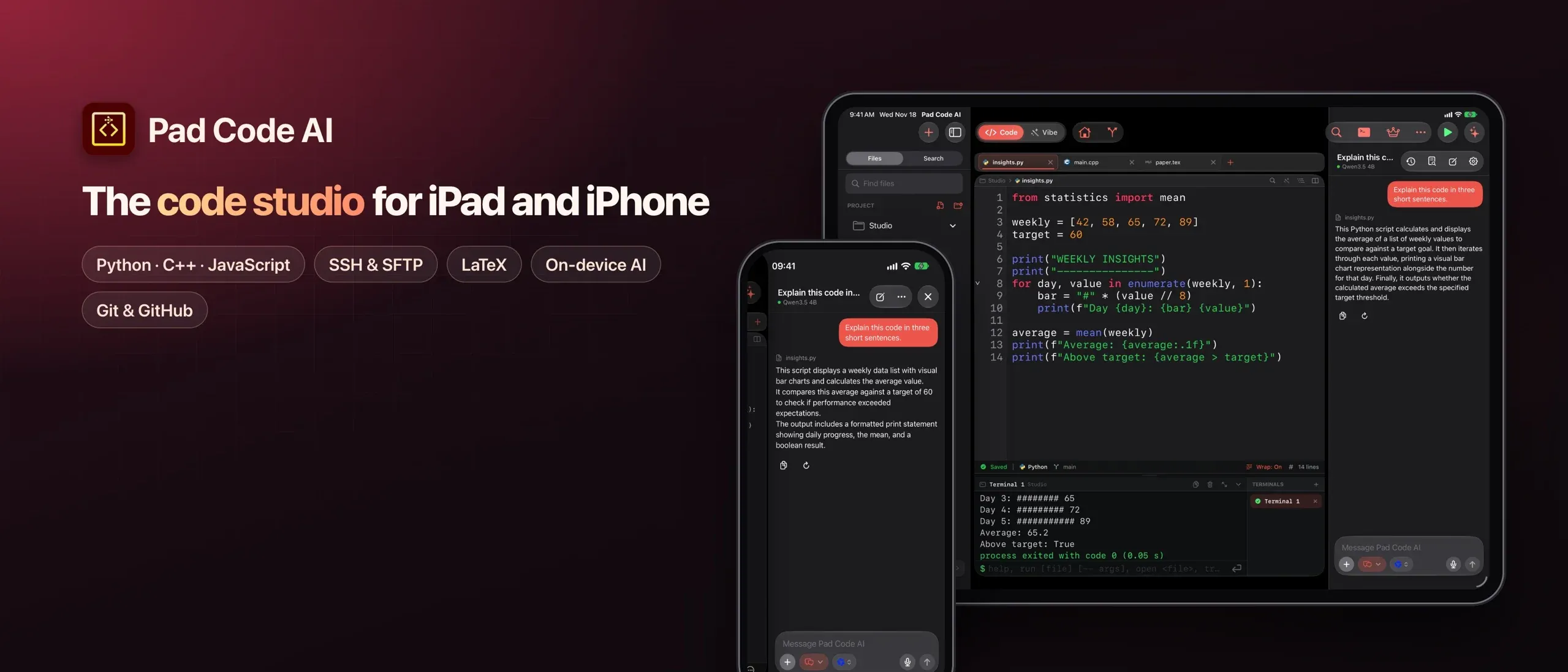
Pad Code AI runs Ubuntu 26.04 LTS on the device, with no server and no account. A bash terminal with apt, about 60 tools you download once and use offline, a debugger, LaTeX and Git.
Ubuntu 26.04 LTS for arm64 runs inside the app, with no server. Every terminal tab is a bash shell with sudo apt install and all of Ubuntu's archive; the project lives at /workspace and changes show up in the editor right away.
About 60 tools, offline
Python, Node.js, C and C++ (gcc, Clang), Java, Go, Rust, Ruby, PHP, .NET, Zig, the Android SDK, microcontroller toolchains, CMake, GDB, PostgreSQL, Redis and more. Download once and use them without the internet; the app suggests the tool a file needs. pip install numpy pandas matplotlib works in a terminal, a script or a notebook. Docker runs too: docker run, docker build and port mappings, right in the terminal.
A debugger and code intelligence from the real tools
Debug Python, JavaScript and TypeScript: conditional breakpoints, logpoints, stepping, variables, the call stack, watch expressions and Run to Cursor. Completion from Jedi, Clang and TypeScript, formatting with Black and Prettier, plus go to definition, rename and project-wide search and replace.
Web previews and LaTeX
Web pages are served from Linux's web server and reload when you save; web projects start their dev servers. LaTeX is typeset into real PDFs with TeX Live, which downloads the language packages a document needs, ready to save, share or print. On iPad the preview sits beside the editor and updates as you type; on iPhone it can stay at half height while you edit.
Vibe Coding
Describe the change you want to make. Choose Ask, Plan, Edit or Auto to control what the assistant can do; in Auto it runs commands and tests in Linux. Command-line coding agents open in a terminal tab of their own, signed in with your own account.
AI your way
Use Apple Intelligence on a supported device and in an eligible region, or download a model such as Qwen or Gemma for offline use where memory allows. Online providers require your own API key and an internet connection.
Git, SSH and SFTP
Clone over HTTPS from GitHub, GitLab and Bitbucket; review diffs, commit, branch, stash, push and pull, and sign in to GitHub to open private repositories. A full-color SSH terminal runs vim, htop and tmux, with SFTP to browse and edit server files.
Free tools and optional Pro
The editor, running code, the terminal, Git, web previews and AI chat are free. Pad Code AI Pro removes the daily limits on the AI agent and Vibe Coding, notebooks, the debugger, SSH and SFTP, the split editor and project-wide replace; each can be tried free every day. Choose yearly with a free trial, monthly or a one-time purchase.
Pad Code AI in a minute
Smart completion, code that runs on your device, instant web preview, GitHub sync and an optional AI assistant. Subtitles in English and Vietnamese.
Yes. Download Linux and the tools you need once; after that, running code, the terminal, the debugger and LaTeX work without a connection. You need one to download more packages, connect to an SSH server, fetch from a remote Git repository or use an online AI provider.
How much space does Linux take?
The first download, Linux with Python, is about 310 MB. Other tools download only when you pick them and can be removed any time in Settings › Run & Terminal. The app itself stays small because it carries no runtimes.
Can I open private GitHub repositories?
Sign in to GitHub in the app to browse and clone repositories your account can access. After cloning, you can review changes and commit on the device.
You are visitor 01402792 — GeezerVison does not store the pages you look up. Best viewed with Netscape Navigator 4.7 or Internet Explorer 6 at 800×600. No cookies required.