GV

GeezerVison

The World Wide Web, restored to 800 pixels of glory.

Home|About|Gaming cabinet|Archives|How it works|Starter sites

On this site

  • The Python Code
  • Tutorials
  • Ethical Hacking
  • Machine Learning
  • General Python Tutorials
  • Web Scraping
  • Finance
  • Computer Vision
  • Python Standard Library
  • Application Programming Interfaces
  • Database
  • Game Development
  • Web Programming
  • Digital Forensics

This view

  • Original page
  • New address

GeezerVison is showing thepythoncode.com — How to Extract Metadata from Docx Files in Python - The Python Code

Kickstart your coding journey with our Python Code Assistant. An AI-powered assistant that's always ready to help. Don't miss out!

In this quick guide, you'll learn how to extract metadata from docx files. Metadata is data that describes other data, providing additional information about the data itself, such as its author, creation date, modification history, and other relevant properties.

In digital forensics, extracting metadata from Word documents can provide valuable insights into the document's origin, creation timeline, and modification history, aiding in tracing its provenance and establishing a timeline of events during investigations. Additionally, metadata analysis is crucial in malware analysis, as malicious documents may contain metadata that can reveal information about the attacker's tactics, techniques, and procedures, enabling the development of appropriate countermeasures.

Let's see how to do it in Python. To achieve this, we'll be using python-docx. python-docx is a Python library that provides an API for creating, editing, and analyzing Microsoft Word (.docx) files.

We'll install it by running:

$ pip install python-docx

Next up, open a Python file, and name it meaningfully like docx_metadata_extractor.py and follow along.

We'll start our program by importing the necessary libraries:

import docx  # Import the docx library for working with Word documents.
from pprint import pprint  # Import the pprint function for pretty printing.

Next, we create a function to extract the metadata for us:

def extract_metadata(docx_file):
    doc = docx.Document(docx_file)  # Create a Document object from the Word document file.
    core_properties = doc.core_properties  # Get the core properties of the document.
    metadata = {}  # Initialize an empty dictionary to store metadata
    # Extract core properties
    for prop in dir(core_properties):  # Iterate over all properties of the core_properties object.
        if prop.startswith('__'):  # Skip properties starting with double underscores (e.g., __elenent). Not needed
            continue
        value = getattr(core_properties, prop)  # Get the value of the property.
        if callable(value):  # Skip callable properties (methods).
            continue
        if prop == 'created' or prop == 'modified' or prop == 'last_printed':  # Check for datetime properties.
            if value:
                value = value.strftime('%Y-%m-%d %H:%M:%S')  # Convert datetime to string format.
            else:
                value = None
        metadata[prop] = value  # Store the property and its value in the metadata dictionary.
    # Extract custom properties (if available).
    try:
        custom_properties = core_properties.custom_properties  # Get the custom properties (if available).
        if custom_properties:  # Check if custom properties exist.
            metadata['custom_properties'] = {}  # Initialize a dictionary to store custom properties.
            for prop in custom_properties:  # Iterate over custom properties.
                metadata['custom_properties'][prop.name] = prop.value  # Store the custom property name and value.
    except AttributeError:
        # Custom properties not available in this version.
        pass  # Skip custom properties extraction if the attribute is not available.
    return metadata  # Return the metadata dictionary.

Ths extract_metadata() function utilizes the python-docx library to parse a Word document (.docx file) and extract its core properties, such as title, author, creation date, modification date, and any available custom properties defined within the document, organizing and returning the extracted metadata in a dictionary format, accommodating both standard and custom metadata fields for comprehensive metadata extraction and analysis.

Finally, we pass a sample .docx file, call our function and pretty print the metadata:

docx_path = 'test1.docx'  # Path to the Word document file.
metadata = extract_metadata(docx_path)  # Call the extract_metadata function.
pprint(metadata)  # Pretty print the metadata dictionary.

That's it. Now, let's run our code:

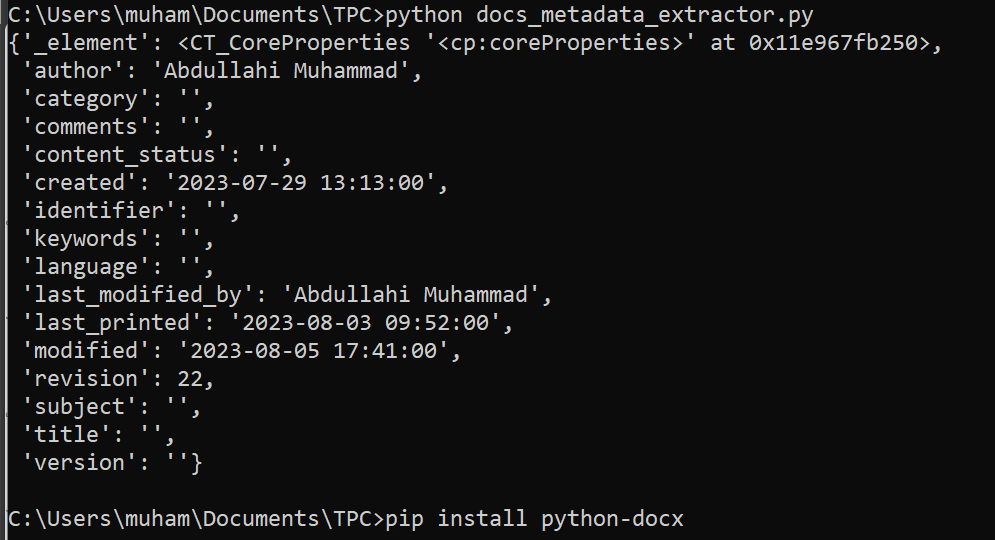
$ python docs_metadata_extractor.py

Results:

This information can be very vital (depending on the scenario) during digital forensics. Please bear in mind that different documents contain different metadata. The results aren't always the same.

If you want to learn more about metadata extraction, here are some valuable tutorials:

  • How to Extract Image Metadata in Python
  • How to Extract PDF Metadata in Python
  • How to Extract Video Metadata in Python
  • How to Remove Metadata from Images in Python

I really hope you enjoyed this one. Till next time!

Found the article interesting? You'll love our Python Code Generator! Give AI a chance to do the heavy lifting for you. Check it out!

View Full Code Assist My Coding
Sharing is caring!

Read also

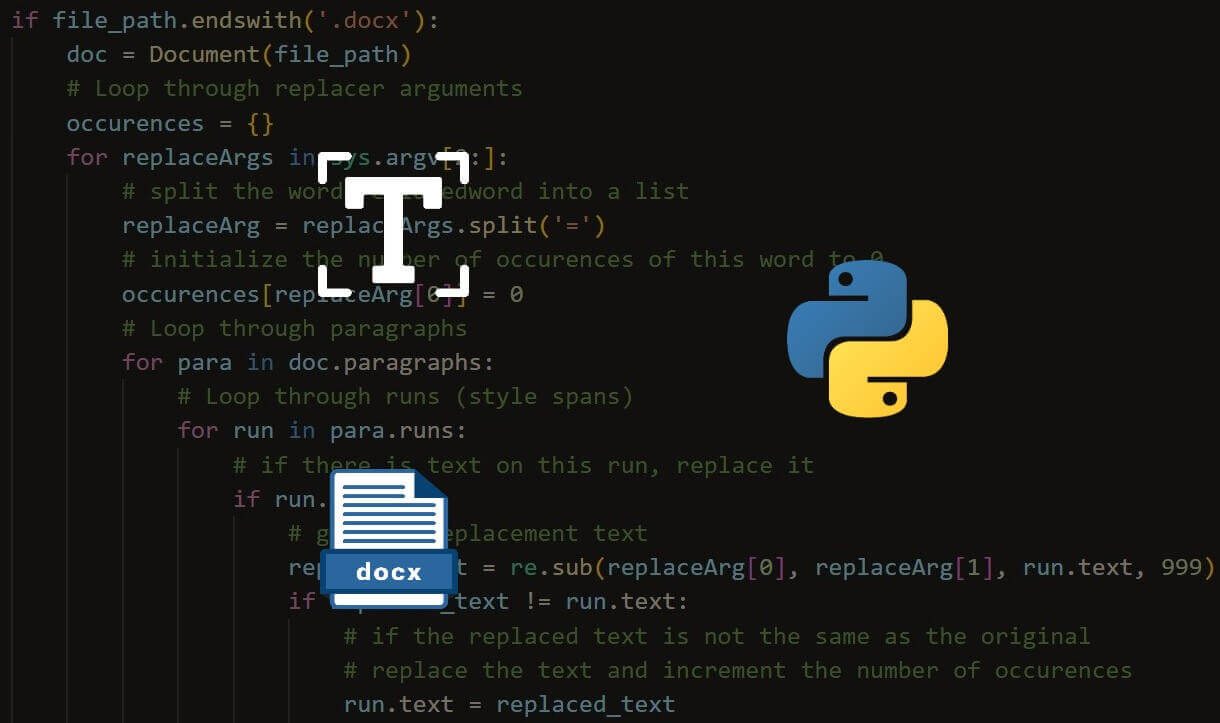
How to Replace Text in Docx Files in Python

Learn how to replace text in Word document files (.docx) using python-docx library in Python.
How to Convert PDF to Docx in Python

Learn how you can use pdf2docx library to convert PDF files to docx word files in Python
How to Extract Image Metadata in Python

Learn how you can extract image metadata such as GPS info, camera make, model and much more using Exchangeable Image file Format (EXIF) in Python with Pillow library.

Comments

    Got a coding query or need some guidance before you comment? Check out this Python Code Assistant for expert advice and handy tips. It's like having a coding tutor right in your fingertips!


    Get our free Python guides

    Join 50,000+ Python programmers and enthusiasts like you!

    Topics
    Ethical Hacking Machine Learning General Python Tutorials Web Scraping Finance Computer Vision Python Standard Library Application Programming Interfaces Database Game Development Web Programming Digital Forensics Natural Language Processing Healthcare PDF File Handling Python for Multimedia GUI Programming Cryptography Packet Manipulation Using Scapy
    Ethical Hacking with Python EBook - Topic - Middle
    New tutorials View all
    • How AI Text Detection Works: The Technology Behind Modern AI Detectors
    • Beyond Guesswork: How Python Helps Identify AI-Generated Text
    • Discover the Possibilities of Python Programming
    • How to Track Your AI Visibility with Python
    • How to Automate Excel Reports in Python using Openpyxl
    Popular tutorials View all
    • How to Convert Speech to Text in Python
    • How to Read Emails in Python
    • How to Extract Tables from PDF in Python
    • How to Control your Mouse in Python
    • How to Make a Keylogger in Python
    Ethical Hacking with Python EBook - Topic - Bottom CodingFleet - Topic - Bottom
    You are visitor 01402503 — GeezerVison does not store the pages you look up.
    Best viewed with Netscape Navigator 4.7 or Internet Explorer 6 at 800×600. No cookies required.