GeezerVisonThe World Wide Web, restored to 800 pixels of glory. |
| Home|About|Gaming cabinet|Archives|How it works|Starter sites |
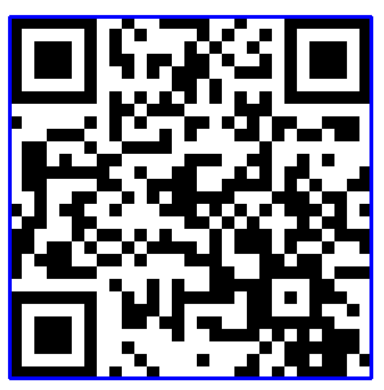
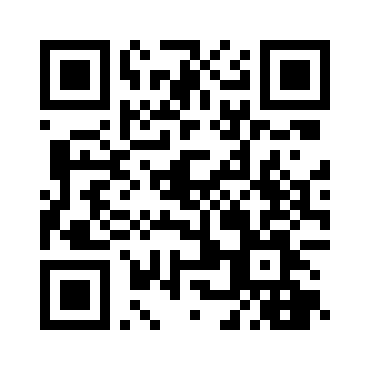
GeezerVison is showing thepythoncode.com — How to Generate and Read QR Code in Python - The Python Code Unlock the secrets of your code with our AI-powered Code Explainer. Take a look! QR code is a type of matrix barcode that is a machine-readable optical label that contains information about the item to which it is attached. In practice, QR codes often contain data for a locator, identifier, or tracker that points to a website or application, etc. In this tutorial, you will learn how to generate and read QR codes in Python using qrcode and OpenCV libraries. Feel free to jump to any section you're interested in: Install the required dependencies on your cmd/terminal: Generate QR CodeFirst, let's start by generating QR codes; it is basically straightforward using qrcode library: This will generate a new image file in the current directory with the name of "site.png", which contains a QR code image of the data specified (in this case, this website URL), will look something like this:
You can also use this library to have full control of QR code generation using the So in the creation of The We then add the data using the
Related: How to Make a Barcode Reader in Python. Read QR CodeThere are many tools that read QR codes. However, we will use OpenCV for that, as it is popular and easy to integrate with the webcam or any video. Alright, open up a new Python file and follow along with me; let's read the image that we just generated: Luckily for us, OpenCV already has a QR code detector built-in: We have the image and the detector, let's detect and decode that data: The We just need data and bbox here, bbox will help us draw the quadrangle in the image and data will be printed to the console! Let's do it: The Finally, let's show the image and quit when a key is pressed: Once you run this, the decoded data is printed: The following image is shown:
Note that this is ideal for QR codes and not for barcodes; if you want to read barcodes, check out this tutorial that is dedicated to that! If you want to detect and decode QR codes live using your webcam (and I'm sure you do), here is a code for that: Awesome, we are done with this tutorial; you can now integrate this into your own applications! You can get all the codes of this tutorial in this link. Finally, I encourage you to check the qrcode's official documentation. Learn also: How to Use Steganography to Hide Secret Data in Images in Python. Happy Coding ♥ Just finished the article? Now, boost your next project with our Python Code Generator. Discover a faster, smarter way to code.
Sharing is caring!
Read also
How to Make a Barcode Reader in PythonLearn how to make a barcode scanner that decodes barcodes and draw them in the image using pyzbar and OpenCV libraries in Python 
Steganography: How to Hide Data in Images in PythonLearning how to hide secret data in images using Steganography least significant bit technique in Python using OpenCV and Numpy. 
How to Extract Frames from Video in PythonMaking two different methods to extract frames from videos with the timestamp with OpenCV or MoviePy libraries in Python. CommentsGot a coding query or need some guidance before you comment? Check out this Python Code Assistant for expert advice and handy tips. It's like having a coding tutor right in your fingertips! |
| You are visitor 01402503 — GeezerVison does not store the pages you look up. Best viewed with Netscape Navigator 4.7 or Internet Explorer 6 at 800×600. No cookies required. |
 And the shape of the image was indeed scaled up and wasn't