Cascading Style Sheet (CSS) files contain rules for how to display and
lay out the HTML content when it is rendered by a web browser.
CSS separates the content contained in HTML files from how the content
should be displayed. It is important to separate the content from the rules
for how it should be rendered primarily because it is easier to reuse those
rules across many pages. CSS files are also much easier to maintain on large
projects than styles embedded within the HTML files.
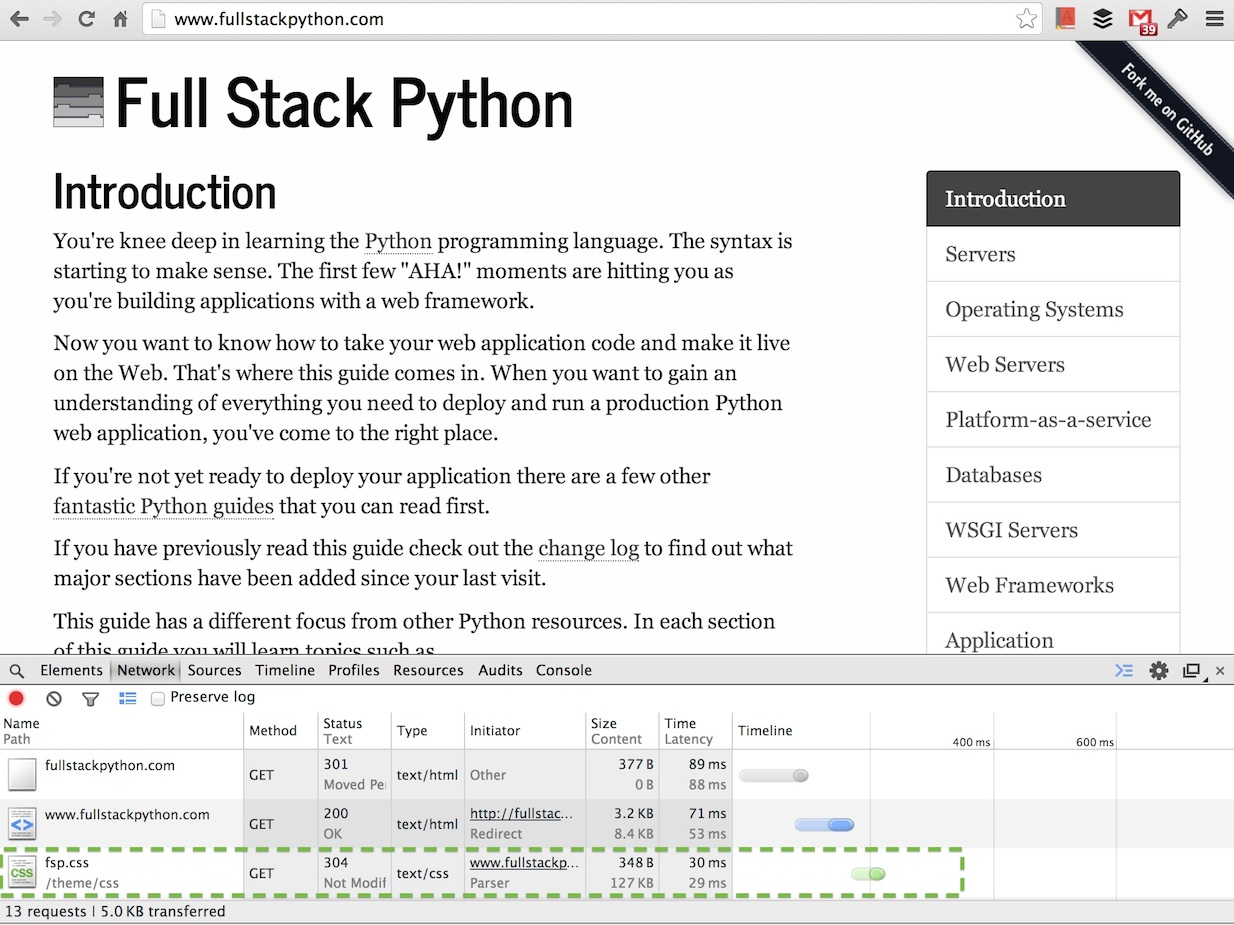
The HTML file sent by the web server contains a reference to the CSS file(s)
needed to render the content. The web browser requests the CSS file after the
HTML file as shown below in a screenshot captured of the Chrome Web Developer
Tools network traffic.
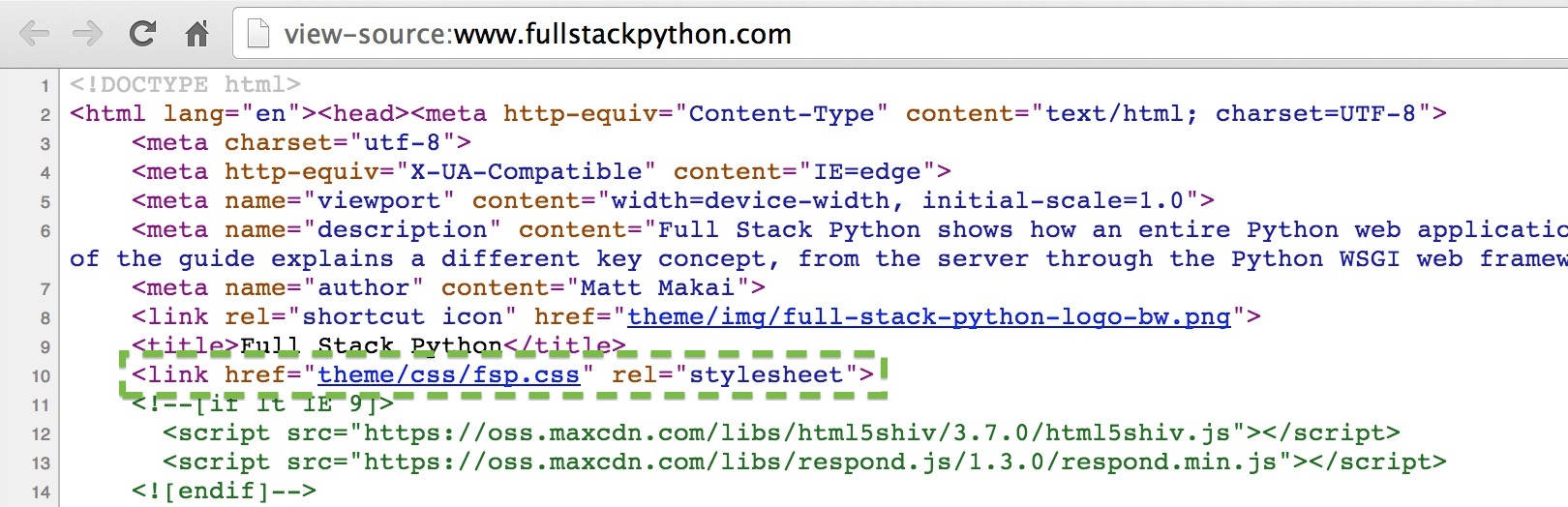
That request for the fsp.css file is made because the HTML file for Full
Stack Python contains a reference to theme/css/fsp.css which is shown
in the view source screenshot below.
A CSS preprocessor compiles a processed language into plain CSS code. CSS
preprocessing languages add syntax such as variables, mixins and functions
to reduce code duplication. The additional syntax also makes it possible for
designers to use these basic programming constructs to write maintainable
front end code.
CSS frameworks provide structure and a boilerplate base for building a
web application's design.
-
The languages which were almost CSS
contains the history of what might have been if other styling
proposals were adopted instead of CSS, such as RRP, PWP, FOSI, DSSSL,
PSL96 and CHSS. Many of those proposals came before CSS was first published
as a specification in 1996 so the article is a wonderful view into the
Web in its infancy.
-
Frontend Development Bookmarks
is one of the largest collections of valuable resources for frontend
learning both in CSS as well as JavaScript.
-
This series on how CSS works including
How CSS works: Parsing & painting CSS in the critical rendering path
and
How CSS works: Understanding the cascade
examines the rendering methods browsers use to display web pages along
with details of the algorithms they use to cascade style rules.
-
CSS Reference provides much-needed visual
examples for every CSS property to show you what they are actually going
to look like on your pagee when you use them.
-
CSS coding techniques
provides advice on how to write simpler, easier-to-maintain CSS code
to reduce your need to rely on CSS preprocessors and build pipelines.
-
How to Detect Unused CSS or JavaScript
explains how to use Chrome DevTools
to analyze a page's CSS and identify parts that are not used. Note that
even though a specific page does not use that CSS (or JS), there might
be another page that uses the same CSS files and does use that "unused"
code, so test your pages before and after making the changes to ensure
you did not inadvertently break something else!
-
CSS refresher notes is
incredibly helpful if you've learned CSS in bits and pieces along the way
and you now want to fill in the gaps in your knowledge.
-
Mozilla Developer Network's CSS page
contains an extensive set of resources, tutorials and demos for learning
CSS.
-
CSS Positioning 101
is a detailed guide for learning how to do element positioning correctly
with CSS.
-
Did CSS get more complicated since the late nineties?
is a solid look back at how CSS evolved and where it has ended up today
compared to its origins.
-
Using feature queries in CSS
covers the @supports rule and how to use it in your stylesheets.
-
Learn CSS layout is a simple guide that
breaks CSS layout topics into chapters so you can learn each part one
at a time.
-
How well do you know CSS display?
zooms into a single CSS property, display, to teach the reader about it
in-depth.
-
Google's Web Fundamentals class
shows how to create responsive designs and performant websites.
-
Can I Use... is a compatibility table that shows
which versions of browsers implement specific CSS features.
-
How do you remove unused CSS from a site?
covers tools for identifying unnecessary CSS and the process for eliminating
rules that are overwritten by other rules and therefore do not need to
be sent to the client.
-
The Web Design Museum is an amazing
look back at how web design has evolved over the past 25+ years. Some of
the designs can still be seen in their current site's presentation such
as the top navigation of Apple's 2001 site.
-
The invisible parts of CSS
asks the question "can you describe what the display:block property
and value do? Most developers would have some sense of what it is for
but could not explain it to someone else beyond that. The article helps
fix this situation with display as well as other less visible properties
such as floats and auto width.
-
A brief history of CSS until 2016
explains how CSS originated at CERN in 1994 as a solution to the
problem of HTML not having reasonable styling features
(in-line style attributes on elements don't count).
-
Old CSS, New CSS tells
the wonderful and painful story of web design in the early days of the
Web, when inline styling was required, HTML CAPS were mandatory, and
most websites wished they had design styles like the amazing
Space Jam pages. Oh also, lots and lots of
talk about tables, because that was the only way to position anything
back in the day.
-
Improving Your CSS with Parker
shows how to use the static CSS analysis tool
Parker to improve your stylesheets.
-
CSS and network performance
analyzes how splitting your CSS can affect browser render times and how
you can improve your site loading performance by changing how you
structure your CSS files. My recommendation: there's a lot you can do
with these techniques but it is probably a better idea to make your CSS
simpler and cut down the massive bloat that can accumulate as you build
your site as a first step to improving your performance.
-
A Guide To CSS Support In Browsers
analyzes features versus bugs in different browser versions and how
to test for support so that issues are less likely to hit your web app.
-
That Time I Tried Browsing the Web Without CSS
is an enlightening look at how crucial CSS is to the modern web. You can
view examples of what it is like to use Amazon, DuckDuckGo, GitHub
and several other sites.
-
Third party CSS is not safe
is a good reminder that any code you did not write yourself, especially
code served through 3rd party sources not under your control can contain
potentially malicious applications, such as the experimental CSS keylogger
hack that made the rounds in early 2018.
-
Understanding specificity in CSS
provides some wonderful detail on the various ways to select elements
via CSS selectors, including type selectors, pseudo-elements, class
selectors, attribute selectors and ID selectors.
-
Realistic Water Effect without JavaScript - HTML/CSS Only
is one of the coolest tutorials I have seen that uses CSS to create
a water effect over an image. This video provides an example of how
there are so many incredible ways to use CSS and web development
technologies.