Python: Extract the filename from a given path
Extract Filename
Write a Python program to extract the filename from a given path.
Sample Solution:
Python Code:
# Import the 'os' module for operating system-related functions.
import os

# Print a newline for clarity.
print()

# Use 'os.path.basename' to extract the filename component from the given path.
# In this case, it extracts the filename 'homework-1.py' from the provided path.
print(os.path.basename('/users/system1/student1/homework-1.py'))

# Print another newline for clarity.
print()
Sample Output:
homework-1.py
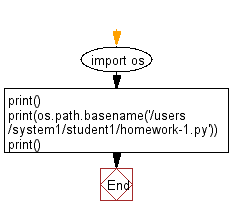
Flowchart:
For more Practice: Solve these Related Problems:
- Write a Python program to extract the file extension from a given path.
- Write a Python program to extract the directory name from a given path.
- Write a Python program to check if a given path points to a file or a directory.
- Write a Python program to extract the base filename without the extension.
Go to:
Previous: Write a Python program to get system command output.
Next: Write a Python program to get the effective group id, effective user id, real group id, a list of supplemental group ids associated with the current process.
Python Code Editor: