GeezerVisonThe World Wide Web, restored to 800 pixels of glory. |
| Home|About|Gaming cabinet|Archives|How it works|Starter sites |
GeezerVison is showing code.visualstudio.com — Visual Studio Code and VS Code icons and names usage guidelines Icons and names usage guidelinesEverything you need to know about using the Visual Studio Code and VS Code icons and names. IconThe right icons
Visual Studio Code “stable” icon The blue icon represents Microsoft Visual Studio Code and should be used everywhere as appropriate. 
Alternate icon Use the white variant only when there isn’t enough contrast otherwise (for example, on blue backgrounds).  Download the icons
Includes PNG and SVG files The wrong iconsPlease don't use these icons: 

Do not use the green icon (VS Code Insiders), or the orange icon (VS Code Exploration)… 
…or the app icon… 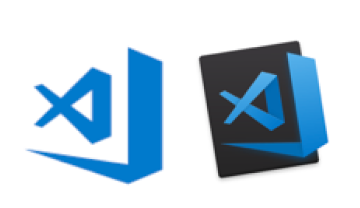
…or vintage icons Icon usageLogo spacing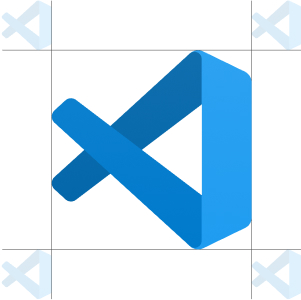
Make sure that the amount of clearing space around the icon from its nearest edge is equivalent to 25% scale of the “fish” motif. Things we're ok with
OK
Using the icon in a documentation or tutorial (in both text and video formats), blog post, news article about Visual Studio Code.
OK
Using the icon to link to our website (code.visualstudio.com). Things we're not ok with
Not OK
Using the icon to identify or promote your own product, service, application, VS Code extension, blog, podcast, newsletter, video, channel, etc.
Not OK
Using our icons to associate your offerings with Microsoft or its brands in any way.
Not OK
Selling merchandise or other products with our icons on them.
Not OK
Integrating the VS Code icon into your logo.
Not OK
Using the icon as a lock-up for Visual Studio Code or another brand (for example, don't use the icon as a logo paired up with the “Visual Studio Code” name).
Not OK
Creating a modified version of the icon, for example:

Modifying or re-drawing icon in a different style. 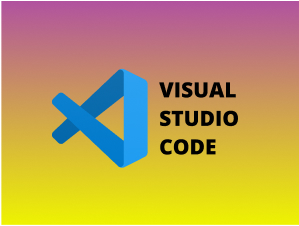
Adding text, images, or a background to the icon. 
Stretching the icon, changing the icon’s aspect ratio, or deforming the “fish”. ColorsOur color paletteRGB (0, 152, 255) #0098FF RGB (0, 122, 204) #007ACC RGB (0, 101, 169) #0065A9 RGB (243, 243, 243) #F3F3F3 RGB (68, 68, 68) #444444 RGB (37, 37, 38) #252526 Brand nameThings we're ok with
OK
Please use “Visual Studio Code” on the first instance.
OK
Note proper capitalization and spacing (please do not say “vscode”, “VSCode”, “VSC”, or “Code”).
OK
If you need to distinguish web versus desktop, please refer to the web client as “VS Code for the Web”, and the desktop client as “VS Code Desktop”. Things we're not ok with
Not OK
Using the product name — Visual Studio Code or VS Code — on your website, product, service, or in your domain names.
Not OK
Naming your products, applications, or projects anything that implies an endorsement from Microsoft or the Visual Studio Code team. Do you make content (extensions, training material, etc) for Visual Studio Code?If so, please use the following format when naming your content if you want to refer that it is optimized for, related to, or works with Visual Studio Code:
OK
Correct: [My Extension Name] for Visual Studio Code
Not OK
Incorrect: Visual Studio Code [My Extension Name] Action buttons and linksOpen in VS Code
OK
Format action labels as "<action> in VS Code". Replace <action> with Open, Create, or Edit to match the user's specific scenario.
OK
If you need to distinguish between the web and desktop versions, use the approved brand names "VS Code for the Web" and "VS Code Desktop".
OK
Use the following button formats:

Open in VS Code Use this option when there's only one option to open the file/project in VS Code. 
Open in VS Code for the Web Use this option to indicate that the file/project is opened in VS Code for the Web. 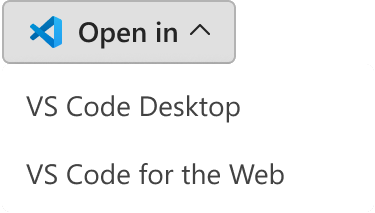
Multiple options to open in VS Code Use this option to provide options for opening the file/project in either VS Code for the Web or VS Code Desktop.
Not OK
Don't abbreviate or use alternative wording for the product name. For example, don't use "Open in VS Code (Web)" or "Launch in VS Code (Desktop)". Ask brand questionsBrand questions to reach out about:
Send your brand question to vscode at microsoft.com or send a message on Twitter @code. LegalVisual Studio Code, VS Code, and the Visual Studio Code icon are trademarks of Microsoft Corporation. All rights reserved. |
| You are visitor 01402503 — GeezerVison does not store the pages you look up. Best viewed with Netscape Navigator 4.7 or Internet Explorer 6 at 800×600. No cookies required. |