GeezerVisonThe World Wide Web, restored to 800 pixels of glory. |
| Home|About|Gaming cabinet|Archives|How it works|Starter sites |
GeezerVison is showing codeception.com — Continuous Integration - Codeception Docs Guides
Testomatio - Test Management for Codeception Search💡 You are reading docs for latest Codeception 5. Read for 4.x
Continuous IntegrationOnce you get testing suite up and running you are interested in running your tests regularly. If you ensure that tests are running on every code change or at least once a day you can be sure that no regression is introduced. This allows to keep you system stable. But developers are not so passionate about running all tests manually, they also can forget to execute tests before pushing code to production… The solution is simple, test execution should be automated. Instead of running them locally it is better to have dedicated server responsible for running tests for a team. This way we can ensure that everyone’s tests executed, which commit made a regression in codebase, and that we can deploy only once tests pass. There are many Continuous Integration Servers out there. We will try to list basic steps to setup Codeception tests with them. If your CI system is not mentioned, you can get the idea by analogy. Please also help us to extend this guide by adding instructions for different CIs. Jenkins
Jenkins is one of the most popular open-source solution on market. It is easy to setup and is easy to customize by applying various plugins.
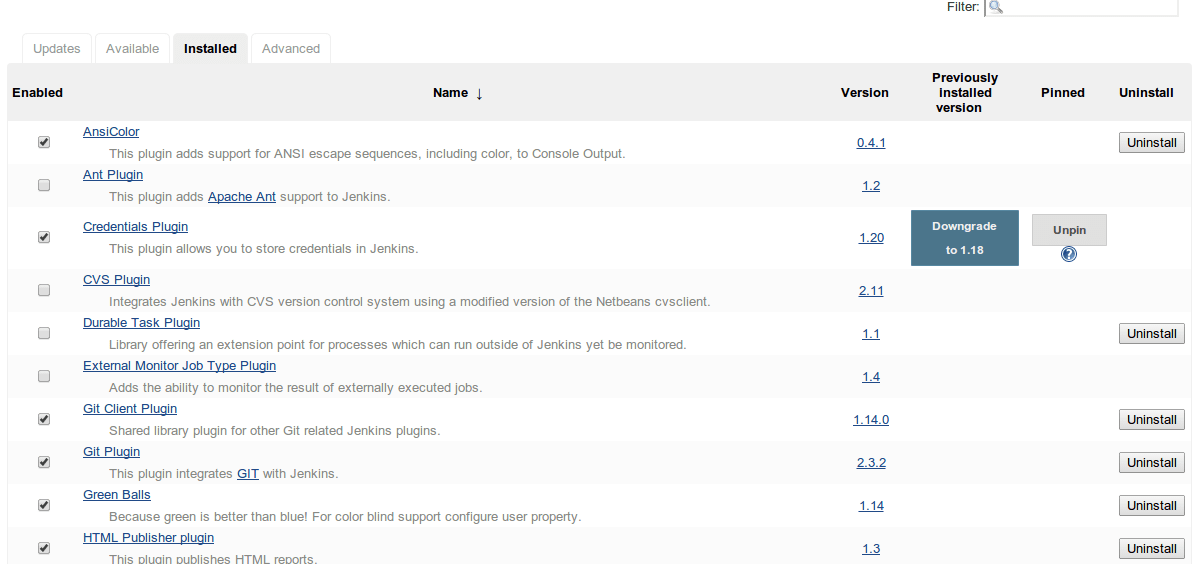
Preparing JenkinsIt is recommended to have the next plugins installed:
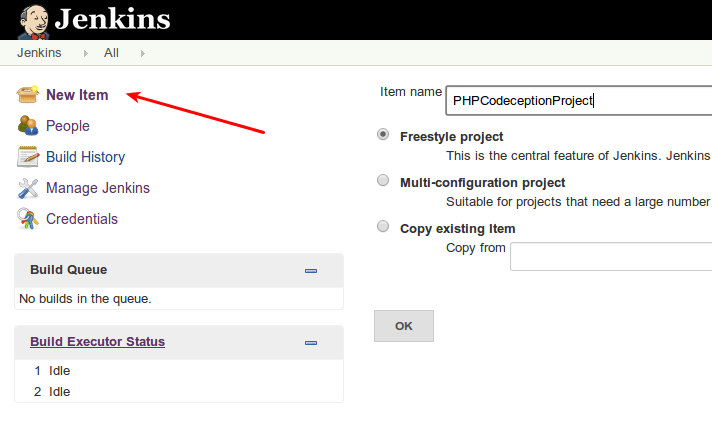
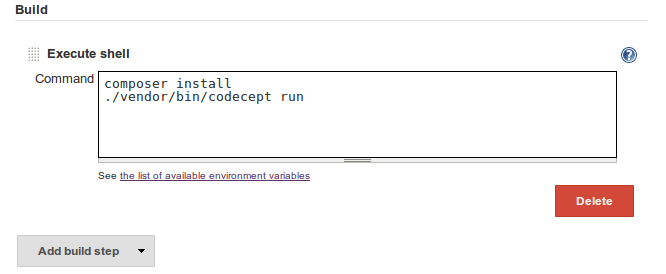
Basic SetupAt first we need to create build project. Depending on your needs you can set up periodical build or trigger build once the change is pushed to GitHub (you will need GitHub plugin for that). We need to define build steps. The most simple setup may look like this:
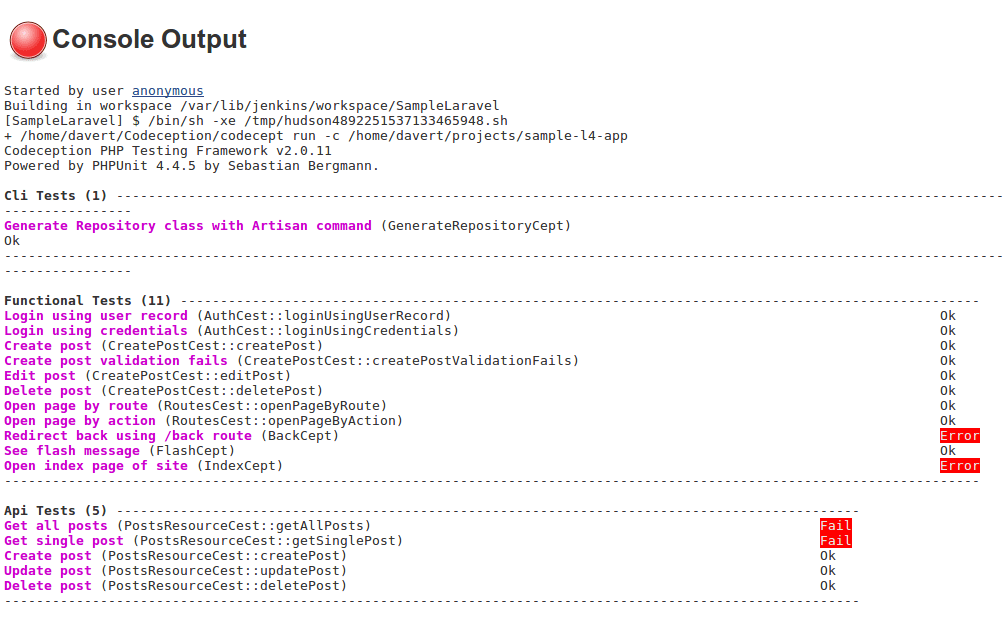
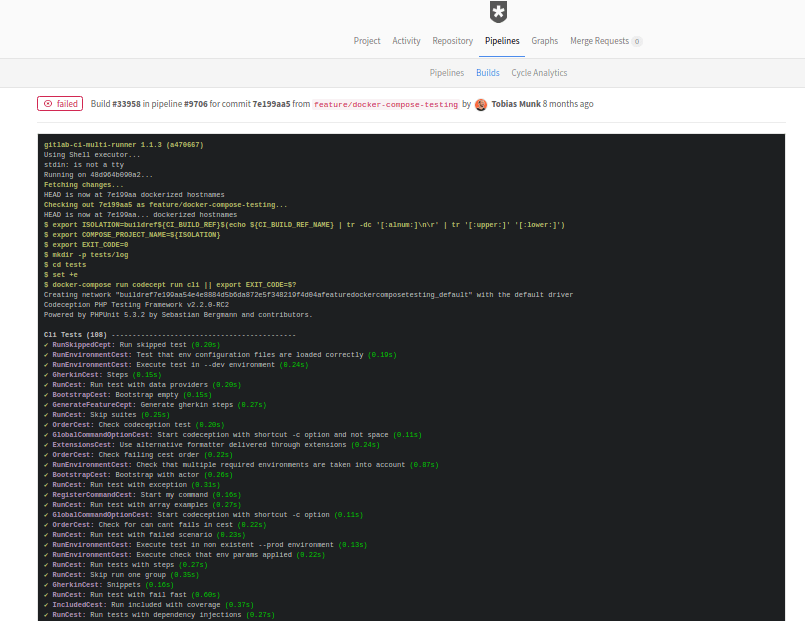
Then we can start the very first job and check the execution progress. If tests fail we will see that in console:
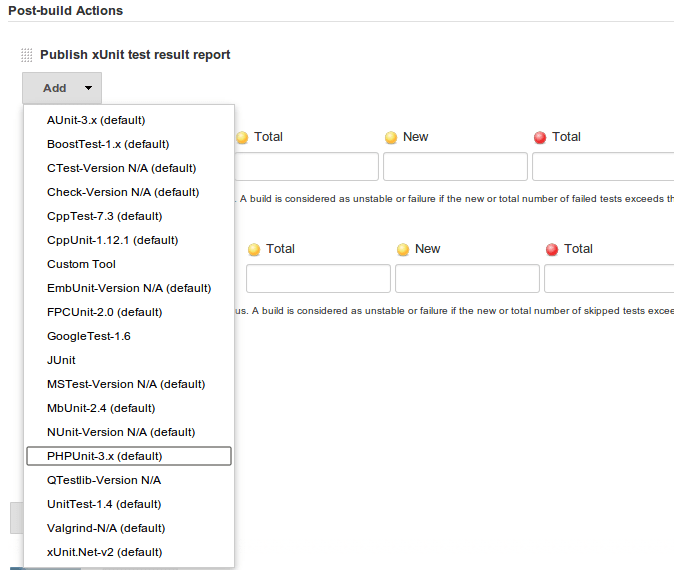
XML ReportsBut we don’t want to analyze console output for each failing build. Especially If Jenkins can collect and display the results inside its web UI. Codeception can export its results using JUnit XML format. To generate XML report on each build we will need to append Now let’s update our build step to generate xml: and ask Jenkins to collect resulted XML. This can be done as part of Post-build actions. Let’s add Publish xUnit test result report action and configure it to use with PHPUnit reports.
Now we should specify path to PHPUnit style XML reports. In case of standard Codeception setup we should specify
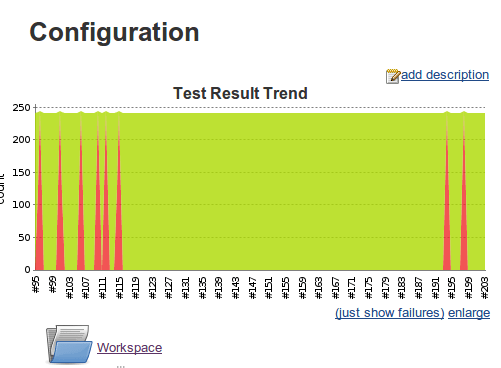
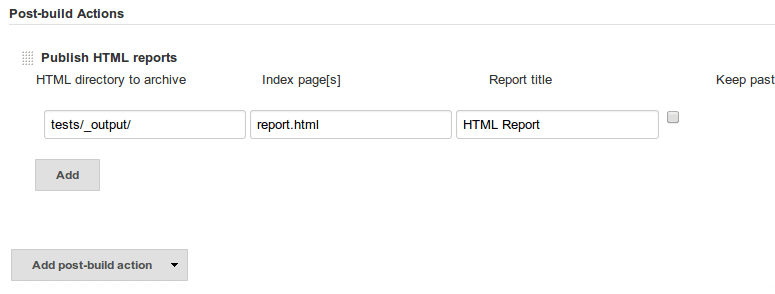
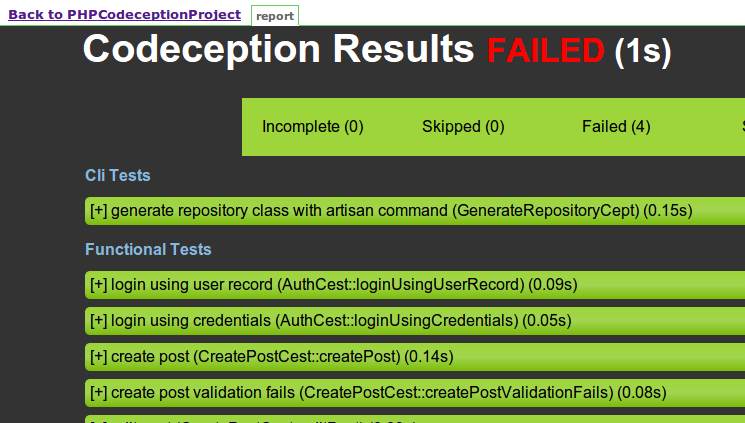
Now for all builds we will see results trend graph that shows us percentage of passing and failing tests. We also will see a Latest Test Result link which will lead to to the page where all executed tests and their stats listed in a table. HTML ReportsTo get more details on steps executed you can generate HTML report and use Jenkins to display them. Now we need HTML Publisher plugin configured to display generated HTML files. It should be added as post-build action similar way we did it for XML reports.
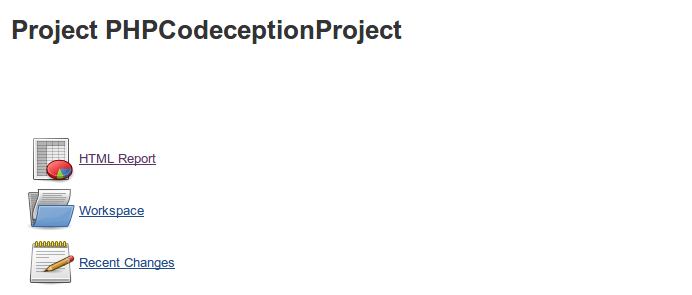
Jenkins should locate
GitHub ActionsGitHub Actions CI can be used to launch tests. Install PHP and Composer and execute tests: GitLab CI
If a file
For acceptance testing you can use TravisCI
Travis CI is popular service CI with good GitHub integration. Codeception is self-tested with Travis CI. There nothing special about configuration. Just add to the bottom line of travis configuration: Travis doesn’t provide visualization for XML or HTML reports so you can’t view reports in format any different than console output. However, Codeception produces nice console output with detailed error reports.
Don't know how to write tests on your own? We will build or improve them for you.
Request a quote for official
enterprise
support or trainings
|
| You are visitor 01402503 — GeezerVison does not store the pages you look up. Best viewed with Netscape Navigator 4.7 or Internet Explorer 6 at 800×600. No cookies required. |