Update, November 26, 2026: the example now distinguishes unreadable saved data from a failure to access storage. The downloadable file and the failure checks behave the same way.
Nobody should have to save progress before they can use a page. Browser storage may be unavailable or full, or it may hold data written by an older version of your code. Treat persistence as a boundary that can fail, and keep the interface working when it does.
Give the stored value a small contract
This example stores the IDs of completed lessons, accepting only IDs found in a fixed allowlist and dropping duplicates. The key contains v1, so a future incompatible format can move to a separate key or an explicit migration.
Open the file in a modern browser. Save it as progress.html, then serve its directory with python -m http.server 8000 --bind 127.0.0.1. Visit http://127.0.0.1:8000/progress.html. Storage behavior for file: URLs is unreliable, so do not depend on it.
<!doctype html>
<html lang="en-US"><head><meta charset="utf-8">
<meta name="viewport" content="width=device-width, initial-scale=1">
<title>Saved progress exercise</title></head><body><main>
<h1>Practice progress</h1>
<p><label><input type="checkbox" value="html"> HTML</label></p>
<p><label><input type="checkbox" value="css"> CSS</label></p>
<p><label><input type="checkbox" value="javascript"> JavaScript</label></p>
<p id="status" role="status"></p><button type="button" id="clear">Clear progress</button>
</main><script>
const key = 'practice-progress-v1';
const boxes = [...document.querySelectorAll('input[type="checkbox"]')];
const allowed = new Set(boxes.map(b => b.value));
let done = new Set(); let persistent = true; let discarded = false;
let raw = null;
try { raw = localStorage.getItem(key); }
catch { persistent = false; }
if (raw !== null) {
  try {
    const saved = JSON.parse(raw);
    if (!Array.isArray(saved)) throw new Error('Expected a list');
    done = new Set(saved.filter(x => allowed.has(x)));
  } catch { discarded = true; }
}
function paint() {
  boxes.forEach(b => b.checked = done.has(b.value));
  document.querySelector('#status').textContent =
    `${done.size} complete. ` + (discarded ? 'Unreadable saved data ignored. ' : '') +
    (persistent ? 'Storage available; changes save here.' : 'For this visit only.');
}
function save() {
  try { localStorage.setItem(key, JSON.stringify([...done])); persistent = true; discarded = false; }
  catch { persistent = false; }
  paint();
}
boxes.forEach(b => b.addEventListener('change', () => {
  if (b.checked) done.add(b.value); else done.delete(b.value);
  save();
}));
document.querySelector('#clear').addEventListener('click', () => {
  if (!confirm('Clear saved progress?')) return;
  done.clear();
  try { localStorage.removeItem(key); persistent = true; discarded = false; }
  catch { persistent = false; }
  paint();
});
paint();
</script></body></html>
Test a normal round trip
Tick HTML and JavaScript, then reload; both should still be checked. In the browser’s storage inspector for this origin, look at practice-progress-v1: its value should be a JSON array holding html and javascript.
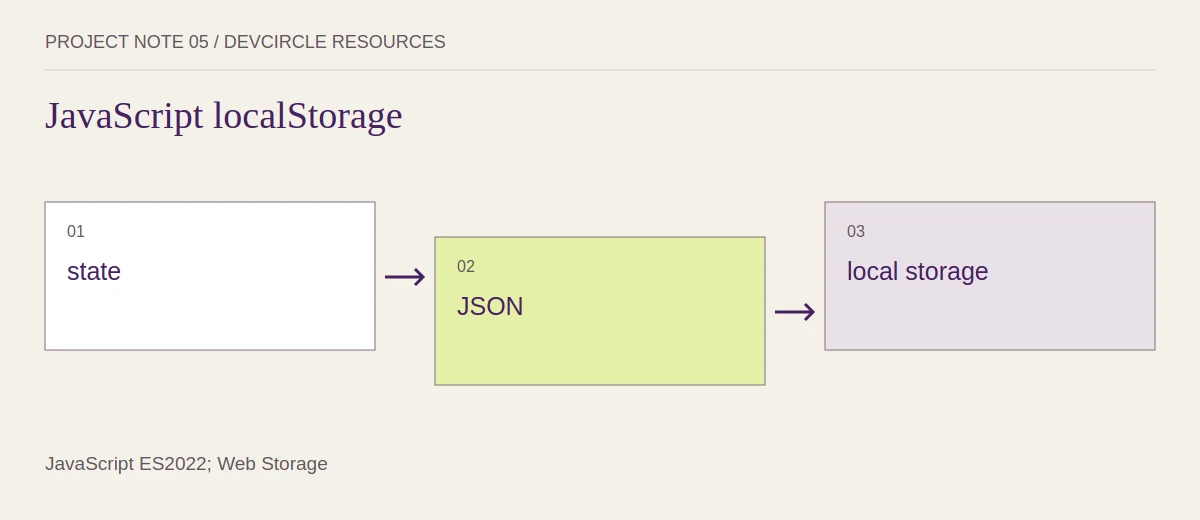
The JSON file exercise separates parsing from field validation and shows which values survive a round trip. Local storage holds only strings. JSON.stringify turns the array into text and JSON.parse turns it back. A successful parse says nothing about the shape of the result, so the loader also confirms that the value is an array and that each item it keeps appears in the allowed set.
Stored strings never reach innerHTML on this page. Even data your own interface wrote can be altered through developer tools or by an earlier version of the script, so apply the same type and rendering discipline to storage reads as to any other input.
Corrupt the data deliberately
Open the storage inspector and overwrite the value with the text broken, then reload. The page should load normally and show no completed lessons. It reports Unreadable saved data ignored. while keeping storage available. The next successful checkbox save replaces the bad value and clears that message. Next, set the value to ["html","missing-lesson","html"]; only HTML should come back checked.
If storage access throws, the page still keeps its set in memory, and the status message warns that progress will not persist. That is more helpful than failing silently, which would make a checkbox look saved when it is not.
Before the clear button discards the set, it asks for confirmation. It deletes only this feature’s key. Calling localStorage.clear() would also wipe unrelated preferences saved by the same origin, so limit cleanup to the data your feature owns.
Scroll sideways if the columns extend beyond the frame.
| Storage condition | What happens in the browser | How progress.html responds |
|---|---|---|
Normal first visit (null key) |
getItem(key) returns null |
Parses fallback '[]', initializes empty Set, shows Storage available; changes save here. |
Corrupted JSON (broken) |
JSON.parse throws SyntaxError |
Ignores the invalid value, keeps an empty Set, and displays Unreadable saved data ignored. without declaring storage unavailable |
Valid JSON with the wrong shape ({} or null) |
Parsing succeeds but the value is not an array | Ignores the invalid value with the same unreadable-data message |
| Stale or unknown lesson IDs | Array contains "missing-lesson" or duplicates |
Filters against allowed Set, discarding retired IDs and deduplicating |
| Storage disabled or quota exceeded | getItem or setItem throws SecurityError or QuotaExceededError |
Catches exception, updates checkboxes in memory, displays For this visit only. |
| User clicks Clear progress | removeItem(key) deletes only practice-progress-v1 |
Empties done set and leaves other keys on the same origin untouched |
Be clear about where progress lives and why synchronous I/O must stay small
An origin is the exact combination of scheme (http vs https), hostname (127.0.0.1 vs localhost), and port (8000). Loading the page from http://localhost:8000/progress.html and from http://127.0.0.1:8000/progress.html therefore gives you two separate storage buckets that share no progress. Private browsing windows, strict cookie or site-data settings, and browser cleanup routines may also evict keys at any moment. Treat localStorage as a convenience cache for local UI state, never a durable account or backup.
localStorage is a synchronous API, and every read or write of a string blocks the main UI thread. Keep payloads small, such as a compact array of short IDs, and write only after discrete user actions, never on high-frequency scroll or pointer events. Browsers typically allow about 5 MiB per origin; larger datasets and binary blobs belong in IndexedDB.
Keep authentication tokens, API keys, and sensitive personal notes out of localStorage, because any JavaScript running on the same origin has full read and write access to every key. A project that needs cross-device synchronization or confidential storage must use server-side sessions, access control, and an explicit data model.
Decide whether multiple tabs matter
This small version refreshes its state only on load. When two tabs edit progress at the same time, the later write can overwrite the earlier one. A storage event listener can update the other tab, but conflicting edits still need a policy. For a simple checklist, either document that the last write wins or avoid editing in two tabs at once.
Practice state rendering first with the DOM task list. For data the server owns, the better next step is fetch with explicit error handling.
Source: MDN localStorage reference describes origin scope, string storage, and access exceptions.
Download the complete example. Save the file before running it; the guide above names the required runtime.
Keep building
- JavaScript fetch: handle HTTP errors and cancellation
Read a local JSON file, distinguish a failed request from a failed HTTP response, and cancel stale work.
- A Node.js HTTP server with clear routes and shutdown
Build a small JSON server using the standard library, inspect status codes, and close it cleanly.
- JavaScript DOM manipulation: an accessible task list
Create, complete, and remove tasks with native controls, safe text insertion, and an announced count.