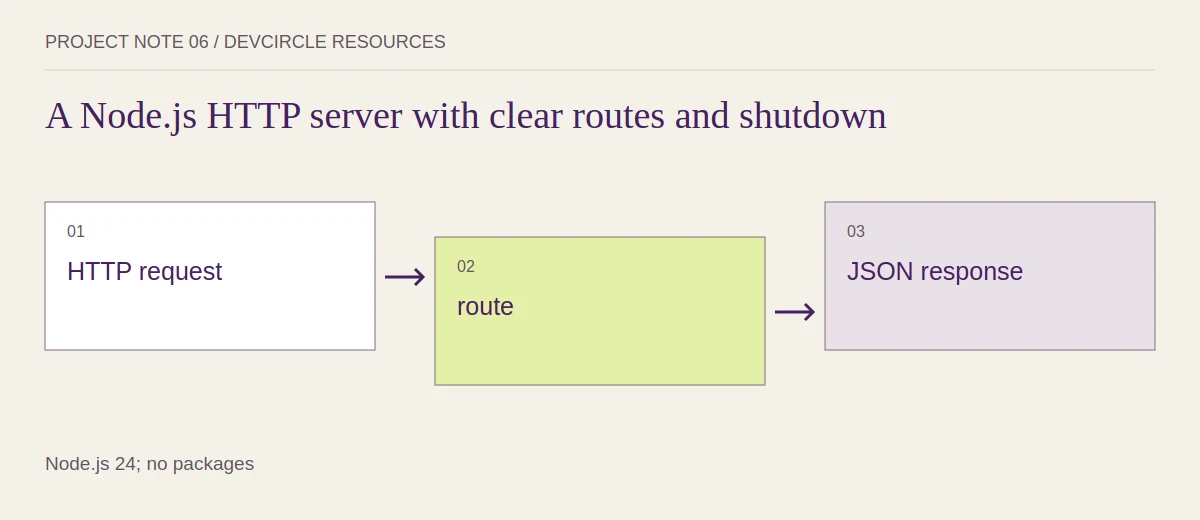
You can understand an HTTP service without a web framework. One small Node file shows the request method, path, status code, headers, and response body side by side.
Before starting the server, use the Node version manager setup to select Node 24 and save the resolved version in .nvmrc. Do this if Node is missing or another project requires a different release.
Run the server locally
Use Node.js 24 with no third-party dependencies. Save the script as server.mjs, whose .mjs extension marks it as ECMAScript modules, and start it with node server.mjs.
Binding to 127.0.0.1 makes the server reachable only from its own machine, a sensible default for this exercise. Leave it running and send requests from another terminal.
import http from 'node:http';

function send(res, status, data, headers = {}) {
  res.writeHead(status, {'Content-Type': 'application/json; charset=utf-8',
    'Cache-Control': 'no-store', ...headers});
  res.end(JSON.stringify(data));
}
const server = http.createServer((req, res) => {
  let path;
  try { path = new URL(req.url, 'http://localhost').pathname; }
  catch { send(res, 400, {error: 'bad_request'}); return; }
  if (path !== '/health') { send(res, 404, {error: 'not_found'}); return; }
  if (req.method !== 'GET') {
    send(res, 405, {error: 'method_not_allowed'}, {Allow: 'GET'}); return;
  }
  send(res, 200, {status: 'ok'});
});
server.requestTimeout = 10_000;
server.headersTimeout = 5_000;
server.listen(3000, '127.0.0.1', () => console.log('http://127.0.0.1:3000'));
function shutdown() {
  server.close(() => process.exit(0));
  setTimeout(() => process.exit(1), 5_000).unref();
}
process.on('SIGINT', shutdown);
process.on('SIGTERM', shutdown);
Inspect success and failure
Run curl -i http://127.0.0.1:3000/health. On Windows PowerShell, use curl.exe if curl resolves to a shell alias (Invoke-WebRequest). Expect status 200, content type application/json; charset=utf-8, Cache-Control: no-store, and the JSON body {"status":"ok"}.
Request /missing with curl -i http://127.0.0.1:3000/missing. Expect status 404 and {"error":"not_found"}. Then send curl -i -X POST http://127.0.0.1:3000/health. The existing /health path rejects POST with 405 Method Not Allowed and includes an Allow: GET response header, as required by RFC 9110 for a 405 response. Keeping 404 (unknown route) separate from 405 (known route, unsupported HTTP verb) makes client debugging much faster.
Scroll sideways if the columns extend beyond the frame.
Request sent to server.mjs |
HTTP status | Extra response headers | JSON response body | Boundary being verified |
|---|---|---|---|---|
GET /health |
200 OK |
Cache-Control: no-store |
{"status":"ok"} |
Normal health probe on the expected route and method |
GET /health?check=1 |
200 OK |
Cache-Control: no-store |
{"status":"ok"} |
new URL(...).pathname strips the query string before matching /health |
GET /missing |
404 Not Found |
Cache-Control: no-store |
{"error":"not_found"} |
Unknown path returns 404 rather than falling through to a default 200 |
POST /health |
405 Method Not Allowed |
Allow: GET |
{"error":"method_not_allowed"} |
Route exists, but only GET is permitted on this endpoint |
Malformed req.url |
400 Bad Request |
Cache-Control: no-store |
{"error":"bad_request"} |
new URL() parse failure is caught cleanly without crashing the process |
Every reply goes through the send() helper, which pairs res.writeHead() with res.end() to emit a JSON body with an explicit UTF-8 media type. Omit res.end() and clients can hang forever, since requestTimeout limits only request arrival, not handler execution. If a route later calls a database or another service, set a deadline for that call and handle failures explicitly. With Cache-Control: no-store, browsers and intermediary proxies won’t cache the health response and return a stale "ok" after the server goes down.
Parse a path without trusting the host
req.url on Node’s http.IncomingMessage holds the raw HTTP request target, which can look like "/health?check=1". A naive req.url === '/health' comparison fails as soon as a browser or monitoring probe appends a query string. Passing req.url to new URL(req.url, 'http://localhost') isolates .pathname as "/health" and exposes query parameters through .searchParams. The call deliberately uses the constant 'http://localhost' rather than req.headers.host, so internal route dispatch never depends on an untrusted client Host header.
Check the address passed to server.listen(3000, '127.0.0.1', ...). Without the host argument, Node listens on every network interface (0.0.0.0 or ::), potentially exposing a development server to others on a shared Wi-Fi or LAN. Until you intentionally place the application in an isolated container, covered in the Docker guide, binding to '127.0.0.1' keeps traffic on the local machine. Setting server.headersTimeout = 5_000 together with server.requestTimeout = 10_000 also limits how long a stalled or slow client can hold a socket open while sending headers and body data.
Stop cleanly
Press Ctrl+C to send SIGINT, or have a process manager issue SIGTERM. When shutdown() runs, server.close() stops accepting connections and lets active requests finish before the process exits with status 0. A five-second backup timer uses .unref(), so it cannot keep Node alive after server.close() completes; if a connection remains stuck after five seconds, the timer calls process.exit(1).
A health endpoint that always returns {"status":"ok"} is a liveness check: it proves that the Node event loop is responsive and can answer HTTP traffic. When your service later connects to a database or upstream queue, distinguish liveness (is this process wedged?) from readiness (can this instance serve real user requests right now?).
Add one route before adding a framework
Add a GET /version route that returns 200 with {"version":"1.0.0"}, while still returning 405 with Allow: GET for POST /version and 404 for any other path. Notice how a small lookup table or helper function keeps route definitions readable without external dependencies.
This script leaves out authentication, persistent storage, and request body parsing on purpose. For the next step, work through request validation in a notes API, where you practice reading a stream within limits and returning error status codes for malformed payloads. After that, package the server in Docker and look at where container networking draws its boundaries.
Source: Node.js 24 HTTP documentation, including http.Server, headersTimeout, requestTimeout, and server.close().
Download the complete example. Save the file before running it; the guide above names the required runtime.
Keep building
- JavaScript localStorage: save progress without losing the page
Save a versioned list of completed lessons, recover from invalid data, and make clearing progress explicit.
- REST API tutorial: validation before persistence
Design a small notes endpoint with a bounded request body, explicit errors, and predictable status codes.
- JavaScript fetch: handle HTTP errors and cancellation
Read a local JSON file, distinguish a failed request from a failed HTTP response, and cancel stale work.